
F0FStats
- By
404Stats is a Paper plugin with a built-in statistics website, while its optional Fabric Companion Mod brings live stats, customizable HUD cards, and maps into the game.
Bildschirmfoto_2026-09-24_um_21.28.32.png
Bildschirmfoto_2026-09-24_um_21.28.22.png
Bildschirmfoto_2026-09-24_um_21.27.52.png
Bildschirmfoto_2026-09-24_um_21.27.13.png
Bildschirmfoto_2026-09-24_um_21.27.00.png
Bildschirmfoto_2026-09-24_um_21.26.50.png
Description
404Stats
Your Minecraft server has a story. 404Stats makes it visible.
404Stats is a statistics plugin for Paper 26.3. It records activity in a local database and serves a community dashboard directly from the server. Explore player and server totals, trends, rankings, achievements, projects, and an interactive world map. An optional Fabric 26.3 companion adds an in-game HUD and map overlays; players can join without it.
Explore your server
| Feature | What you can see |
|---|---|
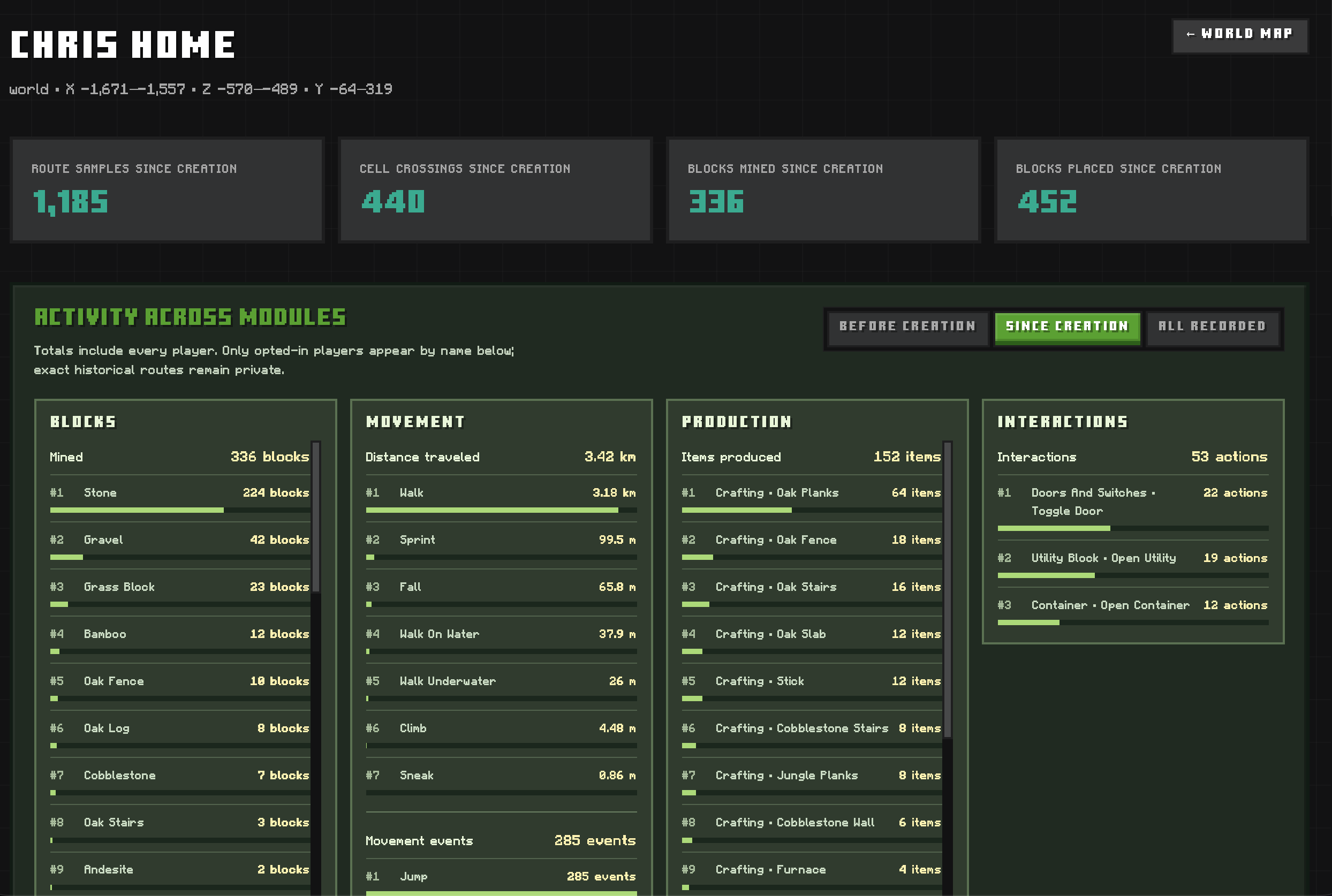
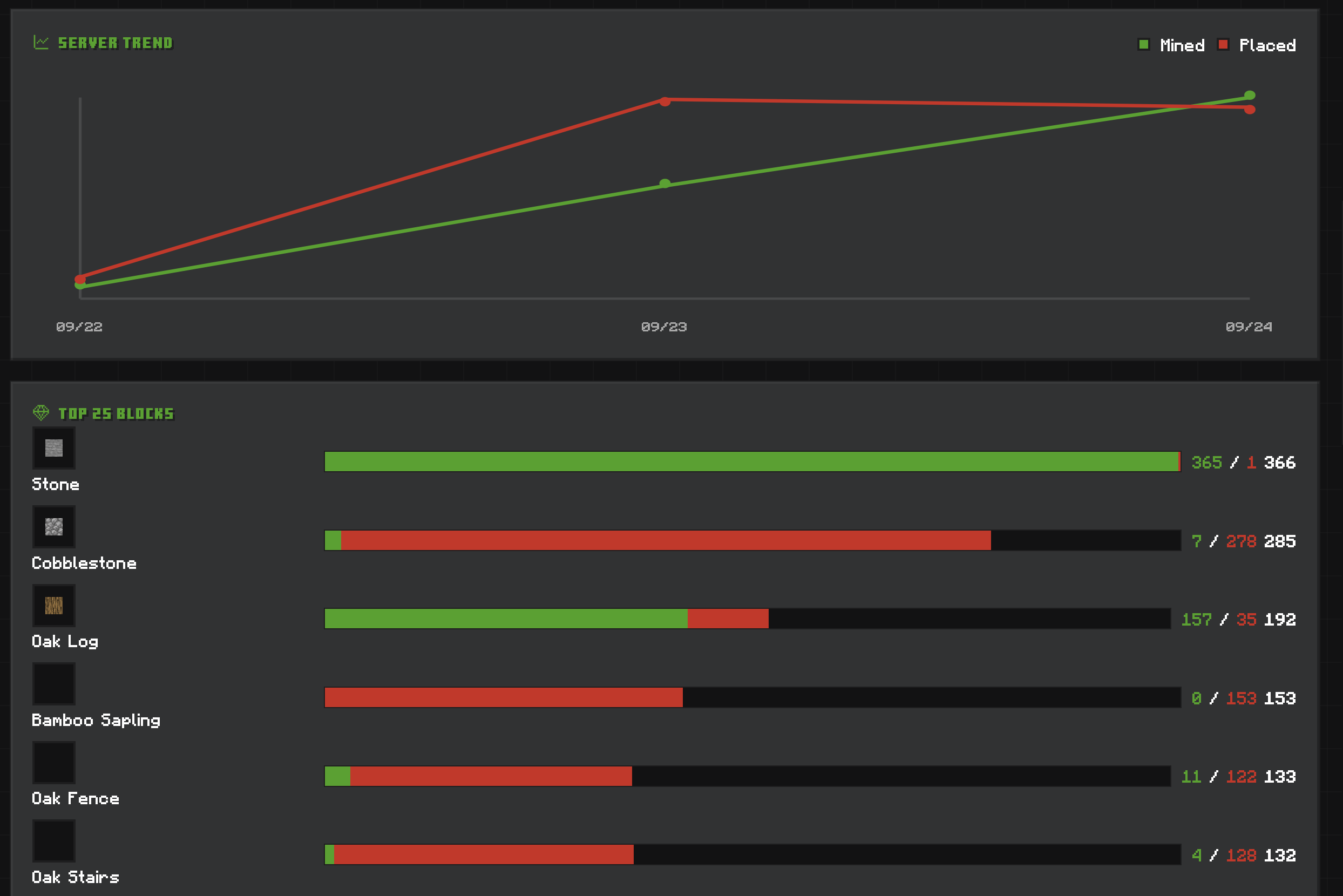
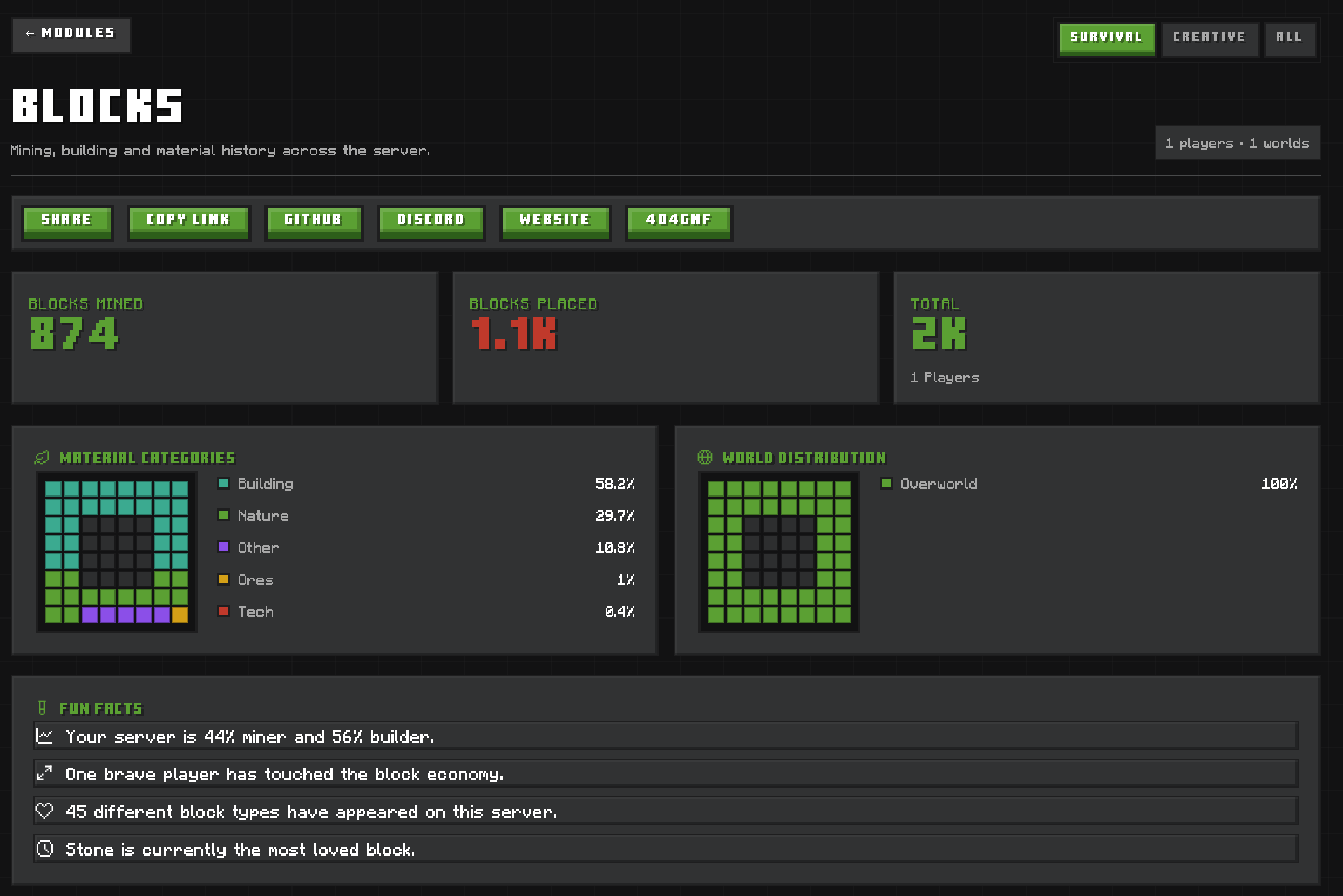
| Blocks and production | Mined and placed materials, block projects, crafted output, smelting, smithing and stonecutting |
| Movement and interaction | Distance by travel type, jumps, biomes, containers, doors, entities and other interactions |
| Server life and survival | Playtime, AFK time, joins, chat words, time spent together, damage, healing, hunger, food and death causes |
| Combat | NPC kills and deaths, plus a separate PvP arena with rankings, a podium, comparisons and fight details |
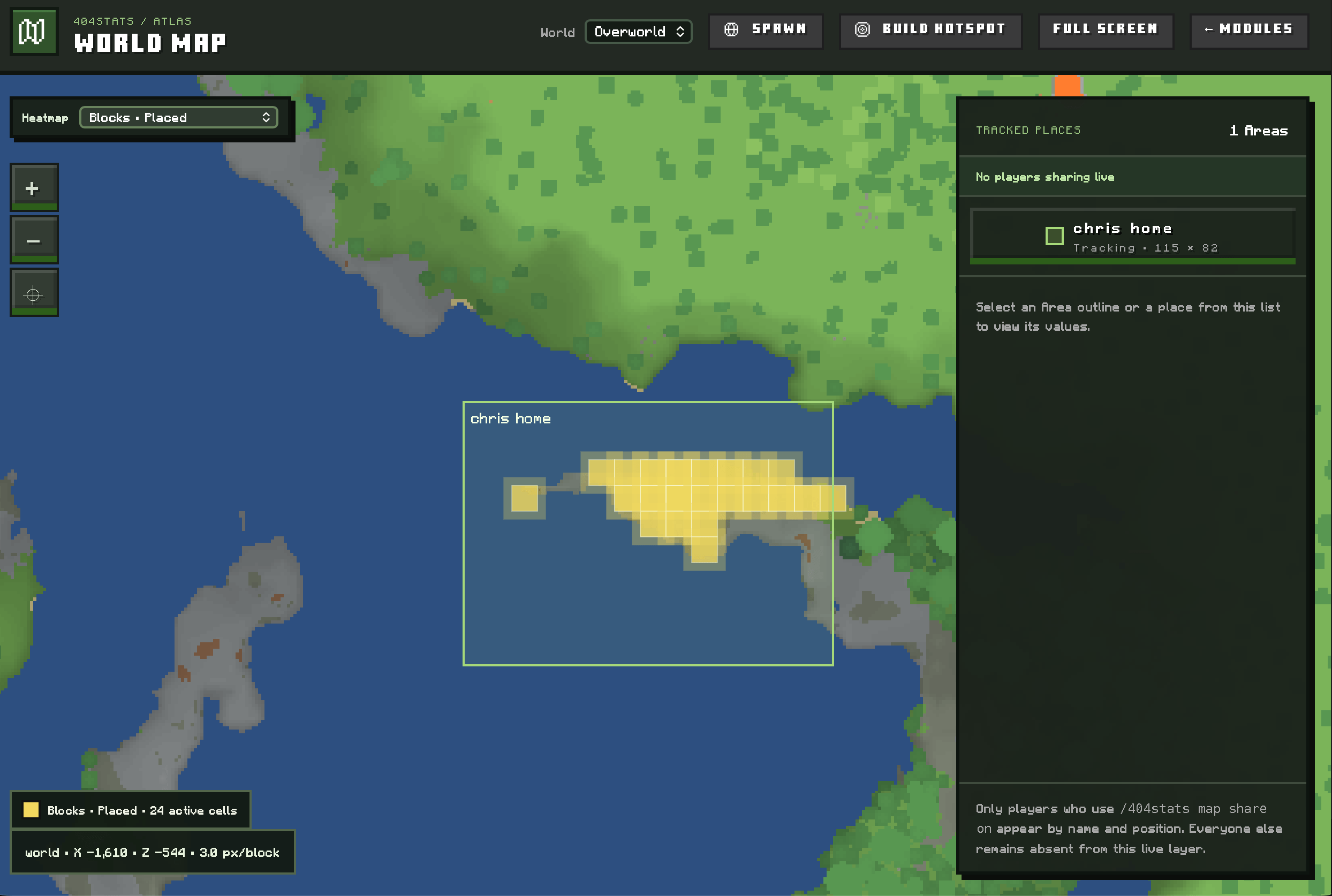
| World Map and Areas | Cached terrain, aggregate activity heatmaps and statistics for staff-defined places |
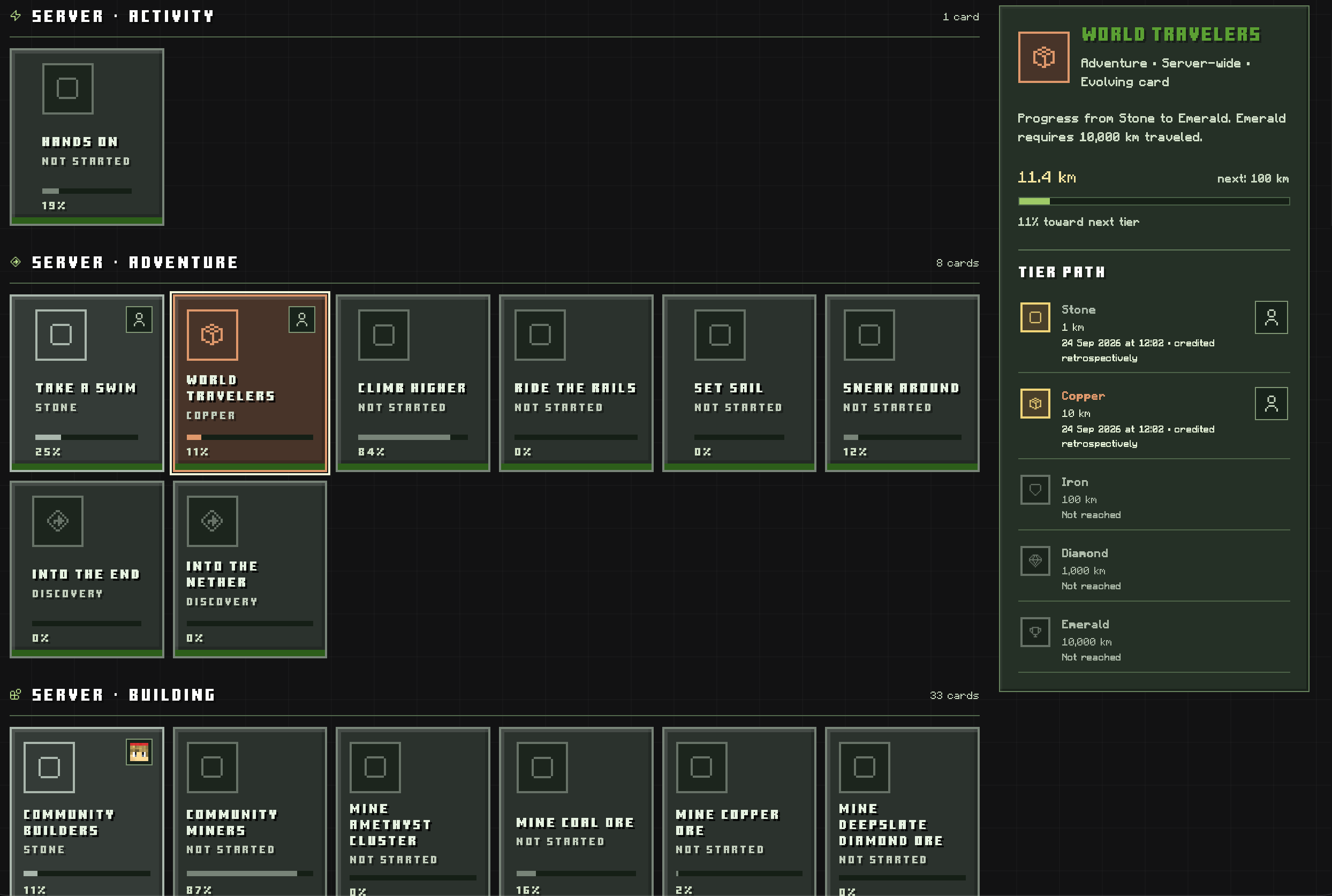
| Achievements and levels | 133 built-in lifetime achievement cards, admin-created goals, progress tiers and Survival/Creative activity XP |
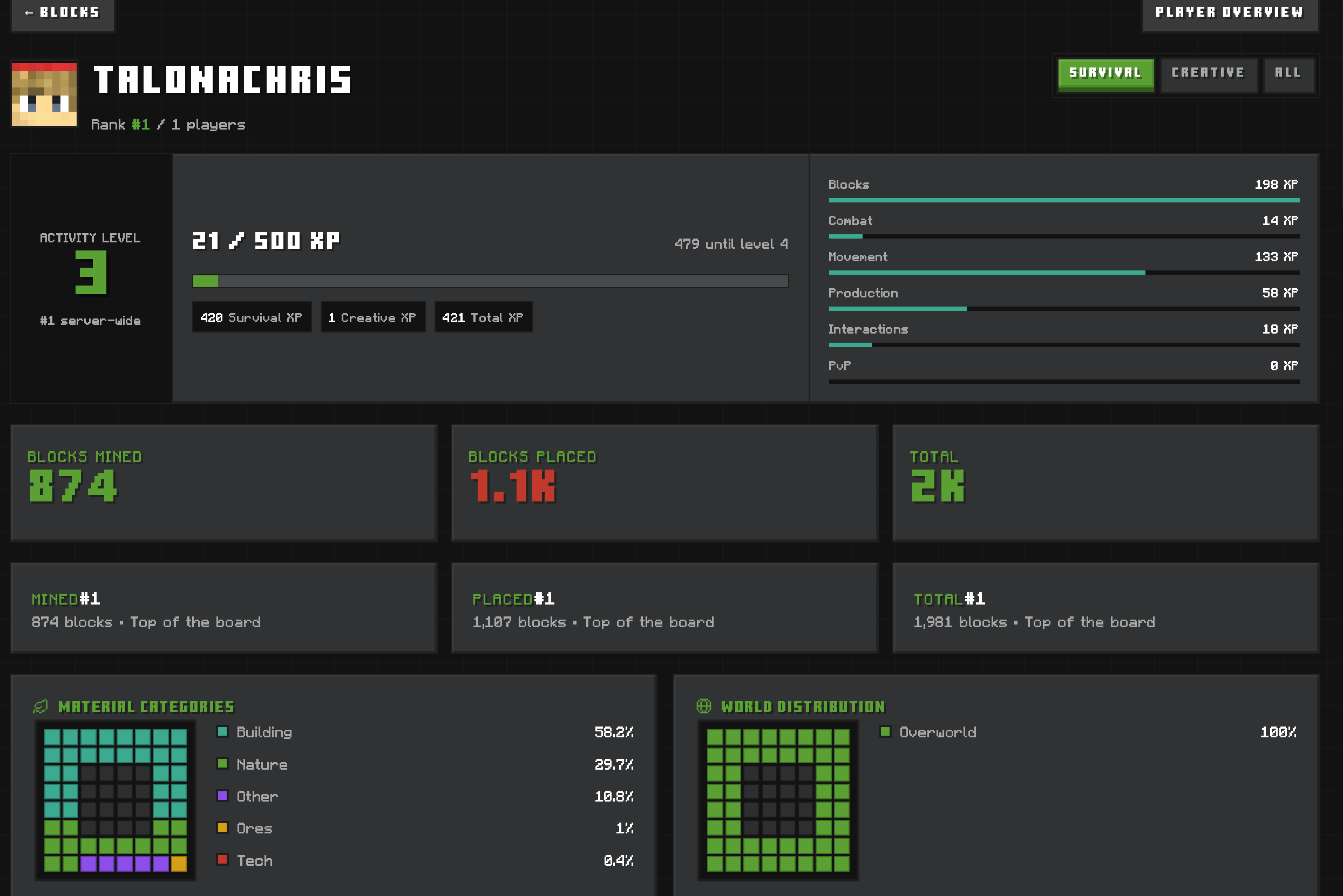
The dashboard includes module pages, player profiles, searchable indexes, charts, rankings and All Stats, which shows Survival and Creative activity separately. Activity earns player-level XP; Survival and Creative XP are tracked separately within the overall level. Achievements are one card per goal, with Stone-to-Emerald stages where applicable. Built-in goals can use statistics already stored by 404Stats, although an old event's exact time may be unavailable. Operators can make additional server, player or combined goals in the web admin builder and decide whether each should count existing data.
The website is included in the Paper JAR. You do not need to host a separate dashboard or create player accounts. PlaceholderAPI is optional; live statistics signs work without it.
Before making the dashboard public: it has no password by default, and the web server listens on all interfaces on port 8088. Set webpanel.password in plugins/404Stats/config.yml, put HTTPS in front of it with a reverse proxy, and set the appropriate bind address and public_url in plugins/404Stats/webserver.yml. Changing public_url alone does not restrict network access. Run /404stats reload to apply configuration changes.
When upgrading, stop the server and back up plugins/404Stats/404stats.mv.db before replacing the JAR. Existing configuration files are preserved, so compare them with the new defaults when upgrading. New tracking features cannot recover gameplay that was never recorded. Disabling a module stops new collection without deleting its existing data.
Optional Fabric companion
Players who want statistics in game can install 404Stats-Companion.jar and Fabric API in their Minecraft 26.3 Fabric client's mods/ folder. The Paper plugin must be installed on the server. The companion is client-side and does not require the website password
The first-run guide opens after a compatible server responds and lets you choose HUD cards and whether each map uses 404Stats, an installed map mod, or stays off. Press O for HUD settings and M for the 404Stats full-screen map; both keys can be changed in Minecraft's controls. The same screens are available from the pause menu. HUD settings and locally sampled map terrain stay on the client. The Paper plugin supplies authoritative statistics, Area boundaries and aggregate heatmaps, not terrain tiles or individual travel paths. When both 404Stats maps are disabled, its terrain scanning and cache updates stop.
Commands and integrations
| Command | Purpose |
|---|---|
/404stats me [module] [mode] |
View your statistics in chat |
/404stats panel |
Get the dashboard link |
/404stats map share on / off / status |
Control whether your live map position and personal Area statistics are public |
/404stats project add <name> / join <name> / toggle |
Track a block project |
/bossbar [blocks|npcs|movement] |
Toggle or switch a live statistics bossbar |
/404stats area map / pos1 / pos2 / create <slug> [project] |
Staff tools to select and create a tracked Area |
/404stats map fullrender [world] / status / cancel |
Render generated chunks and manage a map render (operator) |
/404stats webadmin |
Generate a one-time, five-minute admin-panel link (operator) |
/404stats reload |
Reload plugin and web-server settings (operator) |
For me, the module is blocks, npcs, movement or production; the mode is survival, creative or all. Staff can use /404stats player [module] <name> [mode] to view another player's statistics. The in-game Area selection map is an editor, while the website shows the resulting Area and its statistics.
Normal signs can show live totals or rankings without another plugin. Write these four lines on a sign:
[404Stats]
Blocks
mined
#1
Line 1 must be [404Stats]. Line 2 is a supported module, line 3 is a value (blank or all uses the module default), and line 4 is a player name, Server, a blank line for server totals, or #1–#100 for a ranking position. Loaded signs refresh every ten seconds by default; buffered events may take about 40 seconds to appear. See every sign module and value.
With PlaceholderAPI installed, 404Stats registers its expansion automatically. The three main forms are %404stats_self_<module>_<value>%, %404stats_player_<name>_<module>_<value>% and %404stats_top_<module>_<value>_<rank>%. For example, %404stats_self_blocks_mined% shows your block count, %404stats_player_Steve_combat_kills% shows Steve's NPC kills, and %404stats_top_movement_swim_cm_1_line% produces a ready-to-use top-swimmer line. Add _formatted, _rank, _name or _line where supported; append _survival or _creative at the end to select a game mode.
Data and privacy
Gameplay statistics are stored in the server's local H2 database at plugins/404Stats/404stats.mv.db. Map terrain tiles live under plugins/404Stats/map-cache/. The dashboard is served by the plugin, with no browser tracking widgets. Public rankings and aggregate statistics include players. Map location sharing is off by default; players opt in with /404stats map share on and can turn it off again at any time. The companion receives server statistics through the Minecraft connection and does not upload client gameplay statistics. Its local settings are in config/404stats-companion.properties; locally sampled terrain is stored under config/404stats-companion/maps/<server>/<world>/.
404Stats uses bStats for anonymous plugin usage metrics. Server owners can disable bStats in plugins/bStats/config.yml. The plugin may fetch Minecraft textures for player heads; Minecraft item textures are opt-in. Bundled interface icons and third-party notices are listed on the dashboard's About page.
404Stats is All Rights Reserved — FlippedBit. Minecraft is a trademark of Mojang Studios/Microsoft; 404Stats is an independent community project.
F0FStats Team


![RossAndrewsVT's Medieval Project [Discontinued] project image](https://media.forgecdn.net/avatars/thumbnails/1202/625/256/256/638779851698869072.webp)