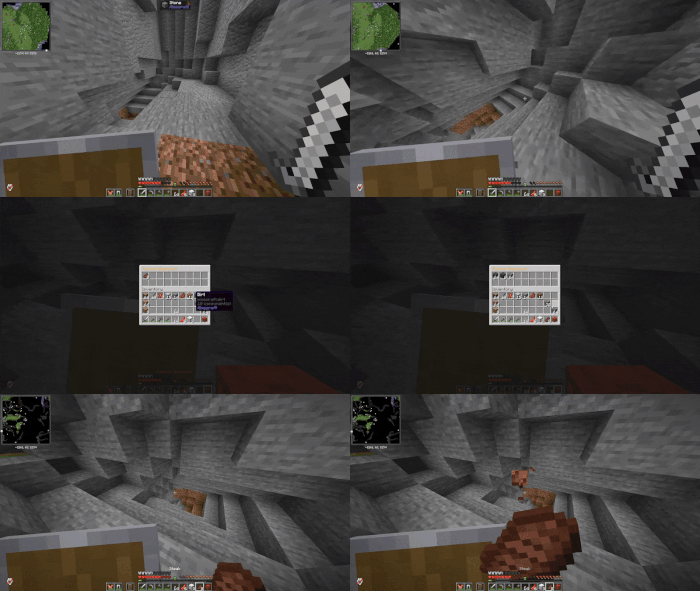
Expendable Backpacks
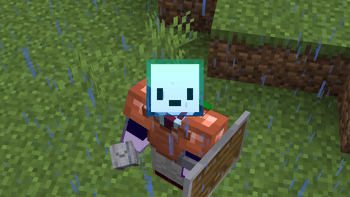
A comprehensive backpack system featuring eight progressive tiers, upgradeable storage, placeable backpack blocks, and unique Enderpack shared inventory functionality.
✨ Features
- Eight Progressive Tiers - From basic Dirt Backpack (9 slots) to premium Netherite Backpack (54 slots)
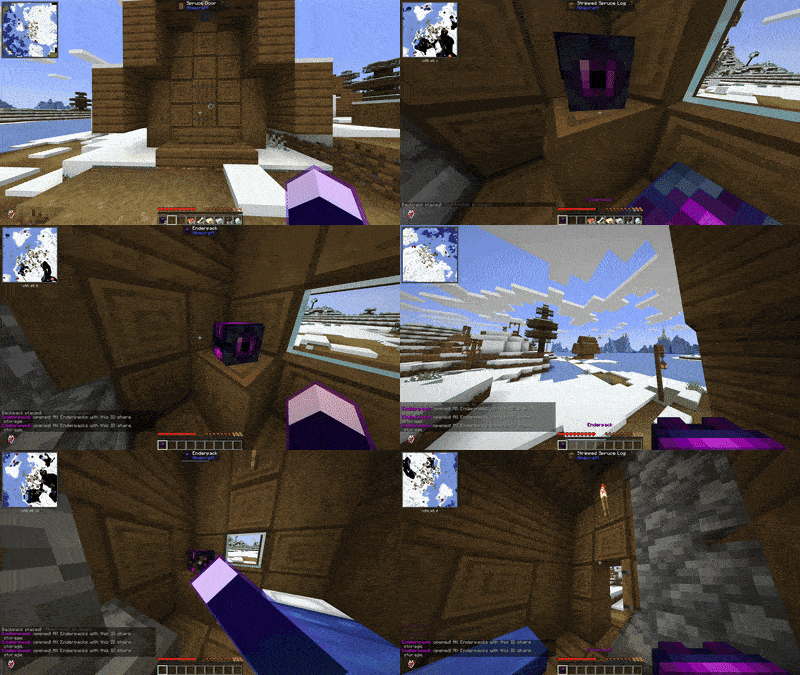
- Placeable Backpacks - Place backpacks as blocks in the world using Shift + Right-click
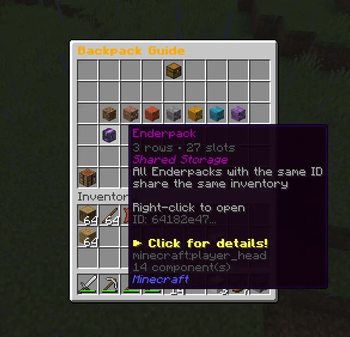
- Enderpack System - Unique shared storage across multiple Enderpacks using UUID-based identification
- Starter Backpack Configuration - Give new players a Leather Backpack on first join
- Stackable Upgrades - Upgrade your backpacks by surrounding them with materials while preserving all contents
- Inception Protection - Smart system prevents nesting backpacks within other backpacks
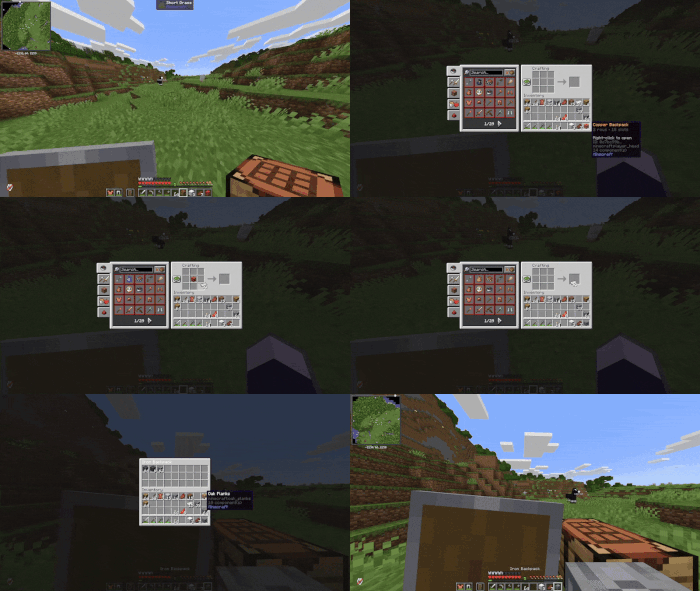
- Interactive GUI Guide - In-game visual guide showing all crafting recipes and upgrade paths
- Custom Textures - Beautiful player head textures for each tier with color-coded names
- Persistent Storage - All backpack contents automatically saved with UUID tracking
- Enderpack Cloning - Create multiple access points to the same shared inventory
- Full Protection - Placed backpacks are protected from explosions, pistons, fire, and lava
- Performance Optimized - Efficient inventory caching and asynchronous data saving
- Tab Completion - Full tab completion support for all commands and UUIDs
🎒 Backpack Tiers
| Tier |
Storage |
Upgrade Material |
| Dirt Backpack |
9 slots (1 row) |
Surround with Dirt |
| Leather Backpack |
9 slots (1 row) |
Starting tier |
| Copper Backpack |
18 slots (2 rows) |
8x Copper Ingot |
| Iron Backpack |
27 slots (3 rows) |
8x Iron Ingot |
| Gold Backpack |
36 slots (4 rows) |
8x Gold Ingot |
| Diamond Backpack |
45 slots (5 rows) |
8x Diamond |
| Netherite Backpack |
54 slots (6 rows) |
Smithing Table |
| Enderpack |
27 slots (3 rows) |
Shared Storage |
📦 Placeable Backpacks
Backpacks can now be placed in the world as decorative blocks that retain full functionality!
How It Works
- Place: Hold a backpack and Shift + Right-click on any surface
- Open: Right-click the placed backpack to access its inventory
- Break: Mine the block to retrieve your backpack with all contents intact
- Protection: Placed backpacks are fully protected from:
- Explosions (Creeper, TNT, etc.)
- Pistons (push/pull)
- Fire and lava damage
- Block explosions (Beds, Respawn Anchors)
Use Cases
- Storage Rooms - Create organized storage areas with visible backpack tiers
- Base Decoration - Display your collection of high-tier backpacks
- Quick Access Points - Place backpacks at strategic locations around your base
- Team Storage - Place shared Enderpacks in communal areas
- Shops & Trade - Create backpack displays in marketplace builds
Important Notes
- Placed backpacks retain their UUID - items stay exactly where they are
- Breaking and replacing a backpack doesn't affect its contents
- Enderpacks work the same when placed - all copies share the same inventory
- You can still open backpacks in your hand with a normal right-click
🌌 Enderpack - The Special One
The Enderpack provides unique functionality not found in other tiers:
- Shared Storage - All Enderpacks with the same UUID access identical inventory
- Cloneable - Craft 1 Enderpack + 1 Ender Pearl = 2 Enderpacks with matching UUID
- Multiple Access Points - Keep one in your inventory, one at your base, share with teammates
- Works When Placed - Place Enderpacks as blocks and they still share the same inventory
- Perfect for Teams - Coordinate shared storage across multiple players
- Cross-Location Access - Access the same inventory from anywhere
Example Use Case
- Craft an Enderpack
- Clone it by combining with an Ender Pearl (yields 2 Enderpacks, same UUID)
- Keep one in your inventory for on-the-go access
- Place one as a block at your base for easy access
- Give one to a teammate
- All three access the same 27-slot shared storage - even the placed one!
⚙️ Configuration
The plugin includes a configuration file at plugins/ExpendableBackpacks/config.yml for server customization.
Starter Backpack Feature
Give new players a Leather Backpack automatically when they first join your server:
# Give a Leather Backpack to players when they first join the server
# Default: false
give-backpack-on-first-join: false

# Message sent to players when they receive their starter backpack
# Use & for color codes (e.g., &a for green, &6 for gold)
# Set to empty string ("") to disable the message
starter-backpack-message: "&7Welcome! You've been given a &7Leather Backpack &7to get started. Right-click to open!"
Features:
- Only triggers for players joining for the first time
- Automatically adds backpack to inventory
- Drops at player location if inventory is full
- Customizable welcome message with color code support
- Disabled by default - enable it in your config
🚀 Installation & Compatibility
- Download the latest plugin JAR file
- Place it in your server's
/plugins/ directory
- Restart your server or use a plugin loader
- Use
/backpack to access the in-game guide
- Configure starter backpack in
plugins/ExpendableBackpacks/config.yml (optional)
Requirements
- Server Software: Paper, Spigot, Purpur, or Folia
- Minecraft Version: 1.21 or higher
- Java Version: 21 or higher
🔧 Commands & Permissions
Commands
All commands support the /bp alias for quick access.
| Command |
Description |
Permission |
/backpack |
Open interactive guide GUI |
backpack.use |
/backpack help |
Display help information |
backpack.use |
/backpack give <player> <tier> |
Give a backpack to a player |
backpack.give |
/backpack open <uuid> |
Open a backpack by UUID |
backpack.openOthers |
/backpack clear <uuid> |
Clear backpack contents |
backpack.clear |
/backpack clone <uuid> |
Create an Enderpack clone |
backpack.clone |
Permissions
| Permission |
Description |
Default |
backpack.use |
Use backpack command and open own backpacks |
Everyone |
backpack.give |
Give backpacks to players |
OP |
backpack.openOthers |
Open any backpack by UUID |
OP |
backpack.clear |
Clear backpack contents |
OP |
backpack.clone |
Clone Enderpacks |
OP |
backpack.admin |
All admin permissions |
OP |
🔨 Crafting Recipes
Leather Backpack (Starting Point)
L S L
L C L
L L L
- L = Leather, S = String, C = Chest
Enderpack (Special Recipe)
E P E
P C P
E I E
- E = Ender Eye, P = Ender Pearl, C = Chest, I = Iron Block
Upgrades
Surround your backpack with 8x upgrade material:
- Leather → Copper: 8x Copper Ingot
- Copper → Iron: 8x Iron Ingot
- Iron → Gold: 8x Gold Ingot
- Gold → Diamond: 8x Diamond
- Diamond → Netherite: Smithing Table (Netherite Upgrade Template + Diamond Backpack + Netherite Ingot)
Note: All upgrades preserve your items and UUID!
💾 Technical Details
Data Storage
- Backpacks stored in
plugins/ExpendableBackpacks/backpacks.yml
- UUID-based identification for each backpack instance
- Placed backpacks store UUID in block PersistentDataContainer
- Automatic inventory serialization
- Data persists across server restarts
Performance
- Efficient inventory caching system
- Asynchronous data saving
- Optimized block interaction handling
- Optimized for large-scale servers
- Minimal server resource usage
Placed Backpack Technical Details
- Placed as Player Head blocks with custom textures
- UUID and tier data stored in block NBT (PersistentDataContainer)
- Same NamespacedKeys as items for consistency
- Full event handling for comprehensive protection
🆘 Support & Links
📜 License
See the LICENSE file for details.
Developed with care for the Minecraft server community.