Source | Change Log | Feature Request | Bug Report | Donate
Latest Release: v1.0 for Bukkit 1.7+
About
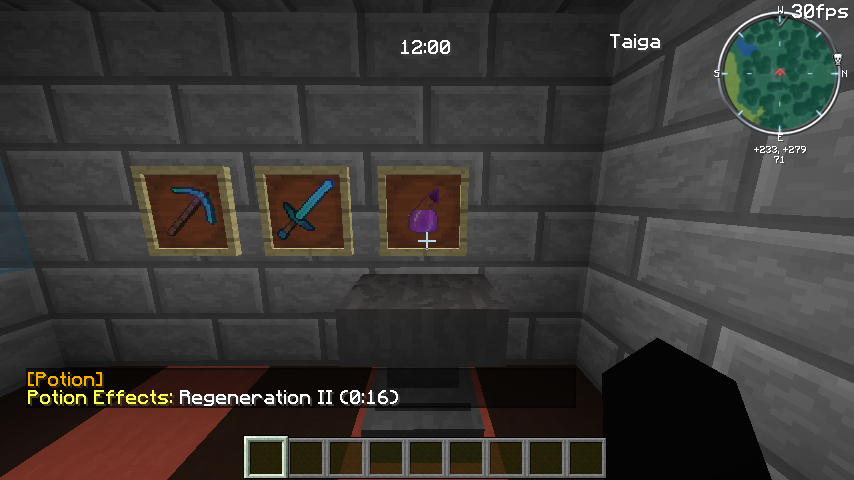
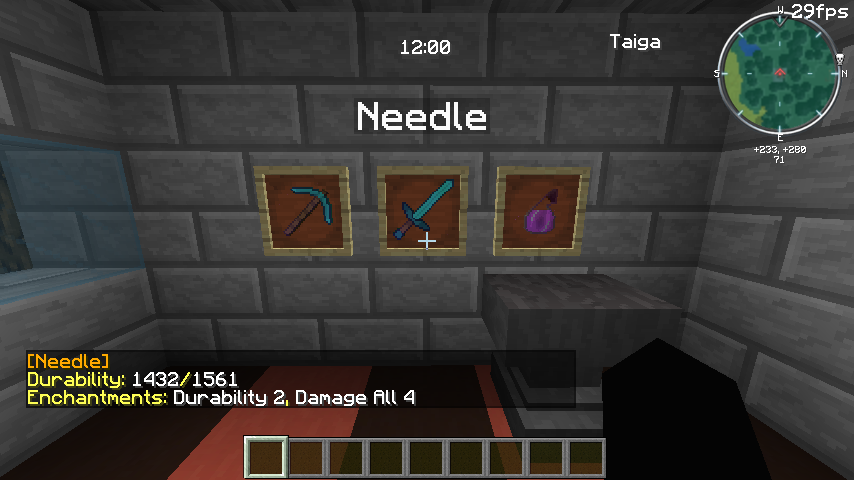
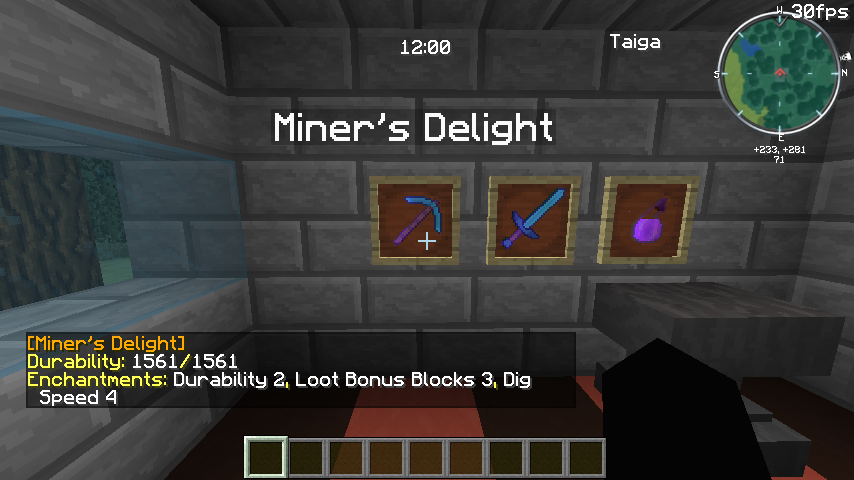
DisplayFrames is designed to expand on the concept of ItemFrames, allowing users to show off all of their item's details... instead of just the display name. To view an item's information, a user has only to walk up to the ItemFrame and right click. This plugin is under continuing development, and will be updated to show additional item details as they are incorporated into Minecraft, as the developer monitors all feedback and bug reports.
Features
Item Details
Accessible by right clicking on an Item Frame. To rotate an item in an ItemFrame, a user must be sneaking.
- Name (Display name or default name)
- Durability (Current and maximum)
- Enchantments (Normal and stored)
- Author
- Potion Effects
- Lore
Item Cloning
An experimental feature of the plugin is middle-click Cloning. If enabled, users in Creative mode can middle-click an ItemFrame to be given an exact duplicate of the item on display.
Note: A limitation of Minecraft/Bukkit causes this to only work if they player has no similar items in their hotbar, as middle clicking would then simply change their selected hotbar slot.
Installation
- Download DisplayFrames Jar file.
- Move/copy to your server's
plugins folder.
- Restart your server.
- [Optional] Grant specific user permissions (see below).
Permissions
DisplayFrames has two permission nodes:
displayframes.admin - Allow user to reload the plugin and save language templates. Includes displayframes.use permission. (Default: op)displayframes.use - Allow user to interact with DisplayFrames in-game. (Default: true)
Commands
DisplayFrames has only one command, /displayframes (Alias: /df)
/displayframes reload - Reload configuration and language data from disk./displayframes template - Save a language-file template to the plugin's data folder.
Configuration
At startup, the plugin will create a default configuration file if none exists. This file is saved as config.yml and is located in <server_folder>/plugins/DisplayFrames. Multiple language files are located in the locale subfolder.
Bugs/Requests
This plugin is continually tested to ensure that it is performing correctly, but sometimes bugs can sneak in. If you have found a bug with the plugin, or if you have a feature request, please create an issue on Github.
Donations
Donating is a great way to thank the developer if you find the plugin useful for your server, and encourages work on more 100% free and open-source plugins. If you would like to donate (any amount), there is an easily accessible link in the top right corner of this page. Thank you!
Privacy
This plugin utilizes Hidendra's Plugin-Metrics system. You may opt out of this service by editing your configuration located in plugins/Plugin Metrics. The following anonymous data is collected and sent to mcstats.org:
- A unique identifier
- The server's version of Java
- Whether the server is in online or offline mode
- The plugin's version
- The server's version
- The OS version, name, and architecture
- The number of CPU cores
- The number of online players
- The Metrics version
License
This plugin is released as a free and open-source project under the GNU General Public License version 3 (GPLv3). To learn more about what this means, click that link or read about it on Wikipedia.