VIDEO
Total Lines of Code: 3111
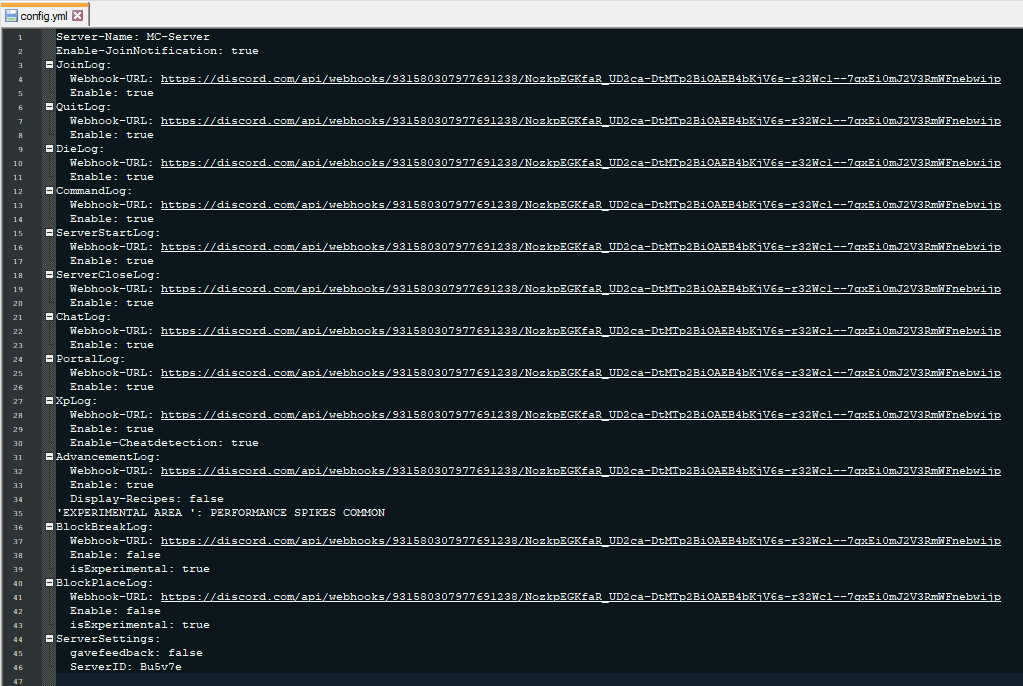
You can configurate a lot in the Config.yml.
You can select induvidually webhooks for every log, also you can select a Custom color!
Please report bugs or send Suggestions via /Feedback ( Message ) ingame.
If you need help type /support <i need help with....> <YourDiscordTag#0123>
or open a Ticket at my Discord!Discord
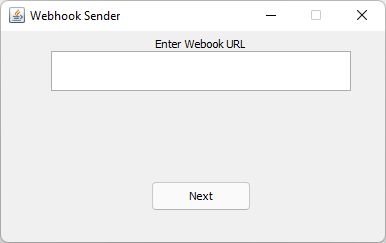
Note: the Java panel opens on the host computer, Not at the clients.
Enter Your Discord Tag at
Commands:
/discordlogs info = show config status
/discordlogs serverid = shows serverid
/feedback (message) = send feedback
/editconfig (logtype) (true/false) = Toggle logs ingame
/editconfig (logtype) color (color(blue,green ....)) = changes color
/editconfig imagetop (ImageURL) = set Top Embed thumbnail
/editconfig imagedown (ImageURL) set Bottom Embed thumbnail
/keyword list = lists all keywords
/keyword add (keyword) = add a Keyword
/keyword remove (keyword) = remove a Keyword
/keyword list clear = Clears the Keyword list
/keyword roleid (roleid) = changes the discord role
/invgui = opens Inventory GUI
/sendtodiscord = send costum message to chat channel
/support (I Need support for the config) (yourdiscordtag#0123)
Permissions:
discordlogs.serverid = use /discordlogs serverid
discordlogs.feedback = use /feedback (message)
discordlogs.joinnote = get join config status
discordlogs.ingame.addkeyword = use /keyword add (keyword) command
discordlogs.ingame.config = use /editconfig colorlist, use /editconfig list
discordlogs.ingame.removekeyword = use /keyword remove (keyword)
discordlogs.ingame.roleid = /keyword roleid (roleid)
discordlogs.ingame.list.clear = use /keyword list clear
discordlogs.ingame.list.view = use /keyword list
discordlogs.ingame.config.help = use /editconfig help
discordlogs.ingame.invgui = use /invgui
discordlogs.ingame.sendmessage = use /sendtodiscord
discordlogs.use = use /discordlogs
discordlogs.support = use /support
How to use?
1. drag the "discordlogs.jar" in the Plugins folder
2. Start the Server
3. go in plugins/discordlogs/config.yml
4. Type at
5. paste ur own Webhook-URL at www.discordwebhook.com
6. Type /discordlogs rl/reload
7. Done
Latest Tutorial:
VIDEO

![[DiscordLogs] Remasterd ( Ingame Support ) logo](https://media.forgecdn.net/avatars/thumbnails/495/224/64/64/637808193936987884.png)


 to get a better experience and better Support!