promotional bannermobile promotional banner

DeityPortal

DeityPortal
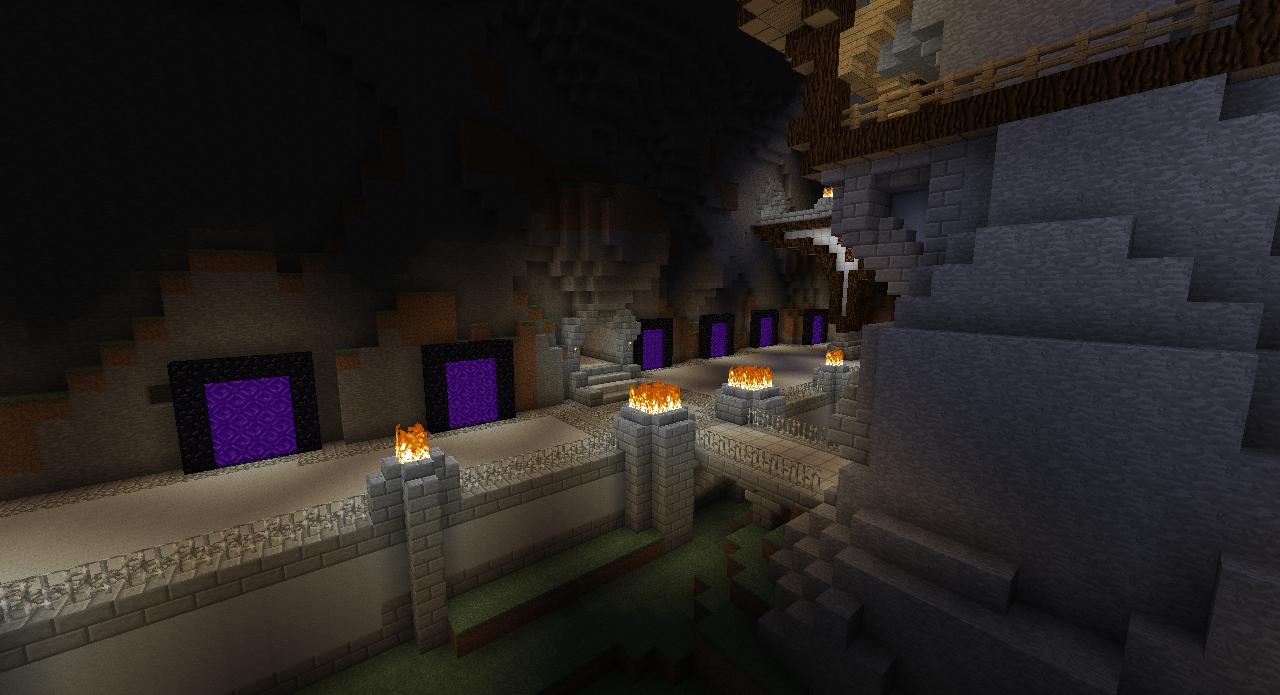
<p>Taken on the <a href="http://www.ImDeity.com">ImDeity Kingdoms</a> Minecraft Server!</p>

Taken on the ImDeity Kingdoms Minecraft Server!

Description

What is DeityPortal?

This plugin is a light-weight portal system. The system will run commands based on when a user enters Portal Block (Excluding End Portal Blocks). These commands can either be sent from the players behalf OR they can be sent from console. The portal can be any shape or size that you decide. As long as you can select the shape with WorldEdit, you can turn it into a portal.

What does this plugin allow me to do?

This plugin will allow you to set up portal regions by selecting an area with WorldEdit. It will also allow you to manage all in-game portals either through console, or in game itself.

What makes this plugin better then other portal plugins?

Most portal systems are direct teleports, You enter the portal and it has a coordinate that is stored in a database/flatfile to go to. This doesn't allow for many things such as custom handling of these teleports. With this system you can bind any command to any portal. No restrictions on how that is handled. This is perfect if you have teleport commands with custom welcome messaging in them. Want to make the users pay for using a portal? Well now you can! That is directly built into the system, and configurable on the fly!

Features:

  • The simplicity. This plugin works for you, No needing to edit plugins to make them work as you want for your server!
  • WorldEdit Integration. I found that selection the portals was a vey draw out process when it was command based. Now you just click 2 points with WorldEdit and DeityAPI will do the rest!
  • Econ Support. Charge your users for entering the portals!
  • Nether Support. Want to keep a portal linked to the nether? Don't set-up a DeityPortal on that portal and you are good to go!

Commands/Permissions

General Commands

Note: You can use the %player% variable in the portal command to represent the player who is entering the portal Note 2: When creating portals do not include the '/' before the command unless the command requires a double slash

  • /deityportal add [CONSOLE/PLAYER] [command]: Creates a portal at the specified Coords- Requires deityportal.add
  • /deityportal remove [portal-id]: Deletes a portal- Requires deityportal.remove
  • /deityportal list: Lists all portals- Requires deityportal.list
  • /deityportal edit command [portal-id] [new-command]: Edits a portals command- Requires deityportal.edit
  • /deityportal edit source [portal-id] [CONSOLE/PLAYER]: Edits a portals source- Requires deityportal.edit
  • /deityportal edit cost [portal-id] [price]: Edits a portals cost- Requires deityportal.edit
  • /deityportal reload: Reloads all portals- Requires deityportal.reload

Use Permission

  • If you wish to use a built portal you will need to have the permission deityportal.use. Any users without this permission will not be able to use the system

Requirements:

Quick guide to setting up your first portal!

  1. Build your portal to suite you!
  2. Select a region that contains the actual purple portal blocks with WorldEdit...This block if your still confused
  3. Think about what command you wish to use. We will use the command /spawn main for instruction purposes
  4. With the portal selected with WorldEdit, type the command /deityportal add player spawn main
  5. Congrats! You just made your first portal!

Extra Links

Source: GitHub

Stats

The DeityPortal Team

profile avatar
  • 8
    Projects
  • 61.2K
    Downloads
Donate

More from _ForgeUser6866240View all

  • HelpTicket project image

    HelpTicket

    • 15.6K
    • Bukkit Plugins

    HelpTicket

    • 15.6K
    • September 2, 2012
    • Bukkit Plugins
    • +1
  • Kingdoms 2 project image

    Kingdoms 2

    • 25.1K
    • Bukkit Plugins

    Kingdoms 2

    • 25.1K
    • August 21, 2012
    • Bukkit Plugins
    • +4
  • DeityProtect project image

    DeityProtect

    • 7.0K
    • Bukkit Plugins

    DeityProtect

    • 7.0K
    • August 20, 2012
    • Bukkit Plugins
    • +1
  • DeityAPI project image

    DeityAPI

    • 11.6K
    • Bukkit Plugins

    Public API for Plugin Developers to use to handle tedious tasks

    • 11.6K
    • August 19, 2012
    • Bukkit Plugins
  • HelpTicket project image

    HelpTicket

    • 15.6K
    • Bukkit Plugins

    HelpTicket

    • 15.6K
    • September 2, 2012
    • Bukkit Plugins
    • +1
  • Kingdoms 2 project image

    Kingdoms 2

    • 25.1K
    • Bukkit Plugins

    Kingdoms 2

    • 25.1K
    • August 21, 2012
    • Bukkit Plugins
    • +4
  • DeityProtect project image

    DeityProtect

    • 7.0K
    • Bukkit Plugins

    DeityProtect

    • 7.0K
    • August 20, 2012
    • Bukkit Plugins
    • +1
  • DeityAPI project image

    DeityAPI

    • 11.6K
    • Bukkit Plugins

    Public API for Plugin Developers to use to handle tedious tasks

    • 11.6K
    • August 19, 2012
    • Bukkit Plugins