Custom-GUI
Build fully custom menus in YAML, with clickable items, glow effects, chained actions, hex colors and selector-based commands.
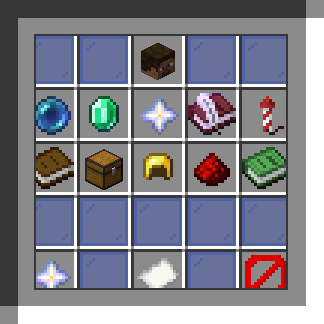
custom.png
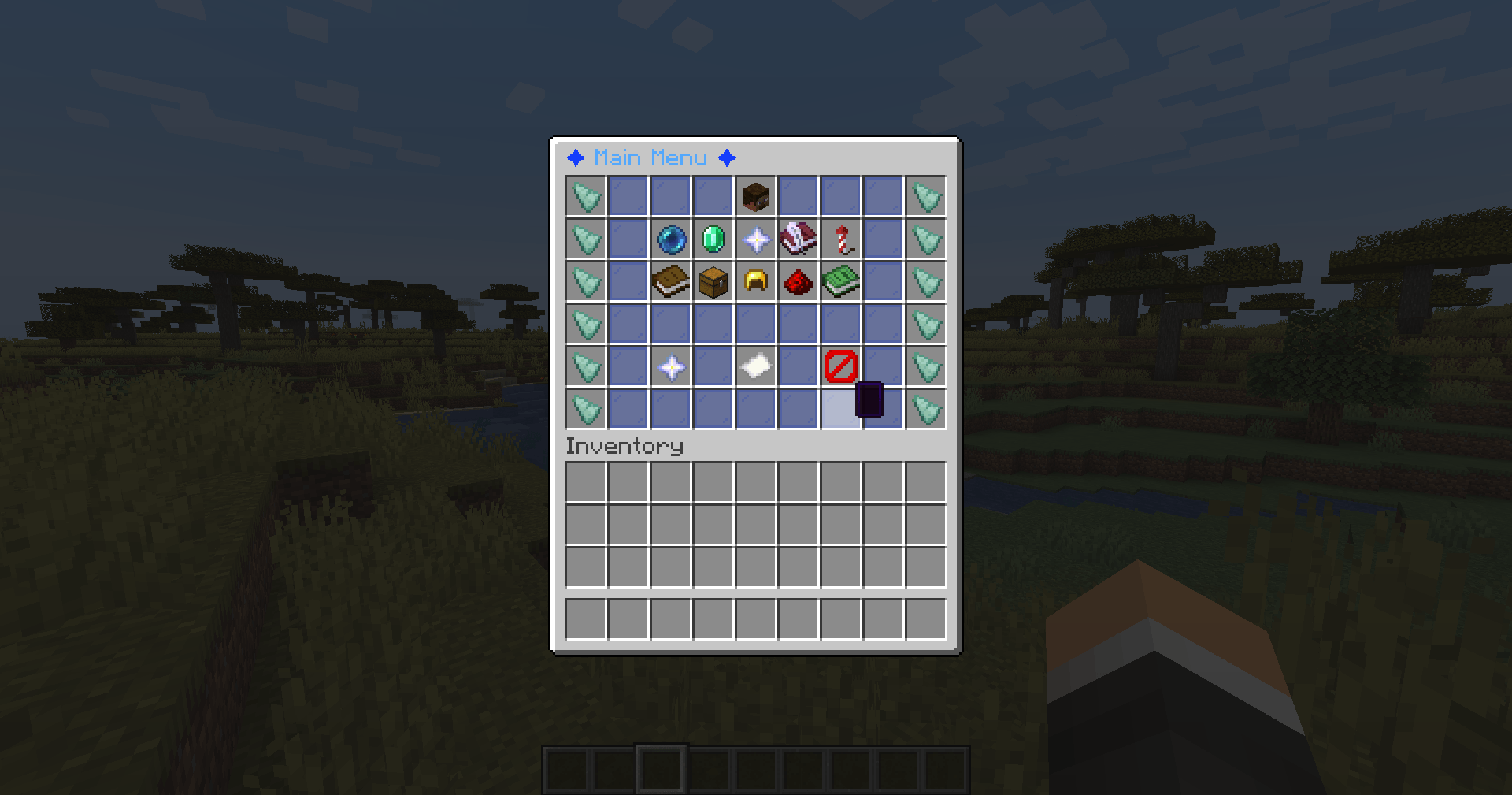
2026-10-10_14.20.22.png
Description
CustomGUI
A flexible, YAML-powered GUI engine for Spigot 1.20.1.
CustomGUI lets server administrators create fully customizable inventory menus using simple YAML files. Configure layouts, items, permissions, cooldowns, click actions, navigation, and dynamic refreshes without writing Java code.
Designed for developers and server owners, CustomGUI also provides a public API and custom events for integration with other plugins.
Features
🎨 Fully Customizable GUIs
-
Configure GUI dimensions with 1–9 columns and 1–6 rows.
-
Align item layouts to the left, center, or right.
-
Position items using coordinates, position lists, or slot ranges.
-
Fill empty slots with configurable filler items.
-
Customize titles with legacy color codes and hex colors.
💎 Rich Item Configuration
-
Custom materials, names, and lore.
-
Legacy colors (
&a) and hex colors (&#RRGGBB). -
Enchantment glow effects.
-
Custom Model Data support.
-
Per-item permissions and cooldowns.
-
Built-in placeholders:
-
%player%— Player name. -
%displayname%— Player display name. -
%uuid%— Player UUID. -
%world%— Current world. -
%online%— Online player count. -
%gui%— Current GUI identifier.
-
⚡ Powerful Click Actions
Configure different actions for each mouse input:
-
Left-click
-
Right-click
-
Shift-left-click
-
Shift-right-click
-
Middle-click
-
Fallback actions for any click
Chain multiple actions in sequence, with support for delays.
| Action | Description |
|---|---|
[player] |
Execute a command as the player |
[console] |
Execute a command as the console |
[message] |
Send a chat message |
[actionbar] |
Display an action bar message |
[title] |
Display a title and subtitle |
[sound] |
Play a sound |
[open] |
Open another GUI |
[close] |
Close the current GUI |
[refresh] |
Refresh the current GUI |
[delay] |
Delay subsequent actions |
GUIs can also define open_actions and close_actions to run actions when opened or closed.
🔄 Dynamic GUIs
-
Automatically refresh menus at a configurable interval.
-
Update dynamic content without requiring a server restart.
-
Reload the configuration and all GUI files using a single command.
🔒 Inventory Safety
-
Cancel inventory clicks and drags inside managed GUIs.
-
Prevent players from taking GUI items through normal inventory interactions.
-
Reduce shift-click duplication and item theft risks.
-
Schedule click actions one tick after the click, on the main server thread.
🛠️ Developer API
CustomGUI exposes a public API for integration with other plugins.
Available events:
-
GuiOpenEvent -
GuiClickEvent— Cancellable -
GuiCloseEvent
Access the GUI manager through:
CustomGUI.getInstance().getGuiManager()Commands
| Command | Description |
|---|---|
/customgui gui open <gui> [player|@p|@a|@r|@s] |
Open a GUI |
/customgui gui close [player] |
Close a GUI |
/customgui gui list |
List loaded GUIs |
/customgui reload |
Reload the configuration and GUI files |
Alias: /cgui
Permissions
| Permission | Description | Default |
|---|---|---|
customgui.admin |
Access to all CustomGUI commands | OP |
Example Configuration
Create a YAML file for your GUI, for example main-menu.yml:
title: "&#FFAA00&lMain Menu"
columns: 9
rows: 3
filler:
material: BLACK_STAINED_GLASS_PANE
name: " "
items:
heal:
material: GOLDEN_APPLE
position: "4,1"
glow: true
name: "7FF55&lHeal"
cooldown: 100
actions:
left:
- "[console] effect give %player% minecraft:instant_health 1 1 true"
- "[sound] entity.player.levelup 1 1.5"
- "[message] &aYou have been healed!"This example creates a three-row menu with a glowing Golden Apple that grants the player a short instant-health effect when clicked.
Requirements
| Requirement | Version |
|---|---|
| Minecraft | 1.20.1 |
| Server software | Spigot or compatible fork |
| Java | 17 or newer |
Getting Started
-
Install CustomGUI on your server.
-
Create a YAML file for your GUI using the example above.
-
Load or reload the configuration.
-
Open your menu using
/customgui gui open <gui>.
Consult the project's documentation for the exact configuration directory, supported YAML options, and action syntax.
Support
Found a bug or have a feature request? Report it through the project's issue tracker.
CustomGUI — Build powerful server menus without writing a custom plugin for every GUI.
Custom-GUI Team