CrateBundles
- By
Replacing the "Crates + Keys" with "Bundle Items + Right Click" And a user friendly item / command / kit gui setup ingame!
CrateBundles: Customizable Reward Crates
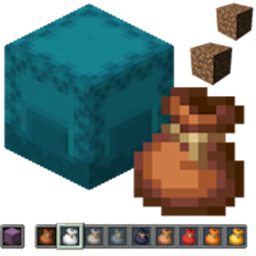
Turn any vanilla Bundle into a fully customizable reward crate. Give players a locked, custom-named Bundle item — right-click it and watch an animated GUI roll through your configured rewards before handing over an item, a command, or a full multi-item kit. No new blocks, no armor stand hacks — everything is built entirely in-GUI, backed by clean, editable YAML.
📬 Contact Me & Support Information
Primary Support Channel (Preferred)
Discord Server: https://discord.gg/48sZCbdHzJ
All general questions, feature requests, and non-urgent bug reports should be posted in the appropriate channels on our Discord server. We actively monitor the server and will respond as soon as possible. This ensures that the whole community can benefit from the discussion and solutions.
Urgent Private Messaging (PM) Policy
While we prefer all issues to be handled via the Discord server first, you are welcome to PM me directly under specific urgent circumstances:
- Allowed Reason: Your server is crashing or experiencing critical, game-breaking errors directly related to this plugin.
- Requirement: You must be the owner of the server.
- Time Zone: I operate in the Belgium / Brussels Time Zone (CET/CEST).
- PM Hours: Please only send private messages between 10:00 AM and 10:00 PM (Brussels Time).
I will do my best to respond promptly, but immediate replies are not guaranteed. Private messaging is a professional courtesy, not an entitlement. Thank you for your understanding!
✨ Features & Highlights
- Native Vanilla Bundles: Uses regular Bundle items (any color) as the crate — no custom textures or resource packs required. Bundles are locked: players cannot stuff their own items into a CrateBundle using vanilla bundle mechanics.
- Three Reward Types:
- Items: Rewards are captured literally — custom name, lore, enchantments, every bit of NBT — exactly as you drop them into the GUI.
- Commands: Run by the server console or by the player, with a customizable preview name and lore so players never see the raw command.
- Kits: A single reward that grants multiple items and/or commands at once, with its own name, icon, rarity, and how many times its contents are granted.
- Weighted Rarity System: 20 built-in rarity tiers (Junk through Transcendent) with configurable names, weights, and colors. Cycle any reward's rarity with a single click in the GUI.
- Animated Crate Opening:
- 16 background pane animations — Rainbow Wave, Spiral In/Out, Border Chase, Center Pulse, Checkerboard Flash, Ambient Sparkle, and more.
- Multiple item-cycling presentation styles during the roll.
- 9 opening GUI layout variants controlling row count and where the winning reward lands.
- Fully In-Game GUI Configuration: No config-file editing required to build a crate.
- Bundle Config GUI (
/bundle modify) — a literal drag-and-drop reward inventory. Drop an item in, it's a reward; take it out, it's gone. Toggle open-permission, cycle animation style, item-cycle variant, and GUI layout, all from dedicated buttons — plus a standalone Create Kit button. - Item Property Editor GUI — right-click any reward to edit its count, rarity, and (for commands) preview name/lore/source, or convert it into a kit on the spot. Its icon slot is fully customizable too.
- Kit Editor GUI — same literal drag-and-drop editing for a kit's contents, plus a customizable icon (defaults to a named chest), kit name, rarity, and amount.
- Preview GUI — players shift-right-click a Bundle to preview its possible rewards before opening it.
- Bundle Config GUI (
- Chat-Driven Editing: Command strings, command preview names/lore, kit names, and permission nodes are all set through simple, guided chat prompts triggered right from the GUIs — full color code support included.
- Kit Redeem Chest: If a player's inventory is full when they win a kit, they get a Kit Redeem Chest instead so nothing is lost — redeemable later with a right-click.
- Per-Bundle Permission Locking: Require a specific permission node to open any given bundle type, set and toggled entirely from the GUI.
- Server Broadcasts: Optional, fully customizable global announcements when a player opens a bundle.
- Clean YAML Configuration: Everything lives in
cratebundles.yml(bundle types, rewards, rarity tiers) andmessages.yml(every player-facing message). Both ship inside the plugin and are generated automatically on first run — no JSON, easy to read, easy to back up.
⚙️ Setup & Usage
1. Create a Bundle
/bundle create <bundle_key>— creates a new, empty bundle type and opens its configuration GUI.- Add Rewards: Drop items straight into the reward grid. Right-click one to edit its count/rarity, or hit the standalone Create Kit button to build a multi-reward kit.
- Customize: Use the control-row buttons to toggle permission requirements, cycle the pane animation, item-cycle variant, and GUI layout — and the
/bundle name,/bundle lore,/bundle color, and/bundle glintcommands for the physical bundle item's appearance.
2. Give It Out
/bundle give <player> <bundle_key> [amount]— hands the player a ready-to-open Bundle.
3. Player Interaction
- Right-Click: Opens the crate, plays the animation, and grants the reward.
- Sneak + Right-Click: Opens the Preview GUI to browse possible rewards without consuming the bundle.
💻 Commands & Permissions
| Command | Permission | Description |
|---|---|---|
/bundle give <player> <bundle_key> [amount] |
cratebundles.command.give |
Gives a player a CrateBundle or Kit Redeem Chest. |
/bundle reload |
cratebundles.command.reload |
Reloads cratebundles.yml and messages.yml. |
/bundle list |
cratebundles.command.list |
Lists all configured bundle types. |
/bundle create <bundle_key> |
cratebundles.command.create |
Creates a new empty bundle type and opens its GUI. |
/bundle modify <bundle_key> |
cratebundles.command.modify |
Opens the Bundle Config GUI. |
/bundle commanditem "<name>" /<command> |
cratebundles.command.addcmditem |
Creates a command item to drop into a bundle's reward grid. |
/bundle rename <old_key> <new_key> |
cratebundles.command.modify |
Renames a bundle type's internal key. |
/bundle name <bundle_key> <display_name> |
cratebundles.command.modify |
Sets the bundle item's display name. |
/bundle lore <bundle_key> set/add/remove/clear |
cratebundles.command.modify |
Manages the bundle item's lore lines. |
/bundle color <bundle_key> <color> |
cratebundles.command.modify |
Sets the base bundle material/color. |
/bundle glint <bundle_key> |
cratebundles.command.modify |
Toggles the cosmetic enchant glint. |
/bundle adminlore |
cratebundles.preview.admin |
Toggles detailed admin info in preview GUIs. |
| N/A | cratebundles.preview |
Allows sneak-right-click bundle previews. |
| N/A | cratebundles.command.configure_rewards |
Internal permission for GUI reward editing, typically granted alongside .modify. |
| N/A | cratebundles.open.<bundle_key> |
Required to open a bundle with a permission requirement enabled. |
📋 Requirements
- Minecraft: 1.21.3 – 1.21.11 / 26.1 – 26.2
- Server: Bukkit, Spigot, Paper, and Purpur
- Dependencies: None required — works standalone out of the box.
CrateBundles Team