What is it?
CGeo_ plugin adds Geocaching to Minecraft. If you don't know what's that, open this site.
Commands
| Command | Description | Permission |
|---|
| /cg | Opens help. | none |
| /cg top or /geotop | Shows top 15 players. | none |
| /cg list | Lists all the chests. | none |
| /cg config reload | Reloads config. | CGeo_.admin |
| /cg wand | Gives special selection tool. | CGeo_.admin |
| /cg create [name] | Creates GeoChest. | CGeo_.admin |
| /cg remove [name] | Removes chest. | CGeo_.admin |
| /cg set rotation [n,e,s,w] [name] | Sets the rotation (north, east, south, west) of GeoChest by name. | CGeo_.admin |
| /cg set world [name] %[world]% | Sets the world of GeoChest. Don't forget '%'s! | CGeo_.admin |
| /cg hint set [name] %[hint]% | Sets hint of GeoChest by name. Don't forget '%'s! | CGeo_.admin |
| /cg hint remove [name] | Removes hint of GeoChest by name. | CGeo_.admin |
How to install & set up a GeoChest
- Download CGeo_ plugin and move it to /plugins folder.
- Reload / start your server.
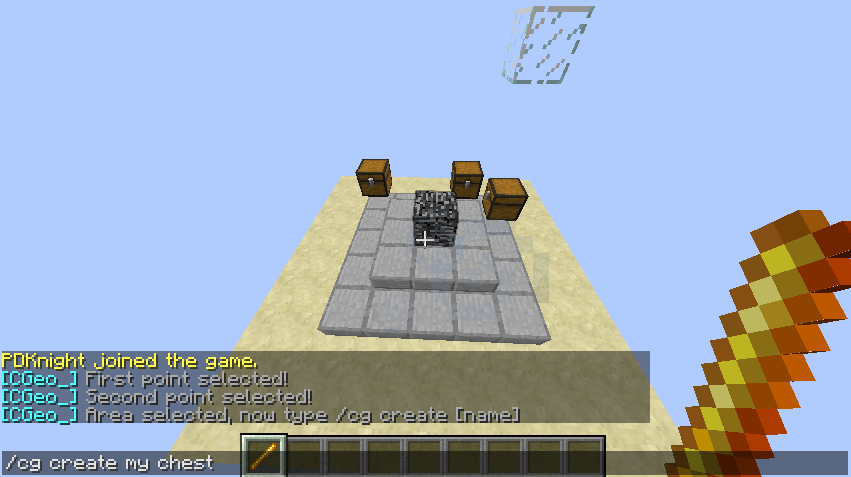
- Go to your server, type /cg wand for selecting item. Note you must be op (or have CGeo_.admin permission) to perform this command.
- Select first corner with left click and second with right click.
- Place bedrock somewhere in area, it will turn into your GeoChest then.
- Type /cg create [name], for example /cg create my chest. Great! You've just created your very first GeoChest! :D
- If you want to list all the GeoChests, type /cg list.
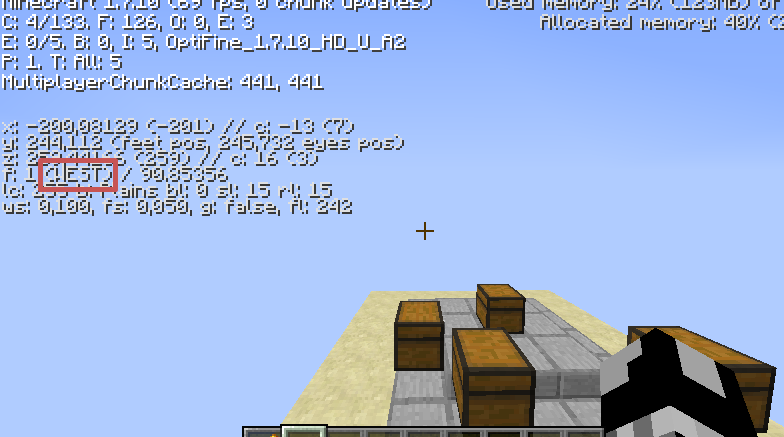
- Type /cg set rotation [n|e|s|w] [name] if you want to rotate your GeoChest.
Example: /cg set rotation w my chest.
- If you want to set hint for GeoChest, type /cg hint set [name] %[hint]%.
Example: /cg hint set my chest %platform in the air%.
- If you want to remove GeoChest's hint, type /cg hint remove [name].
Example: /cg hint remove my chest.
- If you changed something in your config, type /cg config reload to reload the config.
Config file
# NOTE: use "$" character for colored text :)
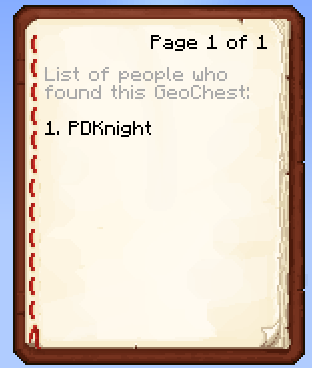
log_who_found: '$7List of people who found this GeoChest:'
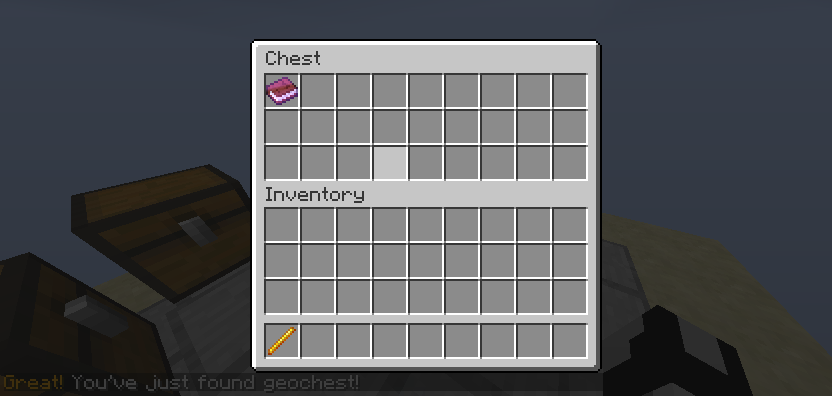
chest_found: $6Great! $rYou've just found geochest!
list_found: found
list_coords: coords
book_distance: 5
default_world: world
metrics: true
- log_who_found: first text in log.
- chest_found: the message which player gets when he opens new GeoChest at the first time.
- list_found & list_coords: some settings of /cg list, see screenshots.
- book_distance: if player moves 5 blocks far from chest, it will remove all the logs in his inventory.
- default_world: the default world where the chest are, it's a protection before errors from versions 1.0.0 and 1.0.1.
- metrics: plugin and some server statistics.
Download
Informative signs
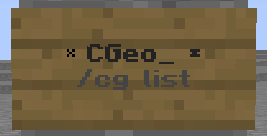
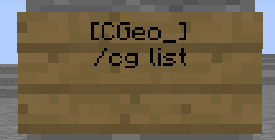
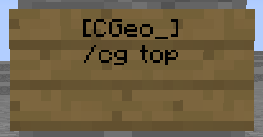
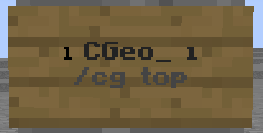
Since version 1.0.4 you can create special signs telling player who are the 15 best players or all the geochests :) To create these signs make sure you are operator or have CGeo_.admin permission. If yes, then write text like shown below:


Will change to
Screenshots

Creating of GeoChest
>> Click here for more screenshots <<
Privacy
This plugin uses MCStats to generate and publish anonymous usage statistics, but you can easily set them in config.yml to false.
If it's enabled, it collets this data every ten minutes:
- Server's GUID
- Players currently online (not max player count)
Changelog
- 1.0.4
- [+] Added /cg top (or /geotop) command
- [+] Added CGeo_ signs!
- [+] Added metrics config value
- bugfix #6 removed lots of bugs!
- 1.0.3
- [+] added permissions!
- [+] added metrics support
- 1.0.2
- [+] added support to all worlds
- [+] added protection before block placing
- [+] added automatic world saving for new created geochest
- [+] added /cg set world [name] %world% command
- bugfix #1 changed '%' to '%'s in /cg command
- bugfix #2 geochest log sometimes disappeared
- bugfix #3 GeoChest must be a single chest
- bugfix #4 removed error while trying to change rotation of chest that didn't exist
- bugfix #5 found.[chest] in config wasn't removing after /cg remove command
- 1.0.1
- [+] added two config values: list_found and list_cords; Both could be used in /cg list command :)
- 1.0.0
Server to test CGeo_ plugin
mc.forestovserver.sk (MineZ section)
Todo / Suggestions
Nothing now, if you have an idea, please tell me :P