Census Signs
<sub>By: Quinn Henckel</sub>
<big>
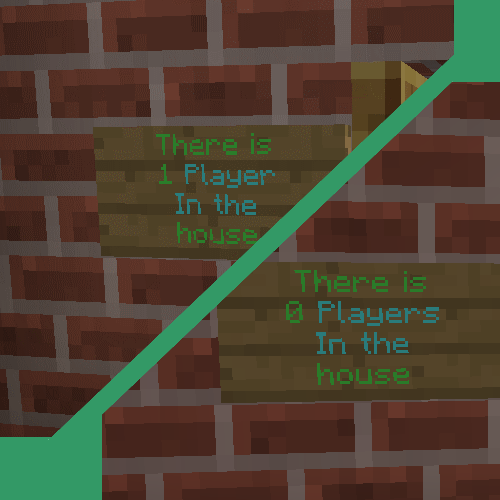
Have you ever wanted to show players how many people where in an area?
Ever needed to make an online staff wall?
</big>
Now you can!
Using Census signs is very easy all you have to do is create a region with world edit and the /censussign.
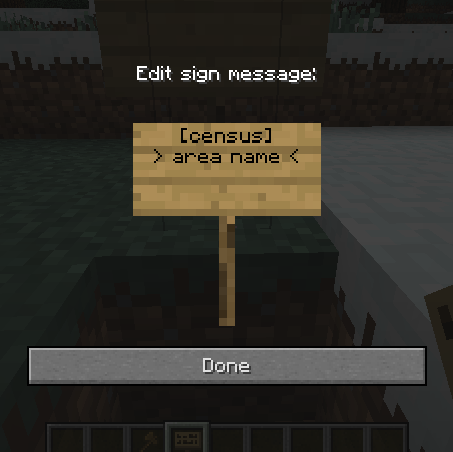
Create a sign with the first line "[census]" and the secound line what area to dysplay the count for.
Or create a sign with "[online]" with the player name on the secound line and it will let you know if they are online or not!
The sign will automaticly update every 2 secounds!
Setup:
- Install Worldedit (skip this if you already have it.)
- Dowload the .Jar.
- Move it to your /plugins/ folder.
- Restart/reload your server.
- The config will create automaticly.
Use the Plugin:
- Create a census area
-
- Select the area
- This is the Area that will count players. Make it big. Make sure to select the floor not the wall. It can only be a WorldEdit cubiod region.
- Type the command:
- This command is: /censussign new (area name). For example: /censussign new city (this would be for an area call "city")
Create a display sign
- Place a Sign
- You can place a sign anywhere you want. Just make sure People can see it ;)
- Fill in the sign
- there are two types of signs: Census and online.
Make as many signs as you want!Just fill it in like all the rest!
Enjoy!If you like this plugin maybe 
Config:
See the page for defaults.
Commands:
- /censussigns new (area name)
- This defines a new area. You can then place signs to display the number of players in this area.
Permissions:
- censussigns.create
- Allow this user to create signs
Dependencies:
- Worldedit
- This is a HARD dependency. You must be able to select a rigion or census signs will throw an error.
Upcomming changes!
- deleting areas
- fixing errors from missing signs
- Commands to count areas with out signs.
- Better help messages.
- More sign types
- Better colors.
- Counting other things (mobs, items, blocks...)
- Feel free to leave suggestions!




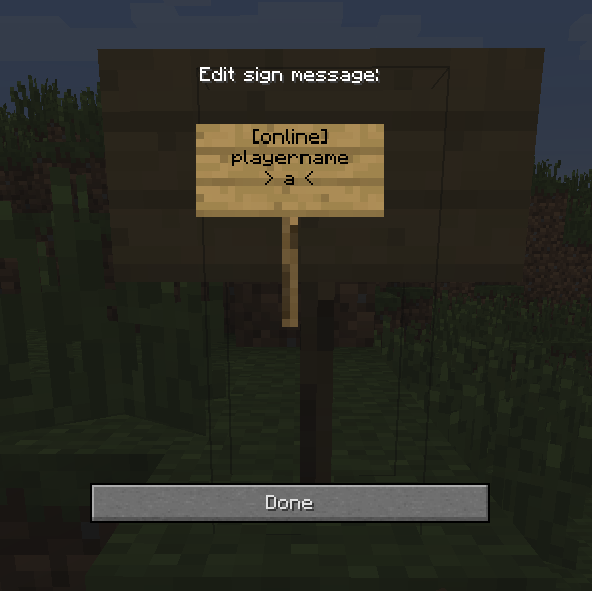
![This is how the [online] signs look](https://media.forgecdn.net/attachments/131/901/2013-10-27_15.45.28.png)
%2526business%253dboardman94%2540gmail.com%2526bn%253dPP-DonationsBF%253abtn_donateCC_LG.gif%253aNonHosted%2526cancel_return%253dhttp%253a%252f%252fdev.bukkit.org%252fbukkit-plugins%252fcensus-signs%252f%2526lc%253dUS%2526item_name%253dCensus%2bSigns%2b(from%2bBukkit.org)%2526cmd%253d_donations%2526rm%253d1%2526no_shipping%253d1%2526currency_code%253dUSD)