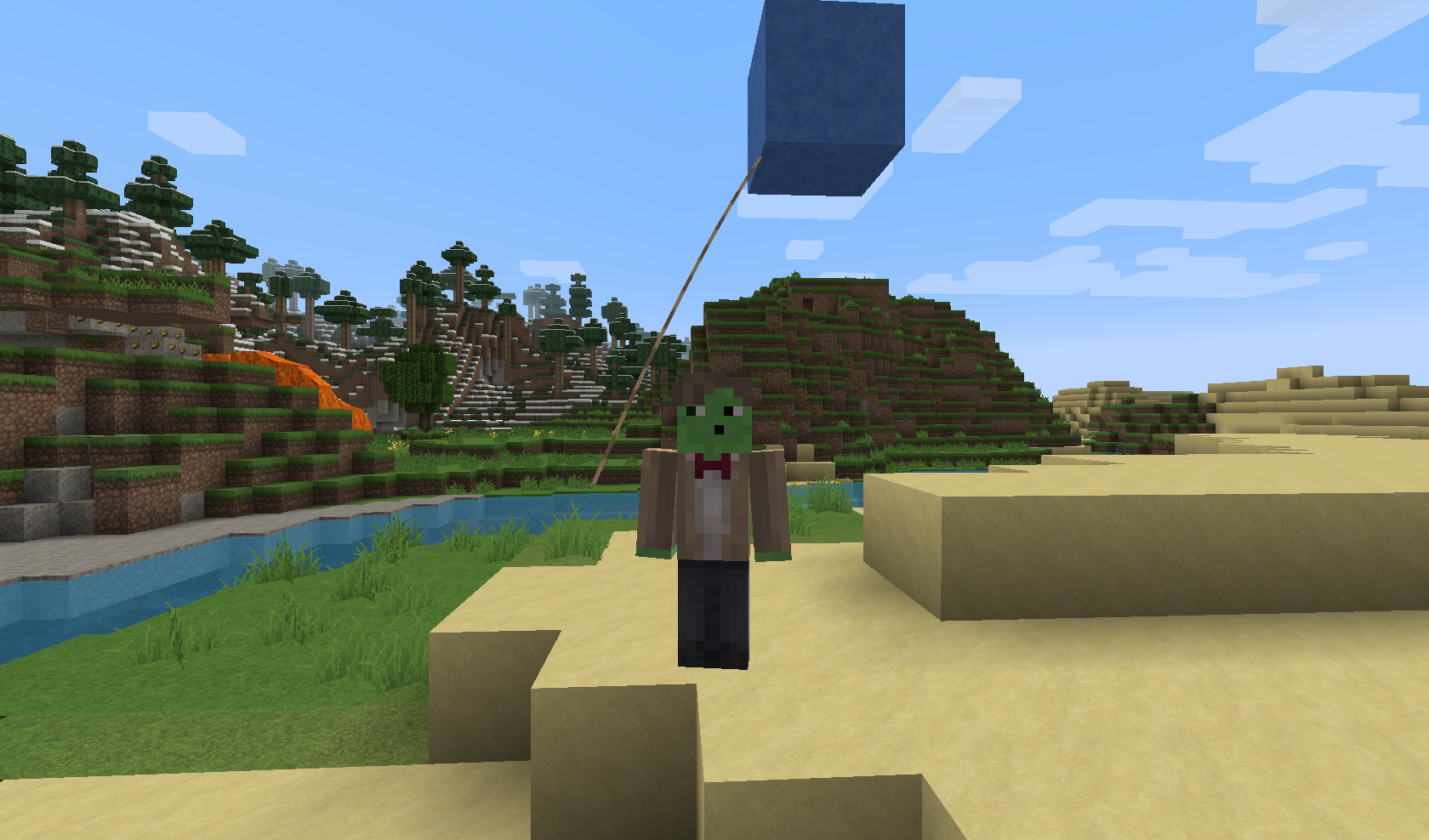
A screenshot of me holding a Balloon.

Plugin Logo by awesoneness
Description
Description

BalloonFiesta is a Plugin which adds a new Cosmetic
to your Server: Balloons
There are plenty of different Balloons available.
If you do not like a Balloon, you can disable it in the Config.
You need to have mob-spawning enabled on the Server/the Region you are in, otherwise this Plugin will NOT work
Pro TIP: Since 1st August "Pay to win" is forbidden! But since Cosmetics are allowed, feel free to use this as a Donator Perk.
Videos
Even more Videos can be found here...
Balloons
| Name | Block/Mob | Permission | ||||
| blue | Blue stained Clay | balloon.blue | ||||
| red | Red stained Clay | balloon.red | ||||
| green | Green stained Clay | balloon.green | ||||
| yellow | Yellow stained Clay | balloon.yellow | ||||
| pink | Pink stained Clay | balloon.pink | ||||
| aqua | Aqua stained Clay | balloon.aqua | ||||
| lime | Lime stained Clay | balloon.lime | ||||
| orange | Orange stained Clay | balloon.orange | ||||
| purple | Purple stained Clay | balloon.purple | ||||
| melon | Melon | balloon.melon | ||||
| pumpkin | Pumpkin | balloon.pumpkin | ||||
| hay | Hay Bale | balloon.hay | ||||
| TNT | TNT | balloon.tnt | ||||
| Gold | Gold Block | balloon.gold | ||||
| Diamond | Diamond Block | balloon.diamond | ||||
| Emerald | Emerald Block | balloon.emerald |
Feel free to suggest more Balloons in the Comments.
Since v1.2 you can also specify Particles to be shown around your Balloon. This is disabled by default because it may cause a small bit of lag!
For a full List of supported Particles, visit: http://dev.bukkit.org/bukkit-plugins/balloonfiesta/pages/particles/
Commands/Permissions
| Command | Description | |||
| /balloon | Shows you all Balloons you can use | |||
| /balloon off | Turns off your Balloon | |||
| /balloon [type] | Enables the specified Balloon (if you have the required Permission) | |||
| /balloon gui | Opens up a GUI allowing you to activate one of your available Balloons |
Auto-Updater and Metrics
All my Plugins are using an Auto-Updater to make sure, you're always
using the latest and hopefully most bug free version of my Plugin.
If you don't want this Plugin to be auto-updated, you can turn it off
in the config file at "options -> auto-update: true/false"
They also use a Metrics-System which collects the following Informations:
A unique identifier
The server's version of Java
Whether the server is in offline or online mode
The plugin's version
The server's version
The OS version/name and architecture
The core count for the CPU
The number of players online
The Metrics version
Opting out of this service can be done by editing
plugins/Plugin Metrics/config.yml and changing opt-out to true.
The BalloonFiesta Team


Owner