

Weeping angels
- 21.1K
- Bukkit Plugins
Bring Wheaping Angels from Doctor Who into your minecraft world
- 21.1K
- October 31, 2014

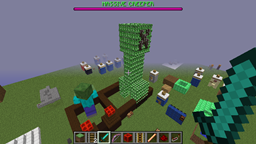
Weeping angels
- 21.1K
- Bukkit Plugins
Bring Wheaping Angels from Doctor Who into your minecraft world
- 21.1K
- October 31, 2014


This plugin will rename configurable items to a configurable name when they are created, enchanted, or combined.
Auto-Rename.ReloadConfig: permission to reload the config
When someone creates, enchants, or combines items the name is reset if it is in the config.
when crafting or combining the name only shows up correctly after it is taken out of the result slot.
The items use material names from the bukkit api so that means that it is all in caps without spaces, for instance a diamond sword is DIAMOND_SWORD
Under the item there can be a section called default. This is what it defaults to on creation and if the enchantments don't match any other category. This section is optional. If it isn't there then the normal name will be used.
For items with a different data value than 0 you just add a separate section under the item number called data then have the data value there. This would be used for something like wool or dyes or wood.
For items to have enchantments and have a different name you put a number with apostrophes around it (eg. '1') starting with 1 and going to how ever many different enchantment combos you want. Under the number you have to have a section called enchantments. This uses the name of enchantments in the bukkit api then a colon and the level of the enchantment. For instance fo a power 1 enchantment it would be ARROW_DAMAGE:1, for the name of the item with those enchantments you have to put another category under the number called name then the name goes after it.
For potions you have to put the potion type from the bukkit api then under it you put the level of the potion. For instance, for a speed 1 potion you would have to put SPEED: then under it would go '1': "name you want".
All of the names that I keep referring to in the bukkit api are under static public attributes.
Also if you want the name to be more than one word you have to put either quotes or apostrophes around it and color codes work for the names. You have to put &# to identify it as a certain color that you want.
I have examples of all of this in the default config.


Bring Wheaping Angels from Doctor Who into your minecraft world
Bring Wheaping Angels from Doctor Who into your minecraft world