Console Warning

Description
Anti-VPN
A SqidgeonStudios Plugin
Block VPN, proxy, and datacenter connections from your Minecraft server.


Platforms





Support

Features
- Key-free detection — powered entirely by free, open-source IP blocklists
- SQLite & MySQL support — built-in local database or connect to your own external server
- Four combined blocklists — covering attacks, anonymizers, commercial VPNs, and datacenters
- Auto-updating lists — downloads fresh data from GitHub on startup and on a configurable schedule
- Local list caching — all lists saved to disk with dated backups, works offline after first download
- Zero login lag — CIDR matching runs entirely in-memory, microsecond-fast per connection
- LuckPerms integration — full permission node support with per-group and per-player bypass
- Fully customisable messages — every player-facing string lives in
messages.yml - In-game management — add, remove, and inspect IPs and players without touching any files
Images
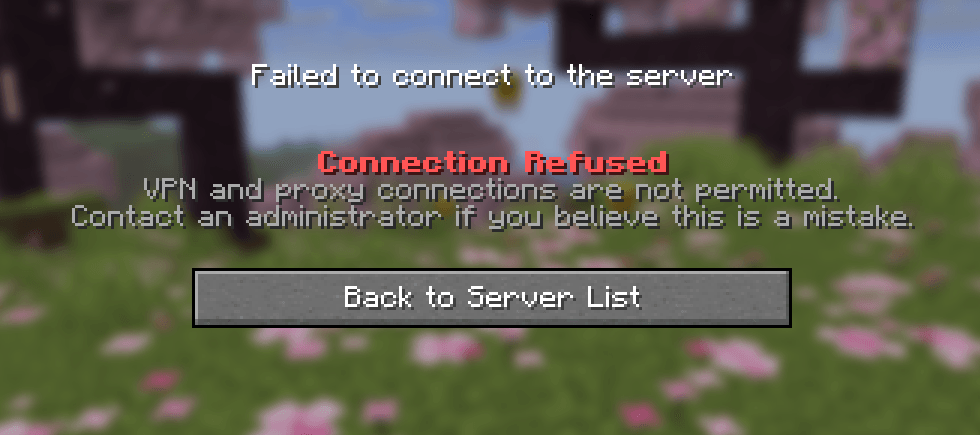
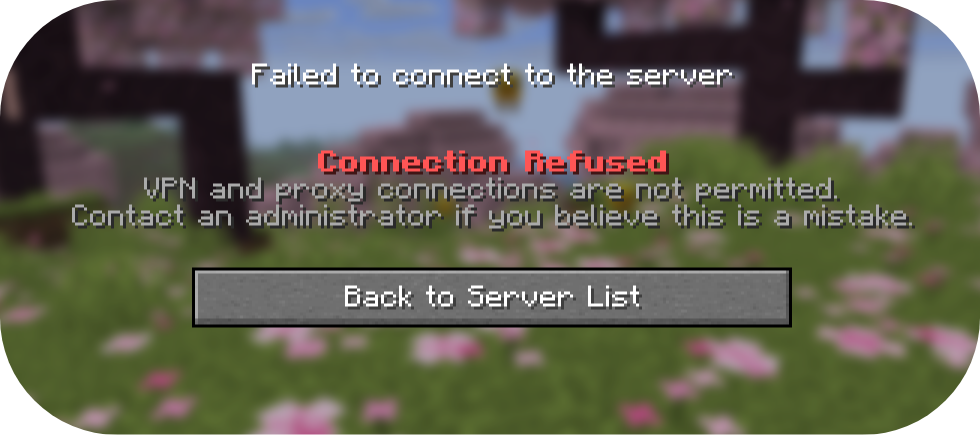
With a VPN

Without a VPN

How Detection Works
AntiVPN combines four free blocklists into a single in-memory CIDR matcher that checks every connecting IP in milliseconds:
| List | Source | Covers |
|---|---|---|
firehol_level1.netset |
Firehol | Attacks, malware, bogon ranges |
firehol_anonymous.netset |
Firehol | Tor, open proxies, anonymizers |
x4bnet_vpn.netset |
X4BNet | ProtonVPN, Mullvad, NordVPN, ExpressVPN & more |
x4bnet_datacenter.netset |
X4BNet | AWS, OVH, Hetzner, DigitalOcean & more |
All lists are downloaded to plugins/AntiVPN/firehol/ on first start and automatically refreshed. Dated backup copies are kept every time a new download succeeds.
An optional reverse-DNS heuristic further checks PTR records against known VPN/hosting hostname patterns as a secondary layer.
Database
AntiVPN stores blocked IPs, allowed IPs, and bypass players in a real database.
SQLite (default — zero setup):
database:
  type: sqlite
Creates plugins/AntiVPN/antivpn.db automatically on first start.
MySQL / MariaDB (external server):
database:
  type: mysql
  mysql:
    host: your.db.host
    port: 3306
    database: antivpn
    username: antivpn_user
    password: "yourpassword"
LuckPerms Permissions
AntiVPN integrates with LuckPerms out of the box. If LuckPerms isn't installed it falls back to Bukkit permissions automatically.
| Permission | Default | Description |
|---|---|---|
antivpn.admin |
OP | All permissions including bypass |
antivpn.bypass |
false |
Skip all VPN checks at login |
antivpn.allow |
OP | Use /ipallow |
antivpn.block |
OP | Use /ipblock |
antivpn.list |
OP | Use /iplist |
antivpn.user |
OP | Use /ipuser |
antivpn.update |
OP | Use /ipupdate |
Grant bypass to a group via LuckPerms:
/lp group vip permission set antivpn.bypass trueCommands
/ipblock — Manage the IP block-list
| Subcommand | Description |
|---|---|
/ipblock add <ip> |
Block an IP address |
/ipblock remove <ip> |
Unblock an IP address |
/ipblock list |
Show all manually blocked IPs |
/ipblock check <ip> |
Show block/allow status of an IP |
/ipallow — Manage the IP allow-list
| Subcommand | Description |
|---|---|
/ipallow add <ip> |
Whitelist an IP (bypasses all checks) |
/ipallow remove <ip> |
Remove from allow-list |
/ipallow list |
Show all allowed IPs |
/ipuser — Manage bypass players
| Subcommand | Description |
|---|---|
/ipuser add <player> |
Exempt a player from all VPN checks |
/ipuser remove <player> |
Remove exemption |
/ipuser list |
Show all bypass players |
/ipuser check <player> |
Check a player's bypass status |
/ipuser lookup <player> |
Show an online player's IP and full status |
/iplist — View all lists
| Subcommand | Description |
|---|---|
/iplist |
Summary of all list sizes |
/iplist blocked |
Full blocked IP list |
/iplist allowed |
Full allowed IP list |
/iplist users |
Full bypass player list |
/ipupdate — Manage blocklists
| Subcommand | Description |
|---|---|
/ipupdate |
Force-download all lists now |
/ipupdate status |
Show list file sizes, dates, and active CIDR count |
/ipupdate reload |
Reload matcher from existing local files |
/ipupdate backups |
List all dated backup files |
Configuration
config.yml
log-connections: true

database:
  type: sqlite         # or "mysql"

lists:
  firehol-level1: true
  firehol-anonymous: true
  x4bnet-vpn: true        # Covers ProtonVPN, Mullvad, NordVPN etc.
  x4bnet-datacenter: true # Covers AWS, OVH, Hetzner etc.

firehol:
  update-interval-hours: 24
  force-update-on-start: false

reverse-dns-check: true
messages.yml
Every message the plugin sends is fully customisable. Supports & colour codes and {placeholders}.
general:
  prefix: "&8[&cAntiVPN&8] &r"

kick:
  message: "&c&lConnection Refused\n&7VPN connections are not permitted."

ipblock:
  added: "{prefix}&c{ip} &7has been added to the block-list."
  # ... and many more
File Structure
After first startup your plugin folder will look like this:
plugins/AntiVPN/
├── antivpn.db                          ← SQLite database (all your lists)
├── config.yml
├── messages.yml
└── firehol/
    ├── firehol_level1.netset
    ├── firehol_anonymous.netset
    ├── x4bnet_vpn.netset
    ├── x4bnet_datacenter.netset
    └── *.bak                           ← Dated backups of each list
Requirements
- Java 11+
- LuckPerms (optional — falls back to Bukkit permissions)
- Internet access on first start to download blocklists (works offline after that)
Support
Licence
This project is maintained by SqidgeonStudios.
You are NOT allowed to re-distribute this plugin without consent from us!
No API keys. No subscriptions. No nonsense.
The Anti-VPN Team