


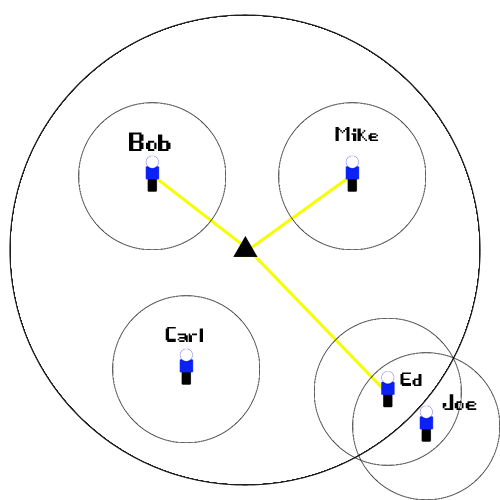
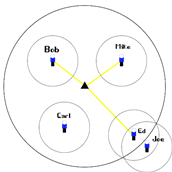
Bob, Mike & Ed are linked to a radio transponder, Carl & Joe are not(but their radio's are on). Everyone has the same frequency setting, everyone is using 0 for their code. When Bob, Mike & Ed speak... ..Bob, Mike, Ed & Carl will see ...
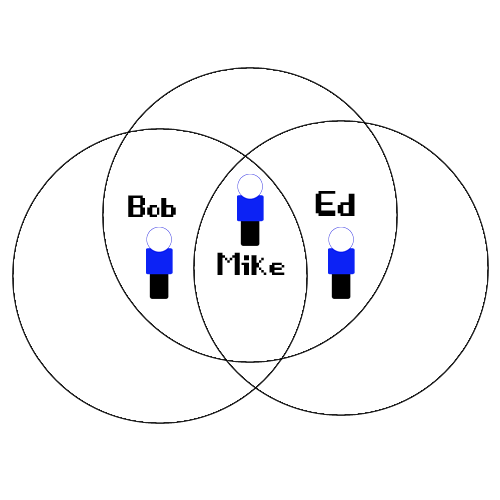
Bob, Mike & Ed are all using the same settings with active radios. If Mike speaks.. ..Bob, Mike & Ed will receive the transmission. If Bob Speaks. ..Bob & Mike will receive the transmission. If Ed Speaks. ..Mike & Ed will receive the ...
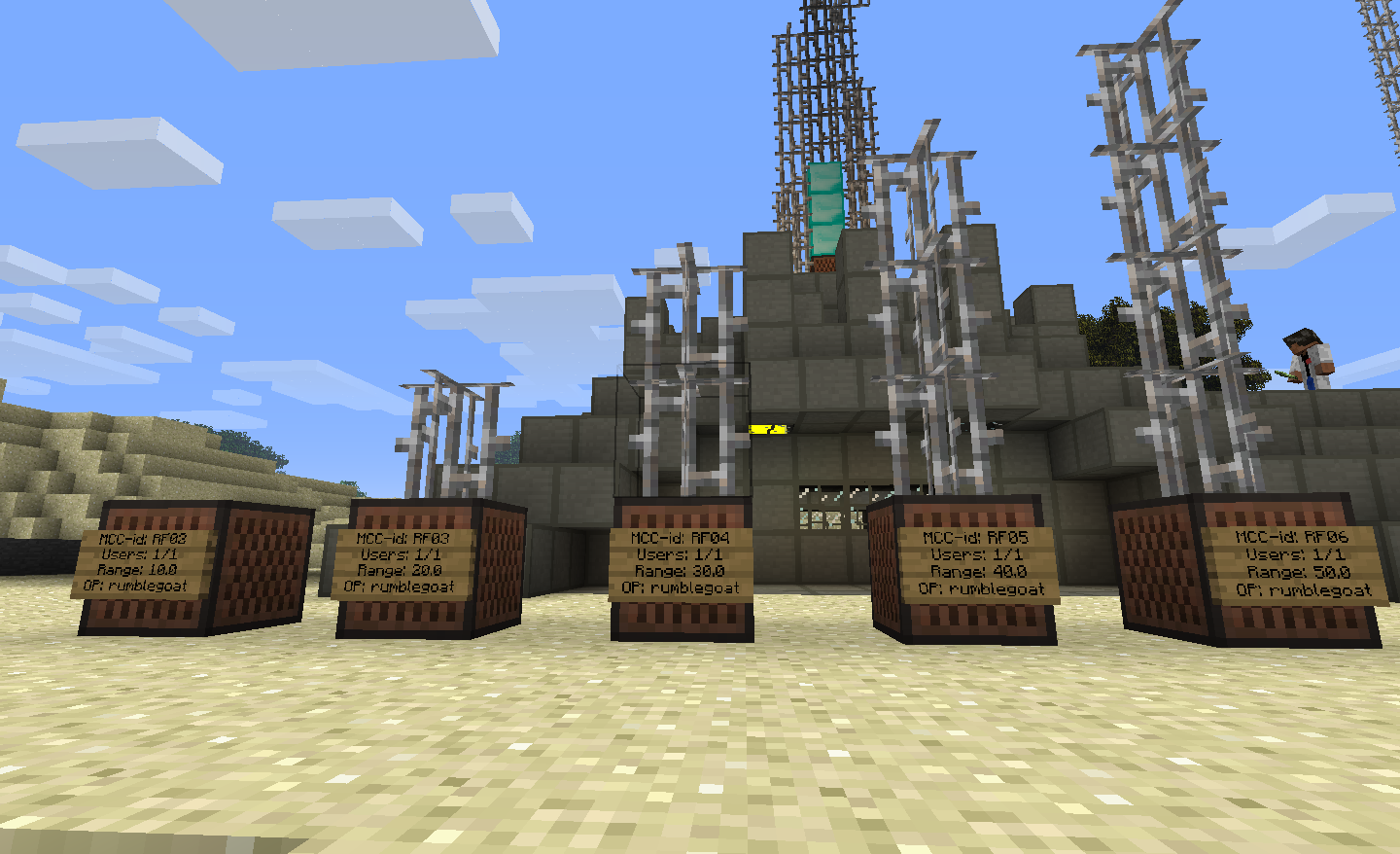
Get your transmissions heard over longer distances.
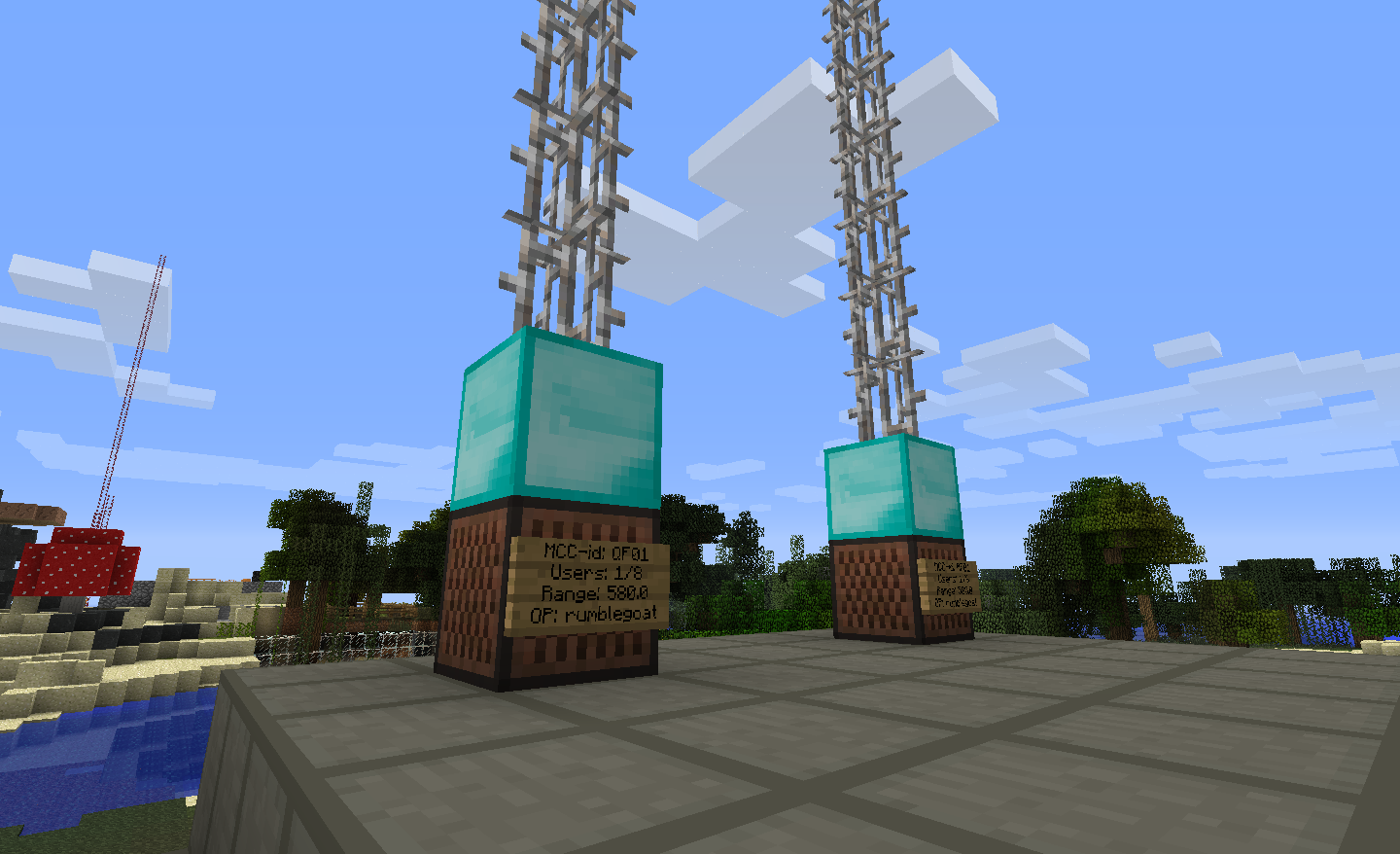
Chat over longer distances with friends
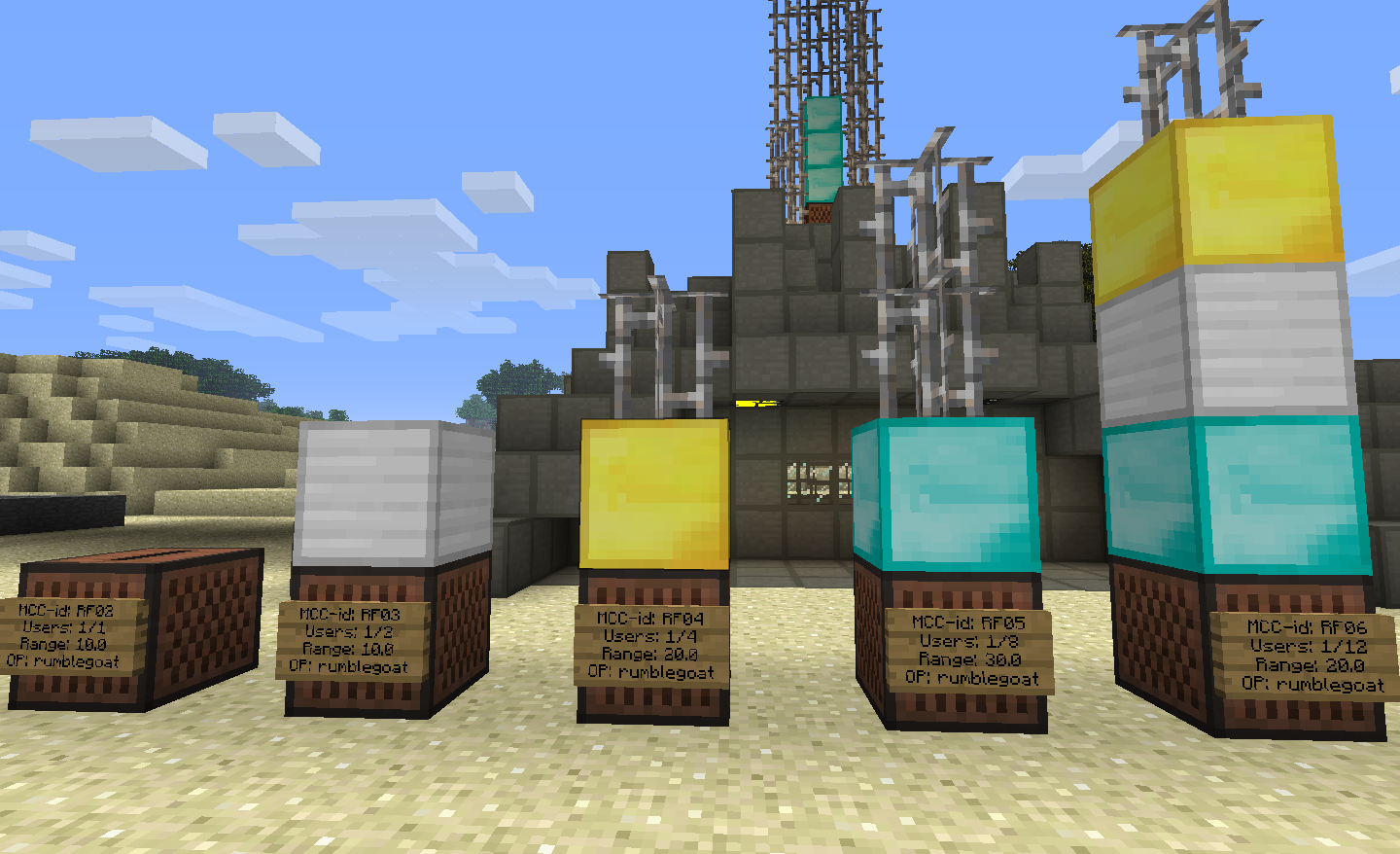
Increase the number of players a fixed radio system works.

AM Chat logo
Description
Source: https://github.com/xyberviri/com.xyberviri.amchat

Add a low-tech chat system with AmChat, instead of using “General” talk to your neighbors on 65.000rhz. Construct a fixed radio transmitter and transmit at even greater distances. AmChat even lets you encrypt your transmissions so that only players on the same frequency and code can read each others text. Add iron, gold or diamond block to change your fixed radio into a transponder (multi user support).
AmChat works as a stand alone system or add it to any chat system that honors the "iscancelled" flag on the player chat event.
Out of the box, local chat will reach 32 blocks, while radio chat reaches 96 blocks, if that’s not far enough you can build a fixed radio transmitter and add antennas to increase your chat distance. If you want your radio to display its information simply place a sign on the side and it will be updated with the data for that radio.
Fixed radio transmitters
Place a JukeBox while in Sneak mode to create a radio, you must be at or above sea level.
Transponders support more players
Add Iron, Gold or Diamond blocks to increase the number of supported users
Players communicate by distance, one player might be able to hear only one side of the conversation, some players might not even be able to communicate with people they can hear.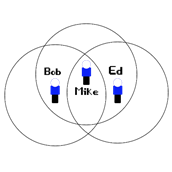
The following permissions need to be added at minimum for bare functionality:
amchat.radio.personal.* All /am commands (except /am list)
amchat.radio.fixed.* All /xm commands (except /xm list)
Version:0.3.2
Features: ..turn personal radio on/off ..tune to a frequency between 32-512 rHz ..use a code between 1-999, to encrypt your chat, 0 to disables ..turn mic on/off ..filter chat that is encrypted and otherwise unreadable. ..set a frequency cutoff so you receive chat from <your_frequency>+-<cutoff> ..set a frequency default freq. to set when joining server 32 by default ..set the default radio state, when a player joins your server for the first time (on by default) ..tune your radio using the in game item(compass) ..create radio towers that let you talk to your friends at greater distances (hold shift and place a juke box) ..Place a sign on the juke box to see basic stats about the radio. (no codes or anything just place a blank sign on the jukebox) ..player settings save between restarts to yml file. ..server consol has full visibility of all chat and all players can always hear the consol. ..permission nodes to override configuration restrictions (chat/radio distance, settings) ..optionally require a physical item to use the radio ..destroy radios by simply destroying the jukebox. Installation: Drop the AMChat.jar in the plugin folder and start your server, if you want the recommended defaults nothing else is needed. To place a radio you need to hold shift(be in sneak mode) and place a juke box. Radio's will be assigned an ID by the MineCraft Communications Department. Will AMChat work with my other chat plugins? If your chat plugin honors the event.isCancelled() flag for your PlayerChatEvent events, then your other chat plugin should work with AMChat. Commands Permission Nodes config.yml Source Developer Info TODO List Manual on Google Docs Feedback? Feel free to leave some comments about my mod below. Issues? Please use the ticket system. Suggestions? Please also leave these below.
Add a low-tech chat system with AmChat, instead of using “General” talk to your neighbors on 65.000rhz. Construct a fixed radio transmitter and transmit at even greater distances. AmChat even lets you encrypt your transmissions so that only players on the same frequency and code can read each others text. Add iron, gold or diamond block to change your fixed radio into a transponder (multi user support).
AmChat works as a stand alone system or add it to any chat system that honors the "iscancelled" flag on the player chat event.
Out of the box, local chat will reach 32 blocks, while radio chat reaches 96 blocks, if that’s not far enough you can build a fixed radio transmitter and add antennas to increase your chat distance. If you want your radio to display its information simply place a sign on the side and it will be updated with the data for that radio.
Fixed radio transmitters
Place a JukeBox while in Sneak mode to create a radio, you must be at or above sea level.
Transponders support more players
Add Iron, Gold or Diamond blocks to increase the number of supported users
Players communicate by distance, one player might be able to hear only one side of the conversation, some players might not even be able to communicate with people they can hear.
The following permissions need to be added at minimum for bare functionality:
amchat.radio.personal.* All /am commands (except /am list)
amchat.radio.fixed.* All /xm commands (except /xm list)
Version:0.3.2
Features: ..turn personal radio on/off ..tune to a frequency between 32-512 rHz ..use a code between 1-999, to encrypt your chat, 0 to disables ..turn mic on/off ..filter chat that is encrypted and otherwise unreadable. ..set a frequency cutoff so you receive chat from <your_frequency>+-<cutoff> ..set a frequency default freq. to set when joining server 32 by default ..set the default radio state, when a player joins your server for the first time (on by default) ..tune your radio using the in game item(compass) ..create radio towers that let you talk to your friends at greater distances (hold shift and place a juke box) ..Place a sign on the juke box to see basic stats about the radio. (no codes or anything just place a blank sign on the jukebox) ..player settings save between restarts to yml file. ..server consol has full visibility of all chat and all players can always hear the consol. ..permission nodes to override configuration restrictions (chat/radio distance, settings) ..optionally require a physical item to use the radio ..destroy radios by simply destroying the jukebox. Installation: Drop the AMChat.jar in the plugin folder and start your server, if you want the recommended defaults nothing else is needed. To place a radio you need to hold shift(be in sneak mode) and place a juke box. Radio's will be assigned an ID by the MineCraft Communications Department. Will AMChat work with my other chat plugins? If your chat plugin honors the event.isCancelled() flag for your PlayerChatEvent events, then your other chat plugin should work with AMChat. Commands Permission Nodes config.yml Source Developer Info TODO List Manual on Google Docs Feedback? Feel free to leave some comments about my mod below. Issues? Please use the ticket system. Suggestions? Please also leave these below.
The AMChat Team

