Turbo FPS Boost 🚀⚡
Improve your Minecraft Bedrock performance with Turbo FPS Boost!
Turbo FPS Boost is a lightweight resource pack designed to give you better FPS and smoother gameplay by removing unnecessary visual effects that can put extra load on your device.
⚡ More FPS, Less Visual Clutter
The pack disables 169 vanilla particle effects and removes several unnecessary visual elements.
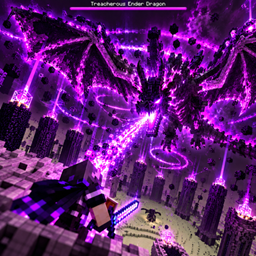
Explosion particles, smoke, fire effects, portal particles, potion effects, Redstone particles, water splashes, bubbles, Sculk effects, dragon particles, Trial Chamber effects, wind effects and many other particles are reduced or completely removed.
Visible rain, snow and vanilla clouds are also removed to reduce unnecessary rendering.
🎮 Perfect for PvP & Survival
Turbo FPS Boost is especially useful for PvP, multiplayer, survival and large fights.
With fewer particles on your screen, combat feels cleaner and it becomes easier to see other players and mobs.
It is also a great option for lower-end PCs and mobile devices that need extra performance.
💚 Vanilla Gameplay Stays the Same
The pack does not change Minecraft gameplay.
Damage, mobs, crafting, blocks, world generation and survival progression continue to work normally.
Turbo FPS Boost only changes unnecessary visual effects to help improve performance.
🚀 Lightweight Performance Pack
Turbo FPS Boost does not use scripts, custom entities or a Behavior Pack.
No experimental settings are required.
Simply activate the Resource Pack and start playing.
📥 Installation
Download Turbo FPS Boost and open the .mcaddon file with Minecraft.
Minecraft will automatically import the pack.
Then open your world settings, go to Resource Packs, activate Turbo FPS Boost and enter your world.
✅ Compatibility
Made for Minecraft Bedrock Edition 1.21.100 or newer.
If you want better FPS, fewer particles, cleaner PvP visibility and smoother gameplay, Turbo FPS Boost is made for you. ⚡🚀