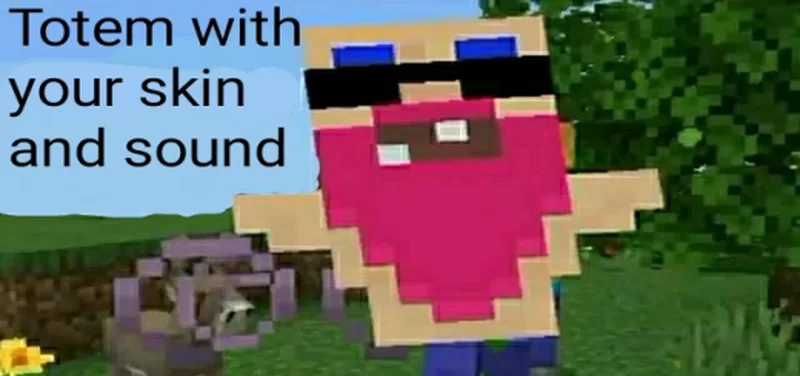
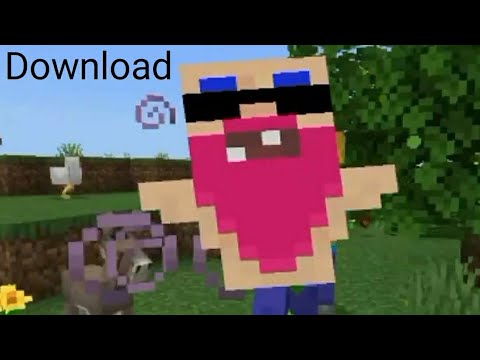
🔷 This Texture Pack changes the default texture of the Totem of Immortality to that of the skin player Sidga420. Also, this Texturepack changes the vanilla sound of the Totem's triggering, changing it to the sound of a crazy screaming grandfather.
TotemSG v9 (Final Release)- Custom Totem Sidga420. This Resource Pack (RP) updates the Totem Of Undying texture and sound.
🔷 Also TotemSG is a template for creating a Texture Pack for a Totem with your skin texture and your sound.
Totem Texture:
TotemSG v6 - Custom Totem Texture, Sound. Totem with texture your skin! Minecraft Texture Pack
Texture of Totem
How to make a Totem with texture of Your Skin & Your Sound
★ Guide - How to make a Totem with texture of Your Skin & Your Sound:
🔺Texture:
Download TotemSG.
Rename the downloaded file: TotemSG6.mcpack->TotemSG6.zip.
Open and extract the renamed file.
Go to the extracted folder "TotemSG6". Further in the folder "textures"/"items".
Copy somewhere "totem.png".
Edit the copied texture in any program from PC or phone. It will be faster and more convenient on a PC. For PC I recommend - Paint.net, and for phone (Android) - Ibis Paint X.
Replace the "totem.png" texture in "TotemSG6 / textures / items" with your modified texture.IMPORTANT:The name of the photo must be "totem.png". Texture resolution must be 16x16.
🔺SOUND:
Go to "TotemSG6 / sounds / random" folder. Replace the file "use_totem.ogg" with your sound. The file name must be "use_totem.ogg". The file extension must be ".ogg". To convert ".mp3" file to ".ogg" - Follow thelink, select ".mp3", convert, download ".ogg" file.
Go to the "TotemSG6" folder, select all files and folders, archive them into a ZIP archive.
Name the resulting archive - "TotemSG6.mcpack".
Open the resulting file in Minecraft Bedrock, wait for the successful import of TotemSG RP.
Go to Minecraft Settings/Global Resources and activate TotemSG6 Texture Pack.
✅ Done! You can go to any world or server and the Totem of Immortality will have your custom texture and sound.
Other info:
■TotemSG Texture Pack has a translation into Russian and English.
■ In developing this TexturePack, great care has been taken to optimize it and minimize its weight.
#Sidga420
The TotemSG - Custom Totem Texture, Sound. Totem with texture your skin! Team
Hi! I'm a creator of add-ons, resource packs, and more content for Minecraft Bedrock.
We also have a YouTube channel with guides and other interesting videos!
With the Craftable Secret Items addon, you can craft any secret blocks and items in Survival Mode using a crafting table. Including: NPCs, Camera, Light Blocks, Structure Void and more. Achievement Friendly! 300+ illegal items!
This addon (script) removes all griefing and annoying mobs (creeper, ghast, enderman, phantom, slime).When the specified mobs appear, they instantly die, leaving behind loot.
With the Craftable Secret Items addon, you can craft any secret blocks and items in Survival Mode using a crafting table. Including: NPCs, Camera, Light Blocks, Structure Void and more. Achievement Friendly! 300+ illegal items!
This addon (script) removes all griefing and annoying mobs (creeper, ghast, enderman, phantom, slime).When the specified mobs appear, they instantly die, leaving behind loot.