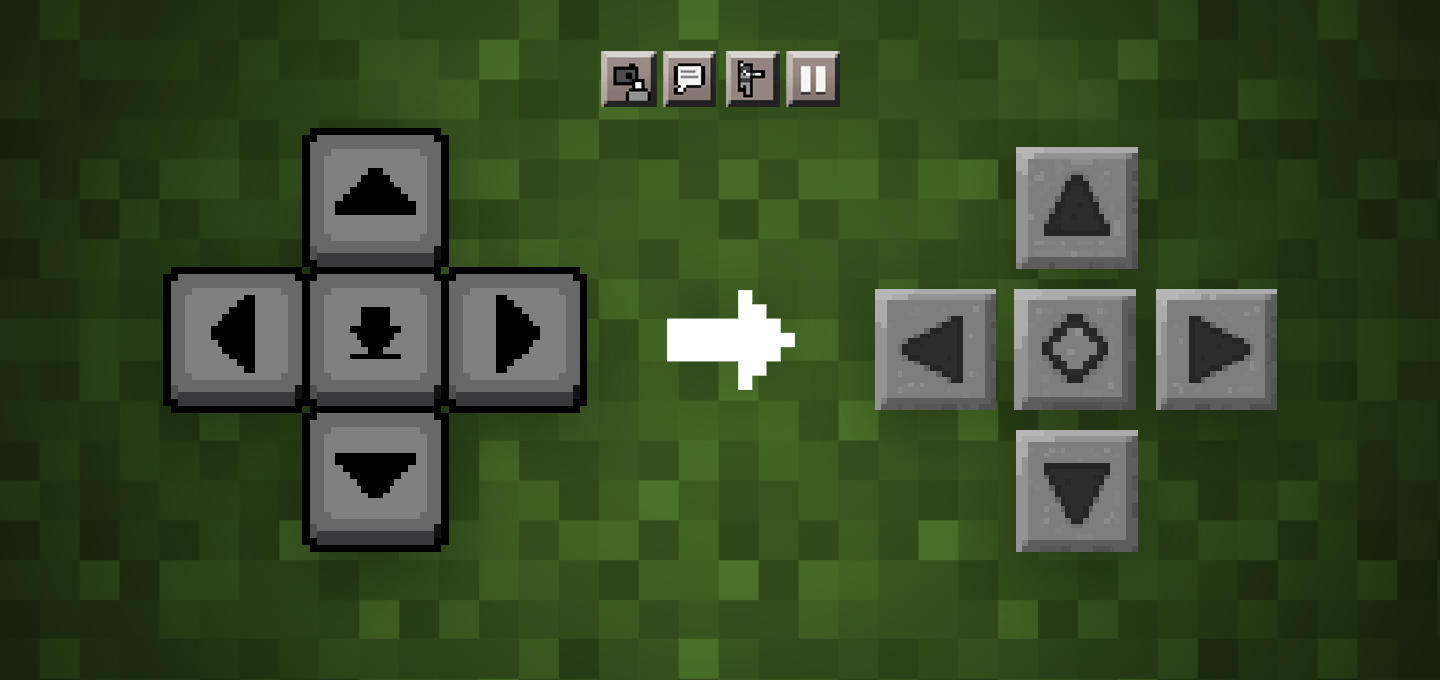
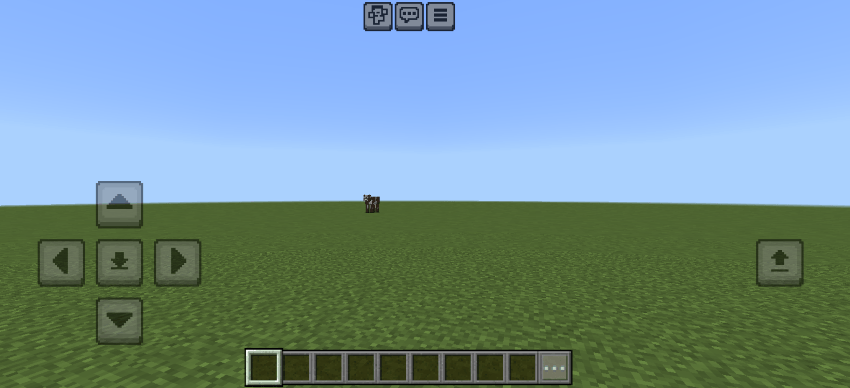
If you liked the old style of Minecraft touch controls, this texture pack is for you. This texture pack brings back the classic D-pad look and other HUD elements, and some newer buttons are manually created by me that matches the old style!
Enabled:
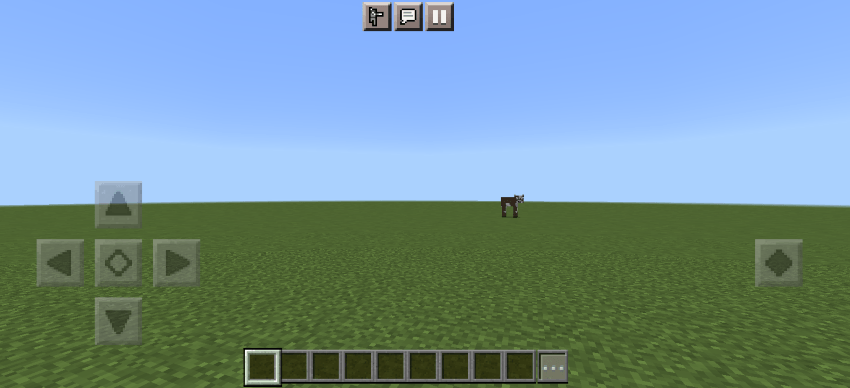
Disabled:
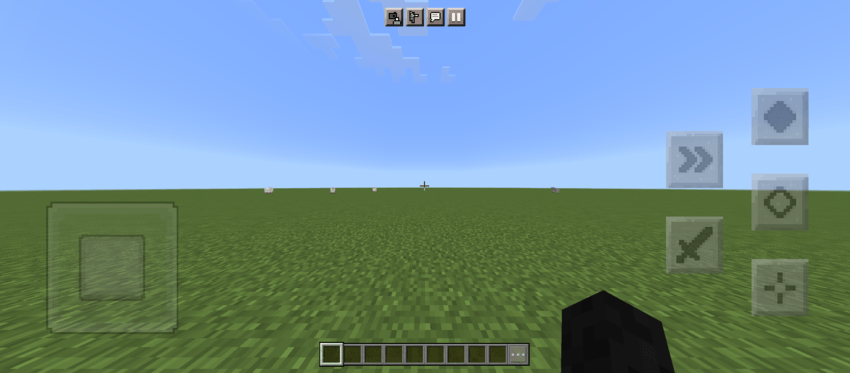
Joystick controls (✨New)
In the latest update, the joystick control buttons are also skinned. Make sure you select the right option to make it look as intended (see Options section below).
Options
The size of the D-pad buttons is increased in version 1.21.30, meaning the gap between the buttons is removed. There is an option to either keep the original size or make them smaller, you can change them by clicking on the ⚙️ icon in Global Resources. Options:
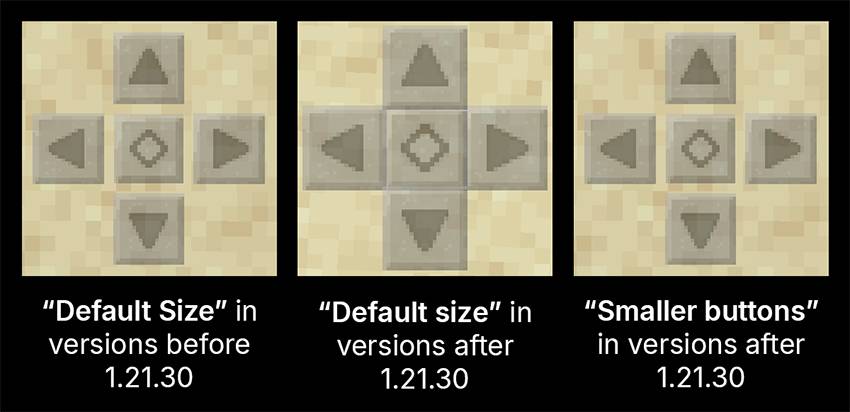
⚠️ (Important) Choose the right option:
- If your Minecraft version is older than 1.21.30, you should choose the Default Size option. The buttons may look too small with the Smaller buttons option if you're using an older version. If not, see below.
- If you're using the D-pad control mode, choose Smaller Buttons if you want the buttons to look more like the old controls, or choose Default Size if you prefer the newer, bigger buttons with no gaps (see image above).
- If you're using one of the Joystick control modes, choose Default Size. Otherwise, the buttons may look too small.
Notes
It hides the back strafing buttons, those buttons are still there and work when pressed, it just doesn’t show them to match the older controls better.
More Customizations
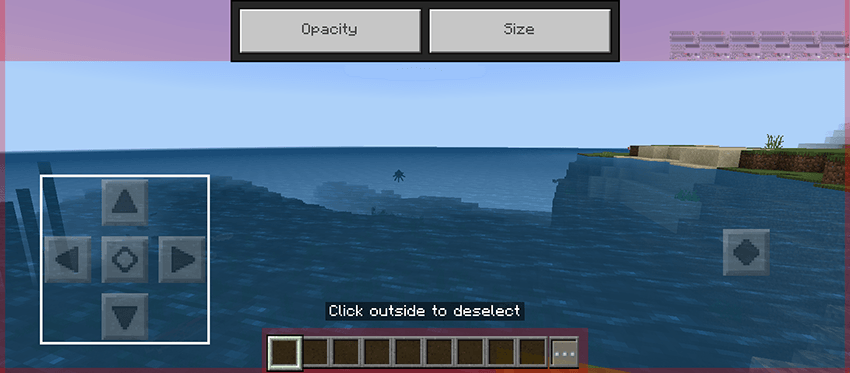
If you want, you can customize the size, position, and opacity of the buttons from settings. Go to Touch settings, enable Resizable UI, and tap on Customize Controls.
Warning
This texture pack can only change the look of the buttons, not their function. For example, previously, there were three buttons on the right when flying in creative mode, but after the update, there are only two. This pack cannot change that.
Issues
Since I don't play Minecraft on a phone, there can be issues caused by updates that I don't notice. If you find inconsistencies or a button that isn't changed, or find any other issue, please let me know (see email below) (you could also comment if you're on MCPEDL).
Help
Here’s a guide if you need help installing: https://adib3700.notion.site/ThreeSeven0Zero-Minecraft-Resource-Pack-Installation-tutorial-1ac9ff516372807ca61cf8ad8afd5339
giptala6@gmail.com - If you need any help, you can email me (say that you need help with Stone D-pad)