Smithing Guide
- By
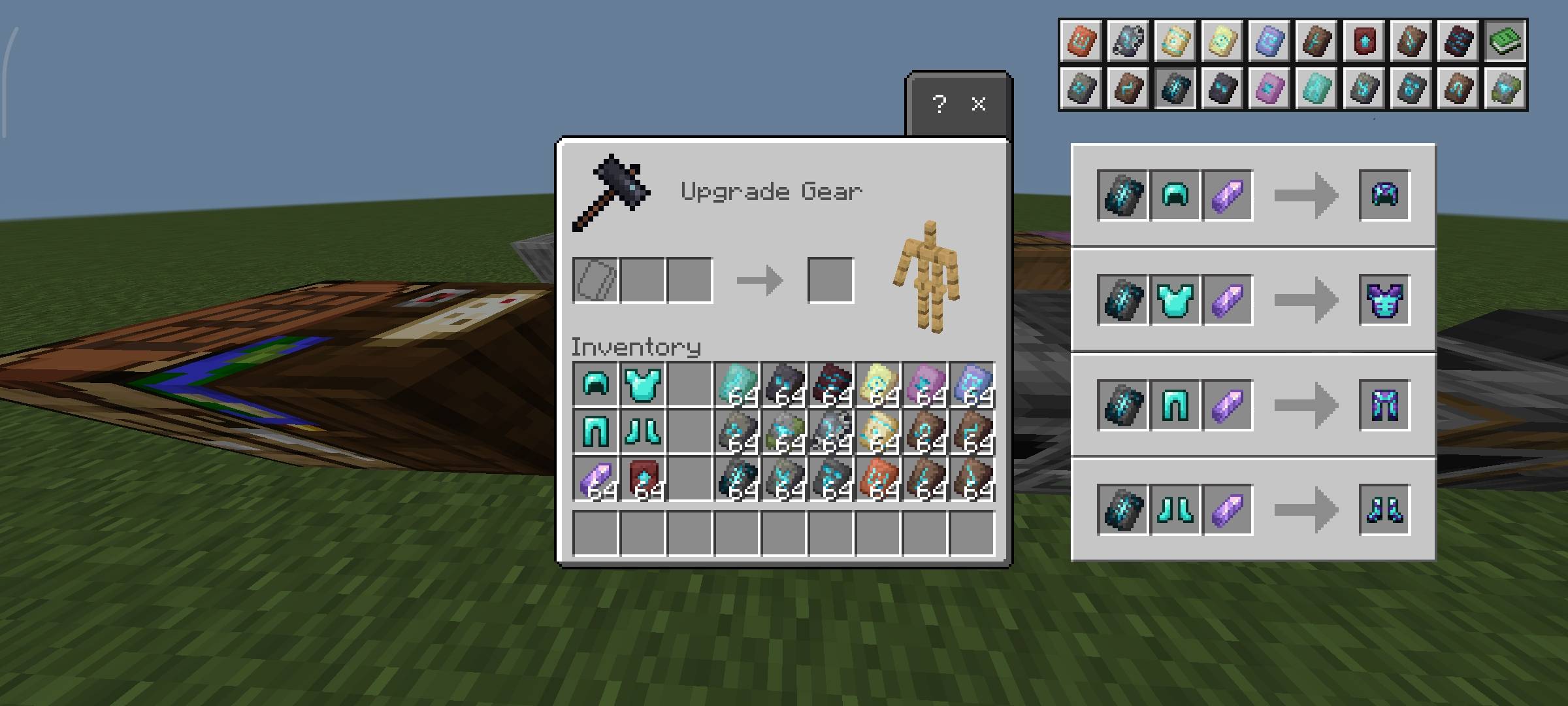
Smithing Guide adds a built-in, vanilla-style recipe book to the smithing table, letting you quickly view all templates and upgrade recipes without leaving the game.
Screenshot_2026-03-20-18-27-24-939_com.mojang.minecraftpe.jpg
Screenshot_2026-03-20-18-27-56-985_com.mojang.minecraftpe.jpg
Screenshot_2026-03-20-18-27-30-647_com.mojang.minecraftpe.jpg
Screenshot_2026-03-20-18-28-17-808_com.mojang.minecraftpe.jpg
Description
Overview
Tired of switching tabs just to remember smithing templates and upgrade recipes?
Smithing Guide brings all essential smithing information directly into the smithing table interface—cleanly integrated, fast to access, and fully aligned with the vanilla UI style, so it feels like a natural extension of the game.
It’s designed to remove friction from gear upgrading and customization without breaking immersion.
What it Adds?
- Recipe Book Integration (Top-Right Button)
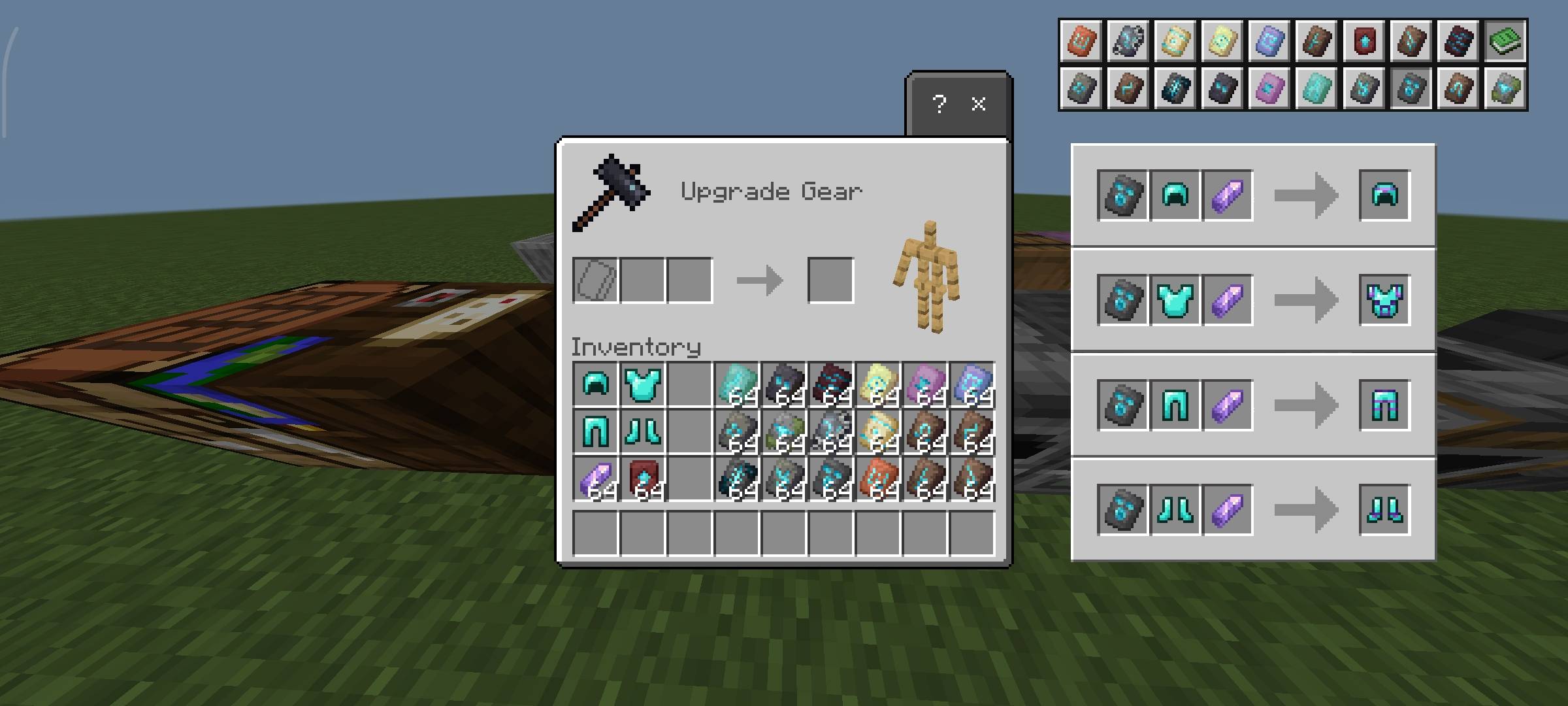
A compact recipe book button is added to the top-right of the smithing table screen.
Clicking it instantly reveals all available smithing templates—no external lookups needed.
Minimal, consistent, and visually in line with vanilla UI components.
Smithing Template Guide
A clear and structured reference for smithing mechanics:
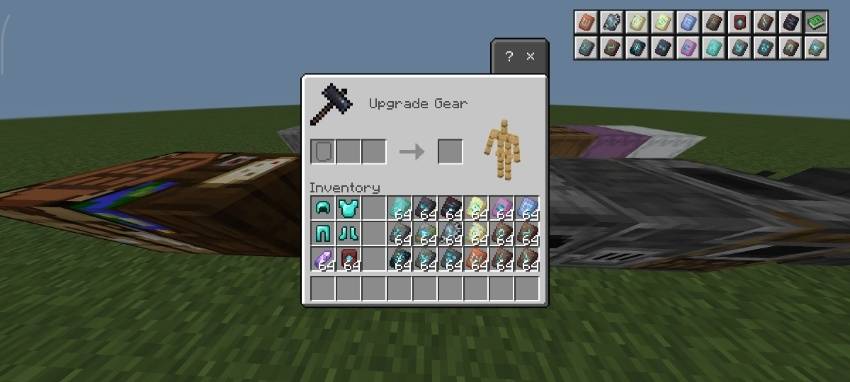
- Displays all armor trim templates and netherite upgrade templates
- Icons are neatly arranged on the top-right of the interface
- Designed for quick recognition and easy access during gameplay
Interactive Template Selection
Fast and intuitive navigation:
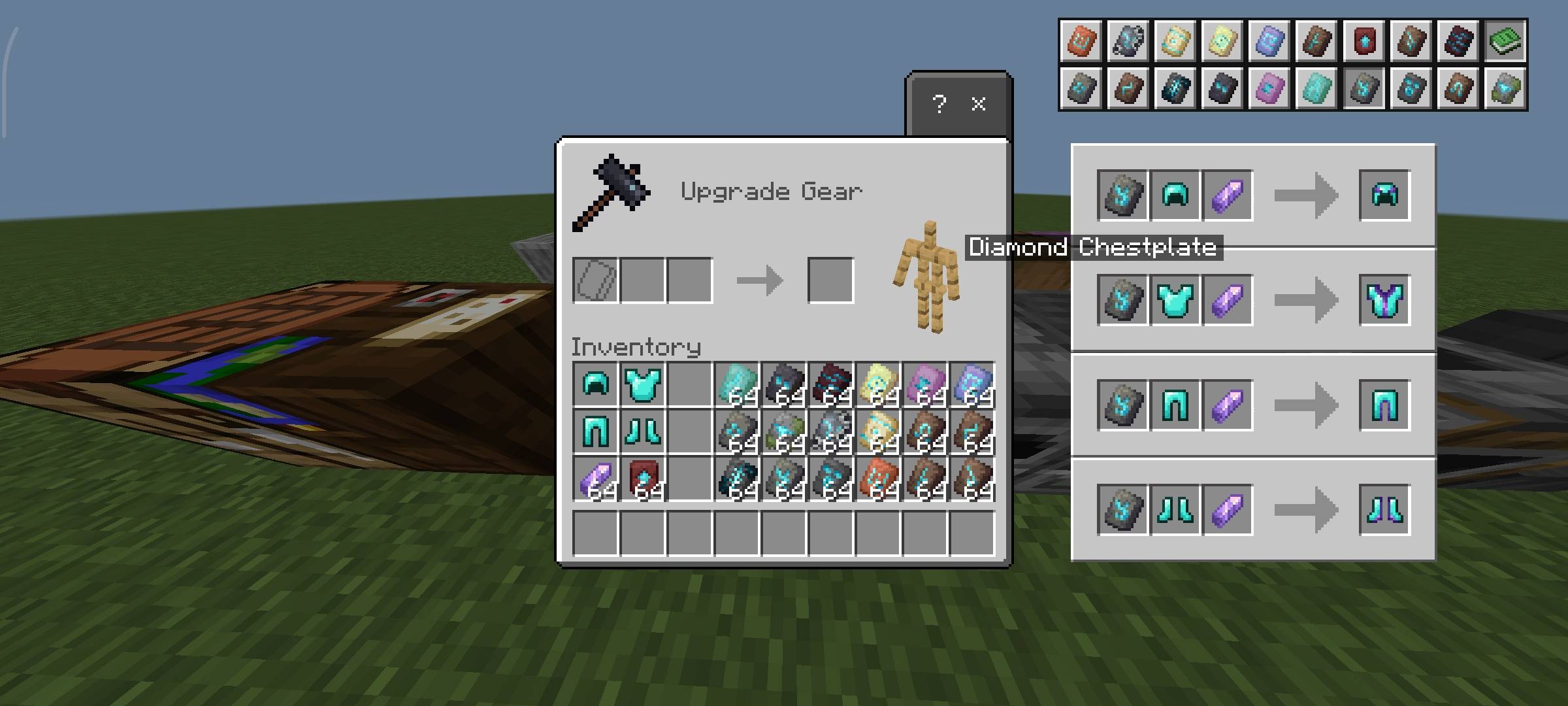
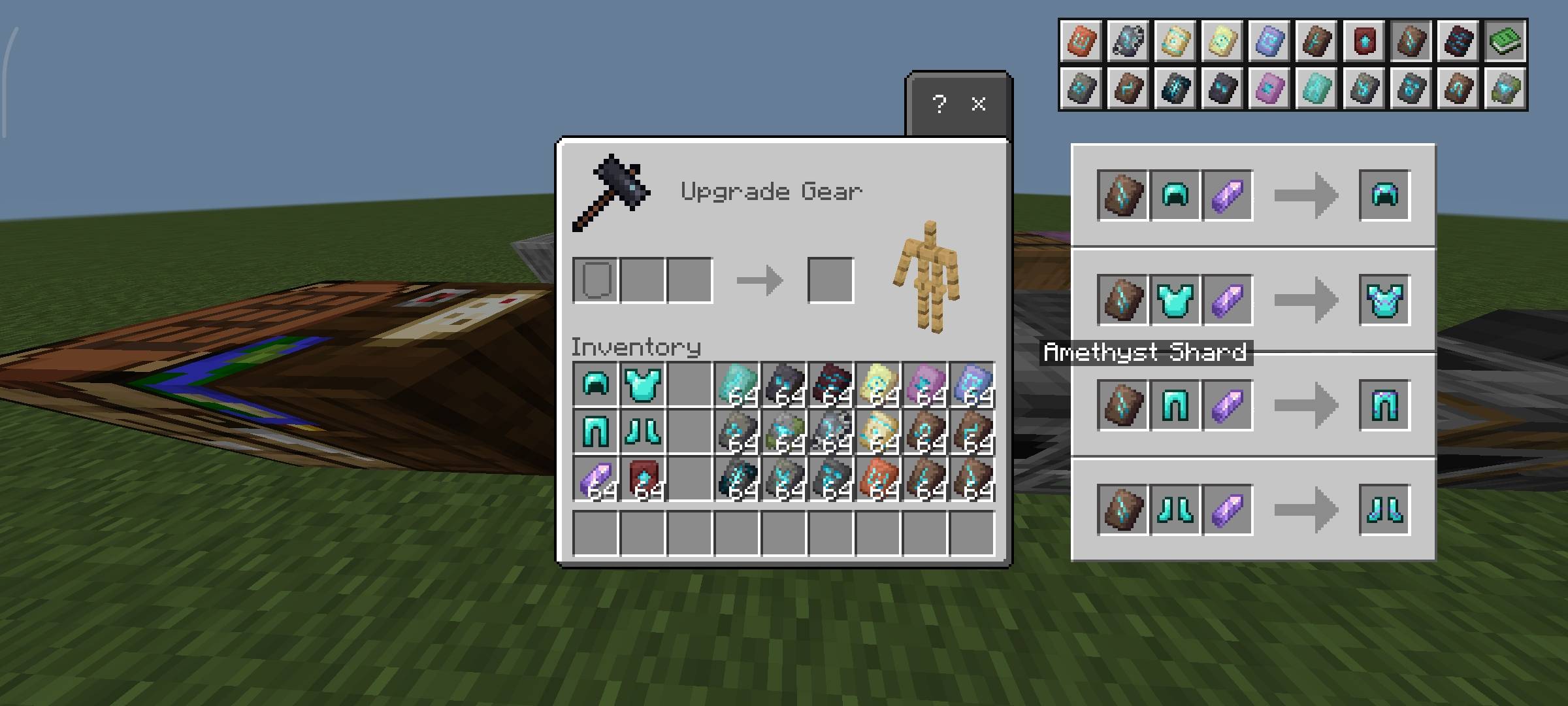
- Click any template icon to instantly view its recipe
- The selected recipe appears in the right-middle section of the screen
- No cluttered menus or unnecessary scrolling
- Built for quick decision-making while upgrading gear
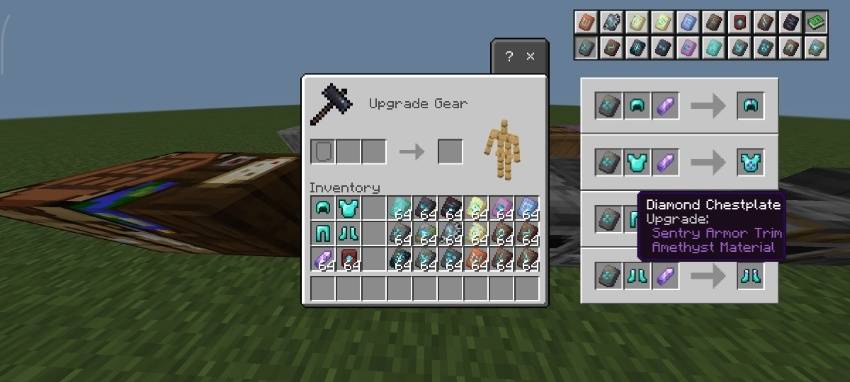
Ingredient Hover System
Focused on clarity and usability:
- Hover over any ingredient to view its name
- Recipe result/output also supports hover tooltips
- Fully matches vanilla tooltip behavior for consistency
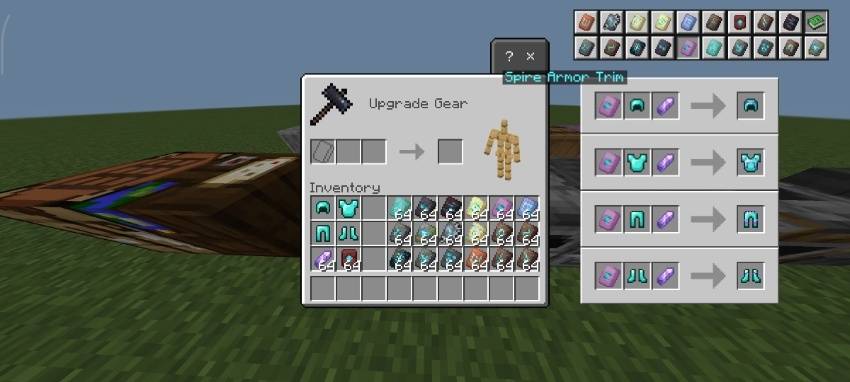
Clean, Vanilla-Consistent Layout
- The interface is designed to feel like it was always part of Minecraft
- Matches vanilla UI styling, spacing, and hierarchy
- Clear separation between templates and recipe display
- No unnecessary elements—only essential information
- Familiar interaction patterns for smooth navigation
Why Use This Pack?
- No more memorizing smithing recipes or templates
- No need to leave the game for upgrade information
- Faster gear progression and customization
- Keeps gameplay flow uninterrupted
- Maintains full vanilla aesthetic and immersion
- Perfect for survival and PvP preparation
What You Can Do
- Modify the pack for personal use only
- Study, analyze, and learn from the pack’s files, structure, and design techniques
- Use the pack in personal gameplay, videos, or content creation with proper credit to the creator
- Share the official CurseForge download link when recommending or showcasing the pack
What You Cannot Do
- Share or promote any download link other than the official CurseForge link
- Redistribute the original/modified pack in any form (reuploads, mirrors, bundled packs, etc.)
- Claim the pack, its assets, or any part of it as your own work
- Use the pack or its assets in projects intended for distribution without explicit permission
Compatibility
- Designed for Minecraft Bedrock Edition
- Resource pack only — no behavior pack required
Built for players who want instant access to smithing recipes and templates without interrupting gameplay.
Smithing Guide Team