Simple Player Hitbox
- By
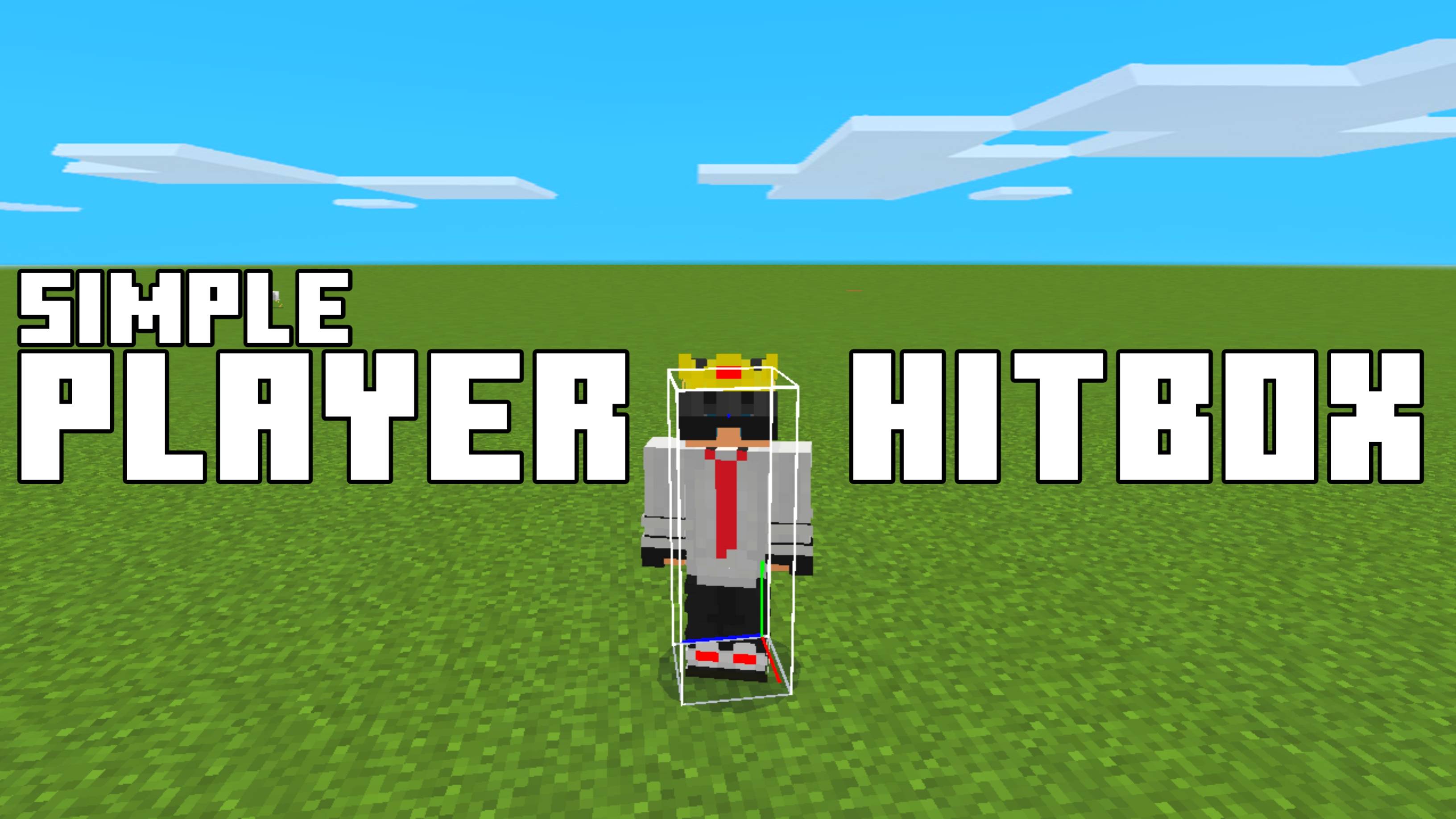
Simple Player Hitbox is a lightweight Minecraft Bedrock texture pack that lets you view player hitboxes like Java Edition, with RGB, No Ray, and Default display modes to suit your PvP practice.
Simple Player Hitbox for Minecraft pocket edition
Java Hitbox for mcpe
Description
Simple Player Hitbox
Practice combat more effectively with Simple Player Hitbox, a lightweight Minecraft Bedrock texture pack that lets you visualize player hitboxes just like in Minecraft Java Edition. Whether you're improving your PvP skills, practicing aim, or creating content, this pack makes player hitboxes easy to see without affecting gameplay.
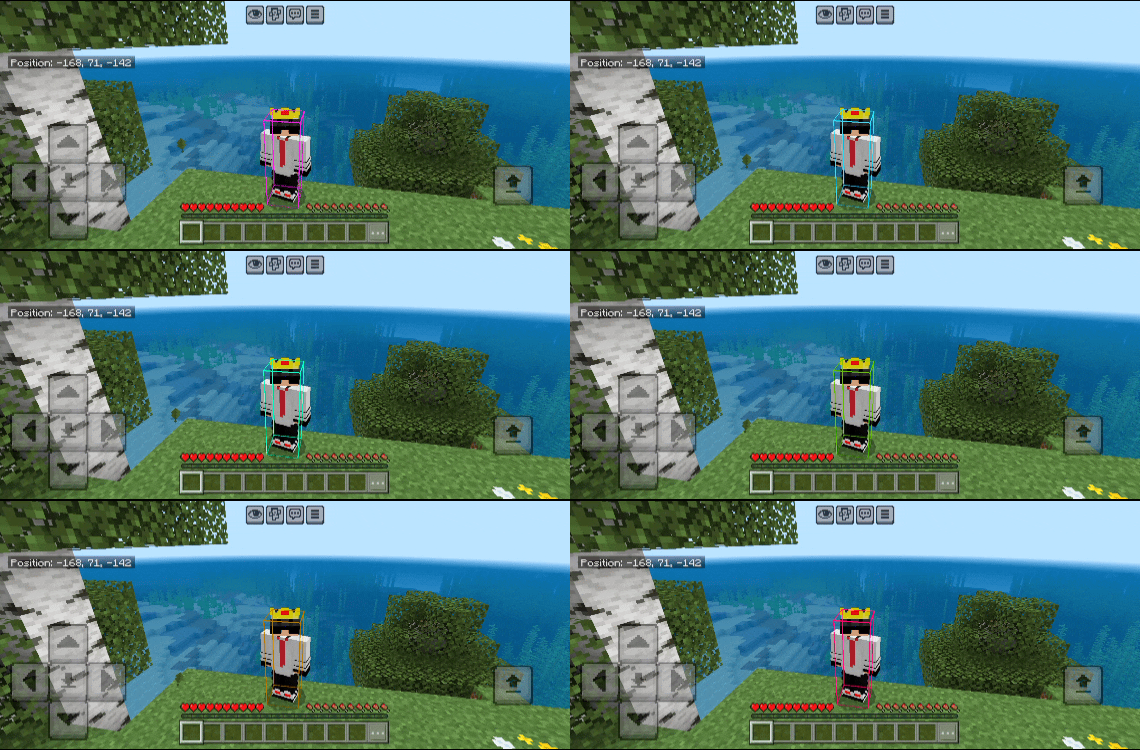
Simple Player Hitbox includes three different display modes, allowing you to choose the style that best fits your preference. Switch between them anytime through the Resource Pack settings before entering your world.
✦ Hitbox Styles
- RGB Mode – A colorful animated hitbox that's easy to notice during combat.
- No Ray Mode – Displays only the hitbox without the center ray for a cleaner look.
- Default Mode – A classic Java Edition-style hitbox for players who prefer the original appearance.
✦ Features
- View player hitboxes similar to Minecraft Java Edition.
- Choose between RGB, No Ray, and Default modes.
- Change modes through the Resource Pack settings.
- Perfect for PvP practice and aim training.
- Simple, lightweight texture pack.
- Optimized for smooth performance.
- Easy to install and use.
✦ Why Use Simple Player Hitbox?
Understanding player hitboxes can help improve your positioning, aim, and overall combat skills. Whether you're practicing with friends or learning PvP mechanics, this texture pack provides a clear visual reference inspired by Java Edition.
✦ Installation Guide
- Download the Resource Pack.
- Open it using ZArchiver or any file manager app.
- Tap Open With and choose Minecraft.
- Wait for Minecraft to import the Resource Pack.
- Open your world settings.
- Go to Resource Packs.
- Activate Simple Player Hitbox.
- Select your preferred mode (RGB, No Ray, or Default) from the Resource Pack settings.
- Enter your world and start practicing.
Created by FleetMc Studio
Images 👇🏻
Simple Player Hitbox Team
Owner