


Best FPS Counter
- 19.8K
- Texture Packs
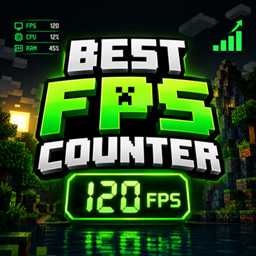
Best FPS Counter is a simple Minecraft Bedrock pack that displays your live FPS on-screen, with 3 size options for the FPS counter.
- 19.8K
- November 15, 2026
Glowing X-Ray
- 15.1K
- Texture Packs
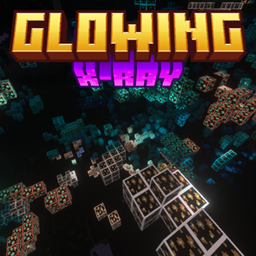
A resource pack that adds a soft glow to all ore blocks (including Deepslate variants, Nether Gold Ore, and Ancient Debris) using PBR/emissive textures, making them easy to spot while mining. Requires Minecraft Bedrock 1.21.80+
- 15.1K
- November 14, 2026

Hardcore Hearts (Real Fake)
- 9.5K
- Texture Packs
That swaps your Survival hearts for the custom Fake Hardcore Hearts.
- 9.5K
- November 13, 2026
FPS Lite+
- 9.8K
- Texture Packs
Lightweight performance booster designed to make your Minecraft Bedrock gameplay smoother and more responsive. It focuses on improving performance while keeping the game looking clean and enjoyable.
- 9.8K
- November 12, 2026
Best FPS Counter
- 19.8K
- Texture Packs
Best FPS Counter is a simple Minecraft Bedrock pack that displays your live FPS on-screen, with 3 size options for the FPS counter.
- 19.8K
- November 15, 2026
Glowing X-Ray
- 15.1K
- Texture Packs
A resource pack that adds a soft glow to all ore blocks (including Deepslate variants, Nether Gold Ore, and Ancient Debris) using PBR/emissive textures, making them easy to spot while mining. Requires Minecraft Bedrock 1.21.80+
- 15.1K
- November 14, 2026
Hardcore Hearts (Real Fake)
- 9.5K
- Texture Packs
That swaps your Survival hearts for the custom Fake Hardcore Hearts.
- 9.5K
- November 13, 2026
FPS Lite+
- 9.8K
- Texture Packs
Lightweight performance booster designed to make your Minecraft Bedrock gameplay smoother and more responsive. It focuses on improving performance while keeping the game looking clean and enjoyable.
- 9.8K
- November 12, 2026