NoVignette
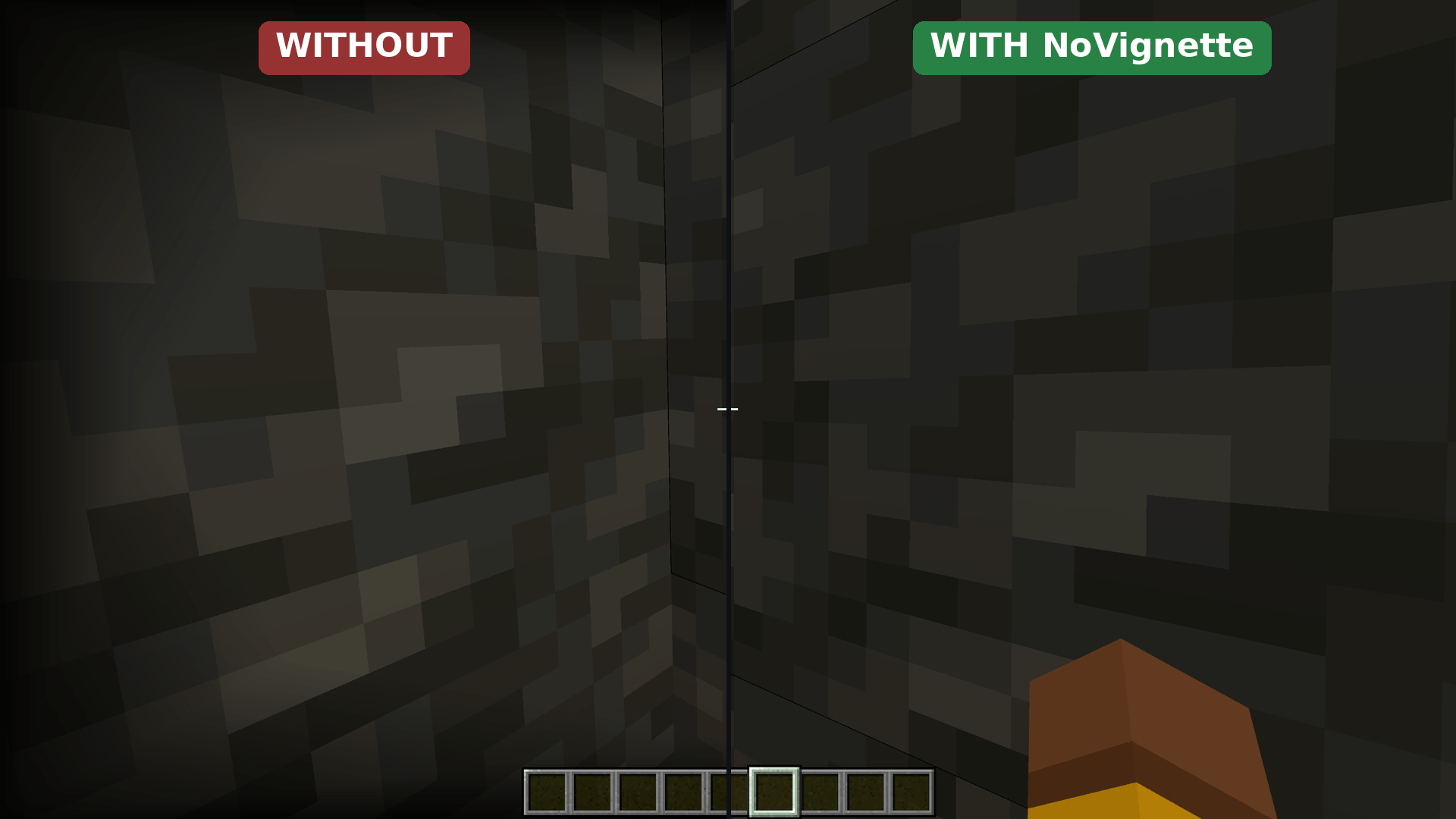
Tired of the dark, shadowy edges around your screen? NoVignette removes the vignette effect completely, so you get a clear view of the world from corner to corner.
Features
- Removes the dark vignette overlay around the screen edges
- Lightweight: a single texture change, zero performance impact
- Works alongside most other resource packs
- Doesn't change any other textures or gameplay
Installation
- Download the
.mcpack file
- Open it with Minecraft, and it imports automatically
- Go to Settings → Global Resources → My Packs and activate NoVignette
Compatibility
- Minecraft Bedrock Edition 26.0 and newer
Tip
If the vignette still shows up, move NoVignette to the top of your active pack list. Another pack may be overriding it.