Normal Ores (No Glowing Effects)
- By
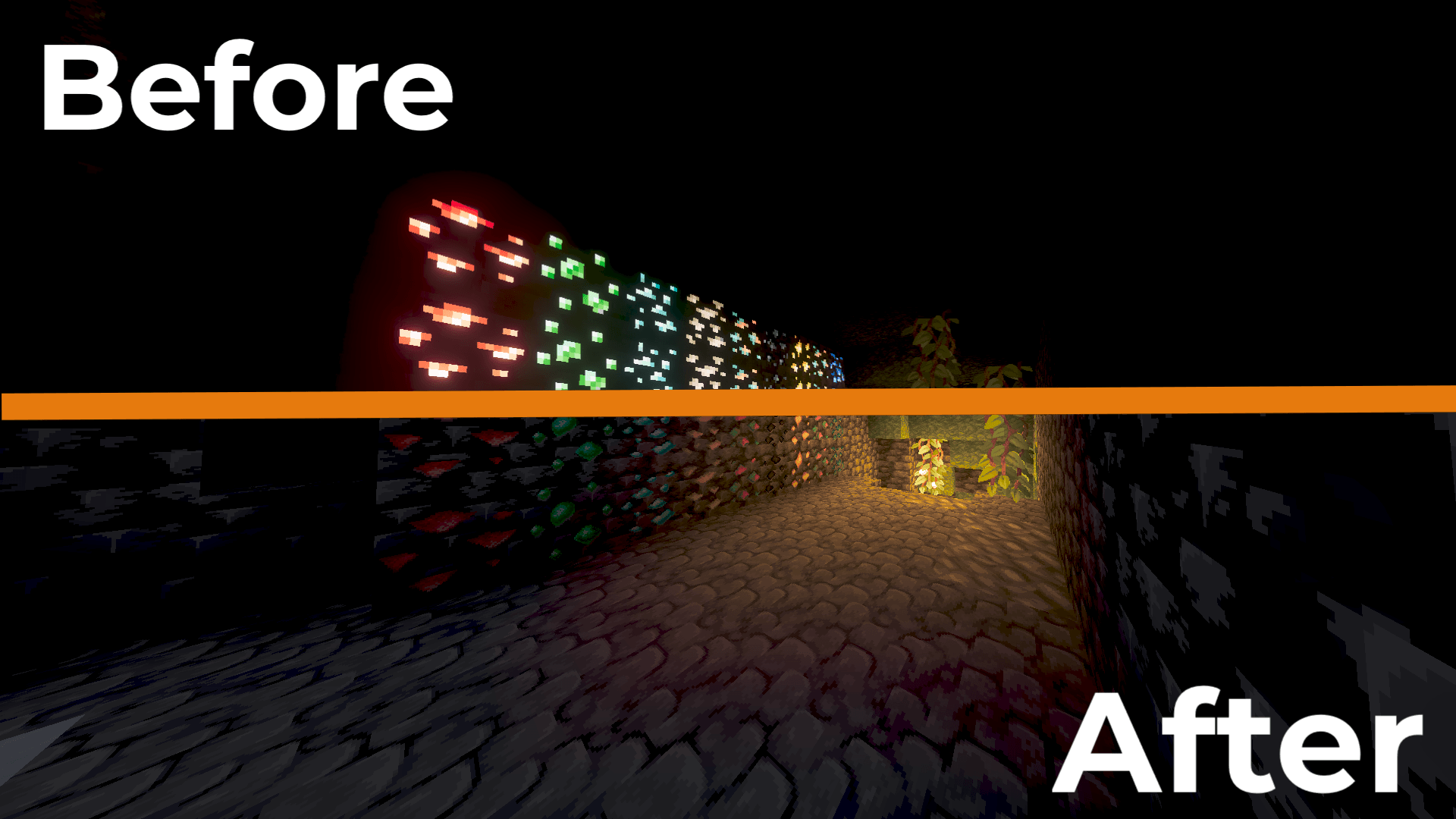
Full Support for all ores: See the difference
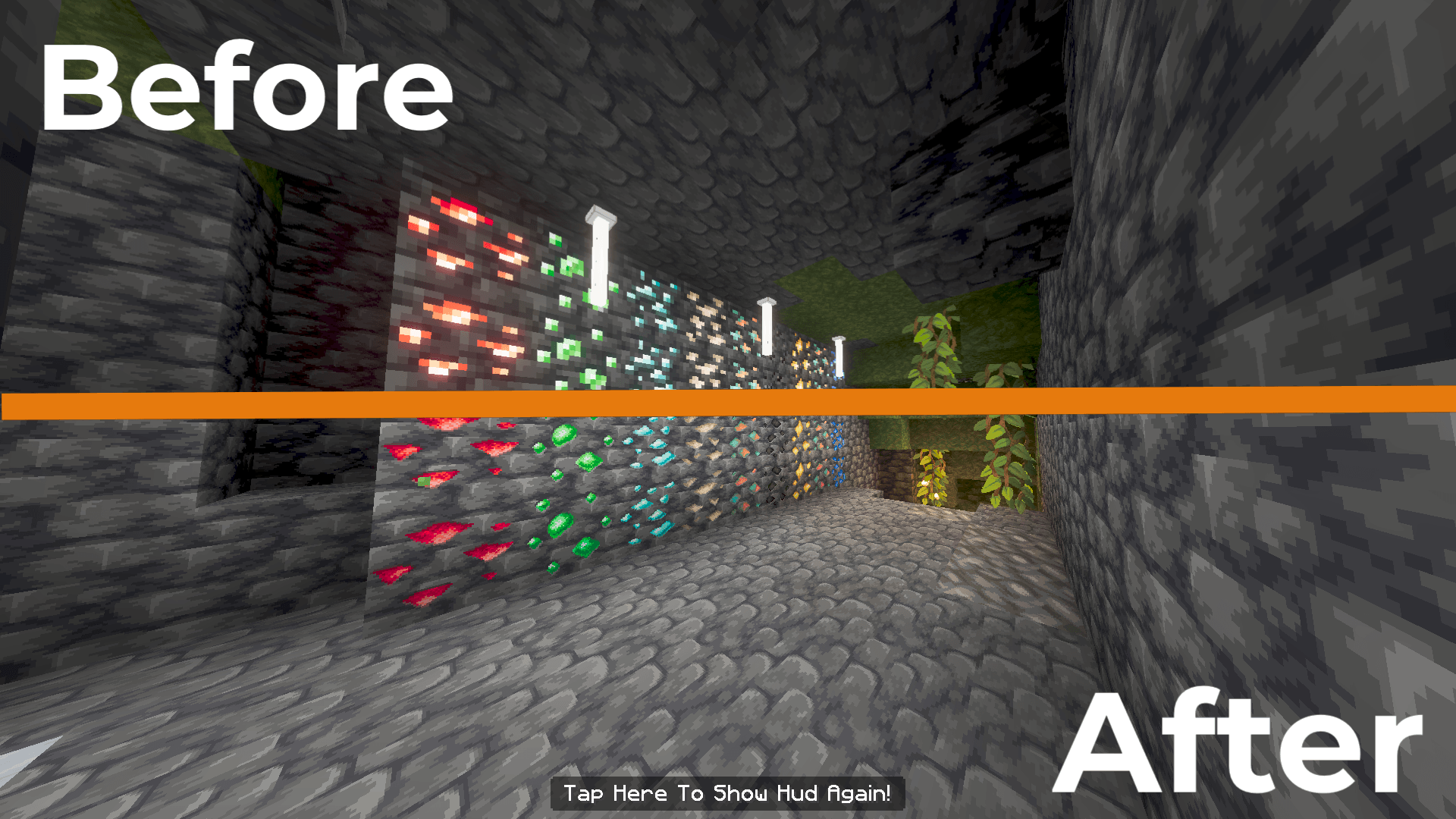
Full Support for all ores: See the difference
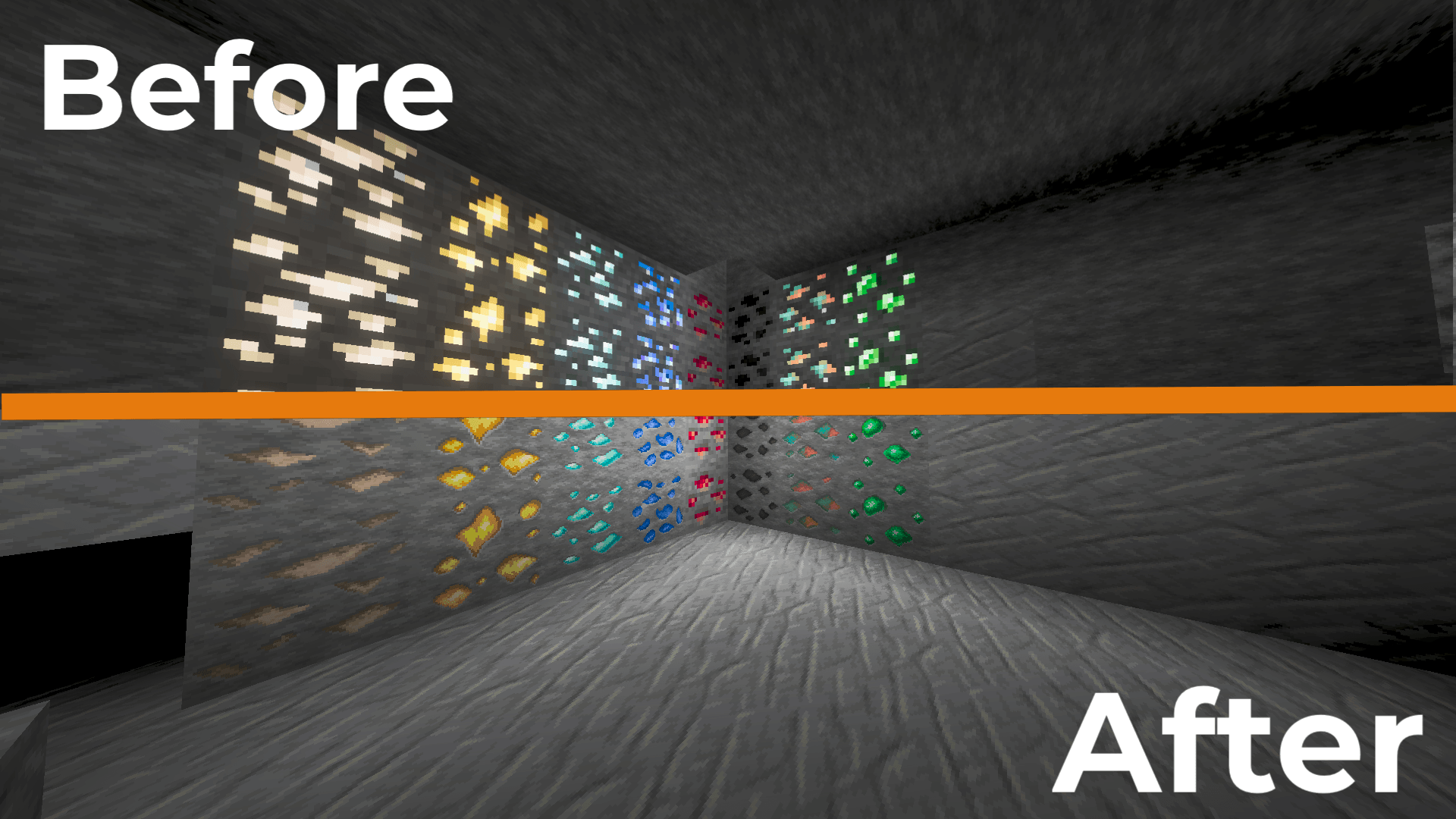
The coal and redstone don't have a shine in this picture due to a minor issue during the photoshoot; you can see they do have a shine in the first picture.
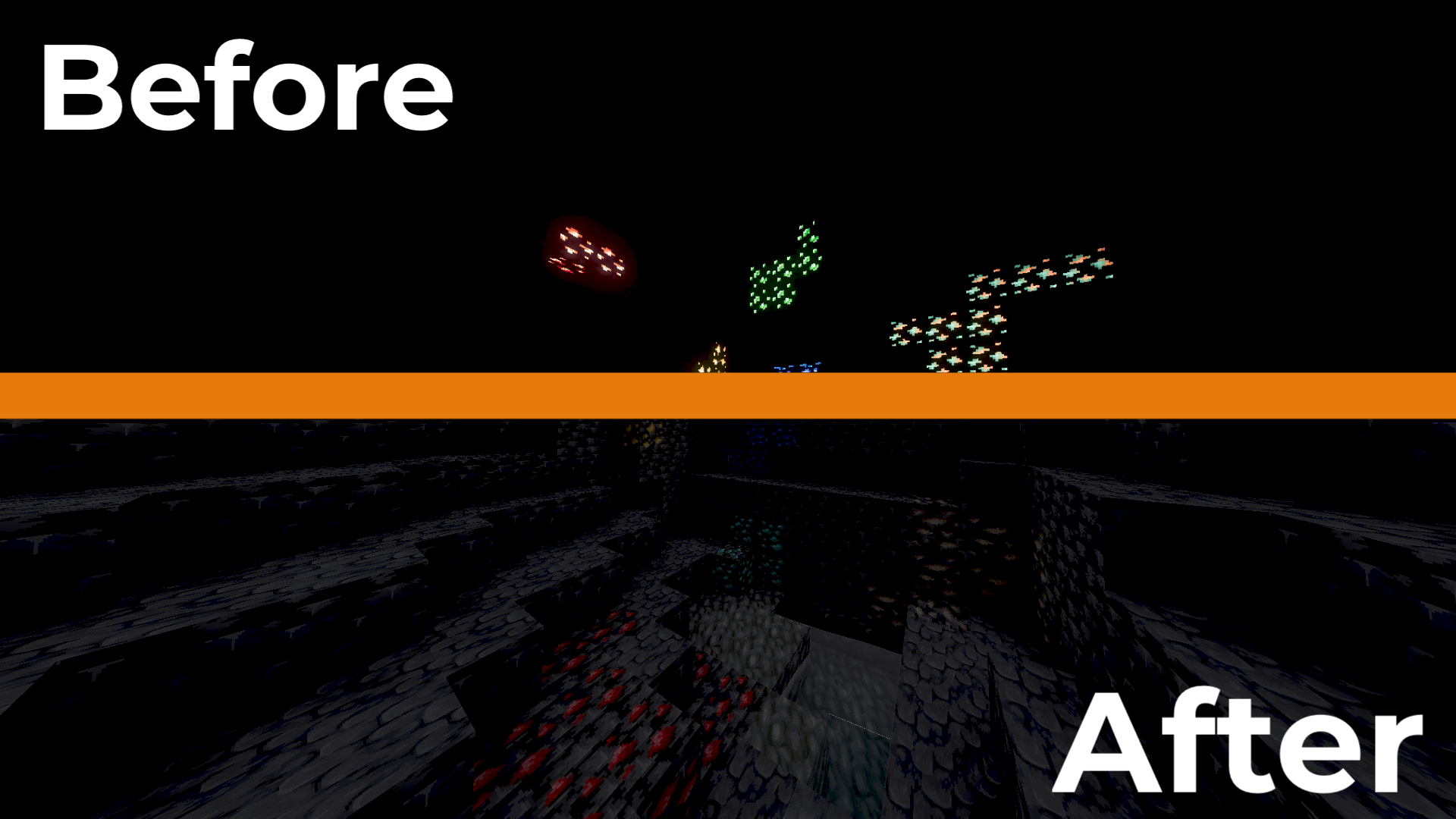
Full Support for all ores: See the difference
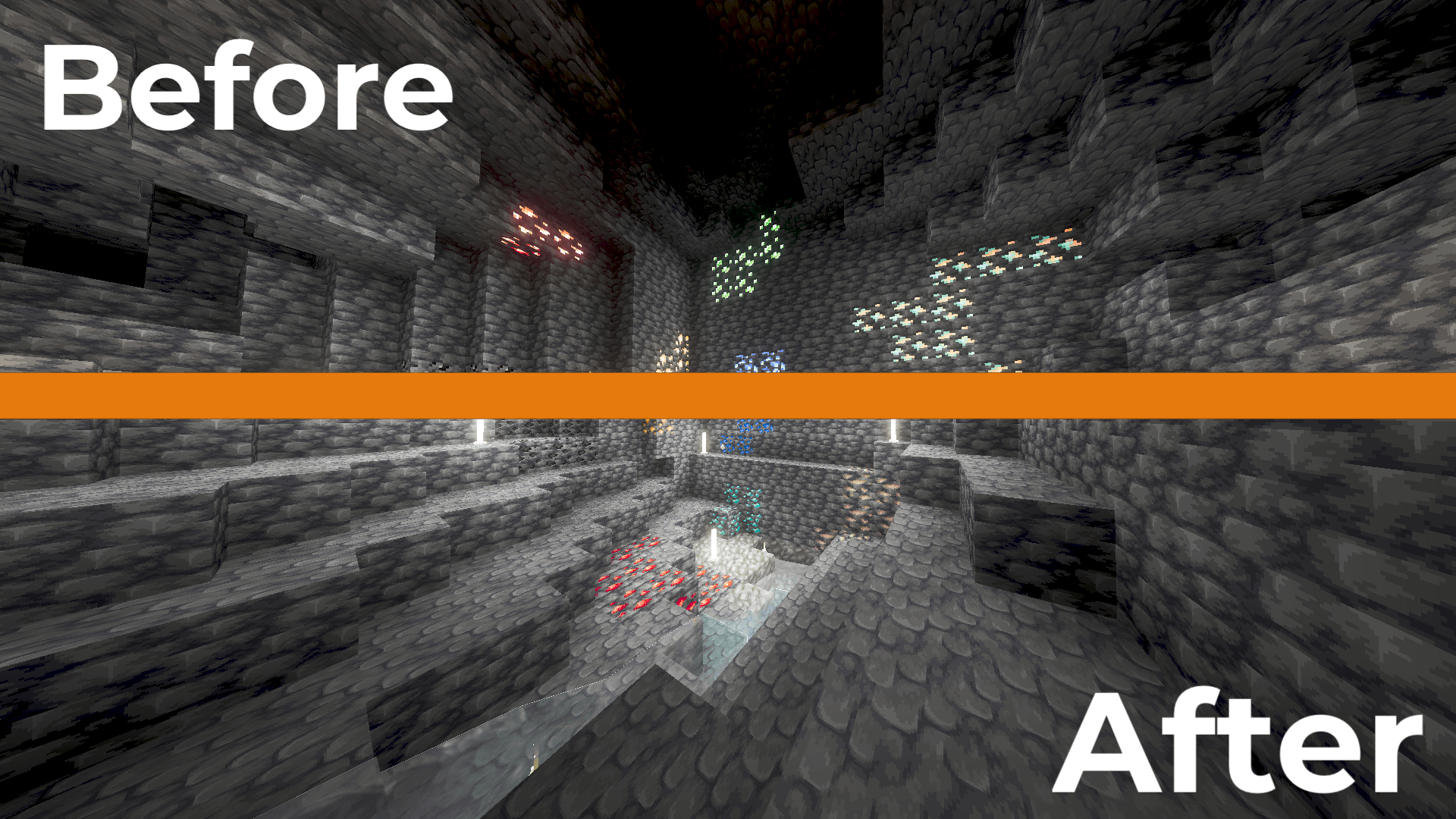
Full Support for all ores: See the difference
Description
Normal Ores (No Glowing Effects)
Tired of your shaders making ores look like they are unnaturally glowing or emitting light? It's a common issue! Normal Ores (No Glowing Effects) is designed specifically to fix those strange glowing effects that shaders apply to ores, all while preserving the authentic, clean look of the blocks. Whether you are playing for the classic aesthetic or just want visual clarity, this pack delivers a consistent, premium experience.
This resource pack is the best fix for shader glowing ores in Minecraft Bedrock Edition.
If you are looking for how to remove shader glare, this pack is your solution.
Features:
-
Shader-Friendly: Removes the unnatural glowing effects and weird metallic look on ores.
-
Multi-Resolution: Easily choose between 32x and 64x resolutions via the in-game settings.
-
Vanilla-Friendly: Keeps the original charm of Minecraft without adding visual noise.
-
Performance Optimized: Looks stunning without impacting your FPS.
How to use:
-
Download the .mcpack file.
-
Import it into Minecraft.
-
Go to "Resource Packs" settings (gear icon) on the pack.
-
Select your preferred resolution (32x or 64x).
-
Enjoy your clean, glow-free ores! :)
Credits & Availability:
-
Created by: btil16
-
Co-developed with AI assistance.
-
This resource pack is available in two places: CurseForge and MCPEDL. Feel free to download it from whichever platform you prefer!
Frequently Asked Questions (FAQ)
Q: How do I remove the annoying glowing effect on ores when using shaders? A: Simply install the Normal Ores (No Glowing Effects) resource pack! It automatically fixes shader glare and makes your ores look clean and natural.
Q: Does this pack work with all Minecraft Bedrock shaders? A: Yes, this pack is designed to be fully compatible with all shaders on Minecraft Bedrock Edition.
Q: Will this pack make my game laggy? A: Not at all! This pack is highly optimized for performance and will not impact your FPS while playing.
Q: How do I choose between different resolutions? A: After importing the pack, go to your "Resource Packs" settings, click the gear icon (Settings) on our pack, and you can easily toggle between 32x and 64x resolution.
Q: Where can I download this pack? A: This resource pack is available in two places: CurseForge and MCPEDL. Feel free to download it from whichever platform you prefer!
The Normal Ores (No Glowing Effects) Team