No How To Play Button

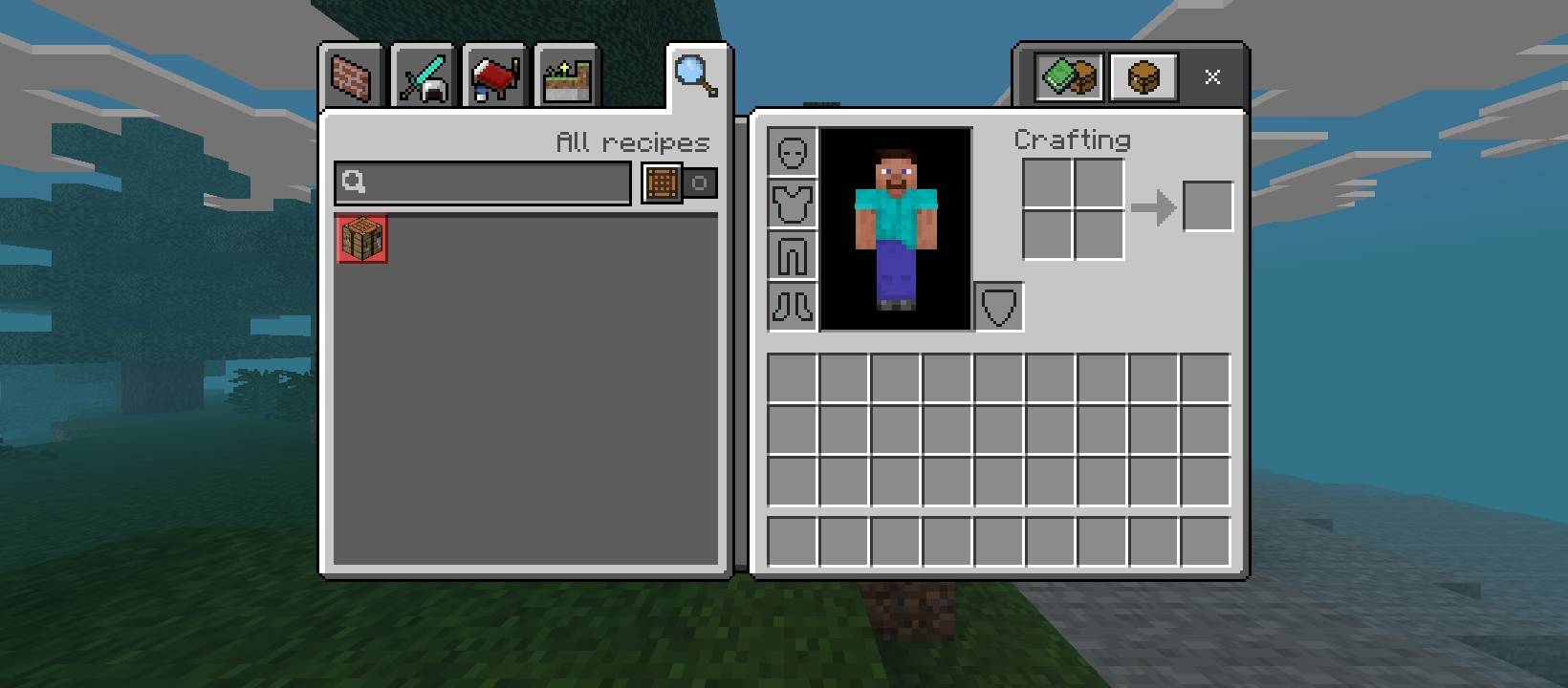
Removes the "How to Play" tab from the crafting table and inventory menus, leaving a cleaner, distraction-free interface.
1000089926.jpg

1000089926.jpg

Description

No How to Play Button is a minimal Bedrock Edition resource pack that strips out the "How to Play" tab (the magnifying glass icon) from the crafting UI, leaving just the recipe book and search bar tabs you actually use.

Features:

Removes the "How to Play" tab from the crafting table and inventory crafting menus

No impact on gameplay, recipes, or performance

Simple, lightweight resource pack — no dependencies

Compatible with survival, creative, and most other UI-focused addons

Perfect for players who:

Already know the crafting basics and don't need the tutorial tab

Want a cleaner, more compact crafting interface

Are building minimalist UI setups alongside other pack customizations

The No How To Play Button Team

Forgeborn tier frameprofile avatar
  • 5
    Followers
  • 27
    Projects
  • 121.0K
    Downloads

Shaders for Minecraft

More from FrostedVisualsView all

  • Aurora Visuals project image

    Aurora Visuals

    Aurora Visuals is a cinematic Minecraft shader that brings stunning water reflections, atmospheric sky gradients, biome-sensitive lighting, and dramatic day-night transitions to your world — making every screenshot feel like a painting.

    • 17.2K
    • July 14, 2026
  • Variated Blocks BE project image

    Variated Blocks BE

    Adds natural-looking variants to common blocks like stone, wood, dirt, and leaves, breaking up repetitive textures for a more organic world.

    • 231
    • June 30, 2026
  • Player Stats Plus project image

    Player Stats Plus

    A clean HUD overhaul that replaces the vanilla inventory screen with a detailed player stats panel — showing HP, food, defense, toughness, speed, and EXP at a glance, plus a sound/footstep indicator for added immersion.

    • 416
    • June 27, 2026
  • Better X-Ray Plus project image

    Better X-Ray Plus

    A simple and clean X-Ray Resource Pack for Minecraft Bedrock Edition that makes most underground blocks invisible so you can easily find ores like diamonds, iron, gold, and more

    • 7.8K
    • June 25, 2026
  • Aurora Visuals project image

    Aurora Visuals

    Aurora Visuals is a cinematic Minecraft shader that brings stunning water reflections, atmospheric sky gradients, biome-sensitive lighting, and dramatic day-night transitions to your world — making every screenshot feel like a painting.

    • 17.2K
    • July 14, 2026
  • Variated Blocks BE project image

    Variated Blocks BE

    Adds natural-looking variants to common blocks like stone, wood, dirt, and leaves, breaking up repetitive textures for a more organic world.

    • 231
    • June 30, 2026
  • Player Stats Plus project image

    Player Stats Plus

    A clean HUD overhaul that replaces the vanilla inventory screen with a detailed player stats panel — showing HP, food, defense, toughness, speed, and EXP at a glance, plus a sound/footstep indicator for added immersion.

    • 416
    • June 27, 2026
  • Better X-Ray Plus project image

    Better X-Ray Plus

    A simple and clean X-Ray Resource Pack for Minecraft Bedrock Edition that makes most underground blocks invisible so you can easily find ores like diamonds, iron, gold, and more

    • 7.8K
    • June 25, 2026