Night Vision ++
- By
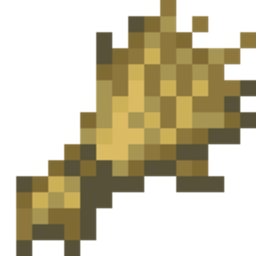
Night Vision+ lets you toggle Night Vision instantly using a simple stick. Just hold a stick and crouch to turn Night Vision on, then crouch again to turn it off. Achievement-friendly, multiplayer-compatible, and no experimental features required.
MCPEDL
Description
Night Vision+
Explore the darkest caves, underground tunnels, abandoned mineshafts, and nighttime adventures without struggling to see in the dark. Night Vision+ is a simple yet powerful Minecraft Bedrock addon that allows players to toggle Night Vision instantly using a stick, making exploration easier and more enjoyable while keeping the vanilla survival experience intact.
✦ Main Features
- Instant Night Vision activation using a simple stick.
- No commands required.
- Quick toggle system for turning Night Vision on and off.
- Perfect for cave exploration and nighttime adventures.
- Lightweight addon with smooth performance.
- Works in both singleplayer and multiplayer worlds.
- Easy to use for players of all experience levels.
✦ How To Use
Using Night Vision+ is extremely simple and requires only a regular Minecraft stick.
- Hold a Stick in your hand.
- Crouch (Sneak) while holding the stick.
- Night Vision will instantly activate.
- To disable Night Vision, hold the stick again and crouch once more.
- Repeat whenever you want to switch Night Vision on or off.
- You can also Crouch + look 90° Upside for 3 second to toggle ON/OFF
This simple toggle system allows you to control your visibility whenever needed without opening menus, using commands, or changing game settings.
✦ Why Use Night Vision+?
Dark environments can make exploration difficult and sometimes frustrating. Night Vision+ provides a convenient solution by giving players complete control over their visibility. Whether you're searching for ores deep underground, exploring ancient structures, or traveling during the night, this addon helps you see clearly while maintaining a survival-friendly experience.
✦ Compatibility
- Achievement Friendly ✅
- No Experimental Features Required ✅
- Compatible with Most Other Addons ✅
- Does Not Modify player.json ✅
- Multiplayer Friendly ✅
- Minecraft Bedrock Edition Supported ✅
- Survival Friendly ✅
✦ Installation Guide
- Scroll down and download the addon file.
- Open the downloaded file using ZArchiver or any file manager app.
- Tap Open With and choose Minecraft.
- Wait for Minecraft to import the addon.
- Open your world settings.
- Go to Behavior Packs.
- Activate the Night Vision+ addon.
- No Experimental Features are required.
- Enter your world and enjoy enhanced visibility.
Created by FleetMc Studio
Night Vision ++ Team

Owner