Newb X Solstice
- By
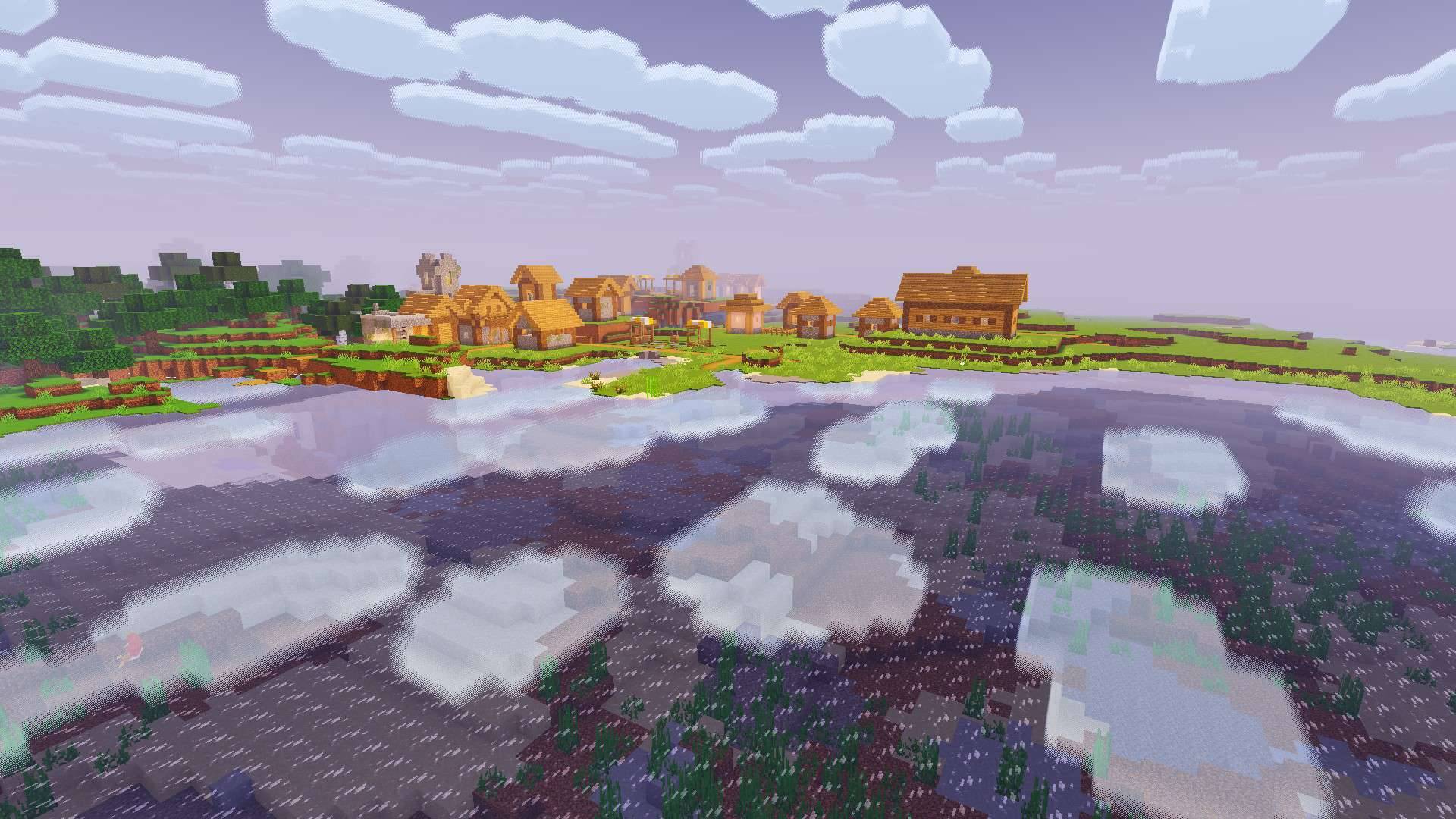
A moody, atmospheric Newb shader variant for Minecraft Bedrock: volumetric and block clouds, aurora, foamy water, and a blackhole in the end.
127700.jpg
127704.jpg
9c39779e-90b2-42bf-9162-ddc3e488d385.jpg
Description
Newb x Solstice
A moody, atmospheric customized shader variant for Minecraft Bedrock, modified from the "Newb Shader" source code by devendrn. It adds volumetric clouds, an End blackhole, underwater light shafts and reworked water.
This shader requires a third-party material loader or patching tool to work. Please read the Compatibility section below before installing.
This is not a Vibrant Visual (VV) pack, so it won't work if you have both a VV pack and this shader activated.
Features
- Volumetric Clouds: Puffy, moonlit clouds with soft shading (Unbound subpack).
- Block Clouds: Chunky block-style clouds (Reimagined subpack).
- Blackhole: A giant animated blackhole in the End sky, with a matching reflection on End terrain.
- Underwater Light Shafts: Broad rays that brighten the water, kelp and terrain.
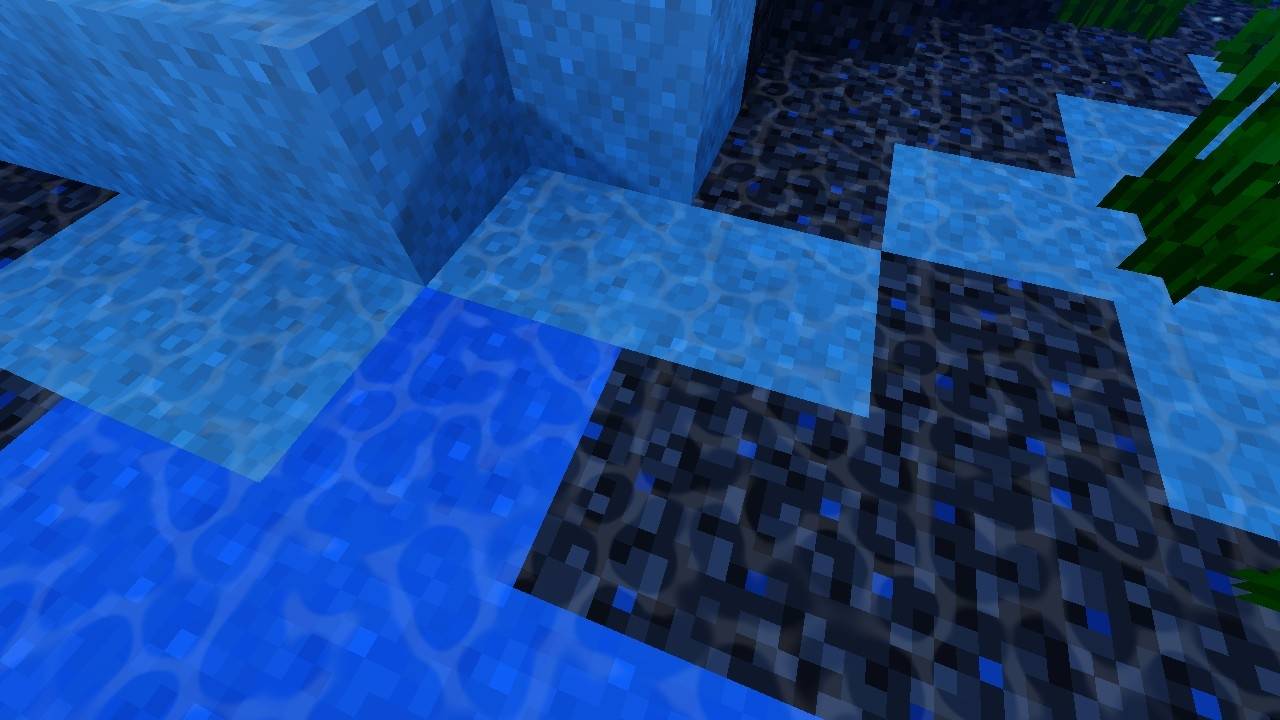
- Reworked Water: Foam, animated caustics and ocean depth darkening.
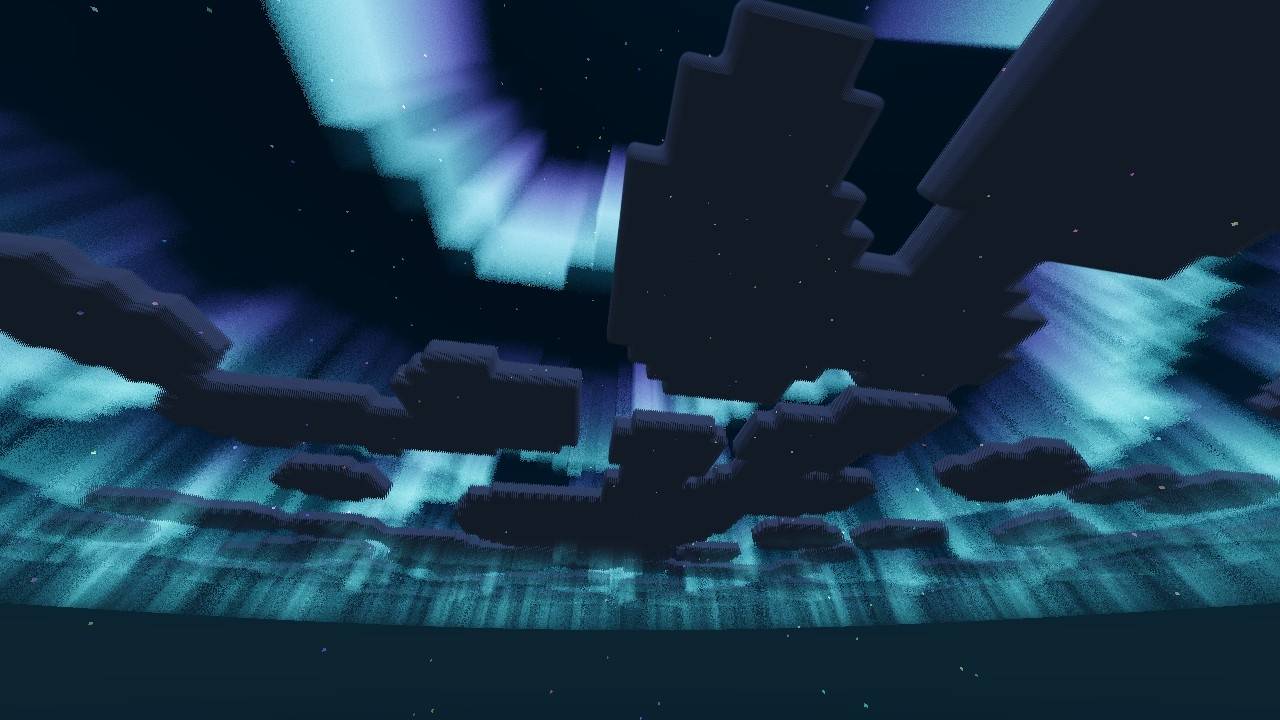
- Aurora: Night aurora in the sky.
- Torch Bloom and Glow: Soft bloom on torches and shimmering glowing blocks.
- Shooting Stars: Occasional shooting stars at night.
- And more
Subpacks
Newb x Solstice provides 2 subpacks:
- Unbound: Volumetric clouds, smooth aurora and End clouds.
- Reimagined: Block clouds, water foam and aurora. The lighter option for weaker devices.
Compatibility
Newb x Solstice requires a third-party tool to load shaders. Minecraft Bedrock does not officially support custom shaders on these platforms.
Android
Required: MB Loader
- Install "MB Loader"
- Launch Minecraft through MB Loader.
- Import Newb x Solstice.
- Activate the resource pack in Global Resources.
«⚠️ Patch Warning: Custom shaders are not officially supported by Minecraft Bedrock. MB Loader is required to load this shader on Android. Normal Minecraft launching may not load the shader correctly.»
Windows
Required: Wyvern Loader
- Download and set up "Wyvern Loader"
- Open Minecraft, then click Inject in Wyvern.
- Import Newb x Solstice.
- Activate the resource pack in Global Resources.
«⚠️ Patch Warning: Windows requires Wyvern Loader to inject the necessary shader patches. This is an unofficial method, and the shader will not work through the normal Minecraft installation without the required patching.»
iOS
Required: Minecraft with Hynis
Using custom shaders on iOS is more complicated.
- Download the Minecraft with Hynis IPA
- Sideload the IPA using your preferred sideloading tool.
- Import Newb x Solstice.
- Activate the resource pack in Global Resources.
«⚠️ Patch Warning: iOS does not officially support custom Minecraft shaders. A modified Minecraft build with Hynis is required. Normal Minecraft installations cannot load this shader. Sideloading is also required.»
Performance Tips
The volumetric clouds in Unbound are the most demanding feature. If you experience lag, switch to the Reimagined subpack for better performance.
Original Project and Redistribution
Newb x Solstice is a modified version of the open-source Newb Shader by devendrn.
- Original source: "Newb Shader" (https://github.com/devendrn/newb-x-mcbe) (MIT License).
Both are MIT licensed, so you may use, modify and redistribute this pack as long as you keep the copyright and licence notice (included in the pack as COPYRIGHT.txt).
Special Thanks and Credits
- Original shader forked from "newb-x-mcbe" (https://github.com/devendrn/newb-x-mcbe) by devendrn.
- Credits: minmin, devendrn, Michaellynx, Jesus miguel gamer, Goboyy, rexytmc, kurinkishi, mr sangg.
- Inspirations: Complementary Shaders Reimagined and Unbound, Super Duper Vanilla Shader, Newb Feathered, Newb Aetheris.
- And everyone who downloads and uses this variant.
Disclaimer
This project is not affiliated with Mojang Studios or Microsoft.
Newb X Solstice Team