



Pocket Gui+
- 86.0K
- Texture Packs
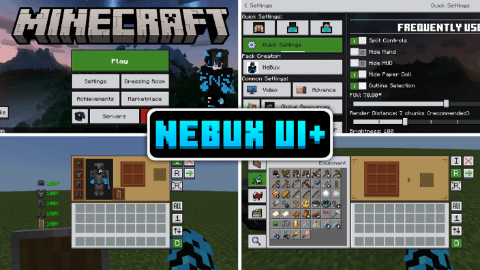
Pocket GUI+ upgrades Minecraft’s block GUIs, giving each block its themed interface (like crafting table GUI) and adds useful features such as Guides, Quick Loot, Drop One Item, and Drop All Items for a smoother, enhanced Bedrock/MCPE experience.
- 86.0K
- July 10, 2026
Villagers Trade Unlocker
- 457.9K
- Texture Packs
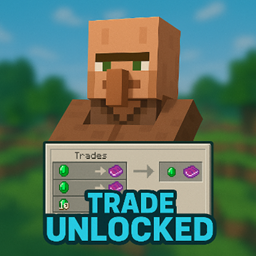
This pack unlocks all villager trades, letting you view and trade every level instantly without leveling them up. It’s like a hack, but works as a safe resource pack, even in multiplayer.
- 457.9K
- July 7, 2026

Player Health Indicator
- 321.1K
- Texture Packs
This resource pack display's player health above their head makes easy to see their hearts in real-time.
- 321.1K
- July 6, 2026
F1 & F3 BUTTON - Windows Update
- 359.8K
- Texture Packs
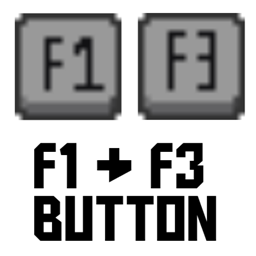
This pack adds F1 & F3 Button to Minecraft Bedrock / Pocket Edition. F3 shows a Java-like debug screen with coords, FPS, chunks, and more, while F1 hides the HUD for clean screenshots or cinematic play.
- 359.8K
- July 5, 2026
Pocket Gui+
- 86.0K
- Texture Packs
Pocket GUI+ upgrades Minecraft’s block GUIs, giving each block its themed interface (like crafting table GUI) and adds useful features such as Guides, Quick Loot, Drop One Item, and Drop All Items for a smoother, enhanced Bedrock/MCPE experience.
- 86.0K
- July 10, 2026
Villagers Trade Unlocker
- 457.9K
- Texture Packs
This pack unlocks all villager trades, letting you view and trade every level instantly without leveling them up. It’s like a hack, but works as a safe resource pack, even in multiplayer.
- 457.9K
- July 7, 2026
Player Health Indicator
- 321.1K
- Texture Packs
This resource pack display's player health above their head makes easy to see their hearts in real-time.
- 321.1K
- July 6, 2026
F1 & F3 BUTTON - Windows Update
- 359.8K
- Texture Packs
This pack adds F1 & F3 Button to Minecraft Bedrock / Pocket Edition. F3 shows a Java-like debug screen with coords, FPS, chunks, and more, while F1 hides the HUD for clean screenshots or cinematic play.
- 359.8K
- July 5, 2026