Logo Subtitle Pack
- By
MCPEDL
Description
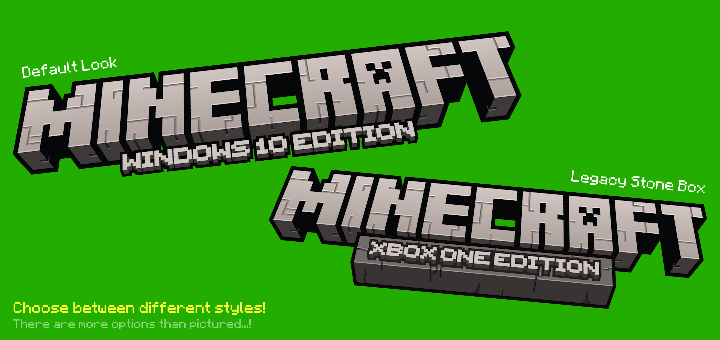
This Minecraft resource pack allows you to have "subtitles" to your Minecraft logo or custom headings that replace "Minecraft" with something else. Personalize your Minecraft experience with this texture pack.
Preview:
Reviews and Suggestions:
You can rate your experience with this project from 1 to 5 stars on MCPEDL. Have any suggestions? Feel free to reach out. If you have a specific issue with the pack, post them below in the comments section (it is required to have an account to comment on MCPEDL and Curseforge).
Installation:
Downloading the content will include a resource pack. To use this resource pack, apply it in a world or global resource packs in the settings menu. Click the gear/wrench icon and scroll through the slider to change the logo.
Once you have downloaded the texture pack, click the .mcpack file, which should automatically redirect you to the Minecraft app.
If for some reason the .mcpack file is unable to import into your Minecraft game, you can download the .zip file. To use this .zip file, go into your file manager app (your system files, or any other file explorer app compatible with Minecraft) and unzip the .zip file to turn it into a normal folder. Once those steps are complete, place the folder in the location of the resource packs folder. To locate this folder, follow the folder sequence: Minecraft > games > com.mojang > resource packs.
Disclaimer
Certain fonts used in the creation of these logos (heading and subtitles) originally come from the official Minecraft website (Minecraft Ten, Minecraft Five Bold) and from mctitles.com (Dripping font, etc.) Extra flare, textures of the "blocks" and letters, and additions added to the title is made completely by me.
Texture Pack Information
Version: 1.0.3
Logo Subtitle Pack Team