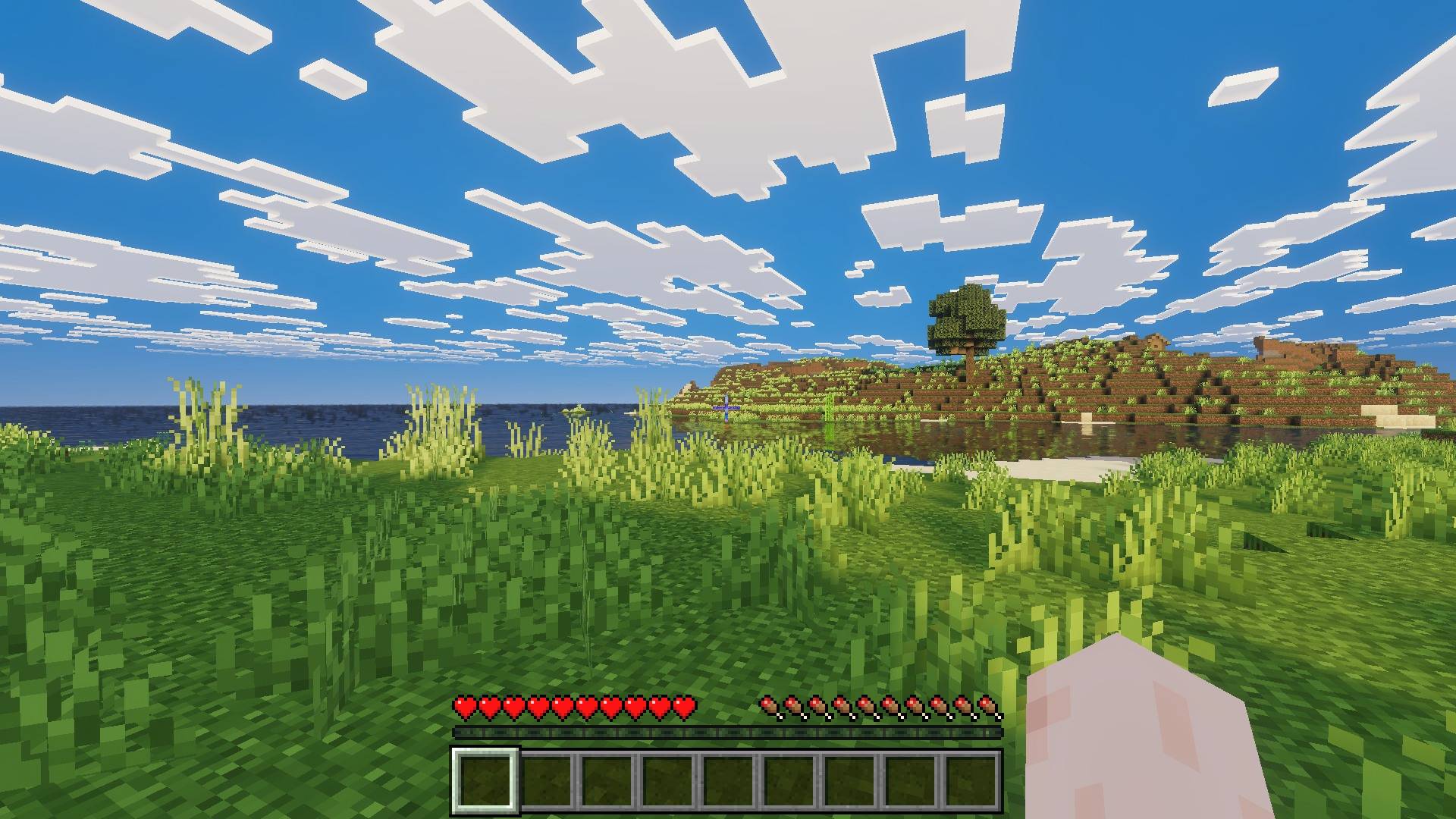
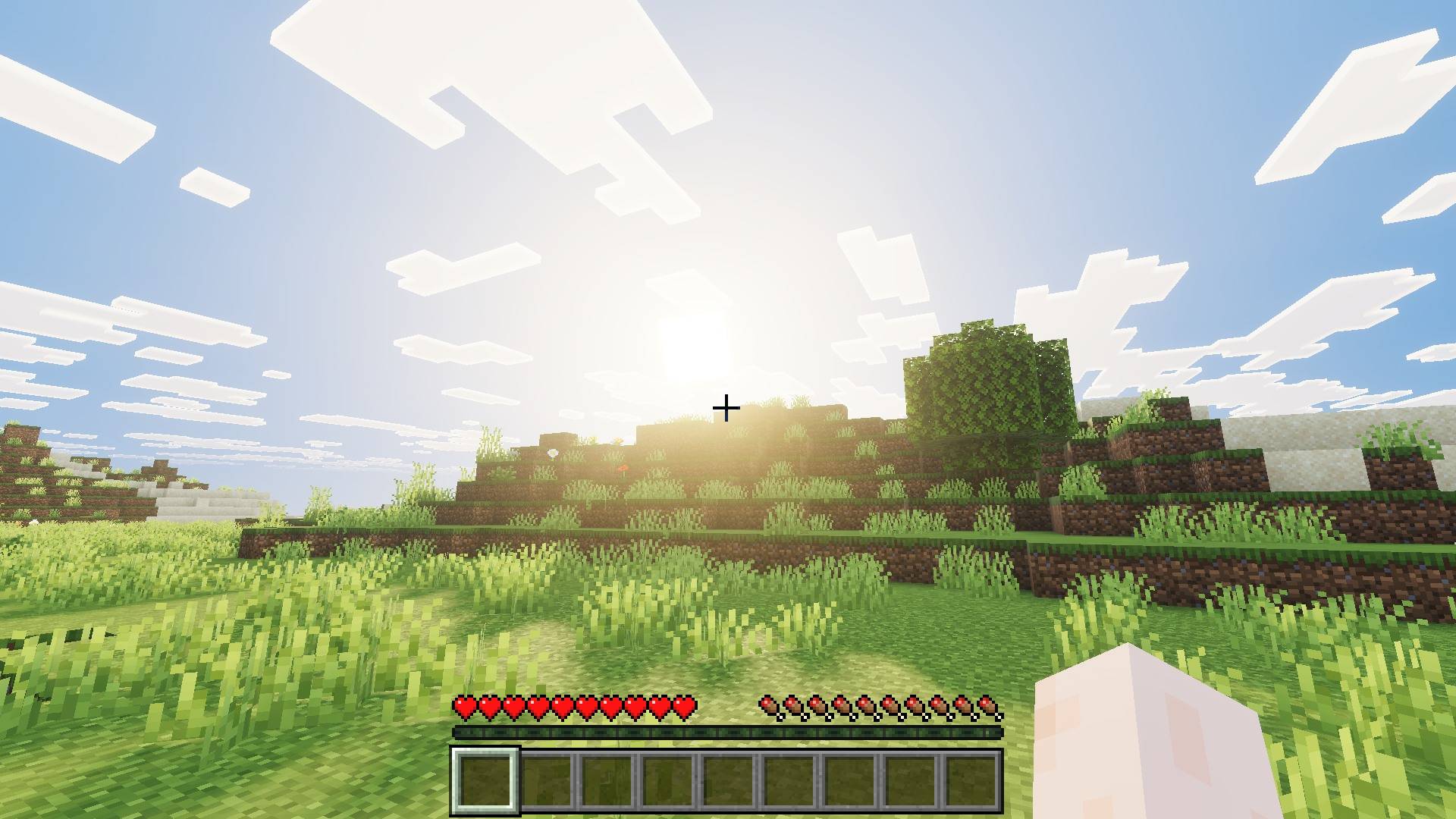
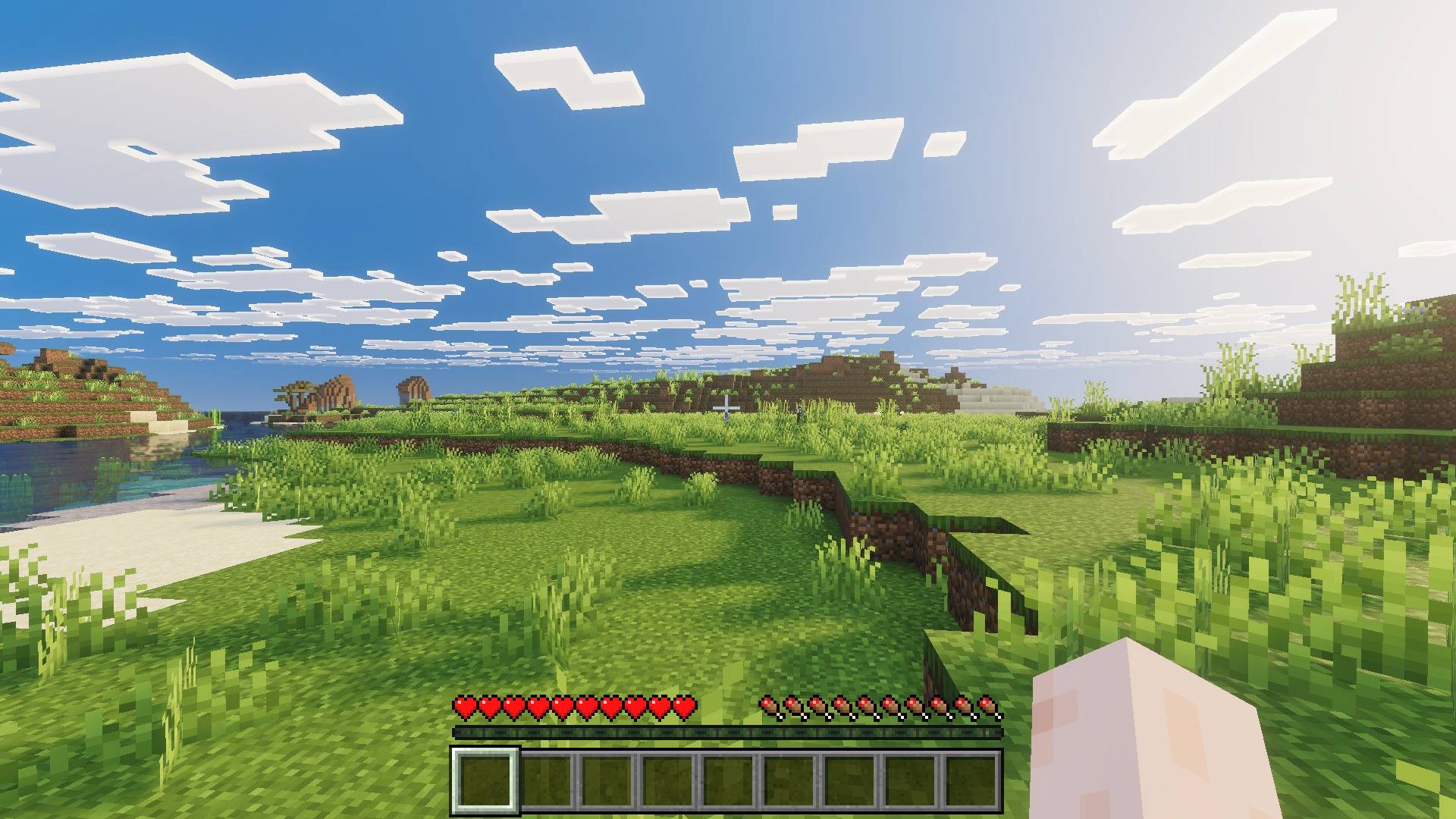
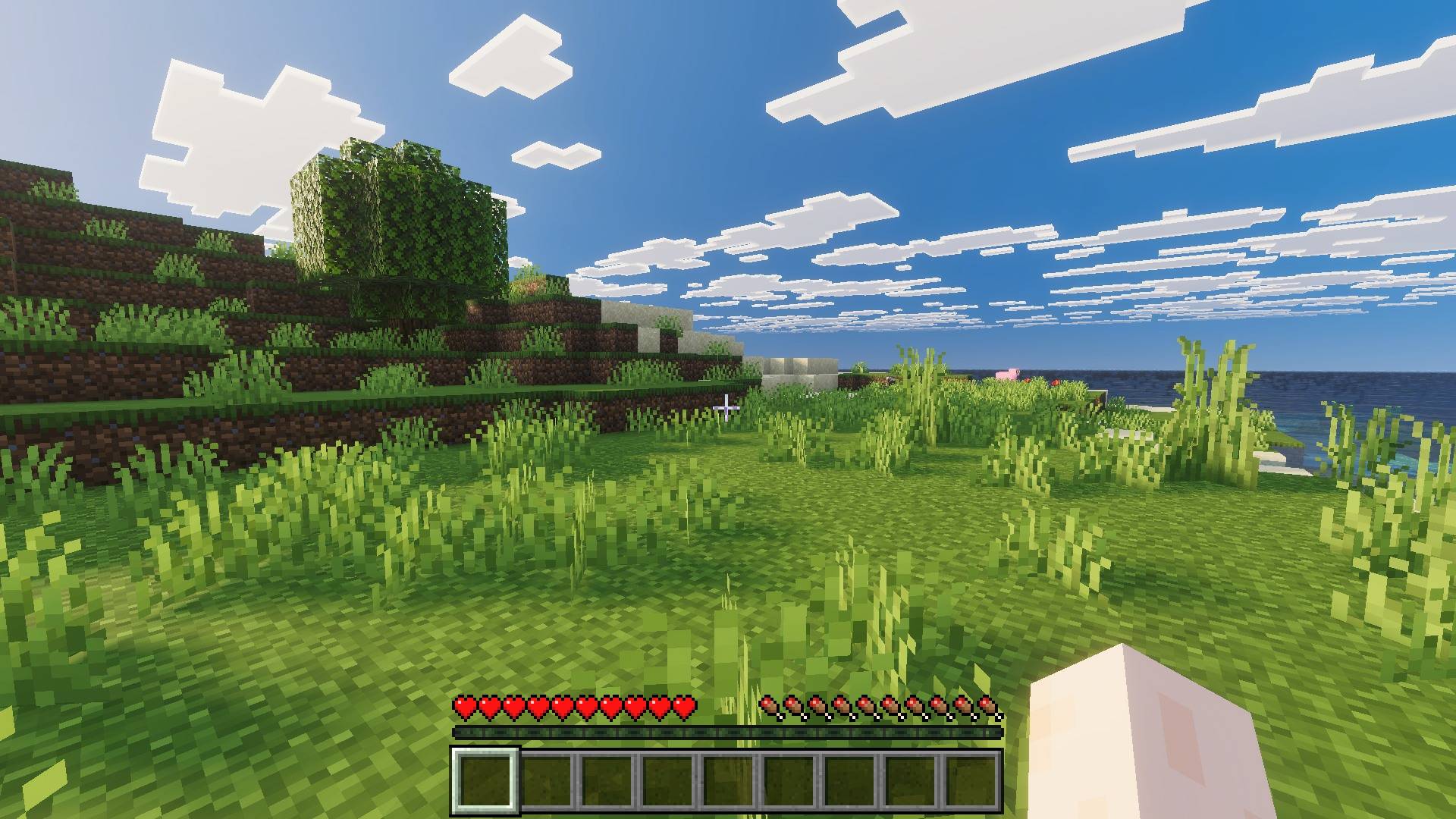
Mike Visuals is a lighting and atmosphere pack for Minecraft Bedrock. Vanilla 16x textures, no RTX, just better light.
What this changes
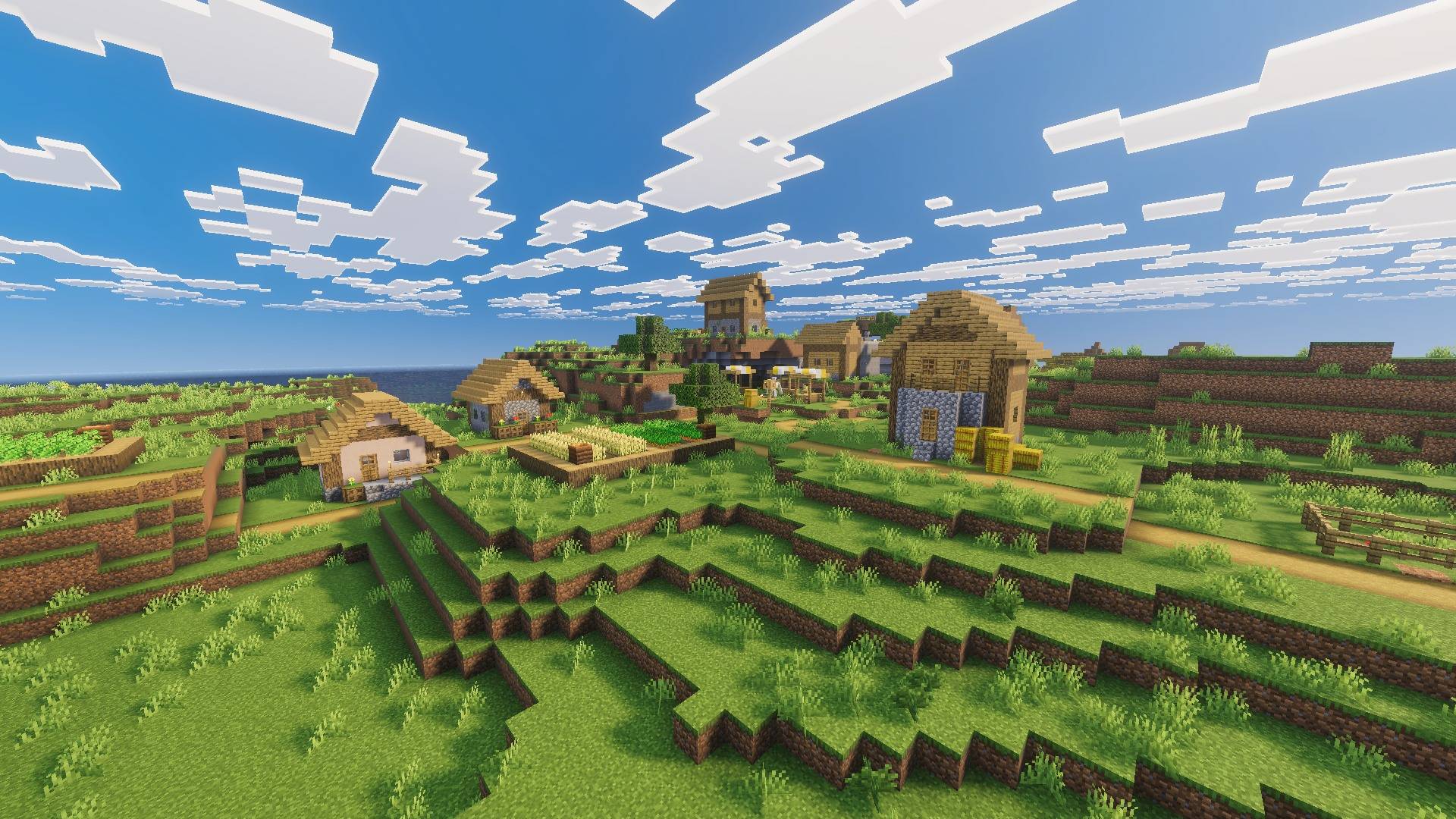
- Sky and clouds. Deeper blue sky with harder cloud edges, so clouds read as separate shapes instead of one flat grey band across the horizon.
- Foliage. Greens are pushed further and the shadows under leaves are darker. Jungles and dark oak forests stop looking washed out at midday.
- Movement. Leaves and hanging planks wave.
- Glowing ores. Ore blocks give off real light underground. You will spot a vein before your torch light actually reaches it.
- Light source colors. Every light source gets its own color instead of everything glowing the same orange.
- Redstone torch glows red
- Soul torch and soul lantern glow cyan
- Lantern glows warm orange
- Campfire glows orange
Requirements
THIS PACK IS FOR VIBRANT VISUALS ONLY
IT DOES NOT WORK WITH MB LOADER
Vibrant Visuals must be ON. This pack is built for Bedrock's Vibrant Visuals renderer. The pack will not do anything if it is off.
Where to turn it on: Settings > Video > Graphics > Vibrant Visuals
If that toggle is not there, your device or version does not support Vibrant Visuals yet.
About my other packs
I have several other shader packs on my page, and they are not recolors of this one. Each is built with its own style. The atmospherics, lighting, color grading, water and PBR are set up separately in every pack, so no two of them behave the same way in game.
If you want to explore the rest, everything I have made is here:
Installation
- Download the .mcpack file
- Open it. Minecraft imports it on its own.
- In your world go to Settings > Global Resources and activate Mike Visuals
- Turn on Settings > Video > Vibrant Visuals
- If the lighting still looks the same, leave the world and load it again once
Permissions
YOU ARE ALLOWED TO
- Make a review or showcase video. YouTube, TikTok, Instagram, any platform. All I ask is that you link this CurseForge page in the description.
- Use the pack in your own gameplay videos and streams. No permission needed, go ahead.
- Modify the pack for your own personal use. Tweak whatever you want on your own device. The modified version has to stay with you though. It cannot be uploaded or shared publicly anywhere.
- Share this page with friends or in servers.
YOU ARE NOT ALLOWED TO
- Upload a modified version. Editing my pack and releasing it under your own name, or claiming it as your own work, is not allowed.
- Use assets from this pack in your own pack. If you want to use something from it, contact me on Discord first and ask.
- Put the download behind your own link. If you make a review video, link my official project page and nothing else. No monetized links, no link shorteners, no ad links, and no direct download that you host yourself.
- Reupload the pack anywhere else.
FAQ
The pack is not working. Nothing changed after I installed it.
I get this comment a lot, and almost every single time the reason is the same. Vibrant Visuals is turned off.
This pack only works when Vibrant Visuals is ON. That is written clearly at the top of this page. With it off, the pack loads fine but nothing on your screen changes, because there is no renderer for it to work with. The pack is not broken.
Go to Settings > Video > Graphics > Vibrant Visuals and switch it on. If you cannot find that option at all, your device or Minecraft version does not support it yet.
Please check this before commenting that the pack does not work.
Can I make a YouTube video or a review on this pack?
Yes, of course. Any platform is fine. Just link this official project page in your description.
Can I put my own download link in the video?
No. Please link my official page only. No shortened links, no monetized links, and no download you host yourself.
Can I modify the pack?
Yes, but for personal use only. Change whatever you like on your own device. You just cannot upload or publicly share the modified version.
Can I use assets from this pack in my own pack?
No, not without asking. Contact me on Discord first and we can talk about it.
Can I port this pack?
No. I do not allow third party ports, sorry.
Suggestions or problems?
Contact me on Discord: _miku_99_
You can also just drop a comment below. If it is a bug, please include your device and Minecraft version. Screenshots help a lot and I can usually get it fixed in the next update.