IndonesiaKu Graphic Overhaul
- By
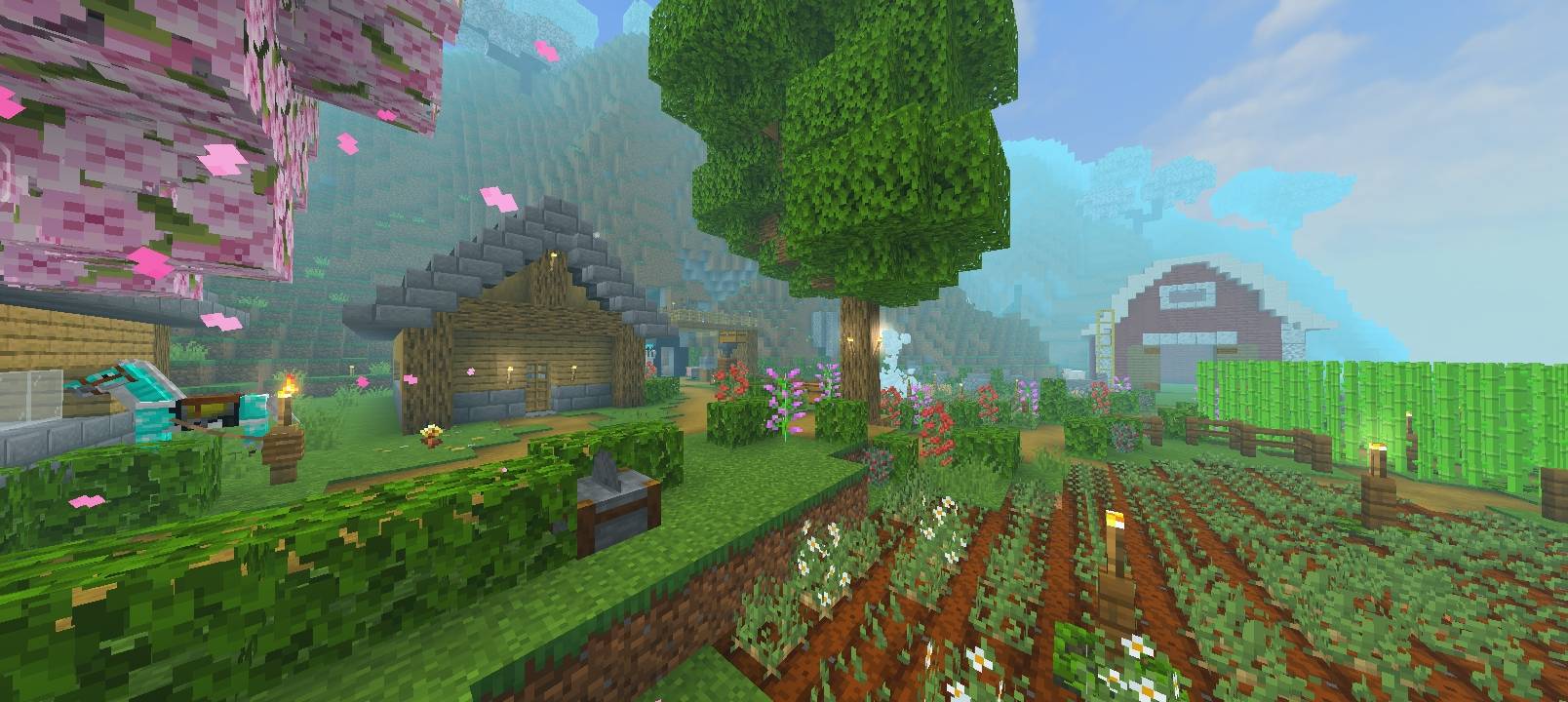
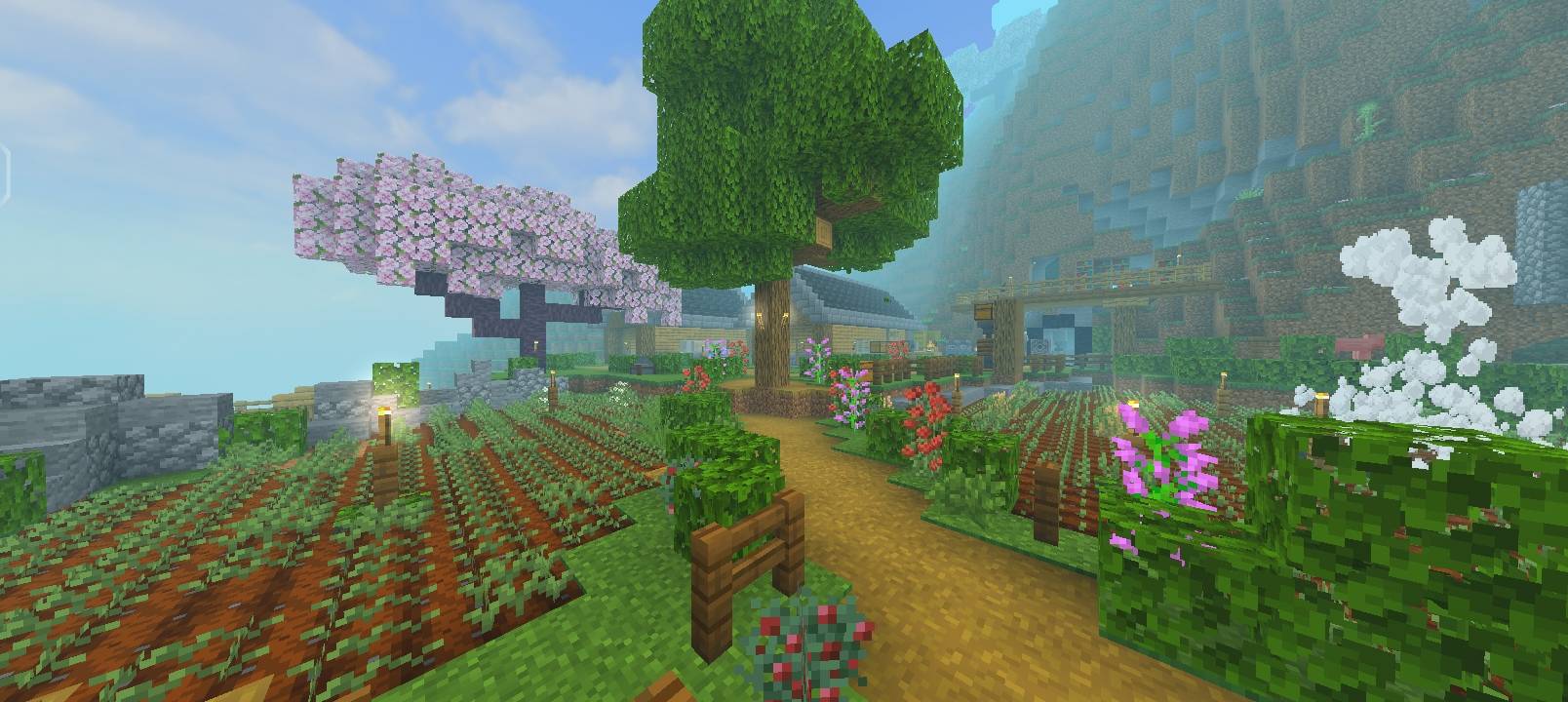
IndonesiaKu Graphic Pack brings Indonesian vibes to Minecraft Bedrock with wavy dark-green water, aesthetic skybox, torch bloom, animated textures, wind effects, and brighter visuals. Optimized for 1.17 - 1.21.20+
368602.png
367787.jpg
367786.jpg
Description
Bring the feeling of Indonesia into your Minecraft world.
IndonesiaKu is not just a texture pack, it is a lightweight graphic enhancement made specifically for Bedrock Edition. Inspired by tropical skies, lush forests, and the calm dark-green water of Indonesian rivers and seas, this pack upgrades the vanilla look without killing your FPS.
Note: This is an early Pre-Release. It was not planned to drop today, but I wanted to introduce it to the community first. Current build contains about 80% of the main features. More effects, fixes, and optimizations are coming in v1.0 Full.
### Key Features
1. Wavy Water with Indonesian Nuance
Water is completely reworked with a smooth wave animation and a deep greenish-blue tint inspired by Indonesia's tropical seas. It looks calm in rivers, deep in oceans, and realistic at sunset.
2. Aesthetic Skybox
Replaces the vanilla sky with a cleaner, high-contrast skybox. Sunrise and sunset have warmer gradients, night sky is darker with clearer stars, perfect for cinematic builds and screenshots.
3. Torch Bloom Lighting
Torches, lanterns, and glowstone now have a soft bloom effect. Light feels warmer and spreads more naturally, making caves and interiors much more atmospheric without needing an RTX shader.
4. Fully Animated Textures
Water, lava, seagrass, fire, and other key blocks are animated. No more static world, everything feels alive.
5. Wind-Swept Animation
Leaves, grass, crops, and flowers have subtle wind movement. It is not heavy, just enough to make forests and plains feel breezy, like a real Indonesian afternoon.
6. Custom Main Menu Background
Includes a custom panorama background with Indonesian-themed colors to match the pack from the moment you open the game.
7. Brighter & Cleaner Vanilla Textures
All vanilla textures are kept at native resolution but cleaned up for better contrast and saturation. The game looks brighter, sharper, and more vibrant on mobile and low-end devices.
Compatibility • Game: Minecraft Bedrock Edition • Versions: 1.17, 1.18, 1.19, 1.20, 1.21 up to 1.21.20+ • Resolution: 16x (vanilla friendly) • Devices: Works great on mobile, console, and PC. No experimental features required. Installation 1. Download the .mcpack file from CurseForge 2. Open with Minecraft (it will auto-import) 3. Go to Settings > Global Resources or edit your world 4. Activate "IndonesiaKu Vibes v1.0" 5. Restart for best skybox effect
The IndonesiaKu Graphic Overhaul Team