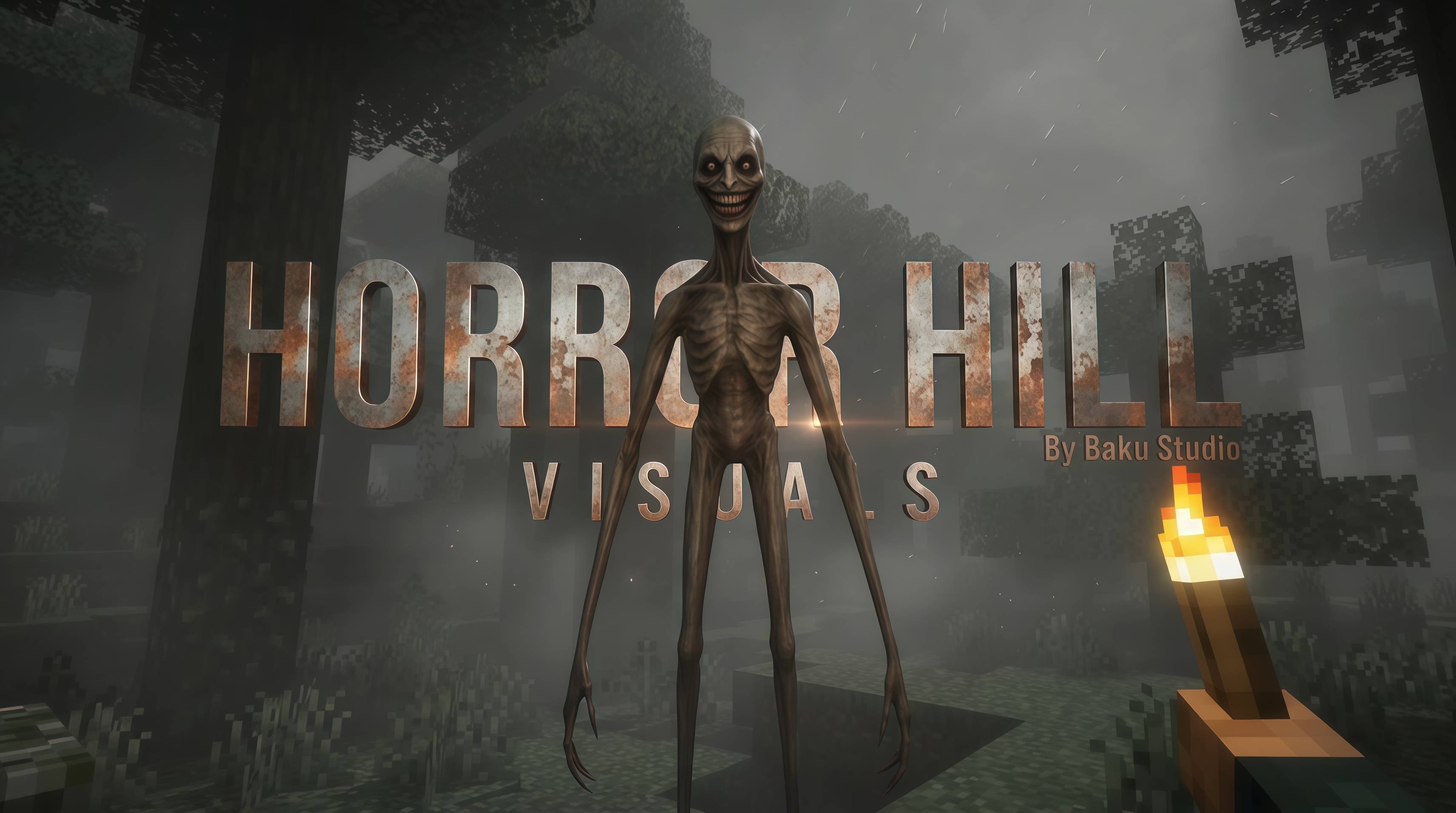
Horror Hill Visual Shader
A Vibrant Visuals atmosphere pack by Baku Studio
- Format: .mcpack (Minecraft Bedrock Edition resource pack)
- Requires: Minecraft Bedrock 1.21.90+, with Vibrant Visuals enabled in Video settings
- Type: Pure atmosphere/shader overhaul — no block or item textures are replaced, so it's compatible with almost any texture pack
- Coverage: All 87 vanilla biomes, Overworld, Nether, and The End
- Systems included: 9 custom fog definitions, 3 lighting profiles, 3 color grading profiles, 3 atmospheric sky profiles, murky water settings, custom pack icon
---
## Description
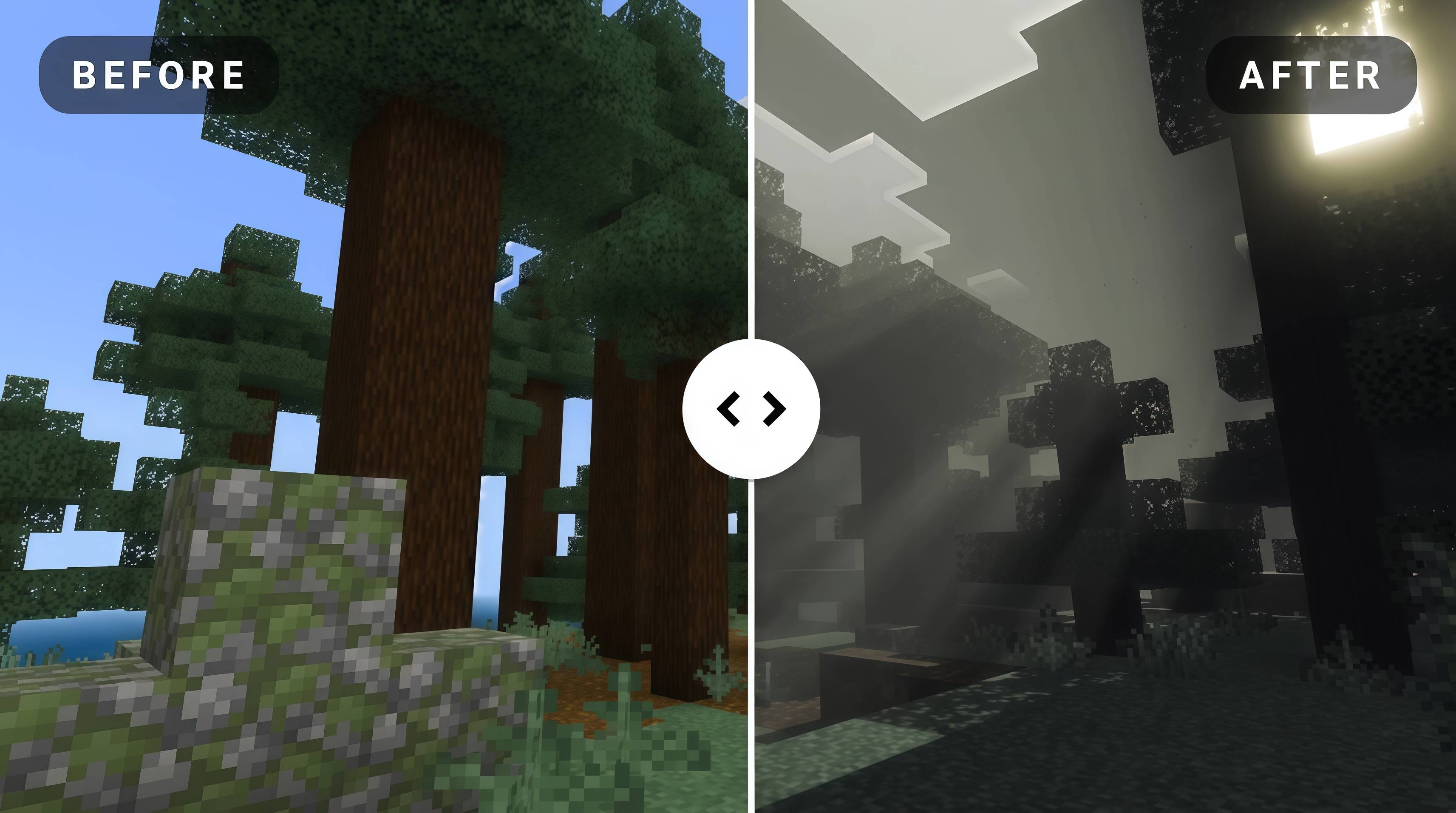
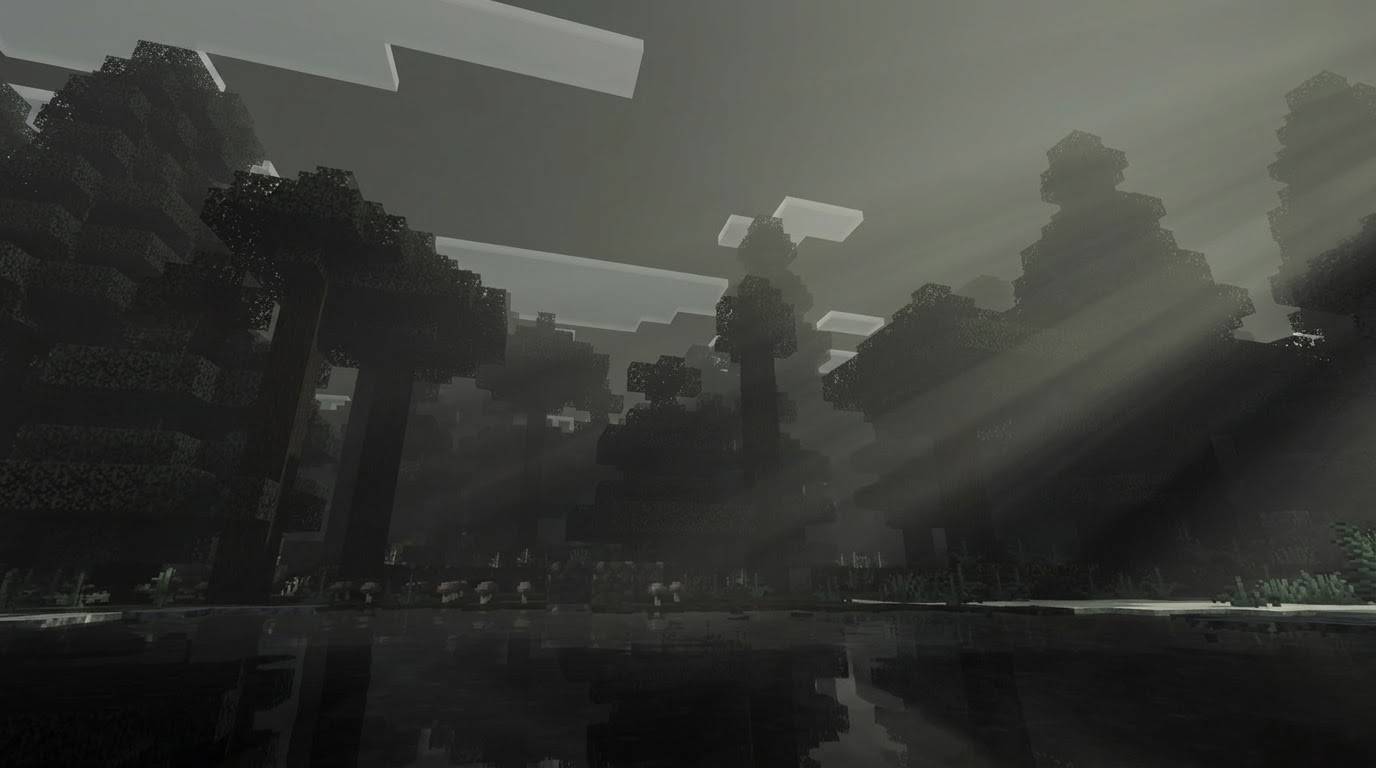
There's a particular kind of dread that comes from weather that never breaks — a sky the color of an old bruise, a fog bank that swallows the tree line thirty blocks out, water you wouldn't want to put your hand into. Horror Hill Visual Shader takes that feeling and builds it directly into the bones of the world. This is not a texture pack. Nothing about the shape of a block, the pattern on a plank, or the sprite on a mob changes. What changes is the air between you and everything else — the fog, the light, the color, the sky, the water — so that a world you already know by heart starts to feel like somewhere you shouldn't be standing after dark.
Built entirely on Minecraft Bedrock's Vibrant Visuals rendering system, this pack rewrites the game's fog, lighting, color grading, atmospheric sky settings, and water appearance across every biome in the game, from sun-choked plains to the dead calm of the End. It is a full atmosphere overhaul rather than a partial reskin, and because it never touches a single block or item texture, it is built to run cleanly underneath almost any texture pack you already have installed.
### The Fog System
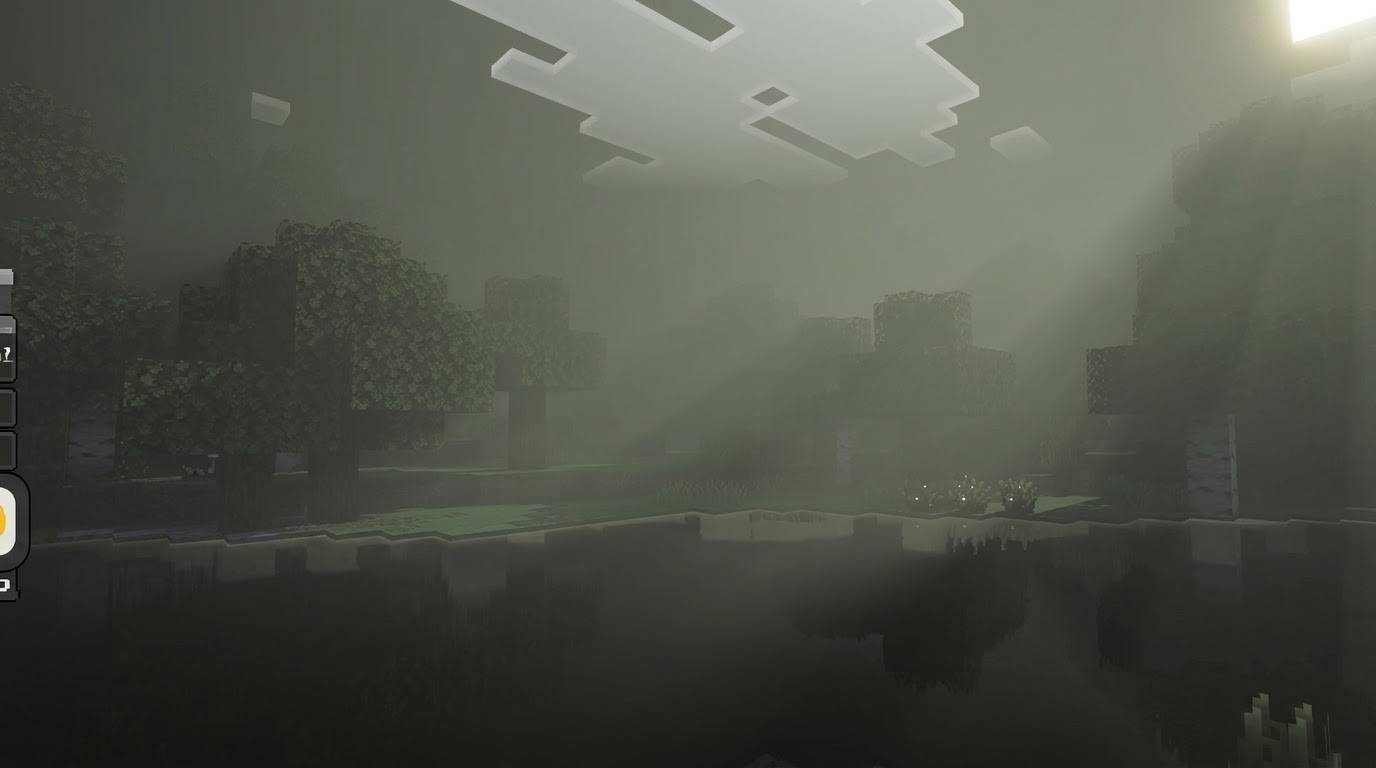
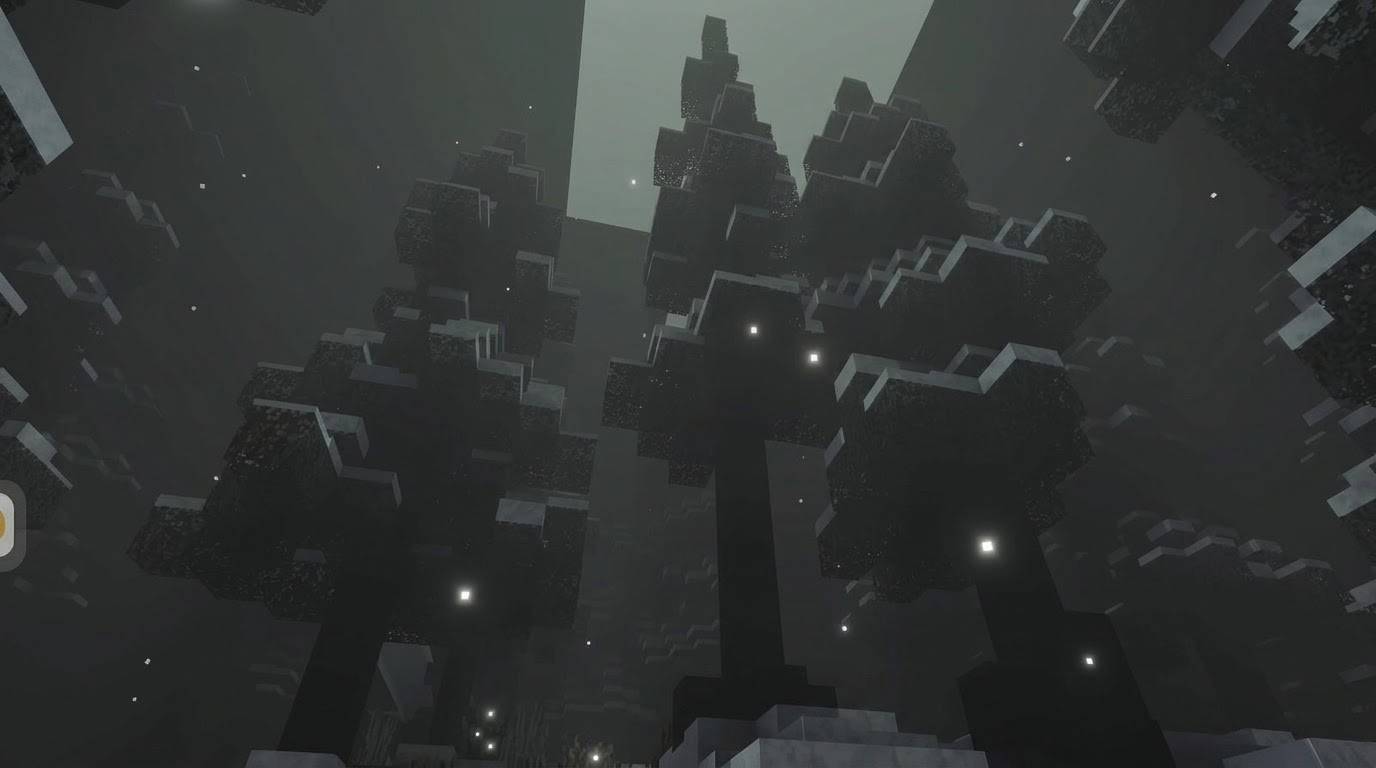
At the heart of the pack are nine separate fog definitions, each tuned for a different kind of place. The default overworld fog rolls in thick and close, cutting real visibility down to a fraction of the vanilla draw distance and tinting everything a sickly, washed-out grey-green. Ocean and wetland biomes — oceans, rivers, swamps, mushroom shores — get a denser, murkier variant, because there is nothing worse than fog you cannot see the bottom of. Frozen and alpine biomes get a paler, colder fog that still oppresses without losing its icy character.
The Nether does not get a single fog treatment; it gets five. Basalt Deltas sit under a choking, ash-grey haze. The Nether wastes and Soul Sand Valley are wrapped in a dead, faded fog that drains the usual fire-orange energy out of the place, leaving something closer to a bone yard. Crimson Forest carries a deep, arterial red murk, and Warped Forest a sickly, sunken teal, so each Nether biome keeps its own visual identity while still feeling wrong in its own particular way. The End, meanwhile, is wrapped in a near-black violet fog that swallows the horizon almost entirely, turning an already alien biome into something closer to a void with teeth.
Every fog file in the pack also carries its own volumetric density settings, not just simple distance fog, so the haze has genuine depth and thickness hanging in the air rather than sitting as a flat color wash at the edge of the render distance.
### Lighting That Feels Dead
Vanilla Minecraft's daylight is bright and cheerful almost by design. Horror Hill strips that out completely. The sun's brightness curve has been rewritten so that even at in-game noon, the light feels overcast and thin — never the harsh, golden light players are used to — and its color has been pushed toward pale, bruised greys instead of warm white. Ambient light, the light that fills shadows and corners even when nothing is casting a direct beam, has been dropped significantly and tinted a dull, olive-grey, so indoor spaces and cave mouths sit in genuine gloom rather than vanilla's usual forgiving fill light.
Emissive light sources — torches, lava, glowstone, anything giving off its own glow — have had their saturation pulled down too, so that even your own light sources feel a little sick rather than warm and safe. The Nether trades daylight for a dim, bloody ambient glow with almost no directional lighting at all, while The End sits in near-total darkness, lit only by a faint, cold purple ambient and the occasional pale flash on the horizon.
### Color Grading: Draining the World
On top of the fog and lighting, every biome is routed through custom color grading that desaturates the entire scene, boosts contrast so that darks read as genuinely dark, and pushes the color temperature cooler across the Overworld for that washed-out, overcast feeling that never quite lifts. The Nether's grading pulls in the opposite direction — warmer and redder, but just as desaturated and just as crushed in the shadows — so it still reads as its own distinct place rather than a simple recolor of the surface world. The End's grading is the most extreme of the three: contrast pushed hard, saturation almost entirely removed, so the whole dimension reads as close to monochrome as Minecraft's rendering pipeline allows.
### Atmospherics, Sky, and Water
Beyond ground-level fog, the pack also overrides the deeper atmospheric scattering settings that control sky zenith and horizon color, so the sky itself reads as a dirty grey-green instead of vanilla blue, with the Nether's sky pushed into scorched browns and The End's reduced to plain black. Water receives its own treatment as well — increased suspended sediment and organic particle values mean rivers, lakes, and oceans lose their clarity and take on a dark, murky, algae-tinted appearance, with surface color shifting biome by biome between swampy greens and deep, drowned greys.
### Full Coverage, Every Biome
This is not a pack that reskins a handful of showcase biomes and leaves the rest untouched. All eighty-seven vanilla biome definitions are linked into the system — every forest variant, every ocean depth, every mesa and plateau variant, every taiga, every cave and peak and beach — each one routed to the correct fog, lighting, and color grading combination for its category. There are no gaps where the game suddenly snaps back to default vanilla visuals mid-exploration.
### Requirements and Installation
Horror Hill Visual Shader requires Minecraft Bedrock Edition 1.21.90 or later, and Vibrant Visuals must be turned on in Video settings for any of these effects to render — without it, the game will fall back to standard lighting and fog and the pack will appear to do nothing. To install, open the .mcpack file with Minecraft (or import it through the Storage settings menu) to add it to your resource pack library, then apply it to a new or existing world from the Resource Packs screen. Because the pack contains no custom block or item textures, it is designed to stack safely underneath almost any texture pack, so you can keep your preferred blocks and items while still getting the full atmosphere overhaul layered on top.
### Credits
Horror Hill Visual Shader is an original work created by Baku Studio, built from the ground up on Minecraft's public Vibrant Visuals framework. Every fog, lighting, color grading, atmospheric, and water value in this pack was authored specifically for it.