MCPEDL enhanced spear v3
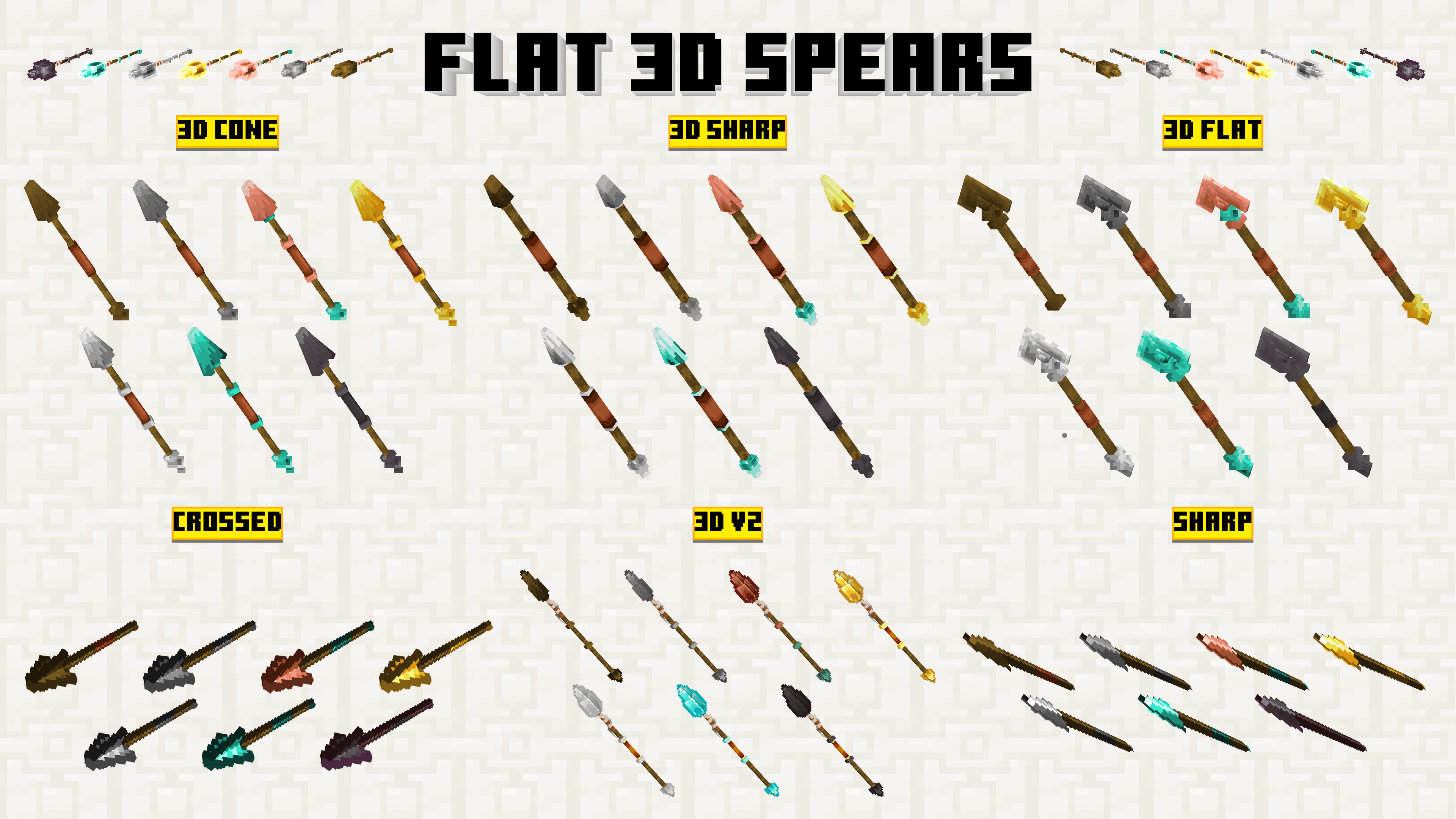
Enhanced-Spear-Gallery-3D.png
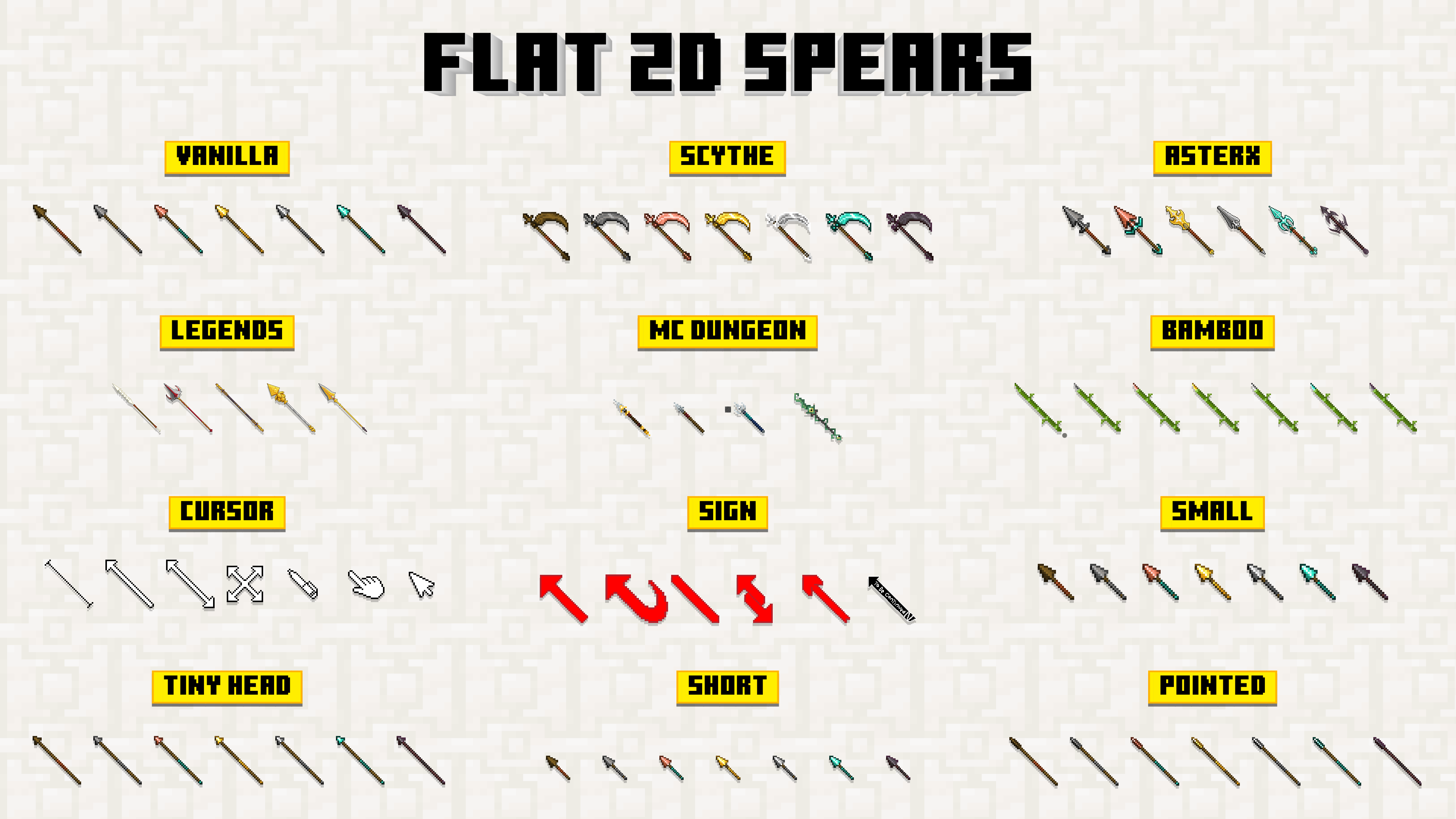
Enhanced-Spear-Gallery-2D.png
Description

| Changelog : |
Summary : Add 8 subpacks, 12 outline colors, 7x20 custom option and remove unnecessary things
|
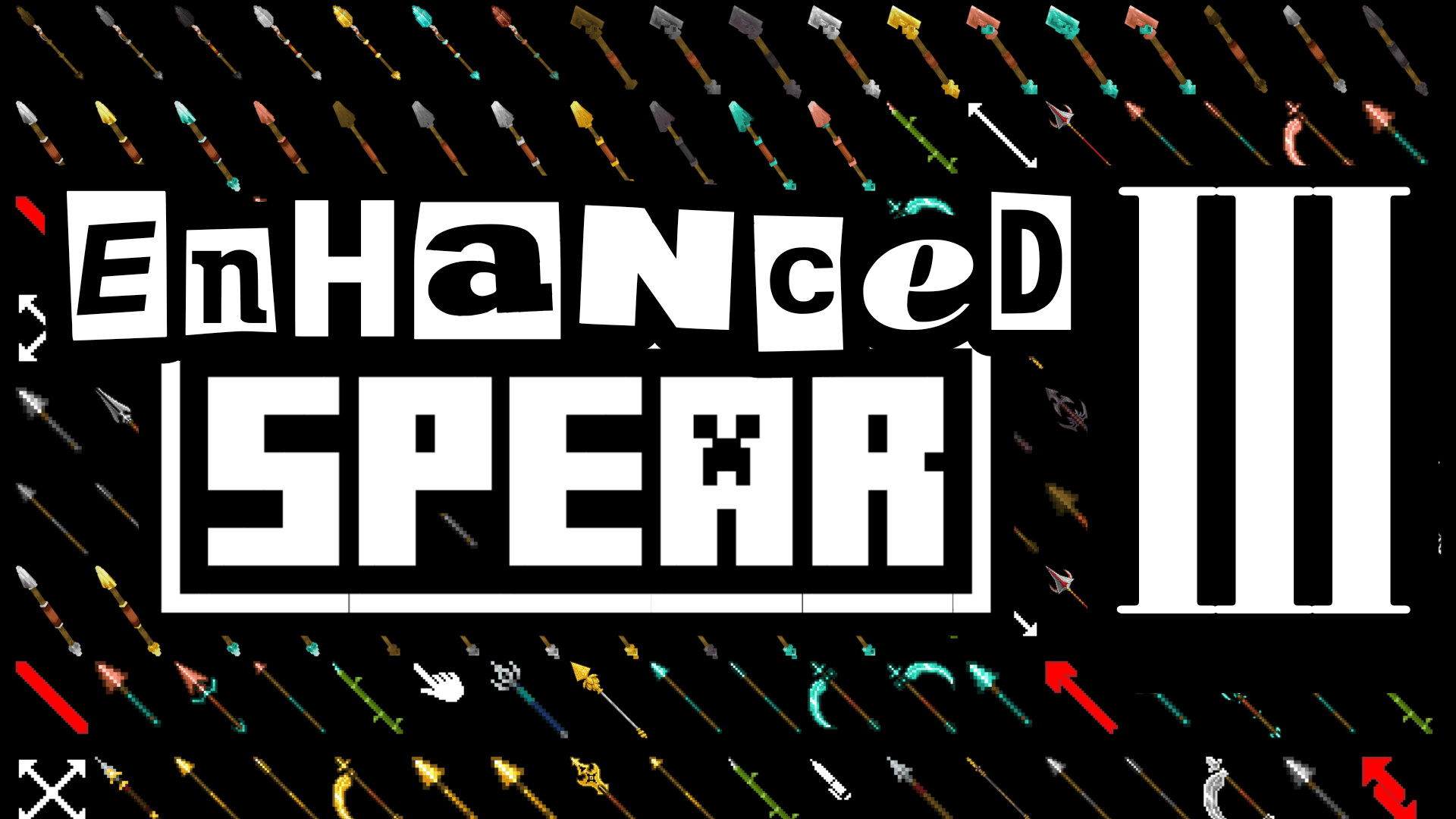
have you been bored with the new weapon a.k.a spear textures?
well, with this texture packs you can use a plenty of textures and models for the spear.
there's about 20+ variants you can choose. and not only that, you can even pick whichever model for each spear's variants. giving you a whole flexibility to it.
⫶☰ SUBPACKS
|
SUBPACKS
|
DESCRIPTION
|
| CUSTOM | Pick which one you like. You can set them in the pack settings, even when you're still play or inside the world |
| 3D v2 | New Textures and Model for the previous 3D spears |
| 3D FLAT | Another 3D model for the spear |
| 3D SHARP | Make it Sharp but keep it 3D not Flat |
| 3D CONE | The cone is more triangular |
| 3D v1 | old 3D Model |
| SHARP | Makes the Blade even more sharper |
| CROSSED | Makes the Blade crossed each other |
| SCYTHE | Become a Grim Reaper |
| SCYTHE [for Action n Stuff] | Action and Stuff have different spear rotation, so i make this for it's not going through player head in 3rd person view |
| LEGENDS | Spears from some Games and Myths |
| MC DUNGEON | Minecraft Dungeons Spears |
| ASTERX | My own spears texture |
| SHORT | Making the handle shorter |
| SMALL | Smaller and Cute. so it'll not covering your right screen |
| TINY HEAD | Make the blade tiny |
| POINTED | Make the blade straight |
| BAMBOO | Inspired from Bambu Runcing RRRAAHHH 🦅🦅🇮🇩🇲🇾🇵🇭🇹🇭🇹🇱🇲🇲🇻🇳🇰🇭🇱🇦🇧🇳🇸🇬 |
| CURSOR | At first i just wanted to add pointed cursor, but i think it would be nice if i add a whole set |
| SIGN | Looking at Spear's vanilla texture, they look alike an arrow LoL, so what if i make a real arrow sign instead |
| VANILLA | Keep everything as original or default minecraft |


ⓘ HOW IT WORKS
Changing to a different Subpacks or Variant
if you're new in Minecraft, and don't know what the subpacks is. please scroll down at the bottom of this Description, and read the FAQ below → you'll find "Pack Settings & Subpacks" section
Set Custom Subpacks
below subpack slider, there's a lot of customization you can set. i separate them so you can choose which variant and model you want. it only set the texture or model to the spear variant you choose, so it'll not messing around with the other variants. it's also giving you a flexibility to use a different model through every subpacks.
How to Control it?
- Make sure you've set the subpack to "CUSTOM"
- Below it, there's a dropdown button
- every spear variants have a dropdown option, with the description above it of which spear variant it'll set
- After you pick which one, you're done :)
- Even you can change this settings while playing the game
- At the very bottom there's dropdown for outline color that's appears when the spear is enchanted.
⚠ CONTENT LIMITATION
Content Limit
Subpacks
- I'm not Adding Outline Enchantment because it's not ready yet, you can use custom subpacks to try it
- the Textures that's using 128px resolution will appear thin and feel small. it's because the original model minecraft use
Custom Subpacks
- You can only use 2D texture on "Default" option
- I can't add old 3D spear model to Custom Model Option, because mojang only allow us to add 20 option to the dropdown setting
- the Outline will not appear in first person view when using Vibrant Visual due to different rendering system
- Unfortunately, the game only allows dropdown setting to have 20 option. can't be more
You're Allowed
- ✔ Edit this pack for your private/personal use
- ✔ Make videos & media content with this pack as long as you leave a link to my CurseForge or MCPEDL page
- ✔ Distribute the pack using your own or new download link (this pack already using direct link that's safe)
You're Not Allowed
- ✖ Monetise the pack download. Doing so will result in a copyright takedown.
✎ FEEDBACK & SUPPORT
Feedback
If you have encountered any issues, i'm open to any of your feedbacks and suggestions. it would be soo useful so i can be better and better next time.
You can leave the feedback in the comment of my page (Curseforge/MCPEDL) or Youtube video. or else, you can also join my Discord Server by clicking the discord logo button down there
Support
big thanks to [勝] Ne Zha (@banshokai) - True Spear (@not_rllybad) - CH40S KN1GHT (@ch40skn1ght) - kaiio.xt (@kaiio.xt) for helping me making and giving an advice for this project.
 |
 |
 |
 |
 |
? F A Q
Having a trouble? read some Frequently Asked Questions below, hope it might be helpful
Global and Local Pack
| Global Resources Pack | Local Packs | ||
 |
|
||
| Game settings |
|
||
| can be use everywhere in the game [both local world & server] |
|
||
| Support achievement |
|
||
| only you and anyone who activate the pack that can see the modification |
|


Pack Settings & Subpacks
Subpacks allow you to select between different add-on 'configurations'. it's located inside pack settings.
- first of all, you can only change the subpacks from an active pack.

/ 
Activate button on Old UI
Activate button on New UI
- To change the subpack, go to settings.

/ 
Global Resources Settings
Local World Settings
- Find the active pack you wanted to change it's settings.
- Tap the pack and Press the
gear/settings icon.
/ 
Pack settings button on Old UI
Pack settings button on New UI
- then slide the slider at the top to change the subpack.

→ 

→ 
is there any other variety inside this pack?
Another Version or Variations of the Mod/Addon
- As far as i know, in MCPEDL all of the files located at the bottom of the pack page description. i don't really know if its having all of the pack version or not
- So, I recommend you to go to CurseForge web. if you're currently in MCPEDL, you can scroll at the top, there's a CurseForge button of this pack.
- if you've already in Curseforge page. at the top of the page, there's a tab called 'Files'.
- there you can find another version or Variations of the pack
Grouped Mod from .ZIP file
[i made this tutorial for user that's on mobile. if you have no idea about this at all, i recommend you to install zArchiver app first].
Sometimes i made a pack that have a lot of variation, and i think making them to be in a subpacks is not a good idea.

I wrapped them into one file, so you can choose which one you like. You just need to extract the files, in some files i told you to change its extension name to a .zip. here's how :
- First, open zArchiver or something similar
- Find the pack file
- Long press and choose 'Rename'

- at the end of it's name you'll find one of the words
'.Mcpack/.Mcaddon/.Skinpack/.mctemplate/.mcworld'

- Change it to
.Zip[don't forget to add the .period] After you Rename it. Tap again the file.

- choose
'Extract'or'Extract to <archive name…>'

- either all of the files inside it pops up in your current folder, or it'll make a new folder with its file name.

→ 
- there you have it. just install it as usual.
→ 
what's wrong with my pack
The Pack Doesn't Work?!?!
There's a lot of possibilities about this. I tried to summarize it as best i could :
-
Adding 2 or more Packs
when you're put 2 or more packs that requires to change
.entity, .animation, .geo, .render_controllers.json file, having a high risk for not working as intended.because, they'll overlapping to each other, where the last pack you add will be the most functional pack in the game.
-
ACTION & STUFF [AnS]
nowadays it's really hard to make a texture pack that's also support AnS. they obfuscate the code making it even harder to read h4h4.
if something related to any variations of entity animation, model and texture that requires to change entity file, it's
hard to change.yet you can still use any pack that only change the textures that
doesn't require any .entity, .geo, .render_controllers file modification. -
Pack Order
when you add 2 or more packs, the game will read or use the most top order.

/ 
Pack order button on Old UI
Pack order button on New UI
as example:
    you add 2 packs that'll change the grass texture.
    call it Pack A [that turn grass to bread]
    and Pack B [that turn the grass to a ball].

    if you put Pack A [bread] on top of Pack B,
    the game will choose Pack A texture.
    n so either the other way.

    but then, if you add more pack
    [Pack C that'll change grass to a Car]
    on top of pack B and pack A.
    The game will choose Pack C [car].

    so, the game will only read or use the most top pack.
    note that this might will makes any other stuff
    from pack B and pack A being glitched,
    not working or disappear.
    defend of the pack order.
so, choose wisely of your pack order :p
Enhanced Spears v3 Team

Owner