





Realism Enhanced Visuals
- 77.0K
- Texture Packs
A Vibrant Visuals overhaul with per-biome fog, lighting and colour grading. Warm god rays through the trees, richer skies from dawn to midnight, and ambient particles — birds, butterflies, shooting stars and northern lights.
- 77.0K
- November 20, 2026

Better Glowing Ores
- 424.1K
- Texture Packs
Better Glowing Ores adds glowing ores and night vision style visibility to caves, making mining easier without disabling achievements.
- 424.1K
- November 17, 2026
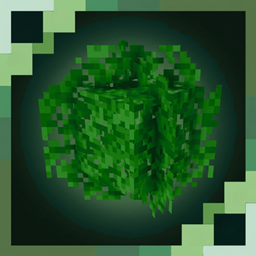
Better Bushy Leaves
- 188.1K
- Texture Packs
Better Bushy Leaves transforms flat leaf blocks into lush, bushy foliage. Fuller trees, vibrant biome colors, and support for all graphics modes.
- 188.1K
- November 14, 2026

Solar Shaders
- 1.6M
- Texture Packs
A Vibrant Visuals overhaul built for the golden hour. Volumetric amber fog tuned biome by biome, warm god rays, and layered gold-to-blue skies from dawn to midnight — with aurora, meteor showers, birds and butterflies.
- 1.6M
- November 5, 2026
Realism Enhanced Visuals
- 77.0K
- Texture Packs
A Vibrant Visuals overhaul with per-biome fog, lighting and colour grading. Warm god rays through the trees, richer skies from dawn to midnight, and ambient particles — birds, butterflies, shooting stars and northern lights.
- 77.0K
- November 20, 2026
Better Glowing Ores
- 424.1K
- Texture Packs
Better Glowing Ores adds glowing ores and night vision style visibility to caves, making mining easier without disabling achievements.
- 424.1K
- November 17, 2026
Better Bushy Leaves
- 188.1K
- Texture Packs
Better Bushy Leaves transforms flat leaf blocks into lush, bushy foliage. Fuller trees, vibrant biome colors, and support for all graphics modes.
- 188.1K
- November 14, 2026
Solar Shaders
- 1.6M
- Texture Packs
A Vibrant Visuals overhaul built for the golden hour. Volumetric amber fog tuned biome by biome, warm god rays, and layered gold-to-blue skies from dawn to midnight — with aurora, meteor showers, birds and butterflies.
- 1.6M
- November 5, 2026