[Discontinued] Dimz Inventory Overlay

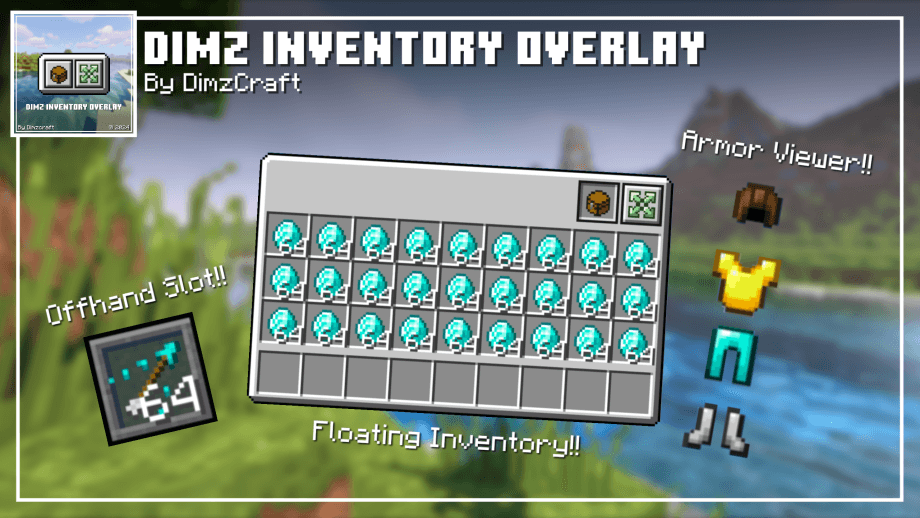
displays armor viewer, offhand slot and floating inventory on hud!
1000067488.png

1000067488.png

Description

For those of you who want to share this, please use this page link: https://www.curseforge.com/minecraft-bedrock/texture-packs/dimz-inventory-overlay/download It leads directly to the latest file, so there's no need to use Mediafire, onegaii~


Join our community below!

DIscord Server | Telegram Group | Whatsapp Group(+62 only)


Showcase

Feature:

added an overlay feature in inventory that can be used to display armor and offhand slots on the hud


Info:

Subpacks:

  • Default
  • Only armor viewer and offhand slot

Settings needed:

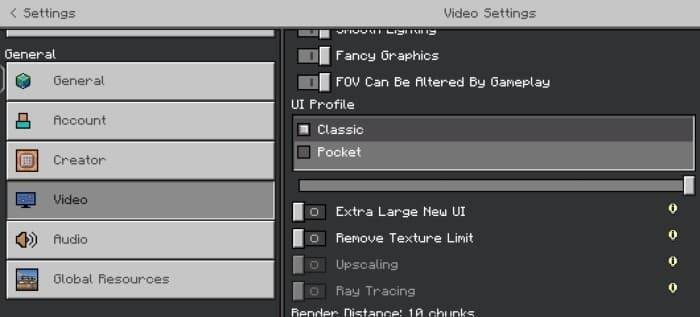
  • UI type: Classic
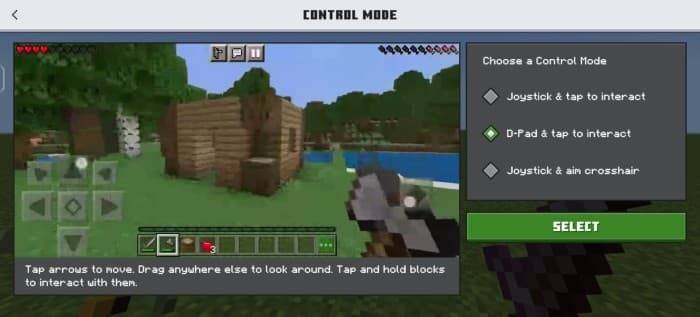
  • Control: Touch, D-Pad
  • GUI scale: -1 (for small devices)

Screenshots:

Known Issue: -

  • When you are in the inventory overlay, you cannot open chests, furnaces, shulkers, and others.

Q: then How can I open it?

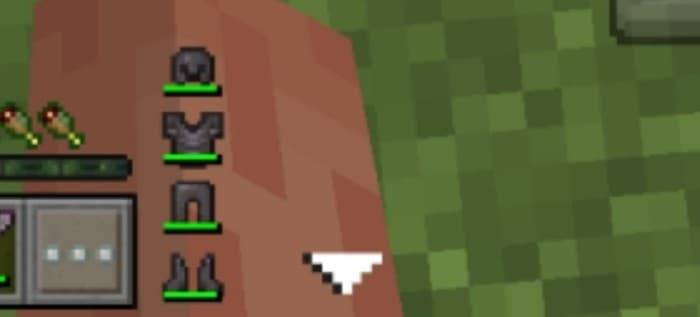
A: Just press the down arrow button next to the armor viewer, then you can open the chest, etc.

Screenshot:

  • When in the inventory overlay, don't trade with a villager because it will cause the trade button to disappear.

Q: What if I accidentally press it?

A: Just log out of the world, exit the world, and enter the world.

  • Control button will be visible in inventory, cannot be fixed.

Q: Why are there some areas in the inventory that can't be touched or cant craft item?

A: Because the control button is blocking input to the inventory, the way to overcome this is to change the GUI scale to be smaller or customize the control, move the button to the corner so it doesn't block the inventory, and make sure you use the D-Pad button.

The [Discontinued] Dimz Inventory Overlay Team

profile avatar
  • 807
    Followers
  • 30
    Projects
  • 4.3M
    Downloads

what why how

More from dimzcraftView all

  • Quick Container project image

    Quick Container

    • 102.8K
    • Texture Packs

    One of the MOST Powerful Pack for Managing Items in Minecraft Bedrock. Light and Customizable!

    • 102.8K
    • June 30, 2026
    • Texture Packs
    • +1
  • Déesse UI Pack project image

    Déesse UI Pack

    • 2.2M
    • Texture Packs

    An UI resource pack that adds new features, tweaks and UI designs to make your Minecraft gameplay better!

    • 2.2M
    • June 17, 2026
    • Texture Packs
    • +1
  • Just Zoom project image

    Just Zoom

    • 294.4K
    • Addons

    No spyglass? No problem. Just press Alt + X or double sneak (customizable) to zoom! [Achievement Friendly]

    • 294.4K
    • April 25, 2026
    • Addons
    • +4
  • Coordinates Plus project image

    Coordinates Plus

    • 34.4K
    • Texture Packs

    Adds chunk and overworld-nether coordinates to the HUD.

    • 34.4K
    • April 22, 2026
    • Texture Packs
    • +3
  • Quick Container project image

    Quick Container

    • 102.8K
    • Texture Packs

    One of the MOST Powerful Pack for Managing Items in Minecraft Bedrock. Light and Customizable!

    • 102.8K
    • June 30, 2026
    • Texture Packs
    • +1
  • Déesse UI Pack project image

    Déesse UI Pack

    • 2.2M
    • Texture Packs

    An UI resource pack that adds new features, tweaks and UI designs to make your Minecraft gameplay better!

    • 2.2M
    • June 17, 2026
    • Texture Packs
    • +1
  • Just Zoom project image

    Just Zoom

    • 294.4K
    • Addons

    No spyglass? No problem. Just press Alt + X or double sneak (customizable) to zoom! [Achievement Friendly]

    • 294.4K
    • April 25, 2026
    • Addons
    • +4
  • Coordinates Plus project image

    Coordinates Plus

    • 34.4K
    • Texture Packs

    Adds chunk and overworld-nether coordinates to the HUD.

    • 34.4K
    • April 22, 2026
    • Texture Packs
    • +3