Dark UI - Modern Theme
- By
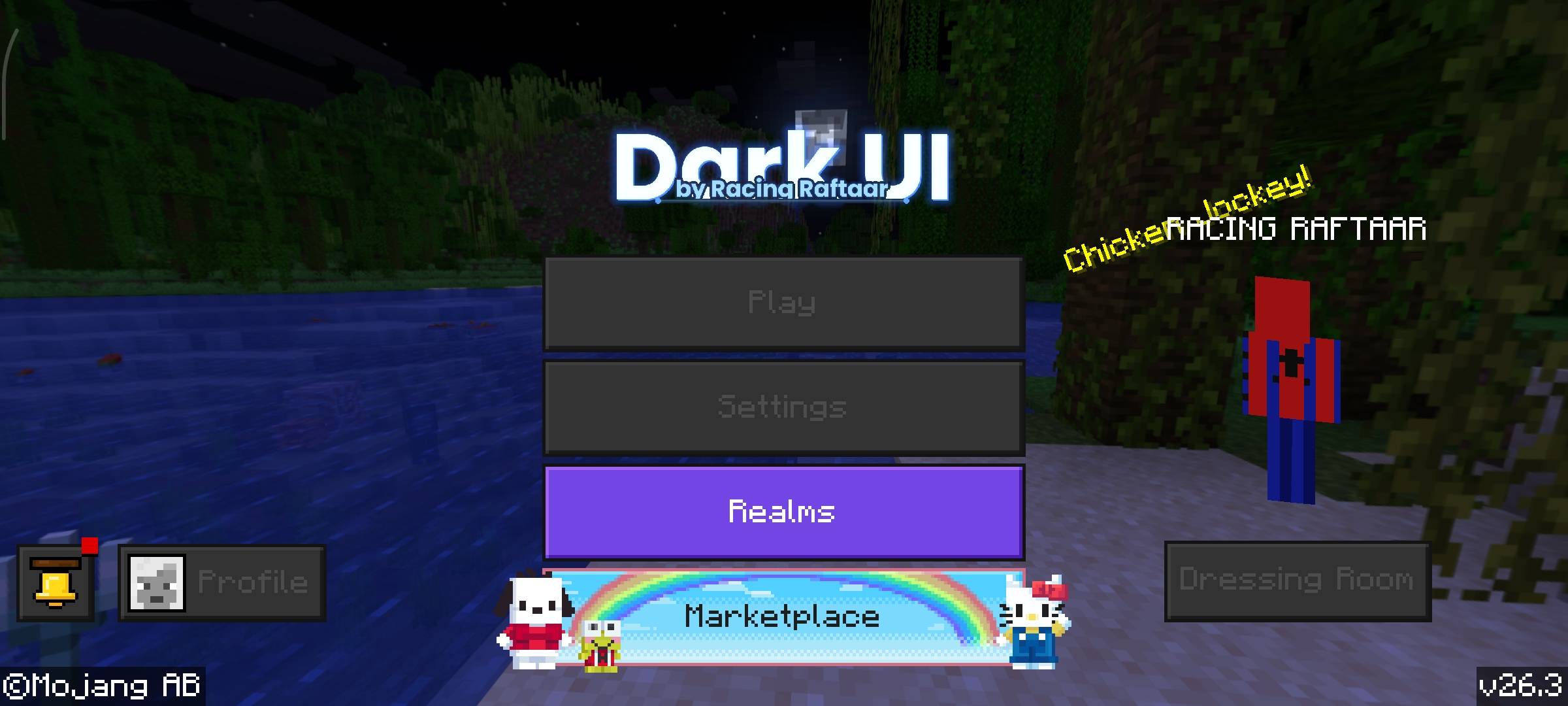
Transform your Minecraft menus with a sleek, eye-friendly dark mode. This resource pack changes all vanilla interfaces, inventories, and HUD elements into a clean dark theme, making it perfect for late-night gaming sessions.
RR_DarkUI_v1.mcpack (3).jpg
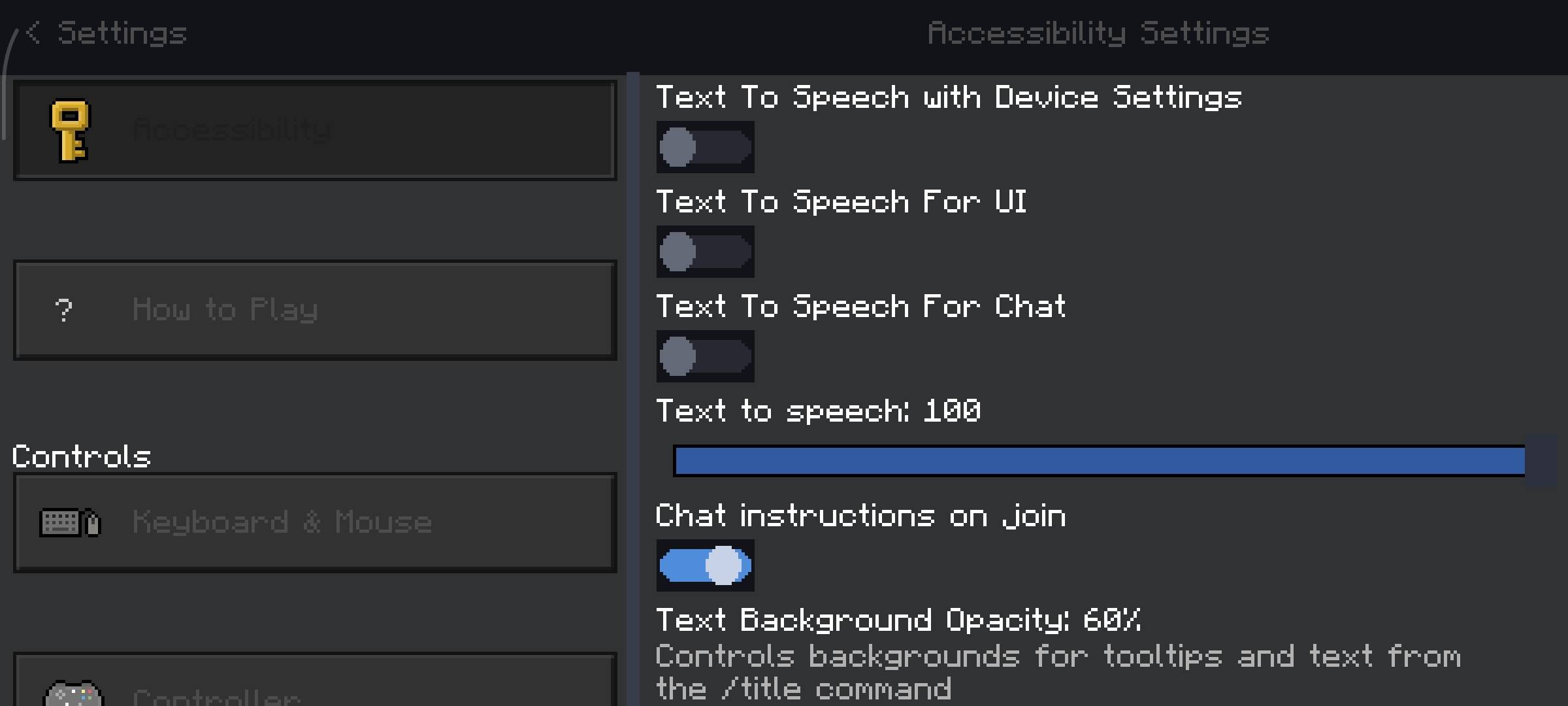
RR_DarkUI_v1.mcpack (4).jpg
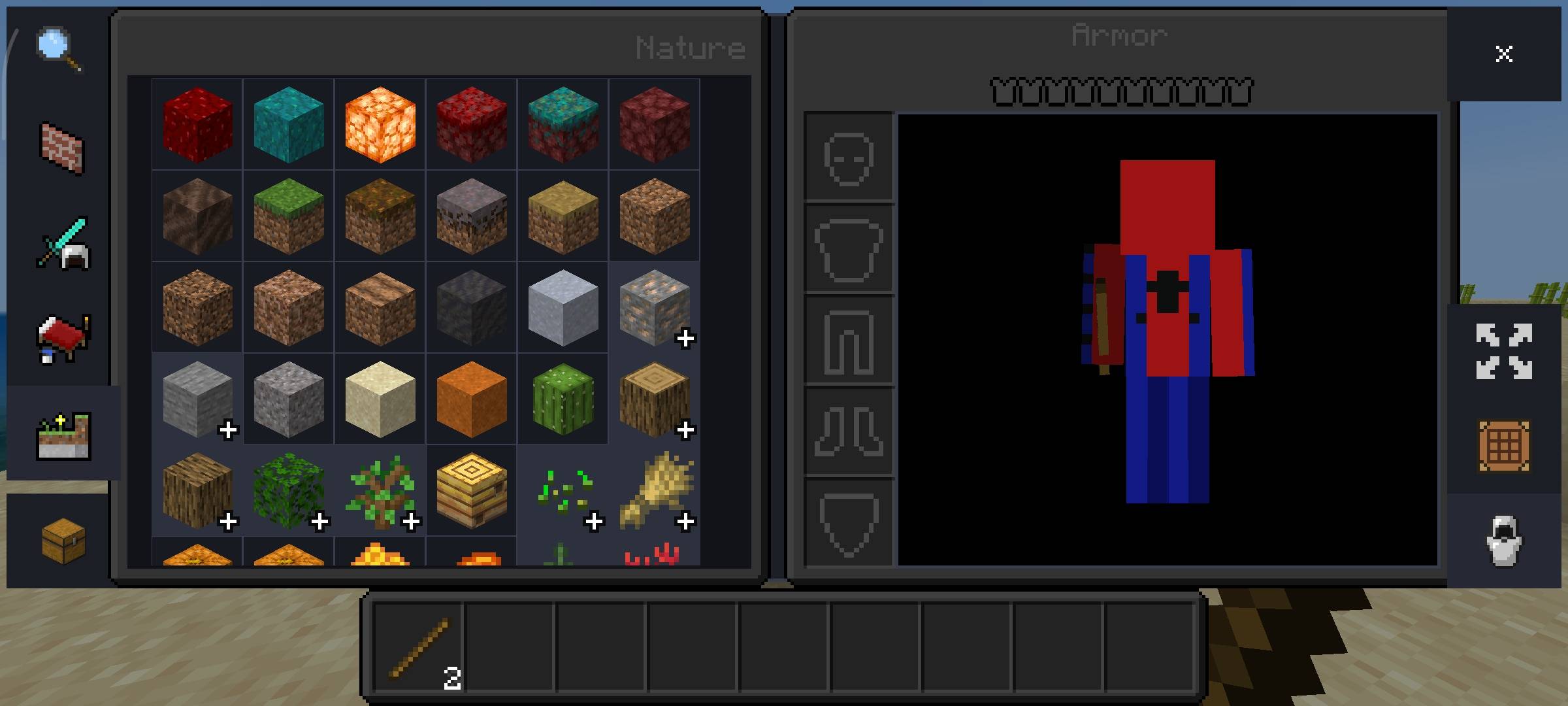
RR_DarkUI_v1.mcpack (7).jpg
Description
Racing Raftaar
RR DARK UI
Dark interface with blue accents — 362 original textures, every UI element covered
v2.0.0 Bedrock Edition Free Resource Pack Only No Experiments Needed
What's this?
I got tired of the default Minecraft UI looking the same every time, so I made a full dark theme for it. RR Dark UI replaces 362 UI textures with darker versions — dark backgrounds, dark panels, dark buttons, dark dialogs. Blue accents on interactive elements like selected slots, buttons and highlights to keep things clean without being boring.
Everything is original — no textures borrowed from other packs. Every element you see in the game's menus, inventory, chat, pause screen, crafting table, settings panels, the beacon UI, the book UI, the recipe book — all of it has been replaced. The hotbar, the effect icons, the buttons, the scrollbars, the tooltips. Version 2 goes even deeper than v1 did.
It is a Resource Pack only — no Behaviour Pack, no scripts, no experiments to enable. Just drop it in and the whole UI changes. Works with most other addons since it only modifies UI textures, not gameplay files.
What's Covered
362 textures across every area of the Minecraft UI.
HUD
Hotbar (9 variants), selected slot highlight, hunger bar, health, mob effect backgrounds, status effect icons
Inventory & Slots
Inventory background, slot backgrounds, armor slot icons, horse slots, llama slots, item cells
Buttons
Classic buttons, borderless buttons, pocket buttons, close buttons, beacon buttons — all states: default, hover, pressed, locked
Dialogs & Panels
Dialog backgrounds (8 hollow variants), opaque backgrounds, background panels, pause screen border, thin dialogs
Recipe Book
Recipe book pane, item backgrounds, group backgrounds, dark and light button variants, back panel, side toggles
Menus
Menu background, header bars, tabs (all variants), store bars, dressing room, achievements dialog, sidebar icons
Controls & Inputs
Checkboxes, radio buttons, toggles, sliders, dropdowns, text edit boxes, scrollbars, scroll handles
Special UIs
Book UI, beacon UI, brewing stand, loom, anvil, smithing table, crafting arrows, fuel bars, chest UI, banners
Touch Controls
Joystick frame, joystick knob, jump, sprint, sneak, attack, mount, dismount, fly controls — all states
Effect Icons
All potion effect icons — poison, strength, speed, slowness, blindness, wither, resistance, regen and more
Features
| + | 362 Original Textures — every texture is hand-made for this pack, nothing borrowed |
| + | Dark Theme with Blue Accents — dark backgrounds across all menus, blue highlight on interactive elements |
| + | Full UI Coverage — HUD, inventory, menus, dialogs, buttons, inputs, recipe book, special UIs, touch controls |
| + | Resource Pack Only — no experiments to enable, no scripts, no Behaviour Pack needed |
| + | Addon Compatible — only UI textures are modified, gameplay files untouched, stacks with most addons |
| + | Touch and Desktop — touch control overlays and desktop button states both fully covered |
| + | All Button States — default, hover, pressed and locked/disabled states for every button type |
| + | GUI Sheet Updated — the core gui.png and gui2.png sprite sheets are also restyled |
How to Install
This is a .mcpack — double tap the file to import it directly into Minecraft. Then activate it as a Resource Pack in your world settings.
| Step | Action |
|---|---|
| 1 | Download and open the .mcpack file — Minecraft imports it automatically |
| 2 | Open your world settings and go to Resource Packs |
| 3 | Find RR Dark UI in the list and activate it |
| 4 | Load your world — the dark UI is active immediately |
Requirements
Minecraft Version
1.21.0 or higher
Pack Type
Resource Pack (.mcpack)
Platform
Bedrock Edition
Experiments
None required
Terms of Use
This pack is free to use but please respect the work that went into it.
- Do not repost or republish this pack on any website, platform or app without permission.
- Do not claim this pack as your own work.
- You are free to use it in your worlds, servers and YouTube videos — just give credit to Racing Raftaar.
- Modifying and redistributing without permission is not allowed.
More packs, addons and updates on my blog and community:
Blog — YouTube — Discord
AI Enhancement Notice
Thumbnail and screenshots in this post have been AI-enhanced for better visual presentation. In-game visuals may look different. All textures shown are real and functional.
Dark UI - Modern Theme Team
Owner