CustomCraft UI PRO — RGB HUD & Custom Crosshair
- By
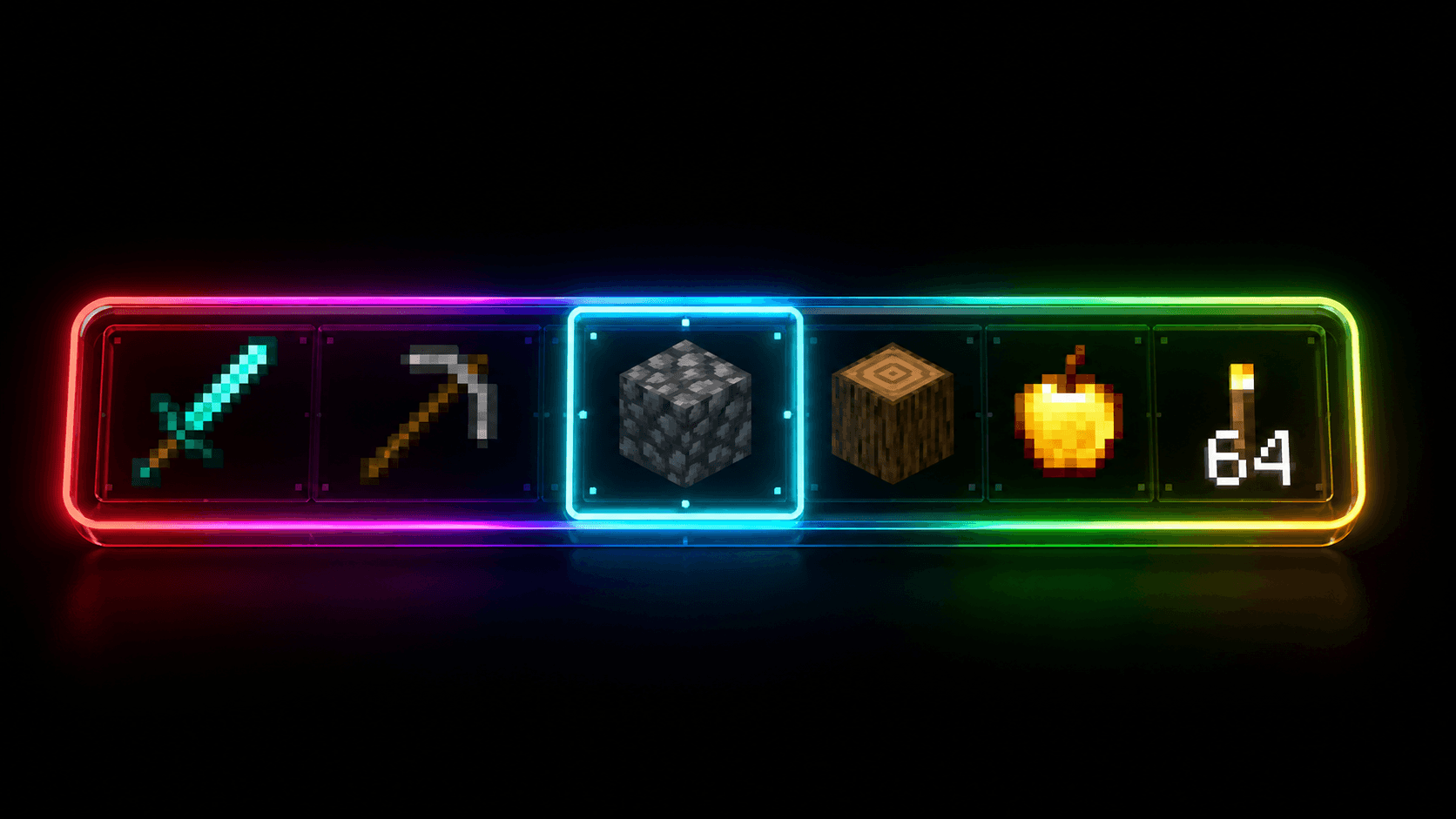
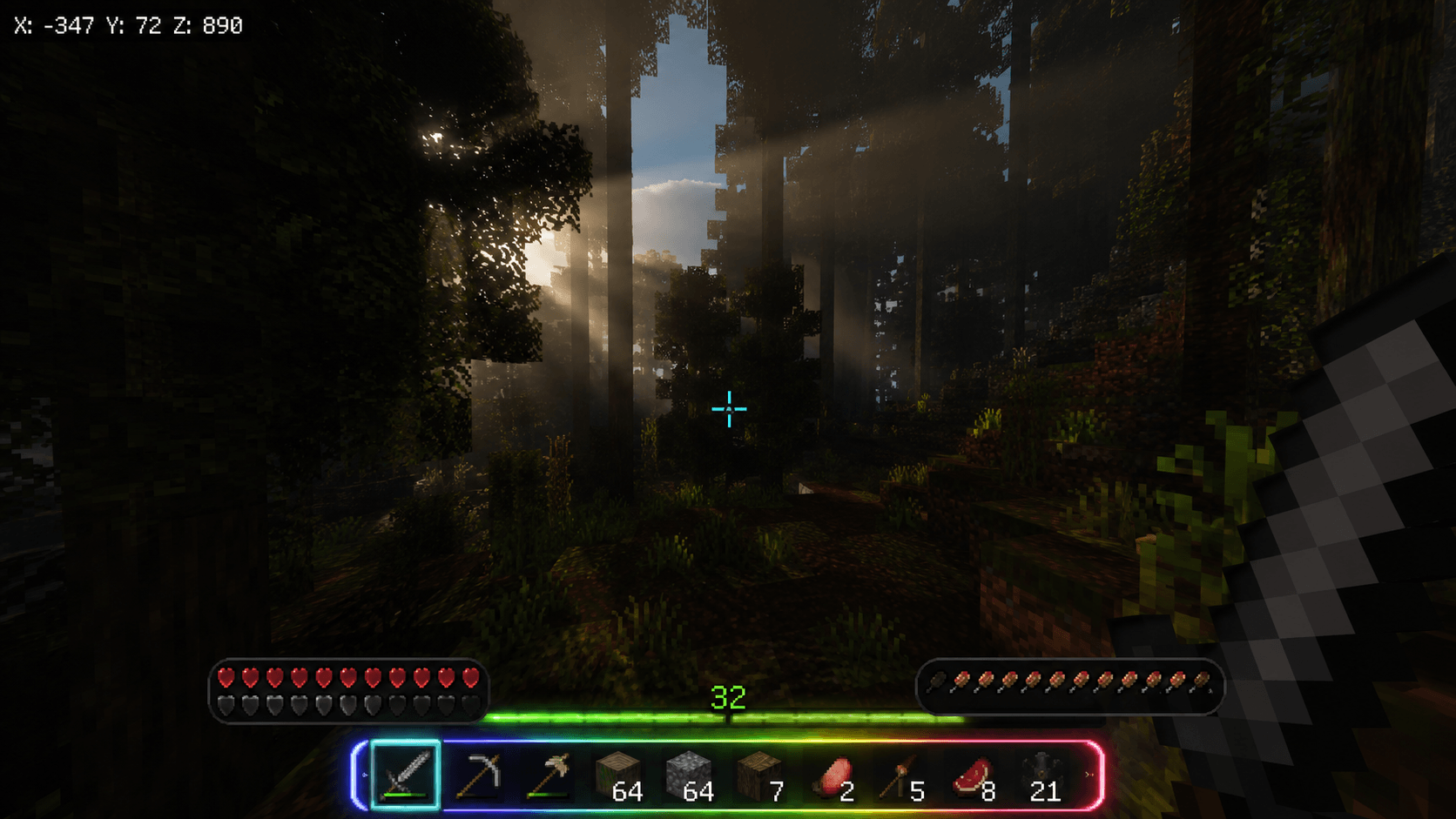
God-level HUD redesign for Bedrock! RGB rainbow hotbar, cyan crosshair, dark glass health bars, green XP bar & dark inventory. Supports 1.20→1.21+
customcraft inventory.png
gameplay screen .png
Description
# ✦ CustomCraft UI PRO ✦
## God-Level HUD Redesign for Minecraft Bedrock
---
## 🔥 WHY DOWNLOAD THIS?
Minecraft's default HUD is boring and hasn't changed in years.
CustomCraft UI PRO completely transforms your screen into a
sleek, modern, RGB-powered interface.
---
## ✨ FEATURES
🌈 RGB Rainbow Hotbar
→ Full gradient border going Red→Purple→Blue→Green
🎯 Custom Dot-Gap Crosshair
→ Cyan glowing FPS-style crosshair with white center dot
💊 Dark Glass Health Bar
→ Sleek dark pill on bottom-left with hearts inside
🍗 Dark Glass Hunger Bar
→ Sleek dark pill on bottom-right with food icons
💚 Glowing XP Bar
→ Green shine effect with level number displayed
🌑 Dark Inventory
→ Full dark overlay with subtle grid pattern + vignette
📍 XYZ Coordinates
→ Always visible top-left in a dark glass panel
🛡️ Armor & Breath Bars
→ Properly repositioned above health/hunger
---
## 📱 COMPATIBILITY
✅ Minecraft Bedrock 1.20 / 1.20.x
✅ Minecraft Bedrock 1.21 / 1.21.x
✅ Android
✅ iOS
✅ Windows 10 / 11
✅ Xbox
✅ PlayStation
---
## 🔧 HOW TO INSTALL
### Android
1. Download the .mcpack file
2. Open Files app → tap the .mcpack file
3. Minecraft opens and auto-imports
4. Go to Settings → Global Resources → Activate
5. Done! ✅
### iOS
1. Download the .mcpack file
2. Tap the file → tap Open In → select Minecraft
3. Minecraft opens and auto-imports
4. Go to Settings → Global Resources → Activate
5. Done! ✅
### Windows 10/11
1. Download the .mcpack file
2. Double-click the file
3. Minecraft opens and auto-imports
4. Go to Settings → Global Resources → Activate
5. Done! ✅
---
## ⚠️ NOTES
- This is a Resource Pack, NOT a mod or addon
- Does NOT affect gameplay, only visuals
- Works alongside other addons/behaviour packs
- For best results combine with a shader pack!
---
## 💬 SUPPORT
Found a bug? Leave a comment below!
Please ⭐ rate if you enjoy it — helps me make more!
---
## 👨💻 MADE BY
Saket — follow for more Bedrock resource packs!
The CustomCraft UI PRO — RGB HUD & Custom Crosshair Team