Description
Custom Playsounds
WARNING: MAKE SURE YOU DOWNLOAD THE CORRECT FILE FOR YOUR GAME (See Files)
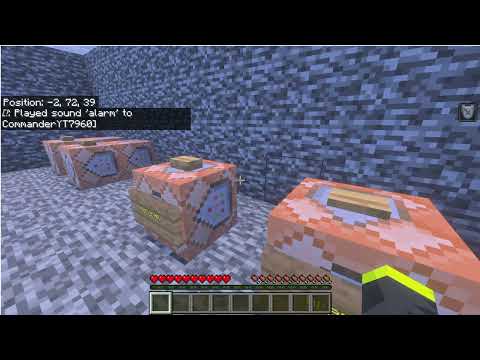
Custom Playsounds is a Minecraft Bedrock Edition resource pack that adds custom sounds which can be played anywhere using the /playsound command.
Included sounds:
nuclearalarmstage [Please Make Your Way To The Stage, As The Next Event Is About To Begin.]recording.start [Recording Has Now Started, Please Do Not Use Chat.]recording.end [Recording Has Now Ended, Thank You For Your Cooperation.]
This pack is useful for roleplays, scripted events, facilities, maps, horror games, adventure maps, command block creations, and custom server experiences.
Installation
Windows / Android
- Download the pack.
- Import the pack into Minecraft Bedrock Edition or place it in your Resource Packs folder.
- Open your world settings.
- Activate Scripted Custom Playsounds under Resource Packs.
- Join the world.
Usage
Use any of the following commands:
/playsound nuclear @s/playsound alarm @s/playsound stage @s/playsound recording.start @s/playsound recording.end @sPlaying Sounds for Everyone
/playsound nuclear @aPlaying Sounds at a Specific Location
/playsound alarm @a ~ ~ ~Troubleshooting
If Minecraft says "Played sound" but no sound is heard:
- Make sure the resource pack is active in the world.
- Turn your Minecraft sound volume up.
- Rejoin the world after enabling the pack.
- Verify that you typed the sound ID exactly as shown above.
- Enable the Content Log in Minecraft Creator Settings to check for pack errors.
Enjoy creating immersive experiences with Scripted Custom Playsounds!
The Custom Playsounds Team