

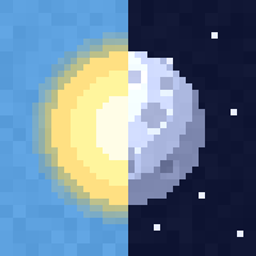
Sun & Moon Pack: 30 Styles
- 1.0K
- Texture Packs
30 sun and moon designs in one pack: planets, eclipse, Halloween, Earth, black hole, cute faces and more. Moon phases included. Pick one in the pack settings.
- 1.0K
- October 19, 2026
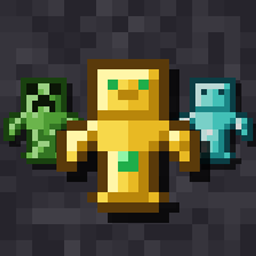
Totem Pack: 30 Totems
- 1.6K
- Texture Packs
30 new totem of undying designs in one pack: Creeper, Diamond, Pumpkin, Warden, Bee, Axolotl and more. Pick your favorite in the pack settings.
- 1.6K
- October 19, 2026
Sun & Moon Pack: 30 Styles
- 1.0K
- Texture Packs
30 sun and moon designs in one pack: planets, eclipse, Halloween, Earth, black hole, cute faces and more. Moon phases included. Pick one in the pack settings.
- 1.0K
- October 19, 2026
Totem Pack: 30 Totems
- 1.6K
- Texture Packs
30 new totem of undying designs in one pack: Creeper, Diamond, Pumpkin, Warden, Bee, Axolotl and more. Pick your favorite in the pack settings.
- 1.6K
- October 19, 2026