Clean Ui Texture Pack v6 | Blue - Green - Pink Mode
- By
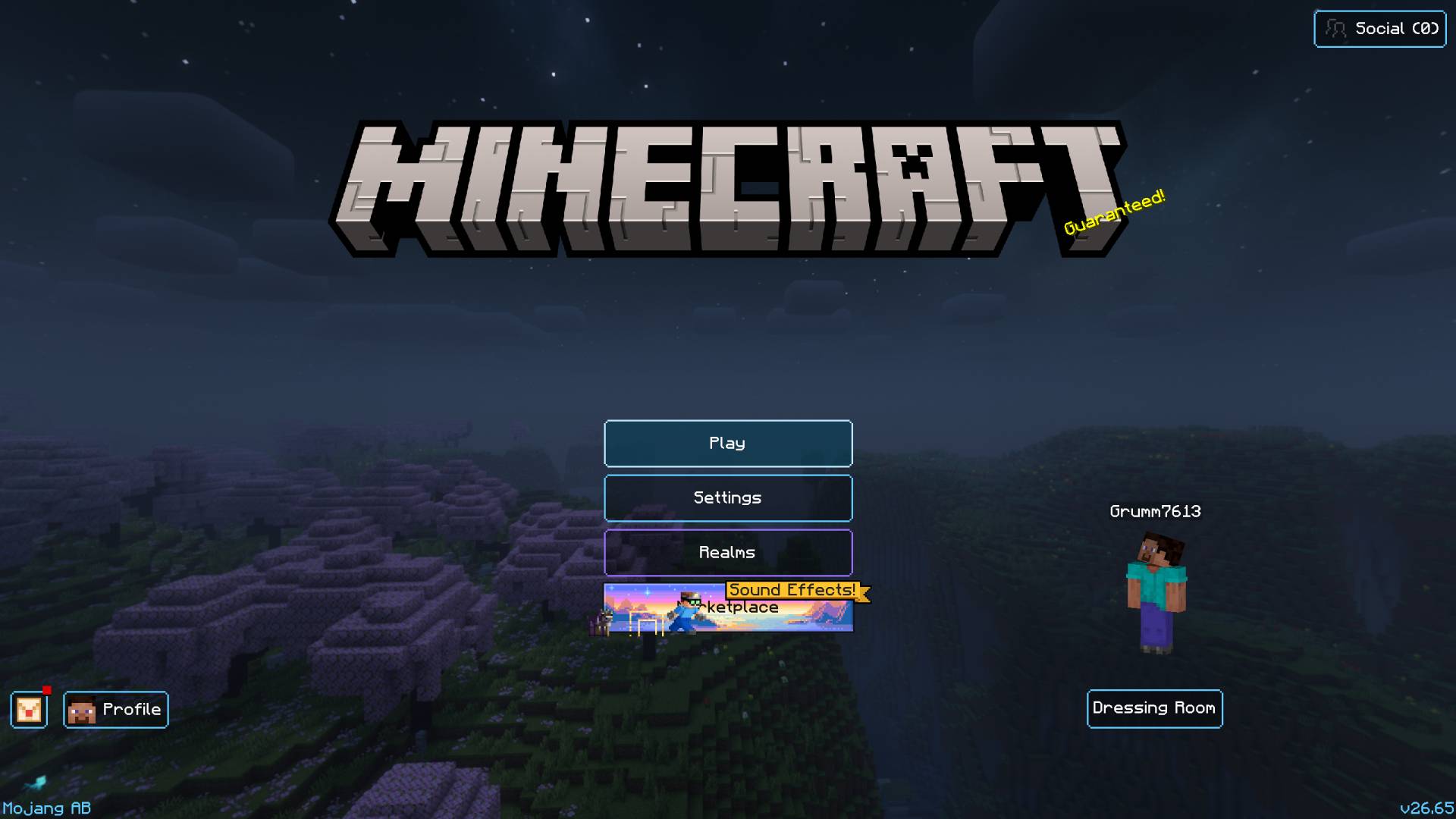
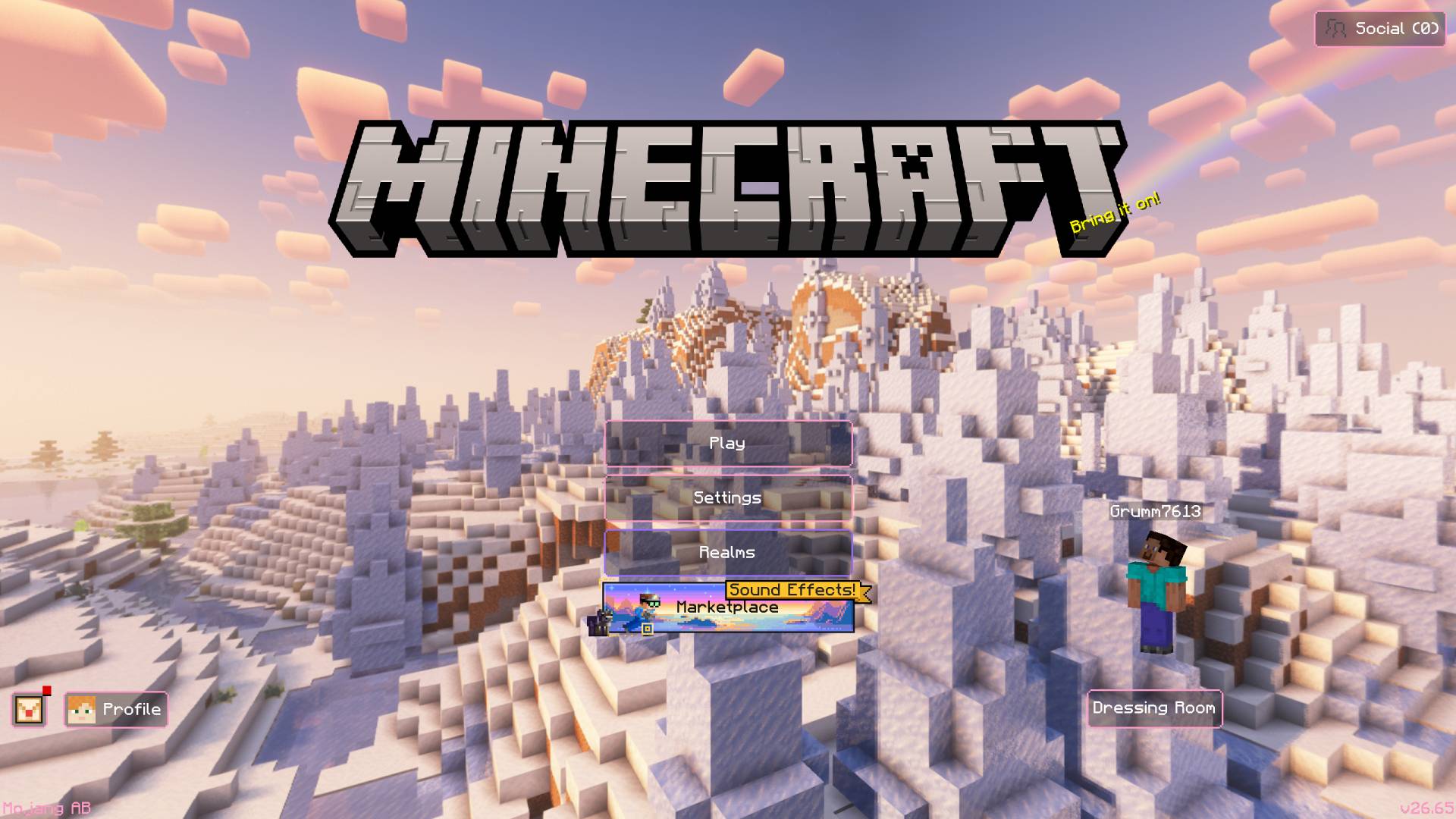
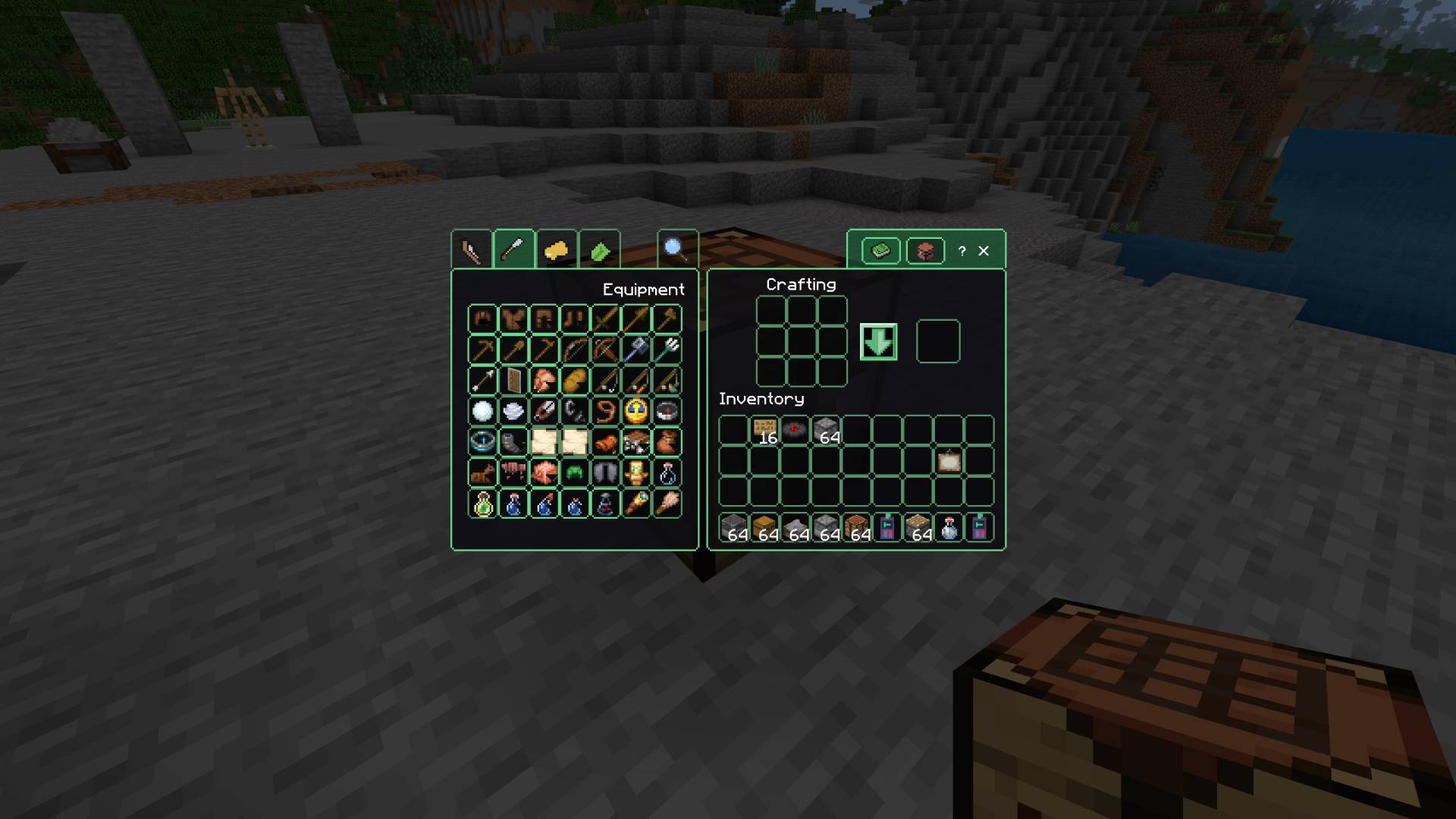
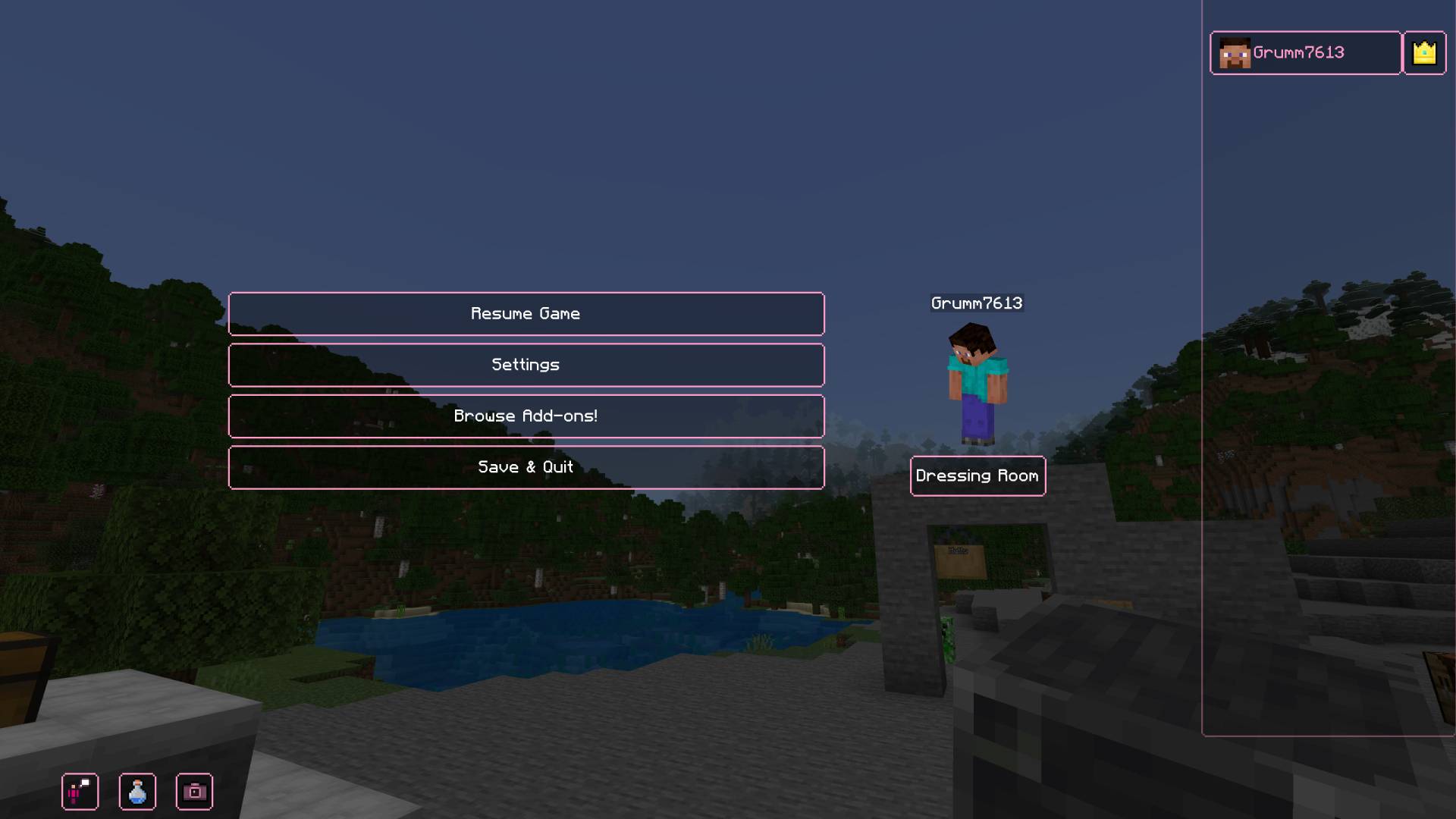
This Clean Ui Packs changes the vanilla Gui/Ui to something very clean, clear, less noisy and cool for sure. Using This UI gives you lot of advantages like hidden UI features, view game from settings (because of Transparency), and a very cool look to game.

clean ui thumbnail.jpg
Screenshot 2026-11-21 190133.jpg
Screenshot 2026-11-21 190550.jpg
Screenshot 2026-11-21 190503.jpg
Screenshot 2026-11-21 190743.jpg
Description
Want your own Minecraft server? Get one from Godlike and use code MODMCPE40 for 40% off.
🧊 Clean UI
VERSION 6.0 · RESOURCE PACK · PC & POCKET UI
A clean, see-through look for Minecraft's menus. Dark glass panels, thin coloured outlines and clear hover states, in the colour you like.
🎨 Themes
Pick one in the pack settings. All three use the same design, only the colour changes.
Blue · Green · Pink (experimental)
✨ What Changes
• Inventory, chests, crafting, furnaces and other screens
• Buttons, tabs, slots, toggles, checkboxes and sliders
• Pause menu, settings and chat
• A lighter, semi-transparent hotbar and chat on the HUD
• Quick Move toggle next to chests for moving items faster
📦 How To Use
1. Open the .mcpack file to import it
2. Go to Settings → Global Resources and activate Clean UI
3. Click the gear icon on the pack to choose your theme
📌 Good To Know
• Needs Minecraft Bedrock 1.20.10 or newer.
• Works with both the Classic (PC) and Pocket UI layouts.
• Other UI packs can conflict. Keep Clean UI on top if things look off.
⚠️ Please Read
• Please don't reupload or repost this pack anywhere else.
• Making a video? Thank you! Just link the original page.
• Found a bug or have a question? Ask on Discord.
Join the Discord: discord.gg/Wvst4znsgk
Enjoy the clean look! 🧊
· · ·
Download the new Bedrock Manager app to easily install and manage your Minecraft add-ons, worlds and more!
Download Now! (Windows only, Android coming later)


👉 Click the banner or start here to get your own server.
Use code MODMCPE40 for 40% off!
💬 Curious what players think? See the community talk on Best Minecraft Server Hosting.
Clean Ui Texture Pack v6 | Blue - Green - Pink Mode Team

Owner