



More Icon
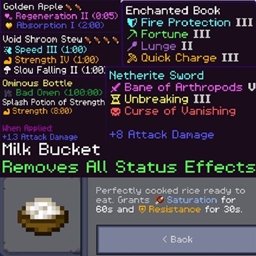
Displays dedicated icons for enchantments, status effects, hunger values and armor attributes within item tooltips, with built‑in mob‑interaction icons. Fully compatible with Core Craft & Better on Bedrock, with multi‑regional Chinese translation support.
- 886
- August 8, 2026
Block Highlight
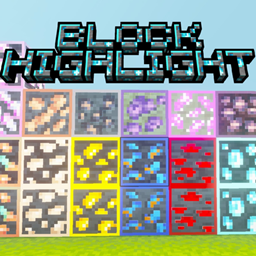
Lightweight visual enhancement texture pack with A&S art style, retains A&S animations. Adds glowing ores for vanilla, Core Craft & Better on Bedrock, highlights ripe crops and special blocks
- 428
- July 25, 2026

More Icon
Displays dedicated icons for enchantments, status effects, hunger values and armor attributes within item tooltips, with built‑in mob‑interaction icons. Fully compatible with Core Craft & Better on Bedrock, with multi‑regional Chinese translation support.
- 886
- August 8, 2026
Block Highlight
Lightweight visual enhancement texture pack with A&S art style, retains A&S animations. Adds glowing ores for vanilla, Core Craft & Better on Bedrock, highlights ripe crops and special blocks
- 428
- July 25, 2026