Centered Days and Coord
- By
Cleanly centers your Coordinates & Days Played HUD above the hotbar with zero dark background box, featuring a 20-step gear-icon slider for 10 vertical positions and `[X, Y, Z]` or `Position:` formatting.
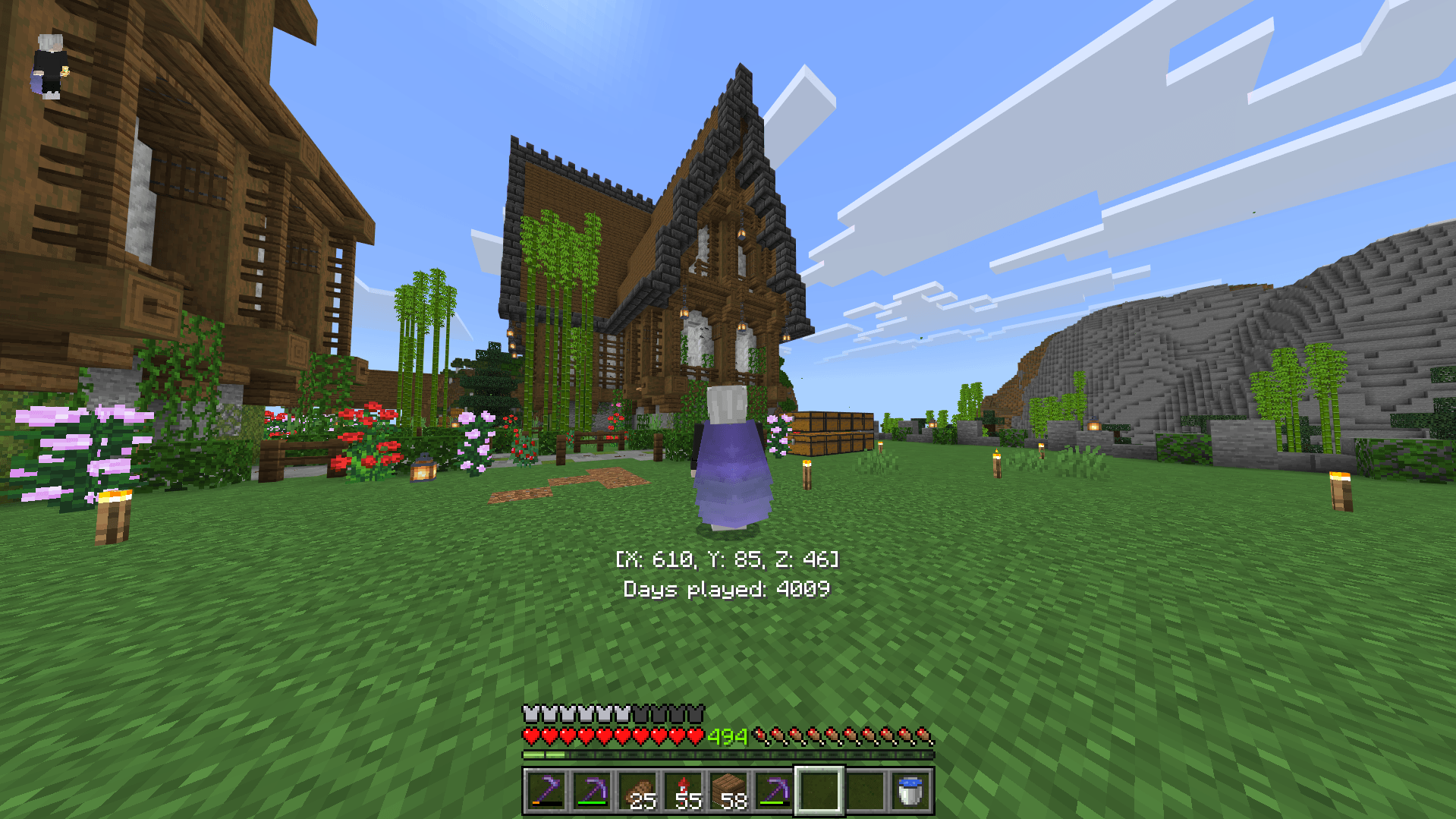
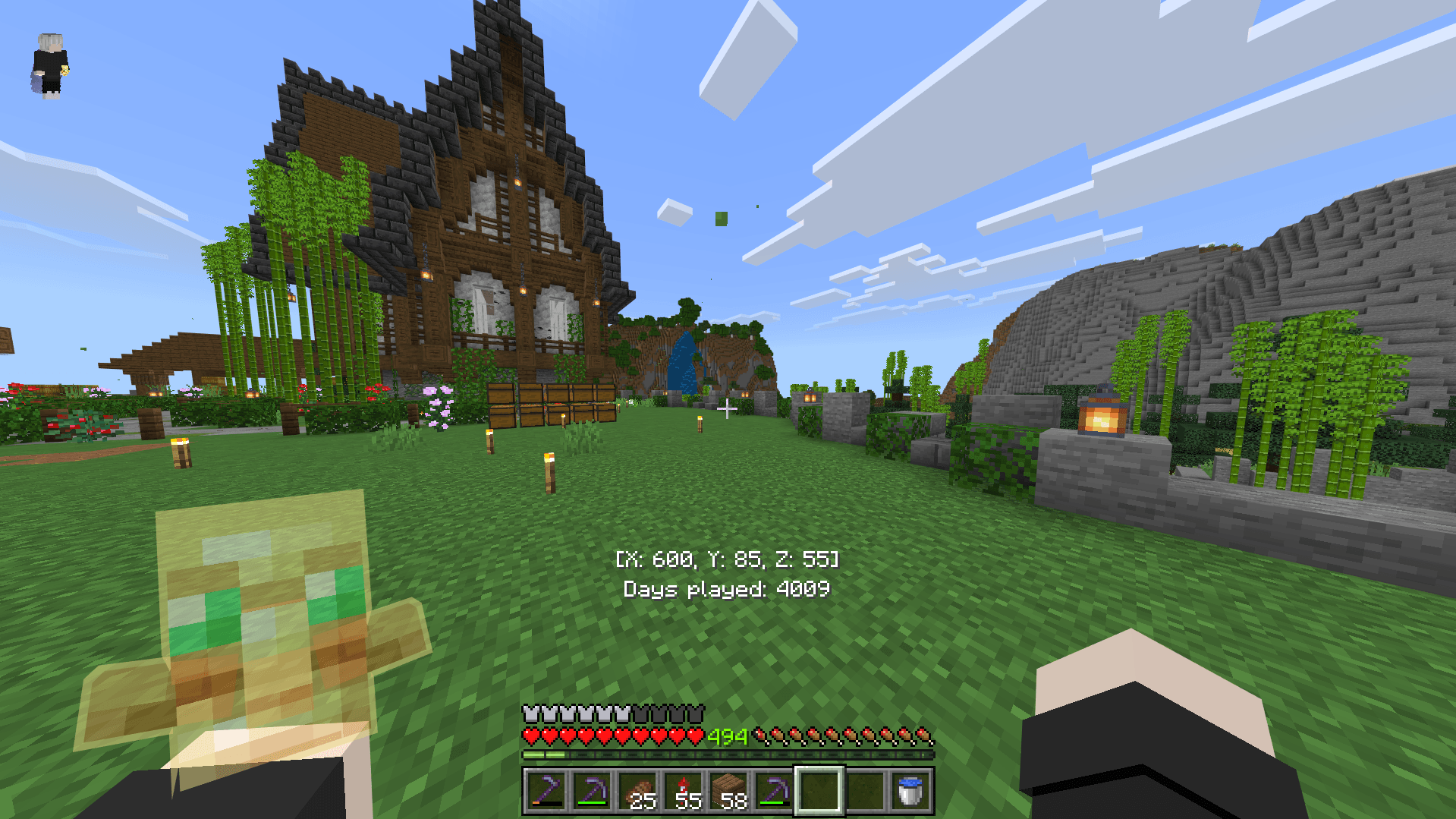
In Game Preview
Description
Centered Days and coord
Centered Days and coord is a lightweight Minecraft Bedrock Edition Resource Pack that moves your Coordinates and Days Played HUD from the top-left corner to the center of your screen, neatly positioned above the hotbar.
Enjoy a cleaner Minecraft HUD with crisp, shadowed white text, a transparent background, and no unnecessary black boxes.
Customize your HUD position and coordinate display format using the built-in 20-Preset Slider (⚙️) in Resource Pack Settings.
✨ Features
-
Centered HUD: Displays Coordinates and Days Played in the center of your screen.
-
Clean Appearance: White text with shadows and a fully transparent background.
-
No Duplicate Text: Hides the original vanilla Coordinates and Days Played indicators in the top-left corner.
-
Vanilla HUD Compatibility: Respects F1 / Hide HUD and your world's Show Coordinates and Show Days Played settings.
-
20 Customizable Presets: Choose from 10 vertical positions in two different coordinate formats.
-
Two Coordinate Formats:
-
[XYZ]→[X: 518, Y: 94, Z: -168] -
[Position]→Position: 518, 94, -168
-
-
Multilingual Support: Includes English (US), English (UK), and Indonesian translations.
-
Pure Resource Pack: Uses Minecraft Bedrock JSON UI and language overrides. No Behavior Pack, scripts, or experimental features required.
⚙️ Customization – 20 Presets
Click the Gear Icon (⚙️) next to the active Resource Pack to access the built-in slider.
Choose between two coordinate display formats, each offering 10 vertical positions:
| Vertical Position | Description |
|---|---|
| -32 | Near XP Bar / Creative |
| -44 | Above Health Bar |
| -52 | Above Armor Bar |
| -58 | Above Hotbar & Armor (Default) |
| -68 | Extra Space Above Hotbar |
| -78 | Clears Item Name Tooltips |
| -88 | Lower-Middle Screen |
| -96 | Lower Quarter Screen |
| +26 | Below Crosshair |
| +6 | Top Center |
All 10 positions are available in both [XYZ] and [Position] formats, giving you 20 total presets to choose from.
📋 Requirements
-
Minecraft Bedrock Edition 1.21.0 or newer.
-
Enable the following options in World Settings → Game:
-
Show Coordinates
-
Show Days Played
-
Compatibility Note:
-
If you use other UI or HUD Resource Packs, place Centered Days and coord at the top of your active Resource Pack list to give it priority.
-
Other UI overhauls may affect compatibility depending on their HUD modifications.
-
Coordinates use integer block values provided by Minecraft Bedrock's
map.positionlocalization, not decimal coordinates.
📥 Installation
-
Download
Centered_Days_and_Coord_v1.1.2.mcpack. -
Open the
.mcpackfile to import it into Minecraft Bedrock Edition. -
Activate the pack through Global Resources or World Settings → Resource Packs.
-
Click the Gear Icon (⚙️) next to the pack.
-
Select your preferred coordinate format and vertical position.
Note: If you change subpacks from the main menu, rejoin your world or restart Minecraft if the changes do not appear immediately.
📝 Changelog
v1.1.2
-
Updated Resource Pack icon to 256×256 PNG.
-
Standardized manifest and language metadata.
-
Improved localized descriptions for English (US), English (UK), and Indonesian.
v1.1.1
-
Restored the -78 vertical position preset.
-
Added the -88 preset.
-
Expanded customization to 20 total presets.
v1.1.0
-
Added
[X: %s, Y: %s, Z: %s]coordinate format. -
Added switchable
Position: %s, %s, %sformat.
v1.0.0
-
Initial release.
-
Added centered Coordinates and Days Played HUD.
-
Introduced customizable vertical positioning through Resource Pack subpacks.
Created by @rezkiplayhere
Enjoy a cleaner Minecraft HUD!
Centered Days and Coord Team