Fonts++ - Unleash a World of Text Styles in Minecraft Bedrock!
Tired of the same old Minecraft text? Fonts++ brings a fresh visual experience to your game with a collection of over 20 unique and stylish fonts to customize how text appears throughout your Bedrock Edition worlds!
Key Features:
• 20+ Unique Fonts: Discover a wide variety of text styles to suit any mood or build. From clean and modern to whimsical and decorative, there's something for everyone.
• Enhance Your UI: Give your menus, item names, and in-game text a personalized touch.
• Express Yourself in Chat: Make your messages stand out with custom chat fonts.
• Bring Signs to Life: Create more visually appealing and thematic signs for your builds.
• Easy Installation: Simple to install as a standard Minecraft Bedrock resource pack.
See Fonts++ in Action!
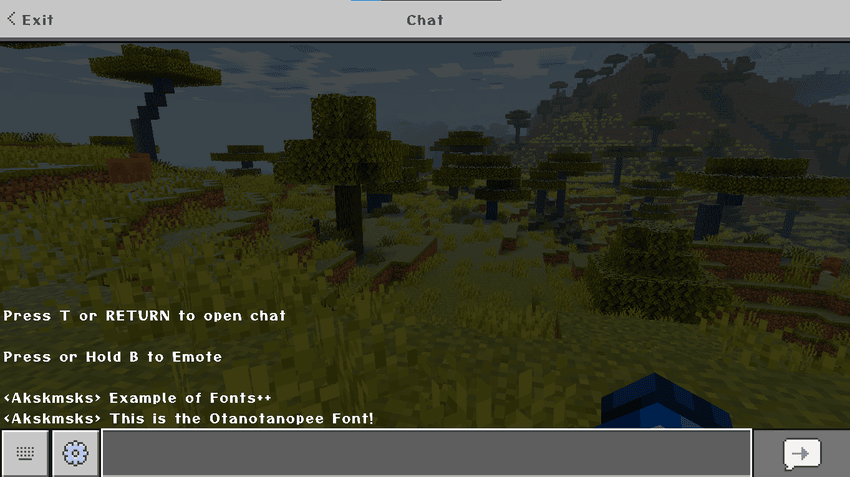
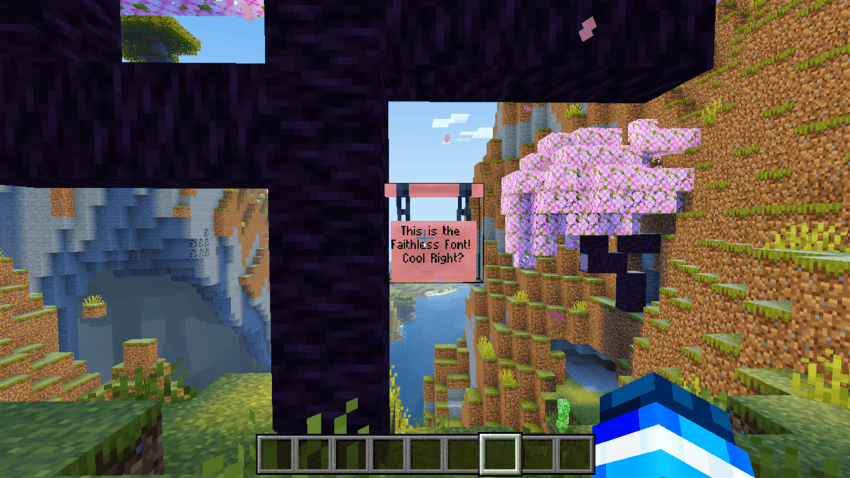
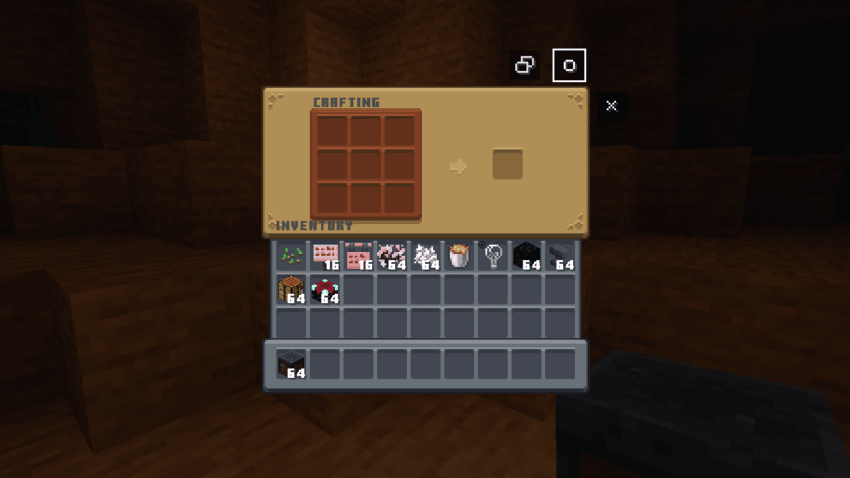
NOTE: GUI in the above screenshot is included in v2.0 and not in v1.0 so install the v2.0 version.
How to Install:
1. Download the .mcpack from curseforge.
2. Open the .mcpack file. This will automatically import the pack into Minecraft Bedrock Edition.
3. Go to "Settings" in Minecraft.
4. Scroll down to "Global Resources" or select a specific world under "Resource Packs."Find "Fonts++" under "Available Packs" and activate it by clicking "Activate."
5.Click on the cog wheel and select your desired font.
6. Enjoy your new fonts!
Reporting Bugs:
Found an issue? Please let me know!
• If you encounter any bugs, glitches, or unexpected behavior with the fonts, please report them in the comments section or on my [Discord/Social Media Link Here, if you have one].
• Providing details like the Minecraft version, a description of the bug, and how to reproduce it will greatly help in fixing it!
Credits:
Created By: Akshaj
Shaders Used: Newb x Dawn by Ale
GUI Used: GUI Revision Ported by Me
Download Now and Transform Your Text!
We hope you enjoy exploring the diverse world of text styles that Fonts++ has to offer. Let us know in the comments which fonts are your favorites!
Akshaj's Fonts++ Team