File Details
AhgWarp v1.2
- R
- May 2, 2026
- 15.40 KB
- 402
- 26.10+39
File Name
AhgWarp.v1.2.mcaddon
Supported Versions
- 26.10
- 26.3
- 26.0.02
- 26.0
- 1.21.132
- 1.21.131
- 1.21.130
- 1.21.124
- 1.21.123
- 1.21.122
- 1.21.121
- 1.21.120
- 1.21.114
- 1.21.111
- 1.21.101
- 1.21.100
- 1.21.94
- 1.21.93
- 1.21.92
- 1.21.90
- 1.21.82
- 1.21.81
- 1.21.80
- 1.21.73
- 1.21.72
- 1.21.71
- 1.21.70
- 1.21.61
- 1.21.60
- 1.21.51
- 1.21.50
- 1.21.44
- 1.21.43
- 1.21.41
- 1.21.40
- 1.21.30
- 1.21.21
- 1.21.20
- 1.21.2
- 1.21
🛠️ AhgCraft Warp Tool v1.2 - The "Stability & Homes" Update
This update focuses on preventing "combat logging" with a new teleport timer and adding highly requested personal home management features.
🆕 New Features
-
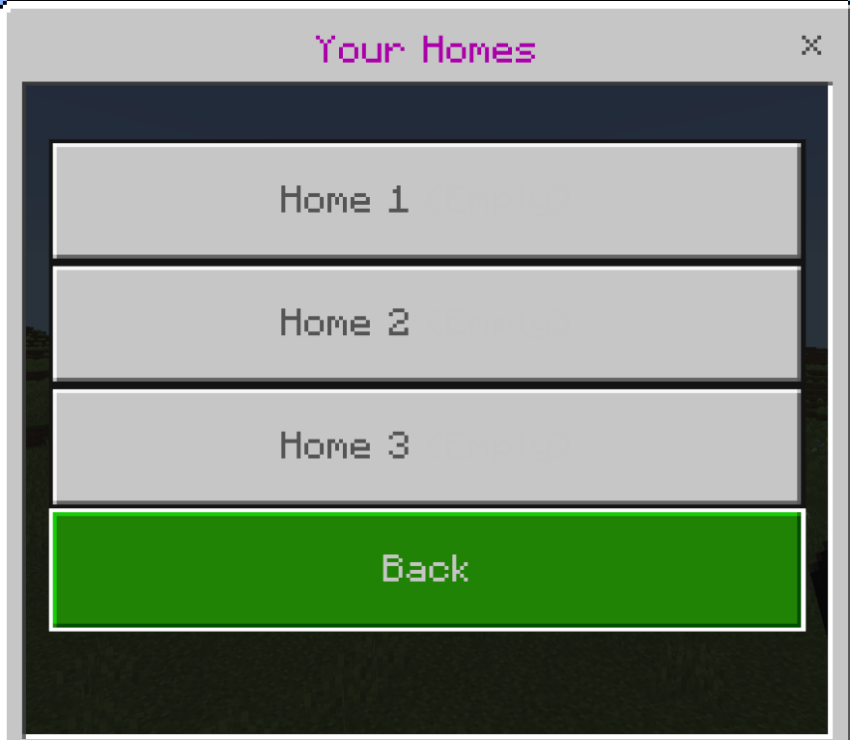
Personal Home System: Players can now set and manage personal homes!
-
Default: 3 Home slots.
-
VIP/Extra: Unlock up to 6 Homes by giving a player the
extra_hometag.
-
-
Teleport Warm-up (5s): Added a realistic 5-second warm-up period for all teleports.
-
Moving more than 1 block will cancel the teleport.
-
Includes a dynamic Action Bar countdown and portal sound effects.
-
-
Enhanced First-Join Instructions: New players now receive a detailed welcome message explaining how to use the Admin Menu and how to unlock extra homes.
⚙️ Improvements & Logic Changes
-
Active Teleport Tracking: The script now tracks
activeTeleportsto prevent multiple timers from running at once if a player spams the menu. -
Dimensional Support: Home locations now save the dimension ID, allowing you to warp back to homes in the Nether or The End correctly.
-
Coordinate Math Fix: Updated coordinate saving to use
Math.floorfor cleaner, more accurate teleportation points. -
TPA Reliability: Refined the TPA request logic with improved button handling to ensure requests expire correctly and sounds play for both players.
🐞 Bug Fixes
-
Fixed a glitch where the scoreboard objective might fail to initialize on some worlds.
-
Resolved an issue where teleporting would sometimes fail if the player was already in a movement state.
How to use the new Home System:
-
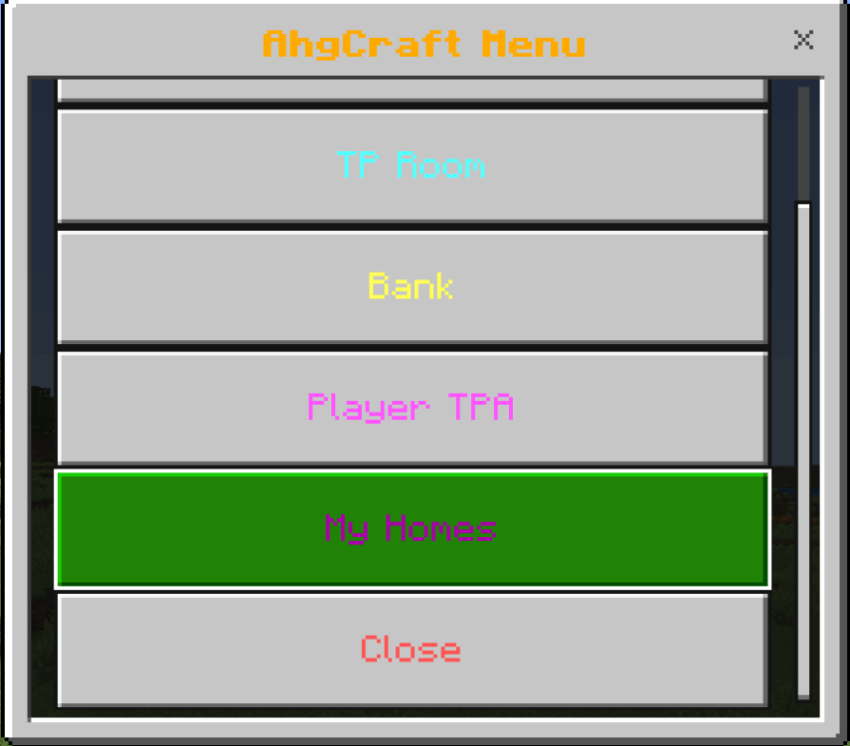
Open the AhgCraft Menu.
-
Select "My Homes".
-
Choose an empty slot to Set Location (it saves your exact coordinates and dimension).
-
Click an existing home to Teleport or Delete it.
Pro Tip: To give yourself or a friend 6 home slots, use the command: /tag "player_name" add extra_home
tap home button
then there is homes