Actionbar Timer
- By
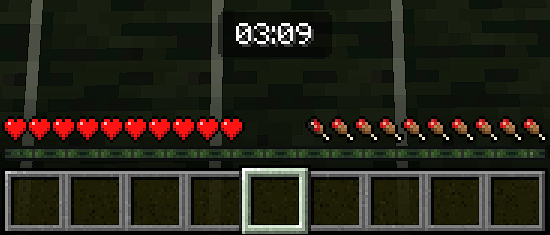
In the actionbar title
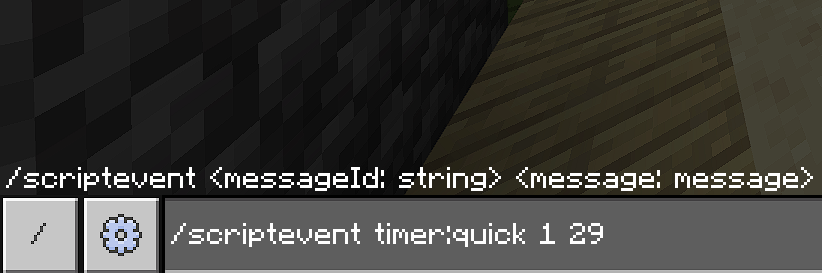
The command timer:quick for command blocks
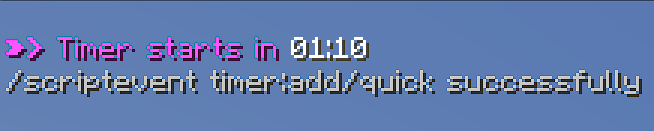
Message sends to admin
Description
"A tool that simplifies event management with global timers. Use callbacks to create automated command systems. Stable, unbreakable." By REUSIS
LIST OF COMMANDS
/scriptevent timer:add
Open the configuration interface and add a new timer; it will run on the player who types the command. If there is an active timer, it will overwrite it.
/scriptevent timer:quick <minutes> <seconds?>
Starts a configurable quick timer from command blocks. After `timer:quick`, you must specify the number of minutes it will last (maximum 9) and optionally specify the number of minutes.
/scriptevent timer:pause
Pauses and resumes the currently running timer. Can be placed in a command block and activated from there.
/scriptevent timer:stop
Stops the timer, does not trigger the exit callback command (in the case of timer:add) or sends a global message.
/scriptevent timer:help
Open an interface with the specifications for each command to be used. They all start with /scriptevent timer:
CALLBACKS
Callbacks are signals emitted by the script that you can intercept and add your own command strings to.
timer:add
This function cannot be automated because it opens a UI for the player to enter all the data. Adapting this to a syntax would be very long and complex, but you can add an exit command upon completion in the "Command to finish" field. This could be an `mcfunction` or a `setblock` that activates a command stack.
timer:quick
As you may have noticed, its syntax doesn't allow you to specify an exit command, but when a quick timer is active, the command /scoreboard players set is timerQuick 1 is also executed, and it is set to 0 when it finishes.
This allows you to intercept the signal with a command like /execute if scores is timerQuick matches 1 and 0, respectively. This way, you can automate the timers.
TECHNICAL SPECIFICATIONS
Timer Limit
Both the `add` and `quick` functions are limited to a maximum of 10 minutes for the timer. This is because they run globally on the server or world, and the accuracy of the time passage depends on the Ticks Per Second (TPS). With 20 TPS, the time will be exact, but with a difference of one or two points, it will gradually fall behind. This will be noticeable with timers longer than 10 minutes.
Individual Timers
All timers are global and run without tag exception. Making specific functions for each player in large quantities can cause lag and delays. A global timer doesn't cause problems with large numbers of players, making it ideal for events.
Stability
The script is programmed for a stable version of Minecraft, so it doesn't require beta APIs to function and doesn't depend on a texture pack. It won't break in future Minecraft updates. However, if you find a bug, please report it. It's over 300 lines of code.
HOW TO USE
1- First, run scriptevent timer:add, this will open the following form:
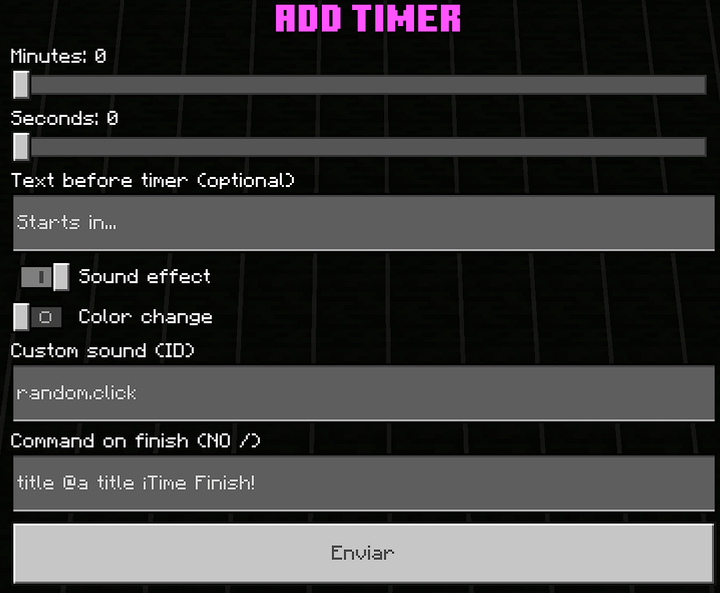
With a custom UI texture pack *
2- Fill out the form with your timer settings. All options that are disabled by default are optional.
3- Pressing "Send" will display a timer with your settings.
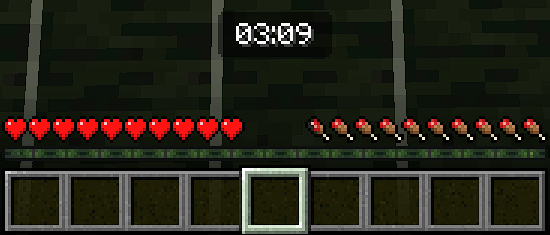
4- You can use /scriptevent timer:pause to pause or resume, or use /scriptevent timer:stop to clear the current timer.
5- When the timer reaches 0, the configured command will be activated globally.
It will be executed on behalf of the server. You cannot use /execute as the output command; only the old syntax /execute @a ~~~ <command> will work.
If you want the editable version of the script, contact me on Discord: @reusis
The Actionbar Timer Team