

![True Hardcore Survival World | 15 Days [Achievements Enabled] logo](https://media.forgecdn.net/avatars/thumbnails/2007/444/64/64/639233045070337360.png)
True Hardcore Survival World | 15 Days [Achievements Enabled]
- By
Jump into Day 15 of a True Hardcore custom survival world! Fully equipped starter base, custom gear, and 100% Xbox Achievements enabled.
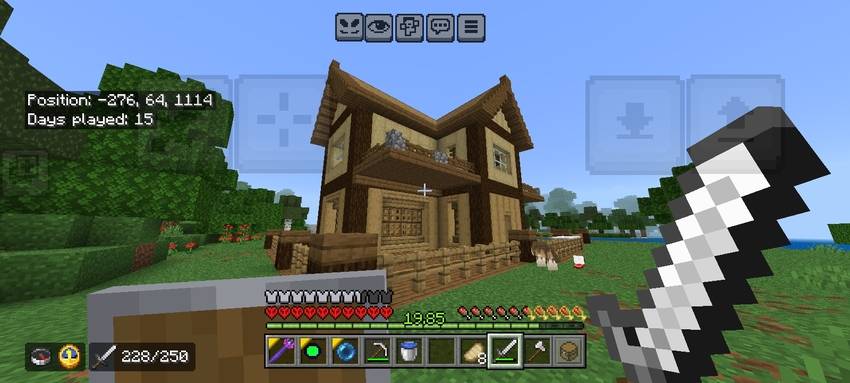
1000094255.jpg
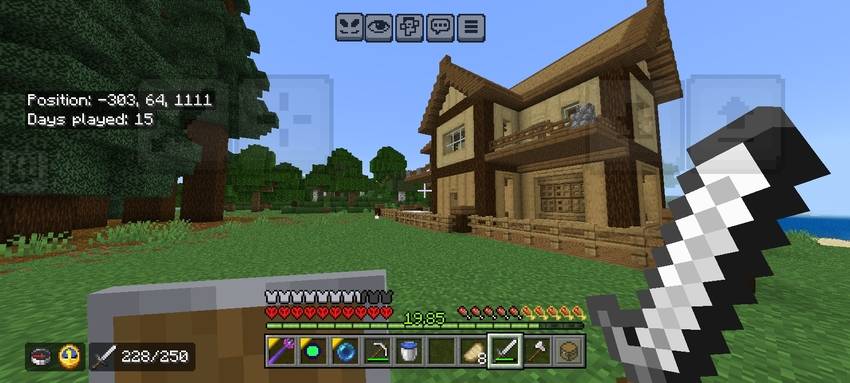
1000094254.jpg
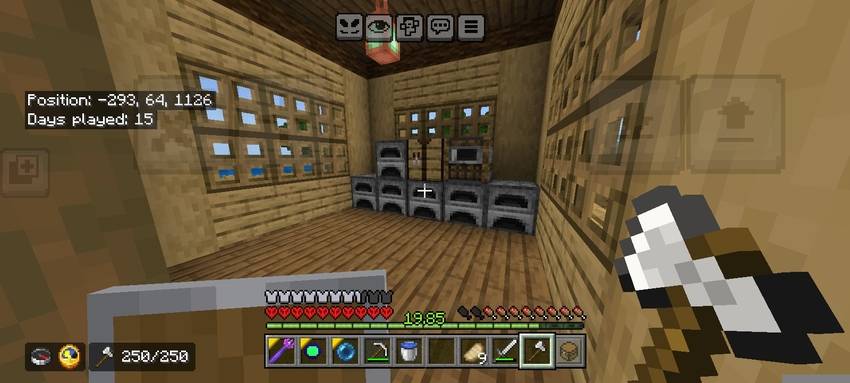
1000094247.jpg
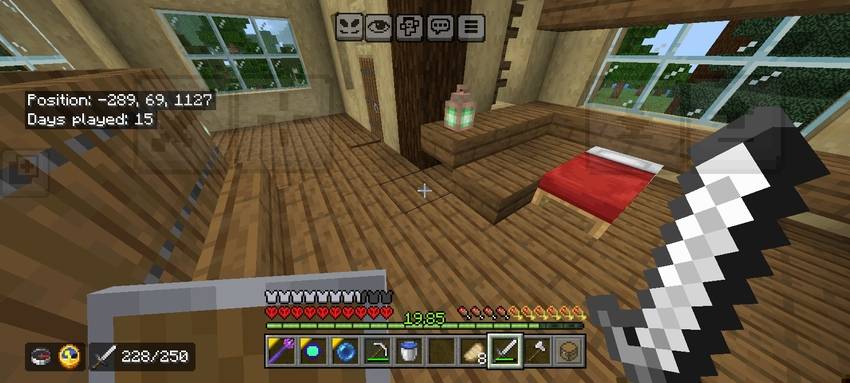
1000094250.jpg
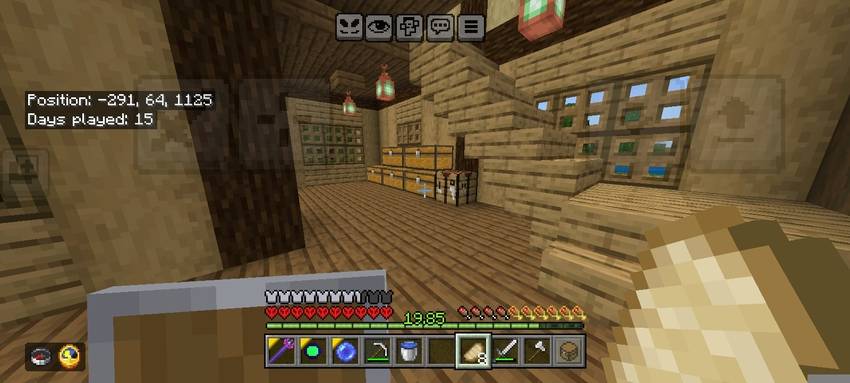
1000094248.jpg
Description
🌲 15 Days True Hardcore Starter World (Achievements Enabled)
Jump straight into an optimized True Hardcore Custom Survival experience without the tedious early-game grind! Survived cleanly up to Day 15, this world comes fully prepared with a custom 2-story rustic starter base, organized storage, resource processing, and survival-friendly gameplay enhancements—all while keeping Xbox Achievements 100% active.
⭐ Key Highlights
- 🏆 Achievements Enabled: Earn all your Xbox / Bedrock achievements naturally from day zero.
- 💀 True Hardcore Experience: Features custom hardcore-styled hearts, HUD indicators, and survival mechanics.
- 🏡 2-Story Rustic Starter House: Fully built with oak and spruce, exterior balconies, upper-floor master bedroom, and scenic forest views.
- ⛏️ Integrated Underground Mine: Direct staircase access from inside the fenced perimeter down to deep mining levels.
- 📦 Organized Storage & Smelting: Includes a multi-furnace setup, dedicated crafting area, and organized chest room ready for loot.
- ⚔️ Survival-Friendly Custom Addons: Enhanced survival gear, custom weapons, off-hand mechanics, and survival-friendly utility items already configured.
📍 World Information & Coordinates
| Detail | Info |
|---|---|
| Days Survived | Day 15 |
| Base Coordinates | X: -290, Y: 64, Z: 1125 |
| Spawn Biome | Forest / River Border |
| Platform Compatibility | Minecraft Bedrock Edition (MCPE / Windows 10 & 11 / Xbox / Android / iOS) |
| Achievements | ACTIVE / ENABLED |
🛠️ What's Inside the Base?
- Ground Floor: Furnace smelting wall, crafting tables, organized chest systems, and direct staircase access.
- Upper Floor: Bedroom with a red bed, warm lantern lighting, and wrap-around viewing balconies overlooking the river.
- Basement Entrance: Protected mine shaft entrance to safely descend into resource caverns without mob interference.
- Inventory & Gear: Pre-equipped with essential survival tools, shield, day counter HUD, and custom utility items.
📥 Installation Instructions
.mcworld (Recommended)
- Download the
.mcworldfile. - Open/tap the downloaded file, and Minecraft Bedrock will automatically import and launch it.
.zip Manual Install
- Extract the folder using any file manager (e.g., ZArchiver).
- Move the extracted world folder to:
games/com.mojang/minecraftWorlds/(or your platform's app data directory). - Restart Minecraft and enjoy your survival run!
Found a bug or have suggestions? Drop a comment below! If you enjoy the world, don't forget to leave a rating and diamond!
The True Hardcore Survival World | 15 Days [Achievements Enabled] Team


Owner

![Pocket Vault Wand [Mob & Chest Transporter] (Achievements Friendly) project image](https://media.forgecdn.net/avatars/thumbnails/2005/947/256/256/639232453165737604.png)
![Survival Modern House [4] | Hardcore | Achievements Enabled project image](https://media.forgecdn.net/avatars/thumbnails/1999/610/256/256/639229814233412124.png)
![Modern Mansion Hardcore Survival World [Achievements Enabled] project image](https://media.forgecdn.net/avatars/thumbnails/1997/862/256/256/639229092151542377.png)