
Aesthetic Modern Survival Base
- By
An aesthetic, fully furnished modern survival starter house for Minecraft Bedrock & MCPE with full storage & enchanting.
1000108381.jpg
1000108382.jpg
1000108383.jpg
1000108384.jpg
Description
🏡 Modern Survival Starter House
Minecraft Bedrock Edition & MCPE Map
Skip the early-game grind and step into a fully equipped, beautifully detailed modern survival base from Day 1!
Looking for the perfect, cozy, and survival-ready starter base for your new Minecraft adventure? The Modern Survival Starter House is a functional, aesthetic, and fully furnished home designed specifically for Minecraft Bedrock Edition (MCPE / Windows 10 & 11 / Consoles).
Whether you are starting a fresh survival playthrough, expanding an existing village, or seeking modern interior design inspiration, this map has everything you need ready to go.
📋 Quick Specs & Compatibility
- 🎮 Supported Edition: Minecraft Bedrock (MCPE / Android / iOS / Windows 10 & 11 / Xbox / PS4 / Switch)
- 📁 File Formats:
.mcworld(One-click import) &.zip - 🌐 Multiplayer: Fully compatible with Realms, Dedicated Servers & LAN
- 🏆 Achievements: Compatible (depends on your world / cheat settings)
🌟 Key Features
- Survival-Ready from Day 1: Fully fortified, lit, and furnished so you are safe through your very first night.
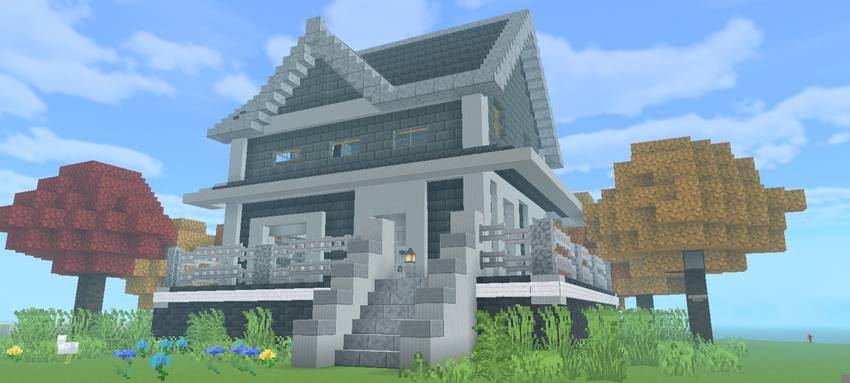
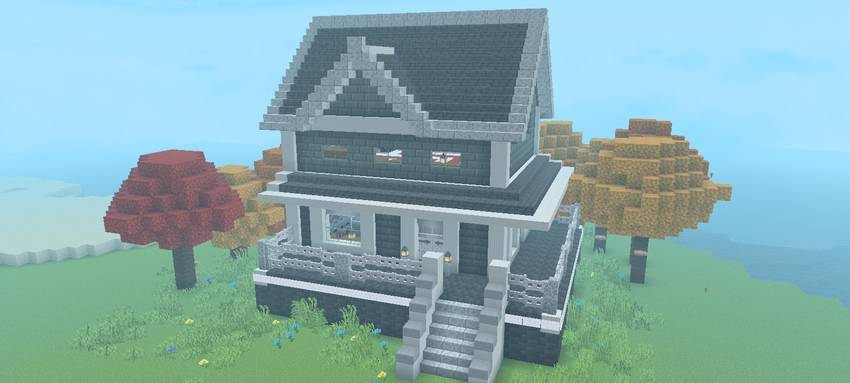
- Modern Suburban Exterior:
- Clean palette featuring deepslate brick and smooth quartz styling.
- Wrap-around porch with custom railing accents.
- Architectural pitch roof with stone trim detailing.
- Custom autumn-themed trees and perimeter landscaping.
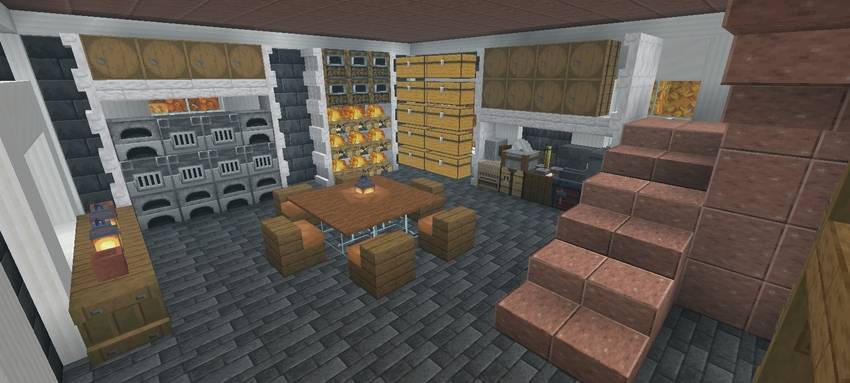
- Complete Storage & Crafting Hub:
- Wall-integrated double-chest and barrel sorting matrix.
- Smelting station equipped with high-efficiency auto/blast furnaces.
- Dedicated blacksmithing, grinding, and brewing nook.
- Central crafting layout with quick access to tools.
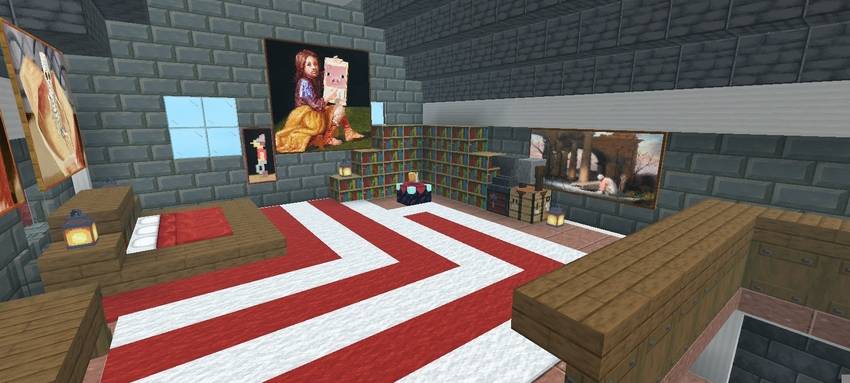
- Master Bedroom & Library Suite:
- Full Level-30 enchanting table setup surrounded by bookshelves.
- Eye-catching red & white spiral carpet flooring.
- Master bed nook with warm ambient lantern lighting.
- Curated gallery of classic Minecraft art paintings.
🛠️ Floor Plan & Layout
🔹 Ground Floor: Workshop & Living Quarters
- Storage Matrix: Massive array of labeled double chests and barrels for resource organization.
- Smelting Wall: Multi-furnace and blast furnace setup for rapid ore and food processing.
- Smithing Corner: Equipped with anvils, grindstone, and smithing table for gear progression.
- Lounge & Dining: Central seating and dining area for multiplayer gatherings.
🔹 First Floor: Master Suite & Enchanting Sanctum
- Max-Level Enchanting Room: Fully boosted bookshelf layout for high-tier gear upgrades.
- Master Bedroom: Spacious suite with panoramic windows overlooking the surrounding biome.
- Relaxation Lounge: Cozy loft space featuring custom spiral carpet art and mood lighting.
📥 Installation Instructions
📱 Android & iOS (MCPE)
- Download the
.mcworldfile. - Tap the downloaded file in your device's Files / File Manager app.
- Choose Open with Minecraft (or select Minecraft when prompted).
- Minecraft will launch and show an "Import Started" banner.
- Once imported, find the map under your Worlds list and jump in!
💻 Windows 10 / 11
- Download the
.mcworldfile to your PC. - Double-click the file.
- Minecraft Bedrock will open automatically and import the world.
🏷️ Tags
minecraft starter-house survival-base mcpe bedrock-edition modern-house mcworld furnished-house aesthetic-build minecraft-pe-map
Aesthetic Modern Survival Base Team

Owner

![Hardcore Day 1 Starter Base | Survival Mansion & Farms [Achievements Friendly] project image](https://media.forgecdn.net/avatars/thumbnails/2114/907/256/256/639274698956963828.png)
![Right Click Harvest & Auto Replant [Auto-Magnet] project image](https://media.forgecdn.net/avatars/thumbnails/2093/785/256/256/639267717143503379.png)