XP_Generator_By_GxShake
- By
A craftable XP Generator block for Minecraft Bedrock that drops XP bottles on its own or on click, with three upgradeable glowing tiers
1000190678.jpg
Description
XP Generator by GxShake
Tired of grinding for XP? XP Generator adds craftable XP blocks to Minecraft Bedrock that drop Bottles o' Enchanting for you. Build one, upgrade it, and keep your enchanting table stocked.
Features
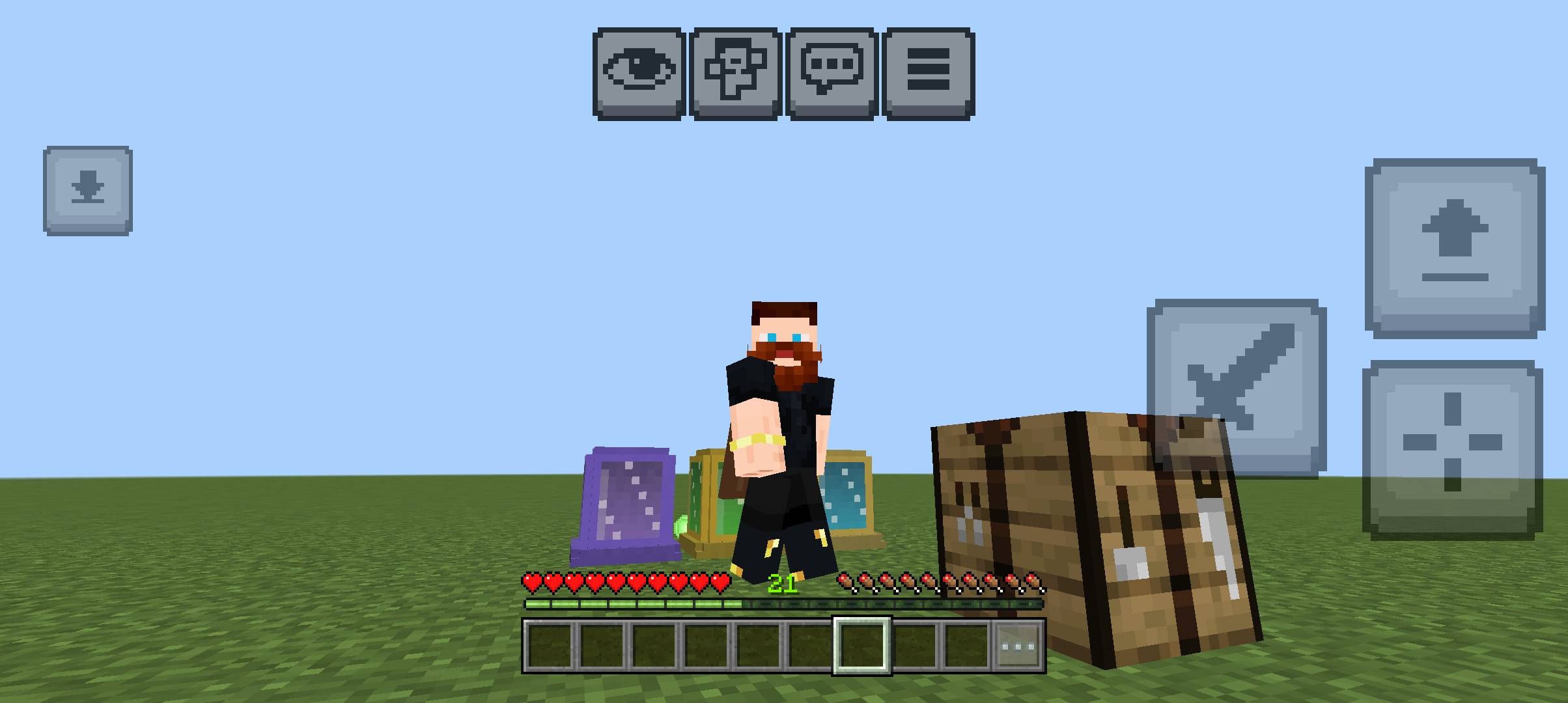
- 3 upgradeable XP Generator blocks, each with its own glowing look
- An automatic mode that produces XP bottles while you are AFK or working nearby
- A high-yield manual mode for big bursts of XP
- Upgrades by right-clicking with a specific item, so no menus or commands
- A custom 3D block model, new textures and a new pack icon
- Action-bar messages that tell you which item to hold
- Works in survival and creative (upgrade items are not used up in creative)
Crafting recipe
Place these in a crafting table:
| Iron Ingot | Iron Ingot | Iron Ingot |
| Redstone | Bottle o' Enchanting | Redstone |
| Nether Brick | Nether Brick | Nether Brick |
You can also find it in the creative inventory under Items.
How to use
Place the block and right-click it. What happens depends on the tier and the item in your hand.
1. XP Generator (purple), the basic tier
- Right-click with an empty hand or any other item to drop 2 XP bottles.
- Right-click while holding an Iron Block to upgrade it to the Auto XP Generator.
2. Auto XP Generator (green)
- Drops 8 XP bottles every 5 seconds with no input from you.
- Makes a fizzing sound for players within 5 blocks.
- Right-click without an upgrade item to drop 1 extra bottle.
- Right-click while holding a Bottle o' Enchanting to upgrade it to the High XP Generator. Auto mode turns off.
3. High XP Generator (cyan)
- Right-click to drop 12 XP bottles at once.
- It does not run by itself.
- Right-click while holding Shears to switch back to the Auto XP Generator.
Each upgrade uses up one upgrade item, except in creative mode. The bottles drop on top of the block, so you can throw them or stand next to a hopper setup to collect them.
Installation
- Download the
.mcaddonfile. - Open it with Minecraft. It imports both the behavior pack and the resource pack.
- Create a new world or edit an existing one.
- Under Behavior Packs and Resource Packs, activate XP Generator in both.
- Load the world and craft your first generator.
Requirements
- Minecraft Bedrock 1.21.90 or newer
- Both packs active in the world
- If the blocks don't react when you right-click, check that scripting is allowed for the world. Turn on Beta APIs in the world's Experiments if your version needs it.
Tips
- Put an Auto XP Generator near your enchanting setup and let it run while you work.
- Use the High XP Generator when you need a lot of XP quickly, then switch back to Auto with shears.
- Break the block to pick it up. It keeps working when you place it again.
Compatibility
- Works on mobile, Windows, console and other Bedrock platforms that support add-ons.
- It adds only its own three blocks, so it shouldn't conflict with most other add-ons.
Credits
Created by GxShake
XP_Generator_By_GxShake Team