World Flags
- By
Plant waving flags of all 197 countries, 143 regions and more, crafted in survival with a stonecutter.
5_crafting.png
4_flag_closeup.png
3_regions.png
2_countries.png
1_world_flags_avenue.png
Description
Plant the flag of every country in your world
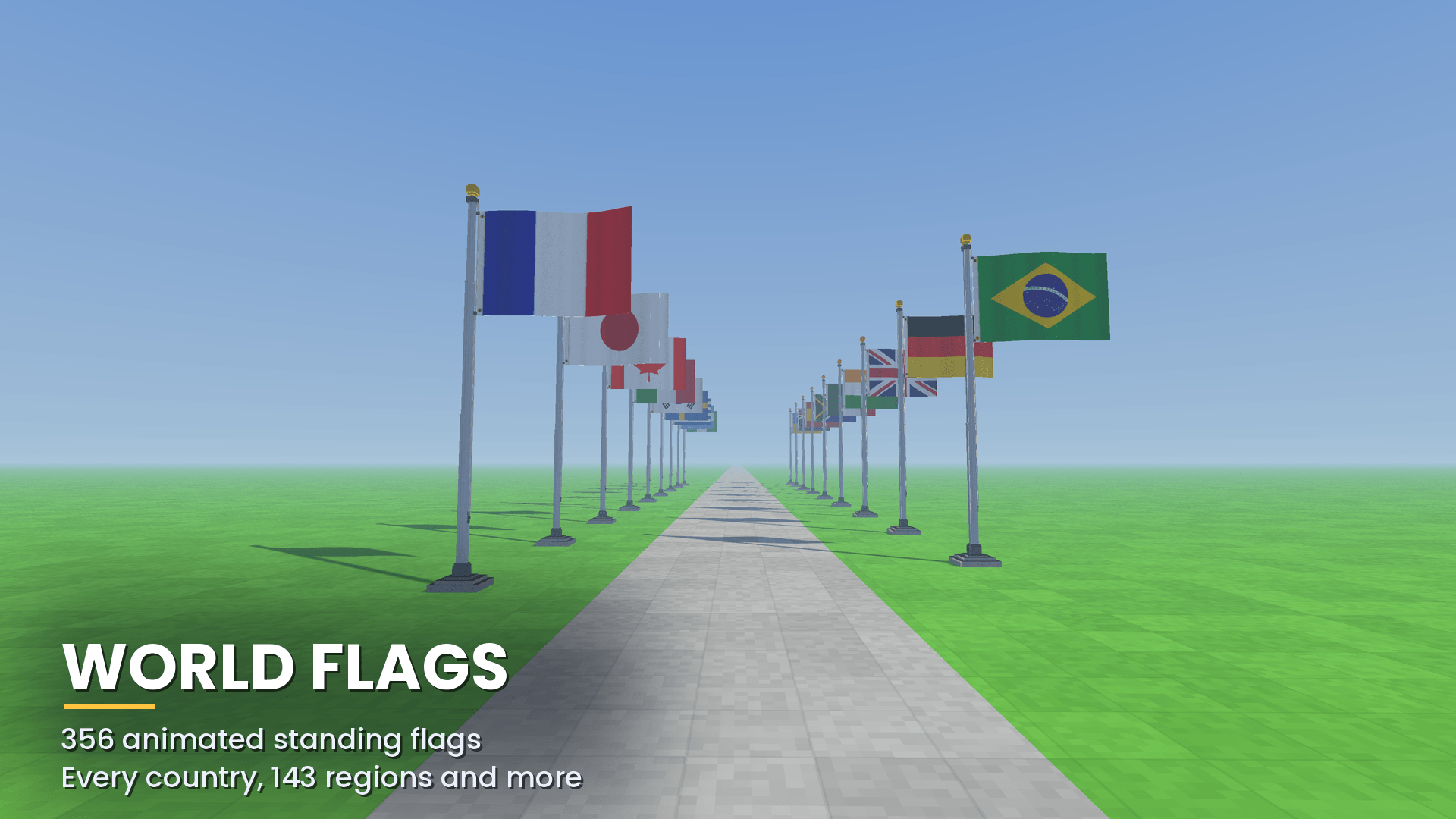
World Flags adds 356 standing flags to Minecraft Bedrock: tall flagpoles with a cloth that waves in the wind, made for cities, embassies, borders and roleplay servers.
356 flags
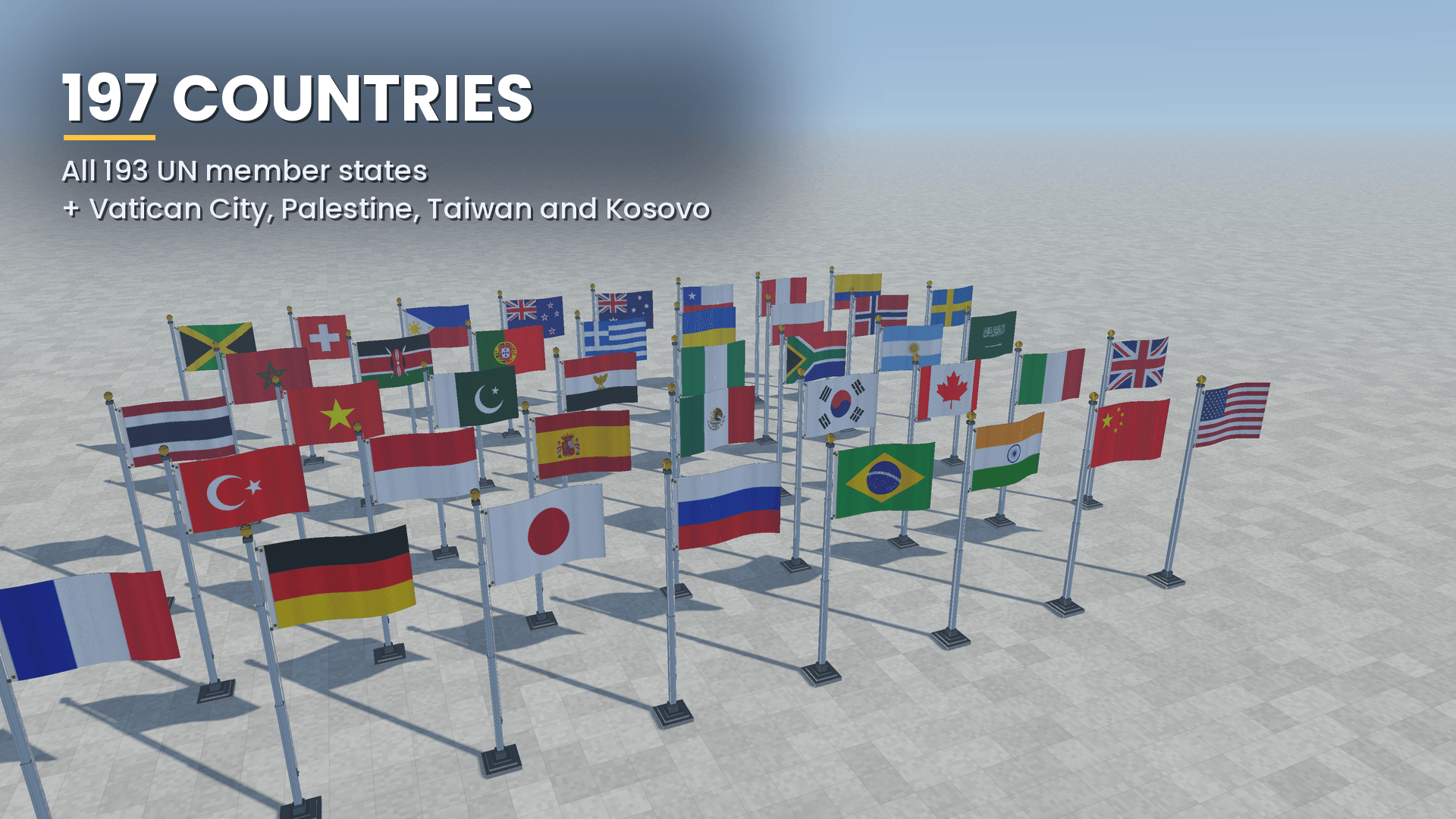
- 197 countries (+1 alternate version): all 193 UN member states, plus Vatican City, Palestine, Taiwan and Kosovo
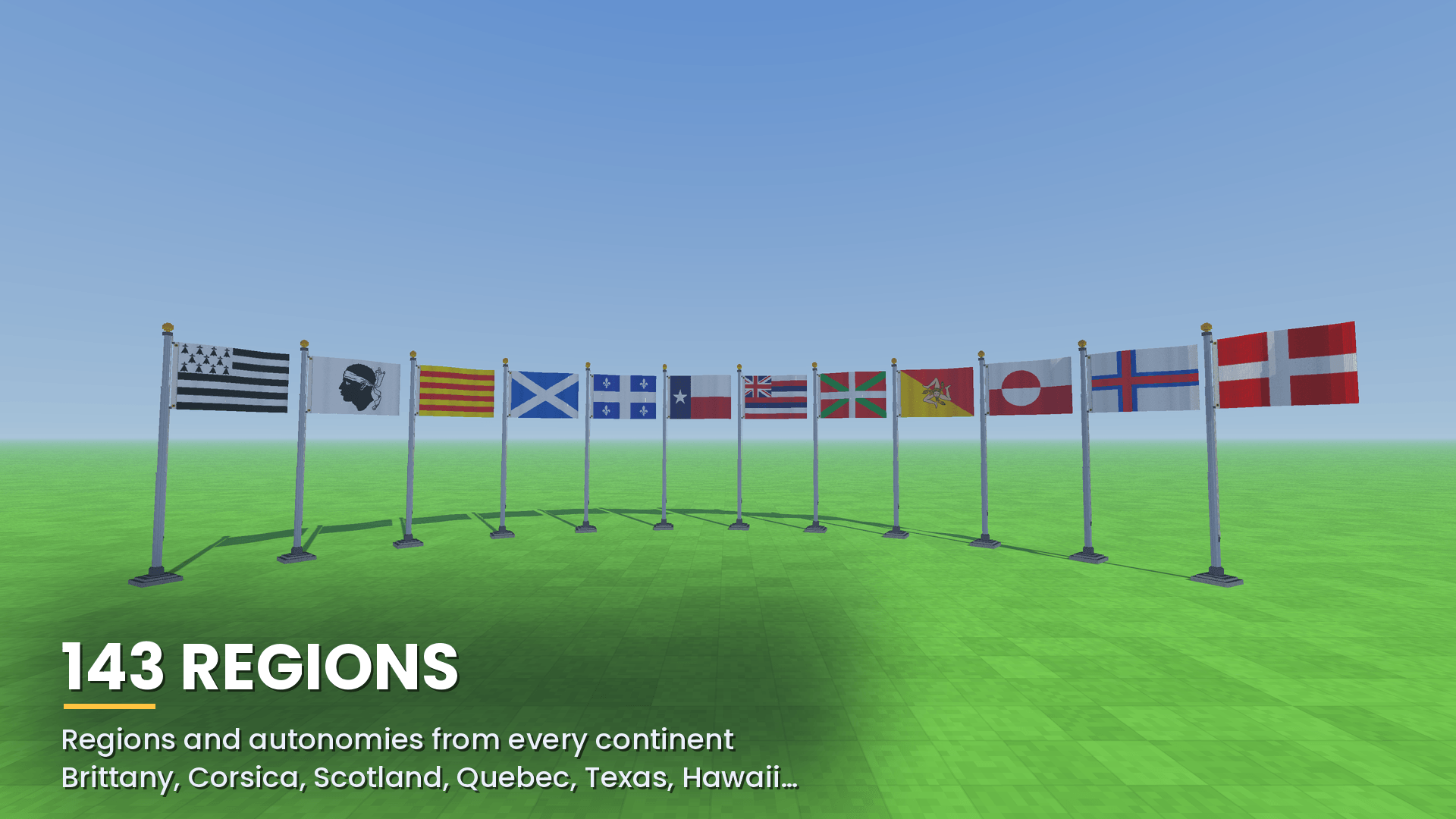
- 143 regions and autonomies: Brittany, Corsica, Catalonia, Scotland, Quebec, Texas, Hawaii, Tibet…
- 2 organisations: European Union and United Nations
- 13 historical and current armed movements for history and roleplay builds (Polisario Front, EZLN, KLA…)
- A blank white flag used to craft all the others
Features
- Animated cloth that waves non-stop, each flag slightly out of sync with its neighbours
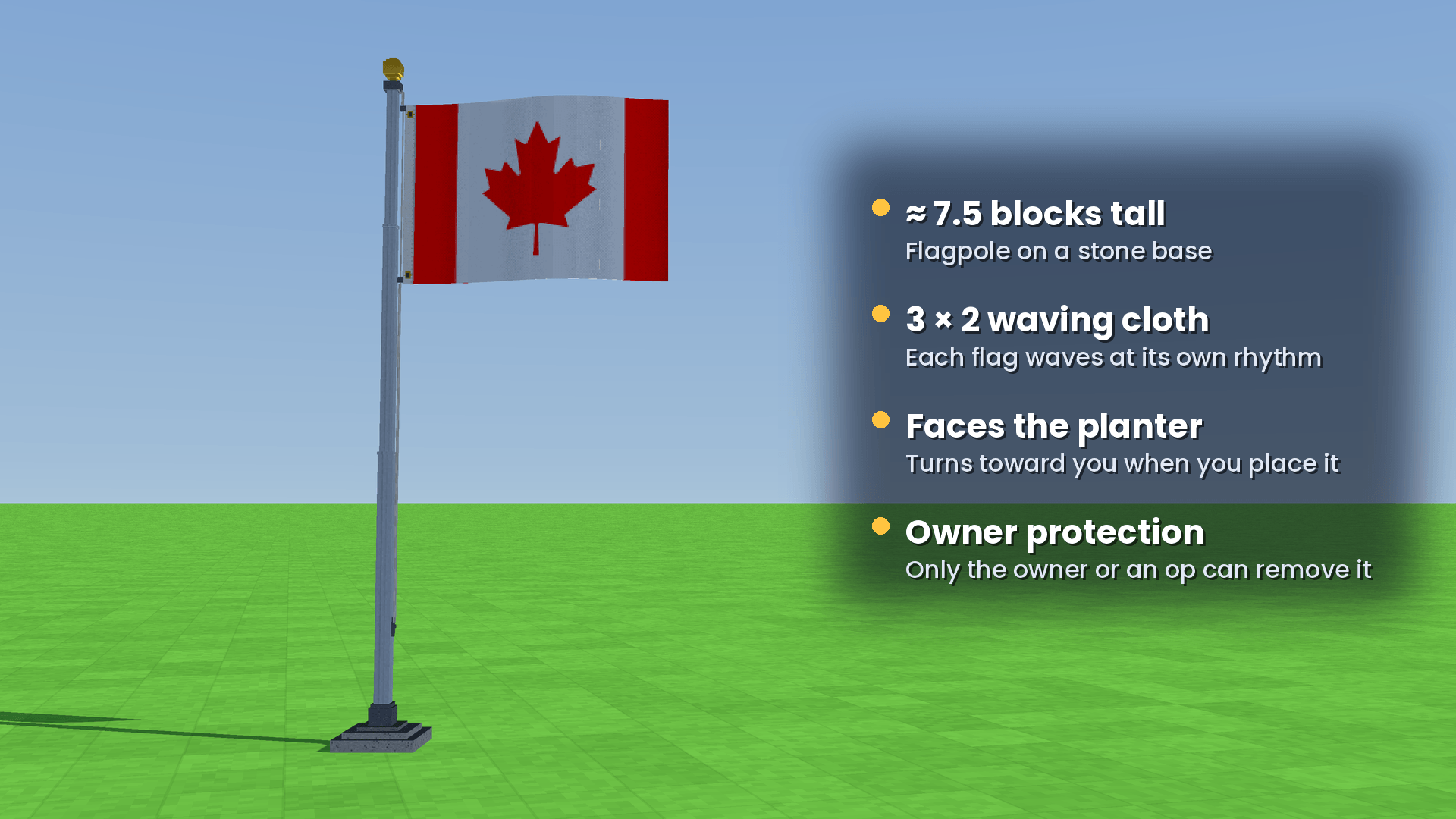
- About 7.5 blocks tall, with a 3×2 cloth
- A planted flag turns to face the player who placed it
- Protection: only the player who planted a flag, an operator or a creative player can take it down
- Creative inventory sorted into 9 groups (Europe, Middle East, Asia, Africa, Americas, Oceania, Organisations, Regions, Armed movements)
- English and French translations
How to use
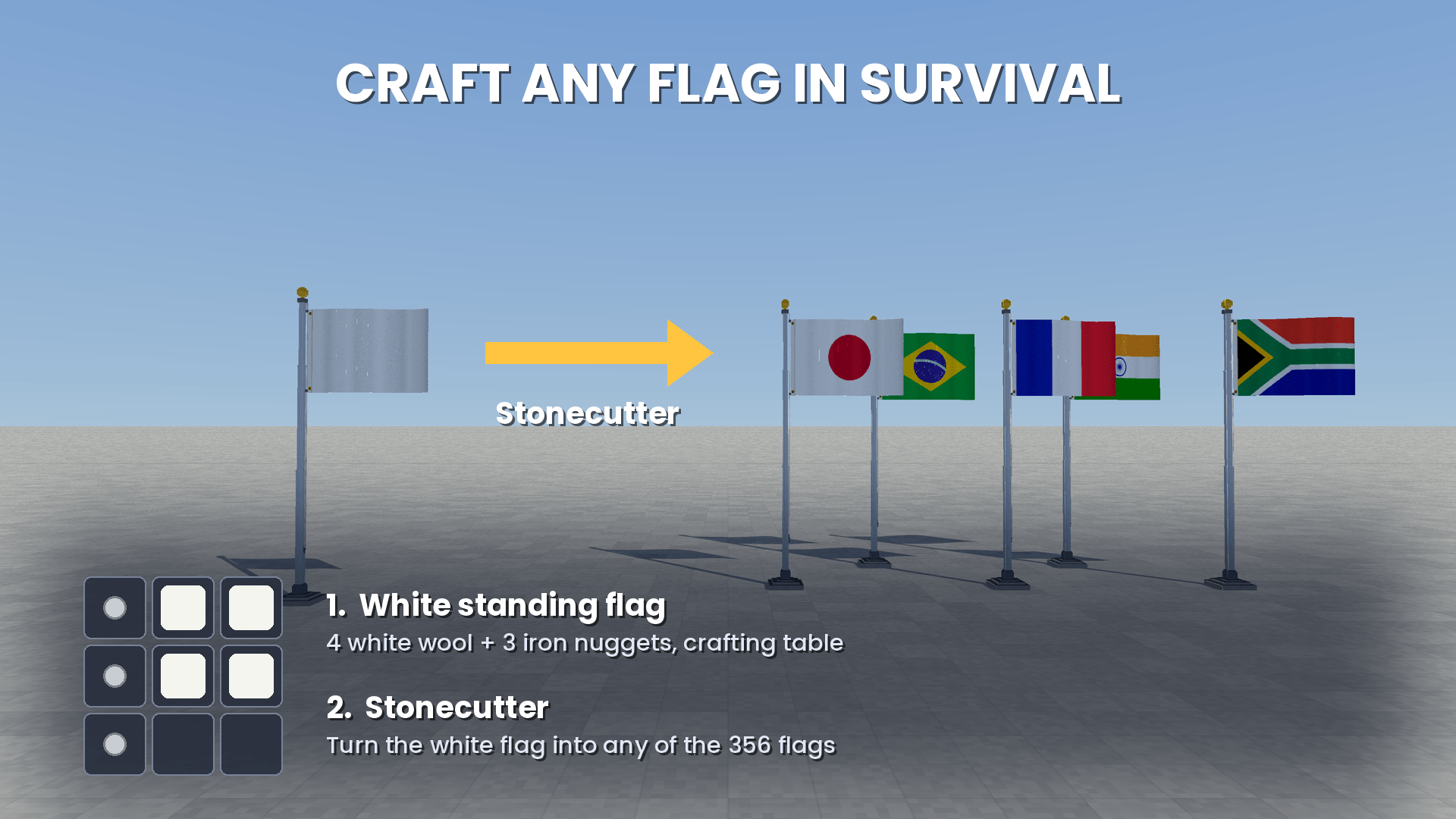
- Craft a White standing flag: 4 white wool + 3 iron nuggets on a crafting table (nuggets in the left column).
- Put it in a stonecutter and pick any of the 356 flags.
- Use it on a block to plant it.
- Sneak and hit a flag to take it down and get the item back.
Installation
Open the .mcaddon file to import it into Minecraft, then activate the World Flags behavior pack in your world (the resource pack comes with it). Requires Minecraft Bedrock 1.26 or newer.
Credits
Flag artwork is based on Wikimedia Commons files (public domain, CC0 and CC BY-SA). Sources, authors and licences are listed in CREDITS.txt inside the packs.
Version française
World Flags ajoute 356 drapeaux sur pied à Minecraft Bedrock : de grands mâts avec un tissu qui flotte au vent, parfaits pour les villes, ambassades, frontières et serveurs RP.
- 197 pays (+1 variante) : les 193 États membres de l'ONU, plus le Vatican, la Palestine, Taïwan et le Kosovo
- 143 régions et autonomies (Bretagne, Corse, Catalogne, Écosse, Québec, Texas, Hawaï, Tibet…)
- 2 organisations (Union européenne, ONU) et 13 mouvements armés historiques et actuels pour l'histoire et le RP
- Un drapeau blanc vierge qui sert à fabriquer tous les autres
Utilisation : fabrique un drapeau blanc (4 laines blanches + 3 pépites de fer à l'établi), passe-le au tailleur de pierre pour choisir n'importe quel drapeau, puis pose-le sur un bloc. Il se tourne vers toi. Seul celui qui l'a planté (ou un opérateur, ou un joueur en créatif) peut le retirer : accroupis-toi et frappe-le pour récupérer l'objet.
Nécessite Minecraft Bedrock 1.26 ou plus récent. Sources des drapeaux dans CREDITS.txt.
World Flags Team