
Working Helicopter
- By
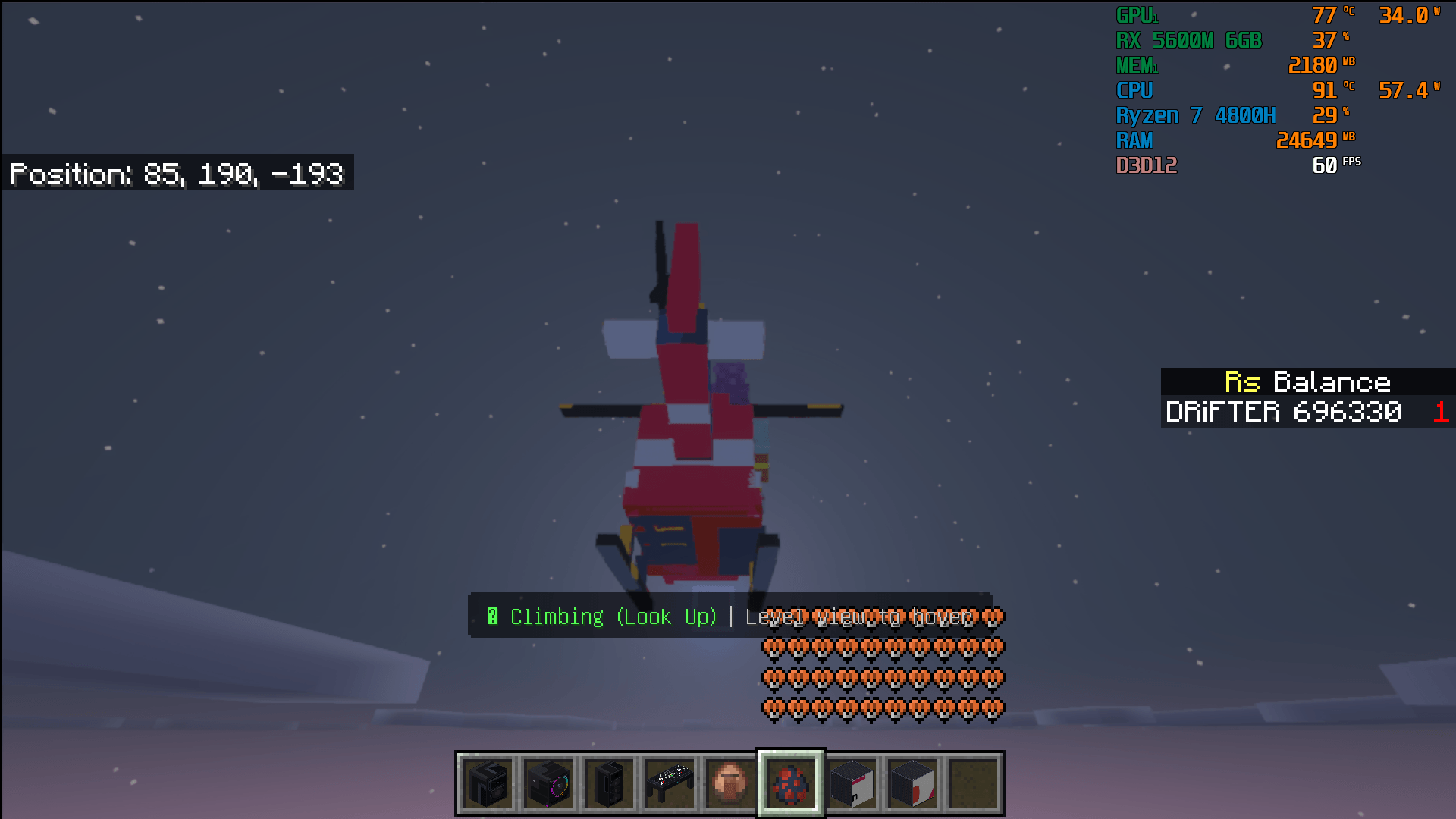
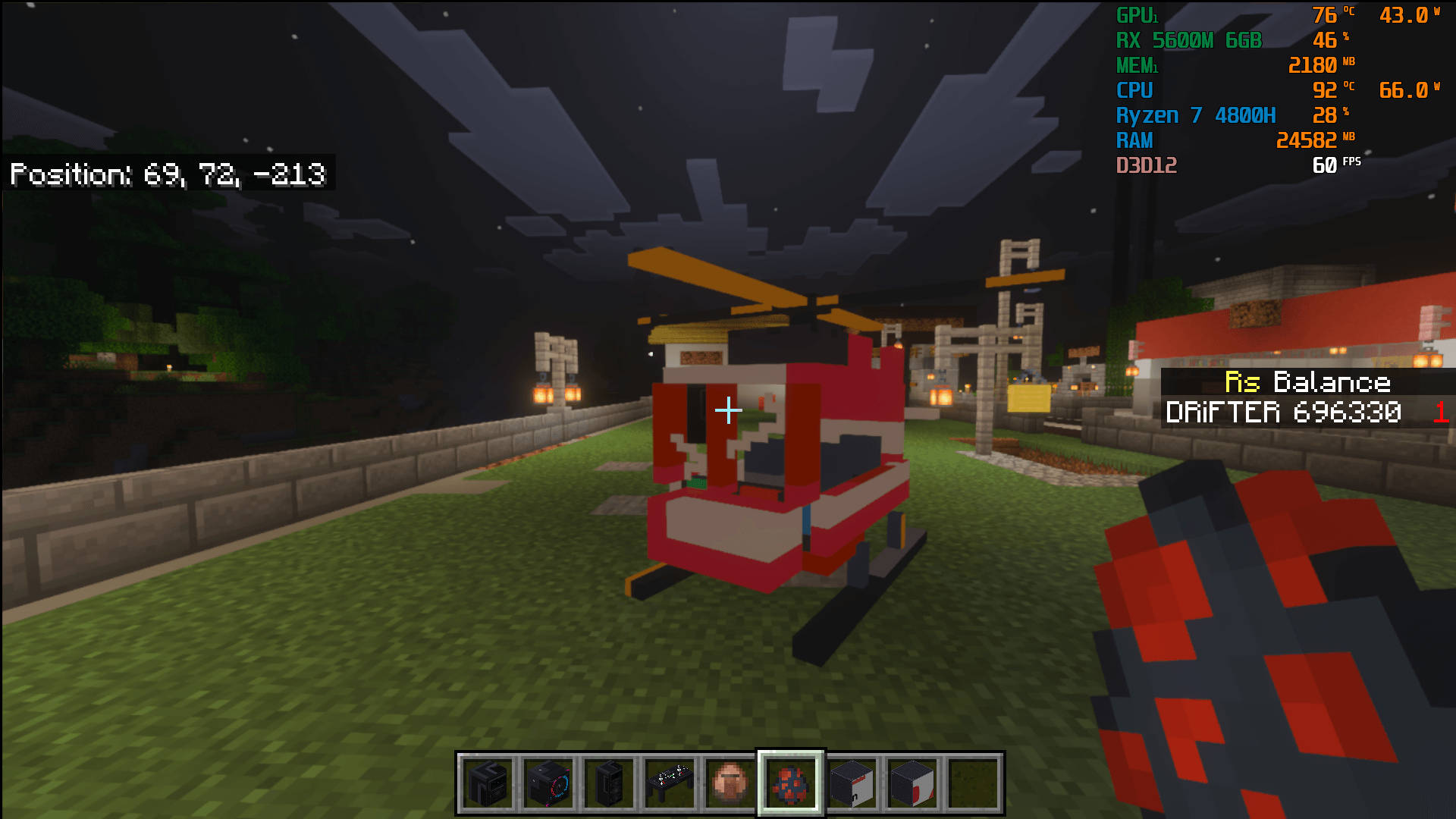
Take to the skies with a fully functional, multiplayer-ready helicopter designed specifically for Minecraft Bedrock Edition.
Minecraft for Windows 10_11_2026 7_25_36 AM.png
Minecraft for Windows 10_11_2026 7_24_05 AM.png
Description
🚁 Working 4-Player Helicopter Add-on
Take to the skies with a fully functional, multiplayer-ready helicopter designed specifically for Minecraft Bedrock Edition. Featuring intuitive 3D pitch-based flight controls, mid-air hovering, an engine start/stop ignition system, and seating for up to 4 players, this add-on brings reliable aerial transport to your survival worlds and dedicated servers.✨ Key Features
- 4-Player Seating: 1 primary pilot seat with full flight controls plus 3 passenger seats—great for squad transport, exploration, and roleplay servers.
-
Intuitive 3D Pitch Flight:
- Look Down to Descend: Tilt your crosshair downward to glide smoothly toward your landing zone.
- Level View to Hover: Keep your view level to hold a steady mid-air hover at your current altitude.
- Look Up / Hold Jump to Climb: Tilt upward or press Space to gain altitude.
-
Engine Ignition & Shutdown:
- Start or shut down the engine anytime using Sneak + Right-Click (or by interacting with a Lever / Flint & Steel).
- Synchronized rotor blades: Rotors spin dynamically during flight and stop completely when the engine is powered down.
- Engine automatically shuts down when all players dismount.
-
Landing Physics:
- Gravity activates when the engine is off, allowing the helicopter to rest securely on its skids on rooftops, helipads, or terrain without floating away.
-
Meme Horn:
- Features the iconic "Helikopter Helikopter" horn sound effect (interact with a Bell in hand).
-
Clean Audio Architecture:
- Engine audio uses dedicated sound channels that do not conflict with or cut off background music or custom music add-ons on multiplayer servers.
🎮 Flight & Controls Guide
| Action | Control (PC / Mobile / Console) | Notes |
| Board / Enter | Right-Click / Tap "Board Helicopter" | Enters the next available seat (Seat 1 = Pilot). |
| Toggle Engine | Sneak + Right-Click (or click with Lever) | Starts or stops engine, rotors, and flight physics. |
| Fly Forward / Turn | W / A / S / D (or Left Joystick) | Standard steering and strafing. |
| Fly Down (Descend) | Aim Crosshair Downward (Pitch > 10°) | Smooth descent; steeper angles descend faster. |
| Hover in Place | Keep Crosshair Level (-20° to 10°) | Locks altitude into a steady hover. |
| Climb (Ascend) | Aim Upward or hold Jump (Space) | Climbs smoothly into the sky. |
| Dismount / Exit | Sneak (Shift / Crouch button) | Safely exits; engine powers down automatically. |
| Meme Horn | Interact with Bell in hand | Plays the classic helicopter meme horn audio. |
🛠️ Crafting Recipe (Crafting Table)
Craft your helicopter in survival using standard materials:Plaintext
<button class="mdc-icon-button mat-mdc-icon-button mat-mdc-button-base mat-badge mat-unthemed mat-badge-overlap mat-badge-above mat-badge-after mat-badge-small mat-badge-hidden ng-star-inserted" aria-label="Download code"></button><button class="mdc-icon-button mat-mdc-icon-button mat-mdc-button-base mat-badge mat-unthemed mat-badge-overlap mat-badge-above mat-badge-after mat-badge-small mat-badge-hidden ng-star-inserted" aria-label="Copy code"></button>
[   ] [Iron Ingot] [   ]
[Glass] [Iron Block] [Glass]
[Redstone] [Heavy Pressure Plate] [Redstone]
- Top Row: Empty | Iron Ingot | Empty
- Middle Row: Glass Block | Iron Block | Glass Block
- Bottom Row: Redstone Dust | Heavy Weighted Pressure Plate (Iron) | Redstone Dust
📦 Installation Instructions
-
Download both the Behavior Pack (
.mcpack) and Resource Pack (.mcpack) (or the combined.mcaddon). - Double-click the files to import them directly into Minecraft Bedrock.
-
In your World Settings:
- Activate Working Helicopter RP under Resource Packs.
- Activate Working Helicopter BP under Behavior Packs.
- Under Experiments, enable Beta APIs (required for flight physics and vehicle scripting).
-
For dedicated servers (BDS), place the respective folders into your server's
behavior_packs/andresource_packs/directories and add them toworld_behavior_packs.jsonandworld_resource_packs.json.
⚙️ Compatibility
- Platforms: Windows 10/11, Android, iOS, Xbox, PlayStation, Nintendo Switch.
- Multiplayer: Fully compatible with local worlds, LAN, Realms, and Bedrock Dedicated Servers (BDS).
- Audio Friendly: Optimized memory audio ensures zero voice-stealing or conflicts with other music/radio add-ons.
Working Helicopter Team
