Warp Card
Warp Card is a teleport item that lets you mark, save, and instantly warp to any location — across dimensions — from a single inventory slot. No structures to build, no commands to type.
Overview
Hold the card, mark a spot, and warp back to it whenever you want. Every waypoint remembers its name, color, coordinates, and dimension automatically. Teleporting plays a short cinematic camera transition instead of an instant jump cut.
✔ Achievement-safe — this addon does not disable achievements.
Features
Cinematic Warp Transition
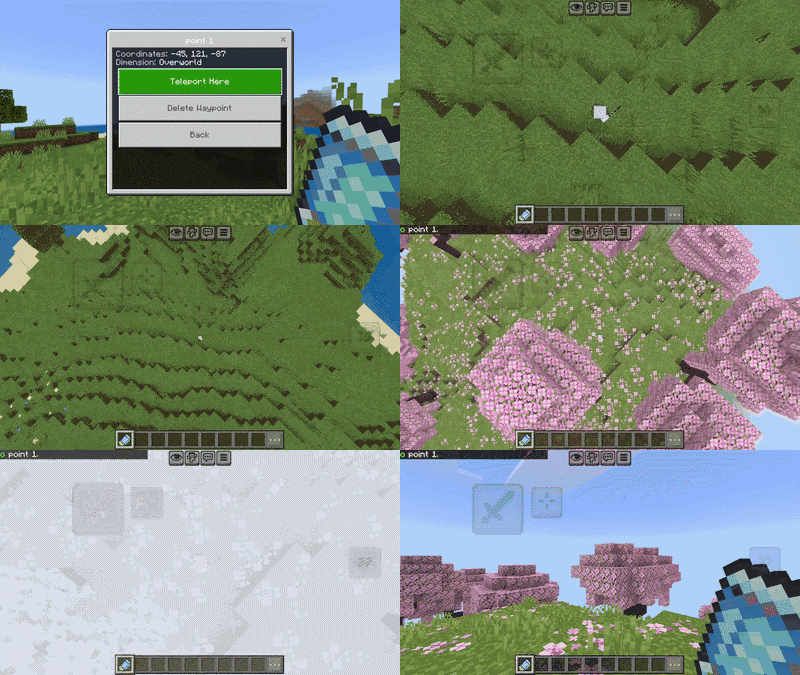
Every teleport plays a short camera sequence instead of an instant cut:
- Camera rises straight up above your head in 3 stages
- A light flash + Respawn Anchor Charge sound plays at each pause
- You teleport at the peak of the zoom-out
- The sequence reverses on arrival, easing back down into your normal view
Unlimited Waypoints
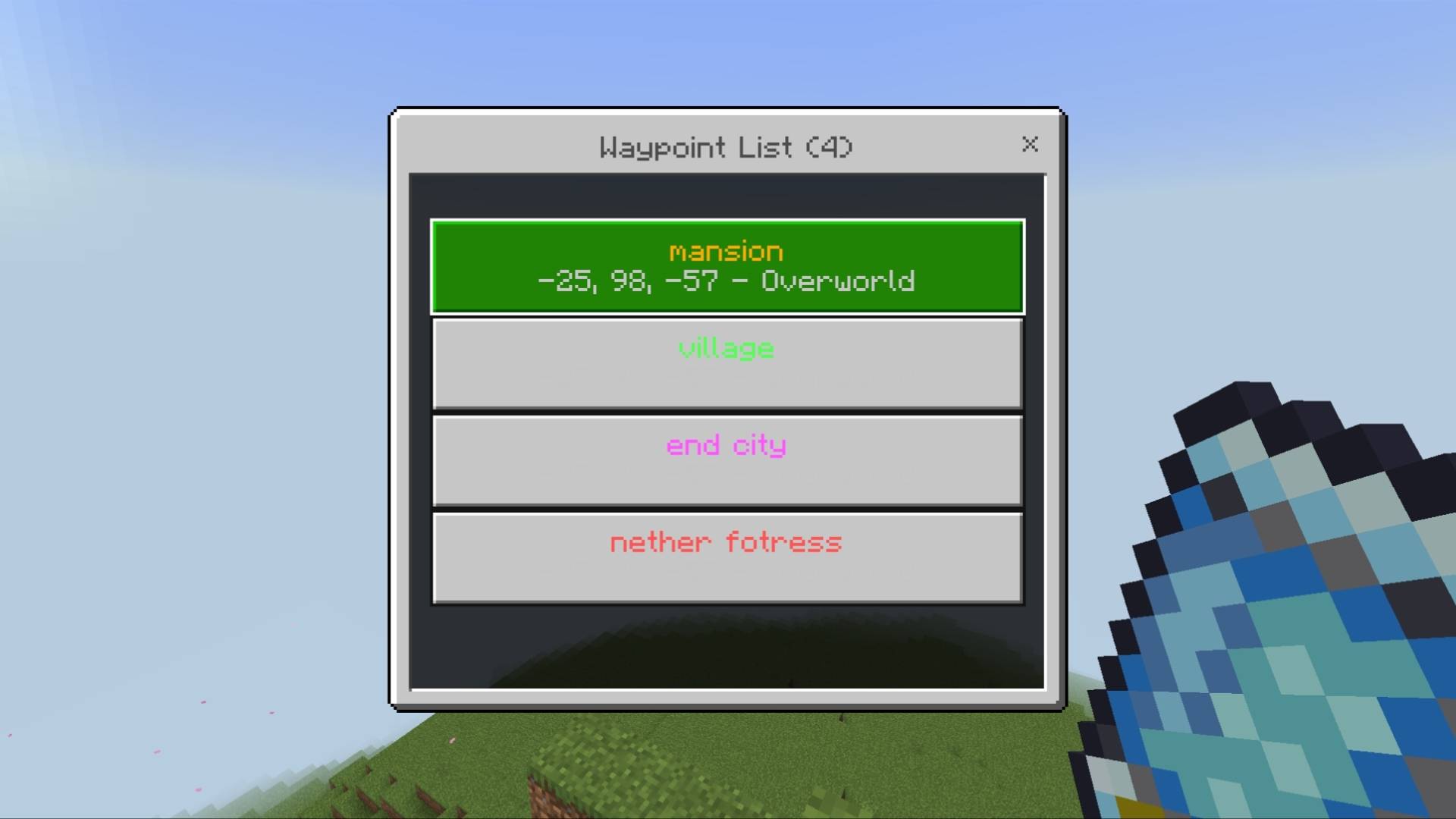
Save as many waypoints as you want. Each one stores:
- Custom name
- Custom name color
- Coordinates (X, Y, Z)
- Dimension (Overworld / Nether / End)
How to Add a Waypoint
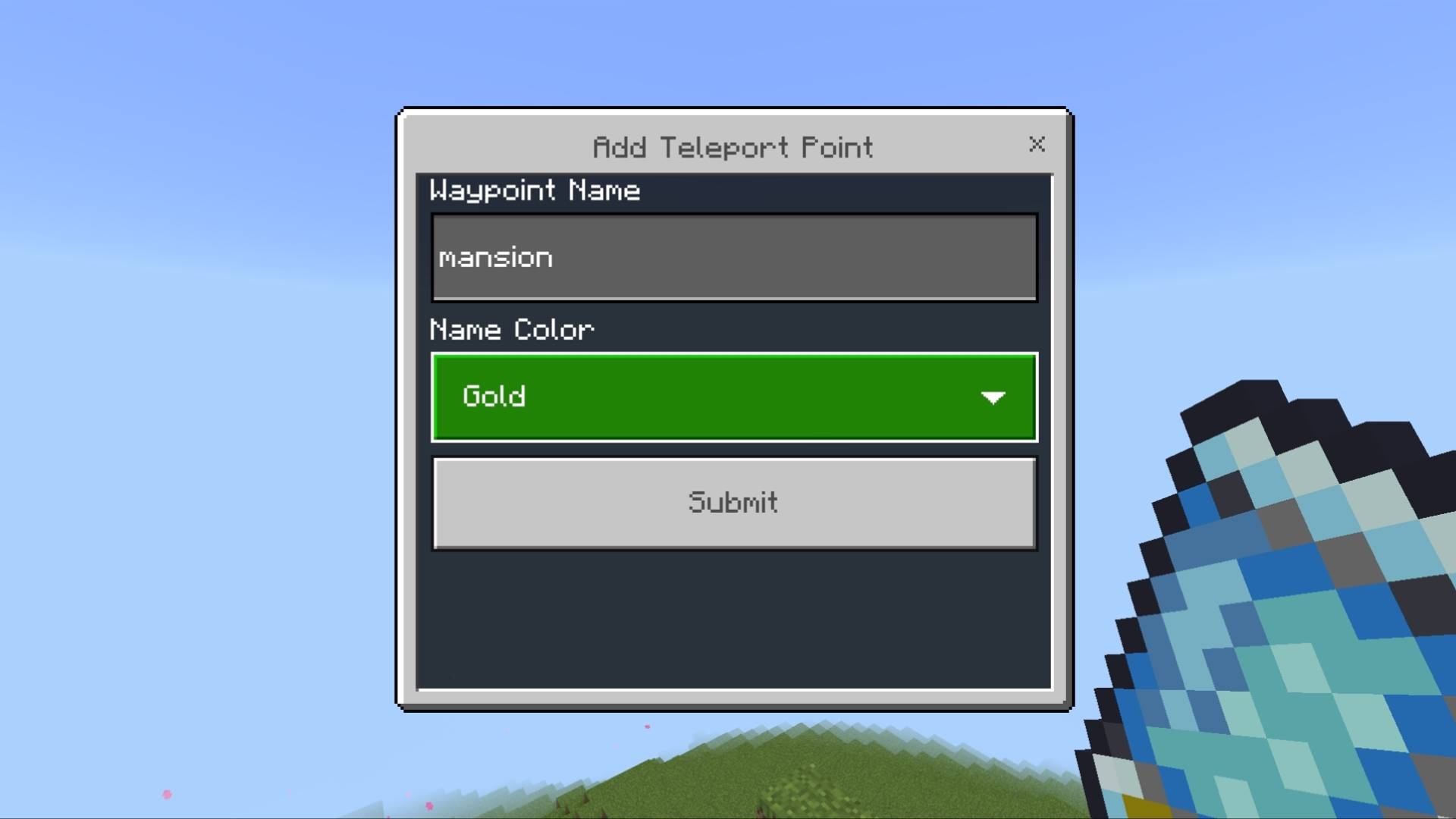
- Hold the Warp Card and use it (right-click / tap)
- Select Add Teleport Point
- Type a name and pick a color
- Your current position and dimension are saved instantly — no manual coordinate typing
How to Delete a Waypoint
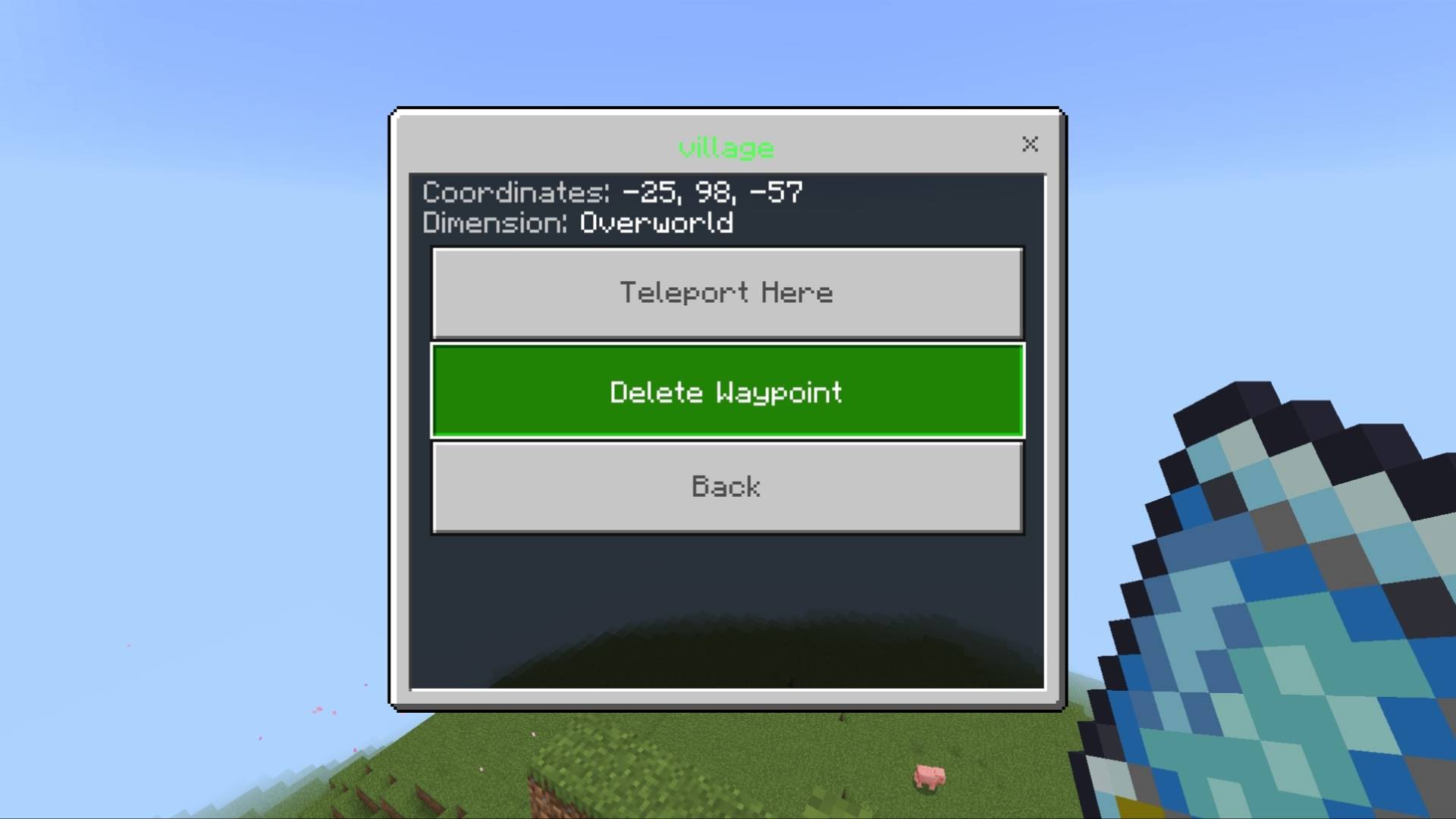
- Open Waypoint List
- Select the waypoint you want to remove
- Tap Delete Waypoint and confirm
Settings — Toggle Flash Effect
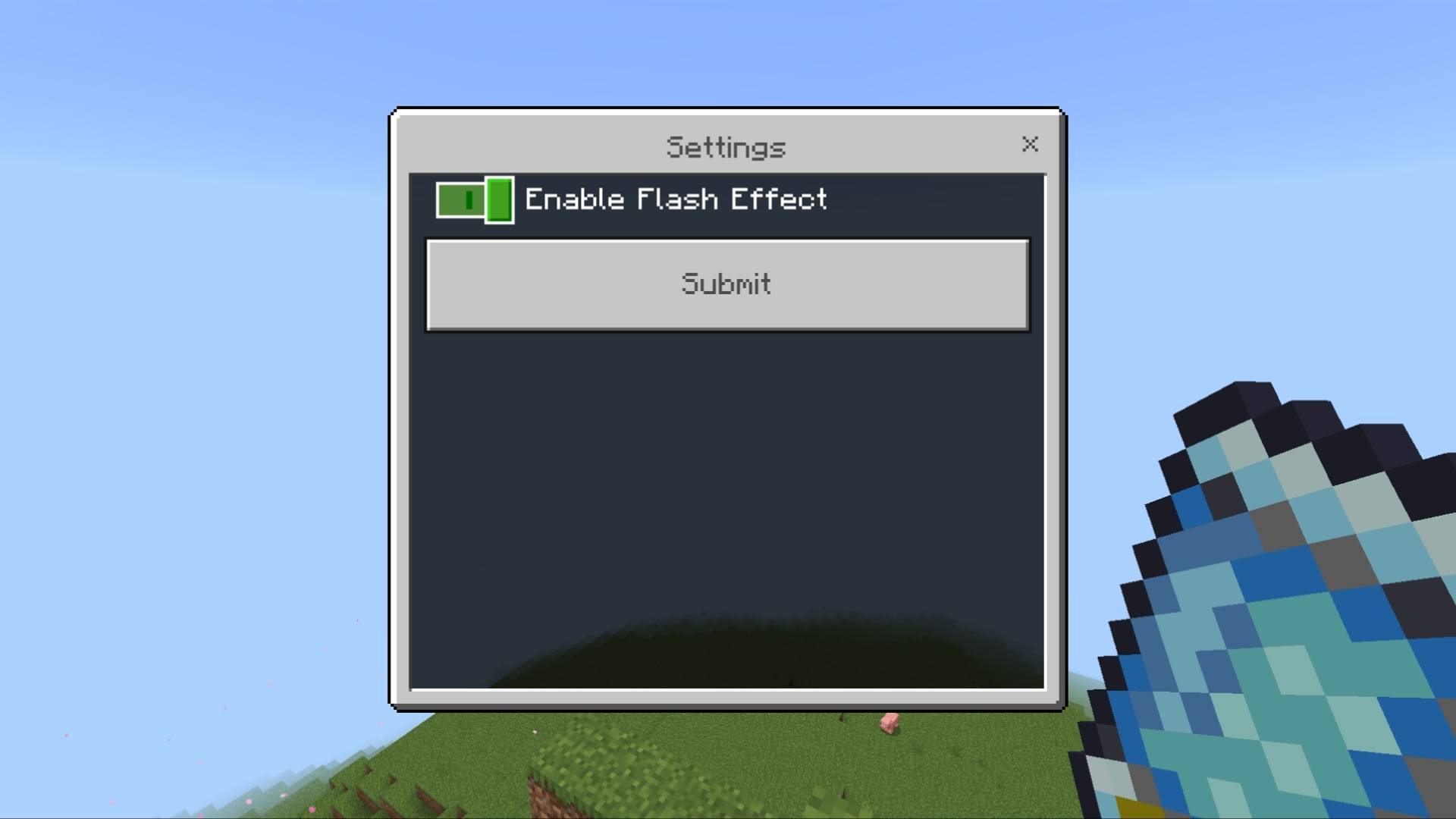
Don't like the flash during transitions? Turn it off from the Settings menu. The sound and camera motion stay — the screen just never flashes.
Installation
⚠ Both the Behavior Pack AND Resource Pack must be installed together, or the addon will not work correctly (missing textures, broken UI icons, etc).
- Download the .mcaddon file (recommended, one-click install)
- Open it with Minecraft installed — both packs import automatically
- In your world settings, make sure both the Behavior Pack and Resource Pack are activated
- Craft the Warp Card:
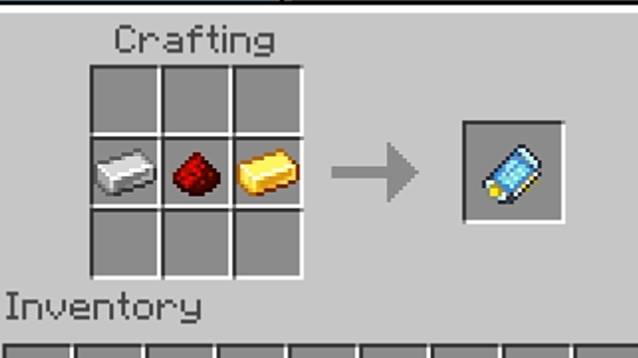
Prefer separate files? The Behavior Pack and Resource Pack .mcpack files are also available below — but both are required for the addon to work correctly.
Support
YouTube: @siaizhu
TikTok: @siiaizhu
instagram: @endviii
Donate:
Discord Community: Aizhu comunity
More addons and texture packs: https://legacy.curseforge.com/members/aizhu/projects
If you enjoy this addon, consider following me on CurseForge so you don't miss future updates and new projects.
Warp Card by Aizhu — All Rights Reserved.