
VerTag UI Template
- By
A Minecraft Bedrock UI template for adding a customizable text label to the Main Menu.
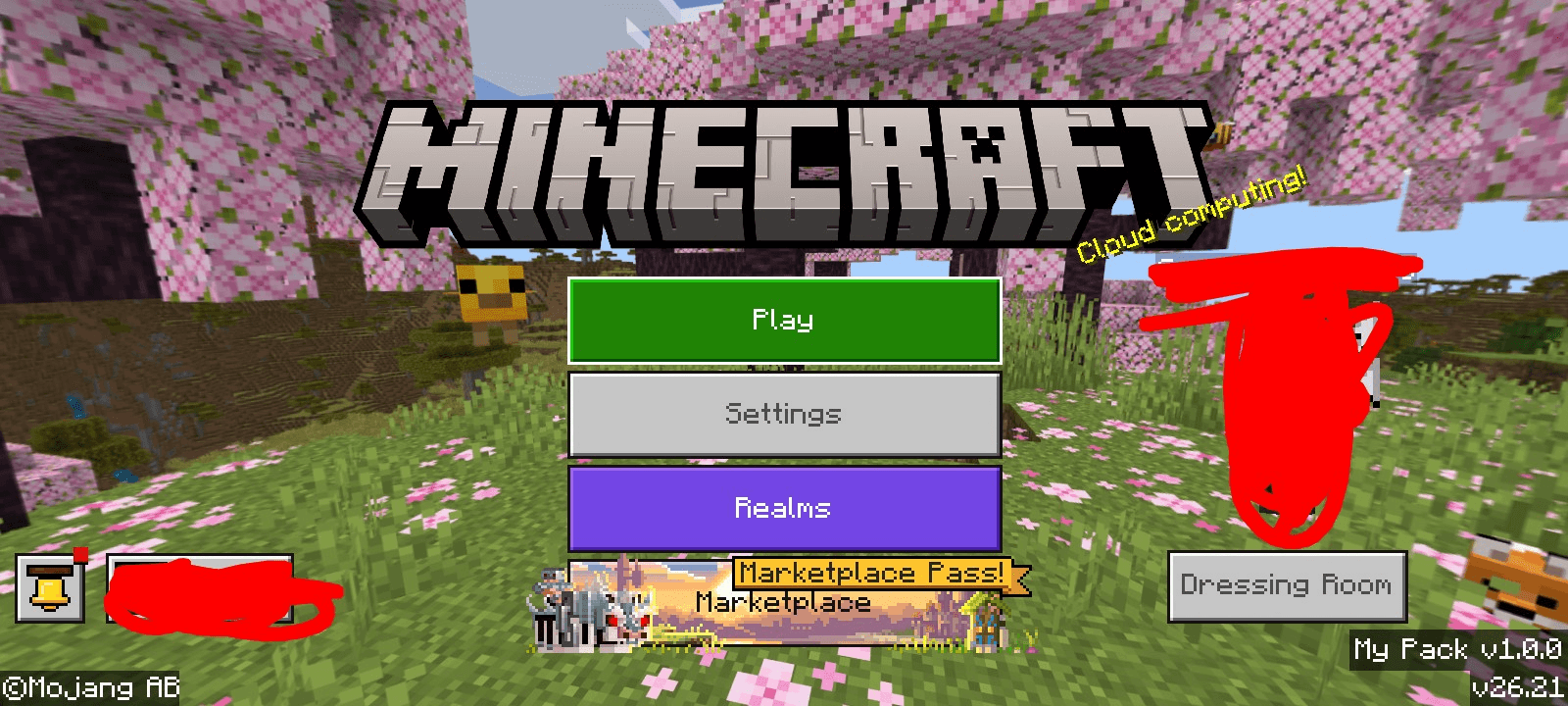
1000120146.png
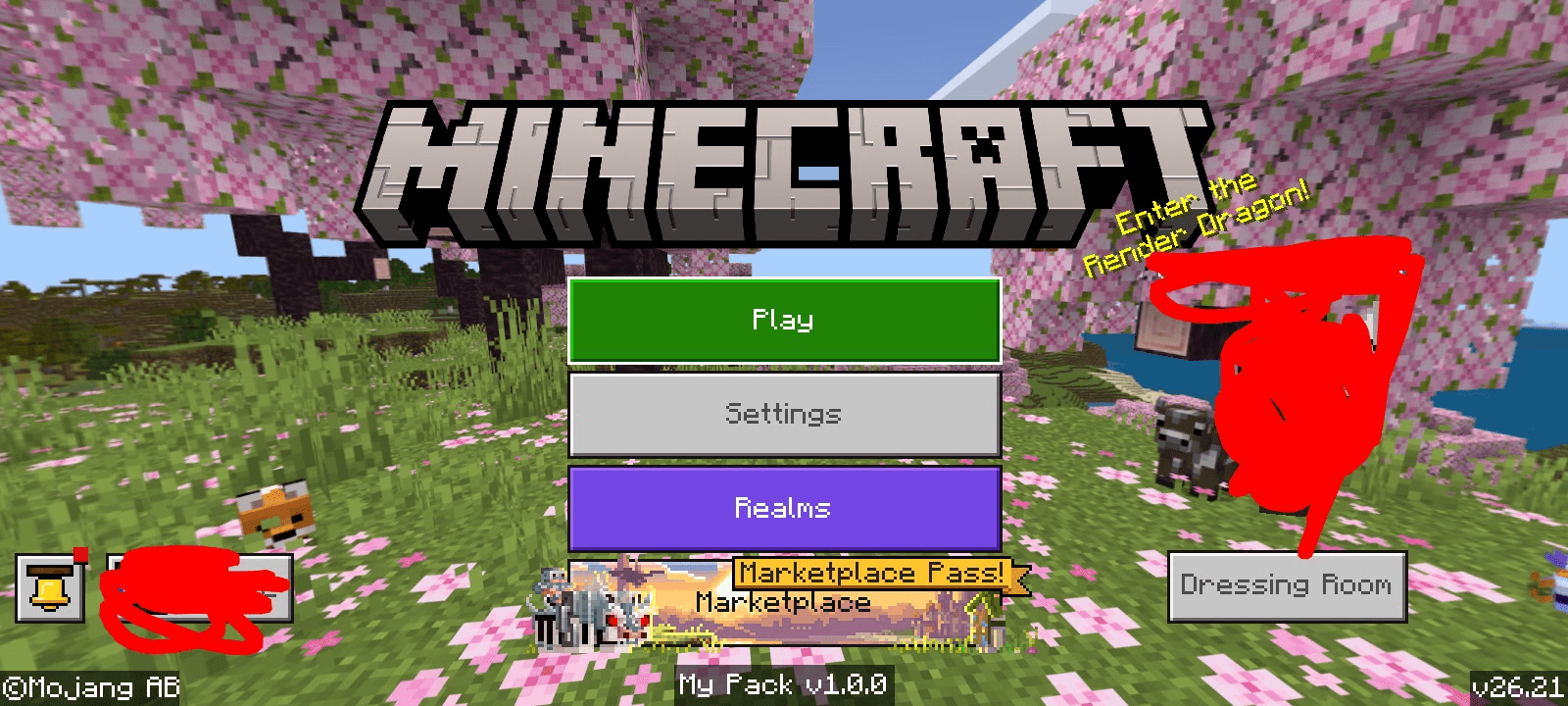
1000120145.png
Description
VerTag UI Template
A lightweight Minecraft Bedrock resource pack template that adds a customizable text label to the Main Menu. Perfect for displaying your pack's version or any custom text.
Features
- Clean text label with a semi-transparent background
- 2 position options via subpacks
- Easy to customize — just edit one line
- Minimal and non-intrusive design
Positions
| Subpack | Position |
|---|---|
| Position: Right | Bottom-right corner |
| Position: Center Bottom | Bottom-center |
How to Use
- Open the
.mcpackfile (rename.zipto.mcpackif needed) - Navigate to
VerTag/ui/_global_variables.json - Edit
$vertag_textto your desired label text:
"$vertag_text": "My Pack v1.0.0"- Save and repack as .mcpack
- Import into Minecraft and activate the resource pack
- In pack settings, choose your preferred subpack position
Requirements
- Minecraft Bedrock Edition 1.21 or higher
Created by TheVenlark
The VerTag UI Template Team
