Vanilla Backpacks
- By
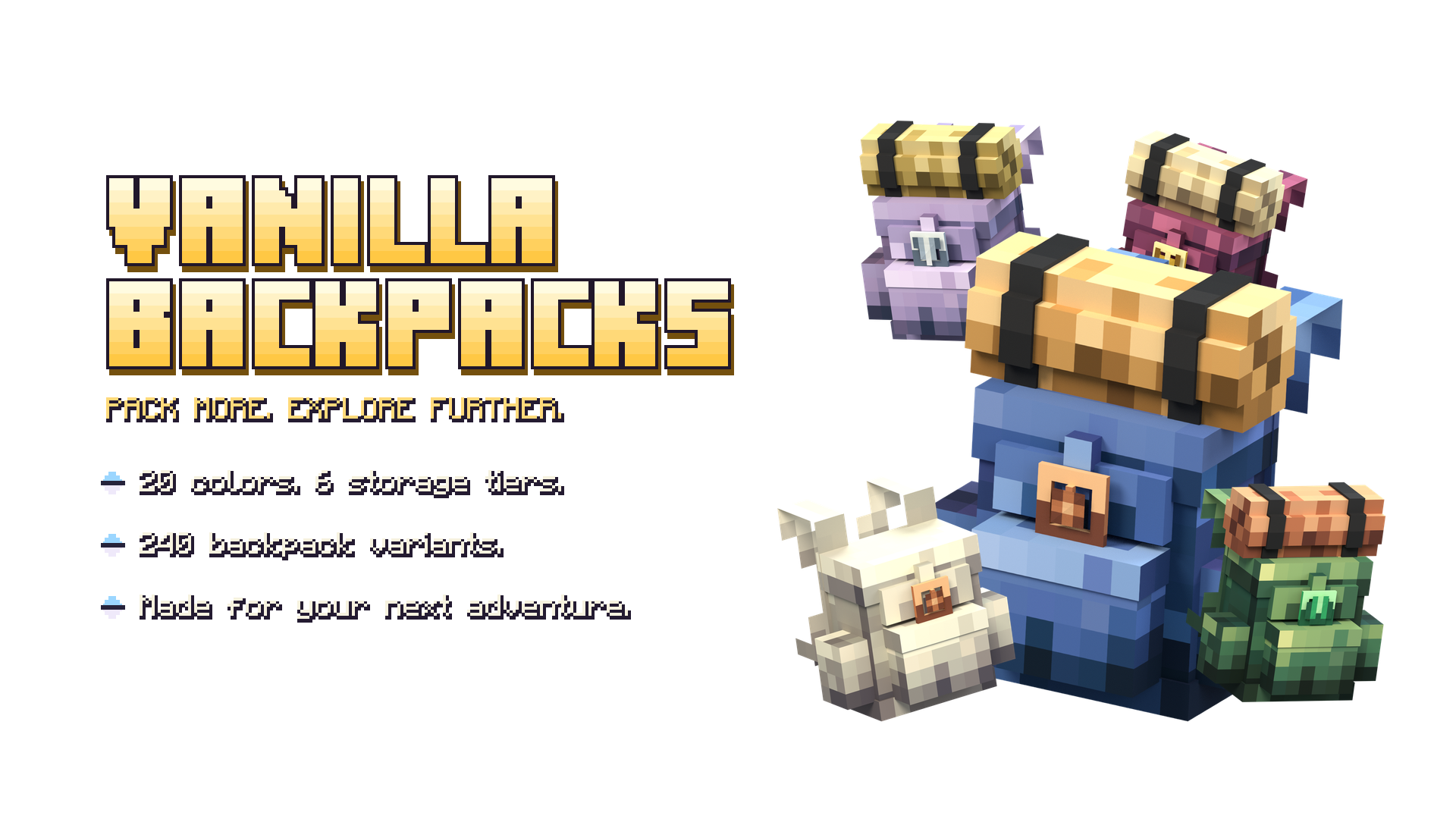
Vanilla-style 3D backpacks for Minecraft Bedrock with 20 colors, optional bedrolls and six upgradeable storage tiers from 27 to 158 slots.
More room for your next adventure
Vanilla Backpacks adds craftable, wearable 3D backpacks to Minecraft Bedrock with a familiar pixel-art look. Carry supplies on your back, place your pack at camp and choose a color that fits your character. Begin with a simple leather backpack and work your way up to emerald.
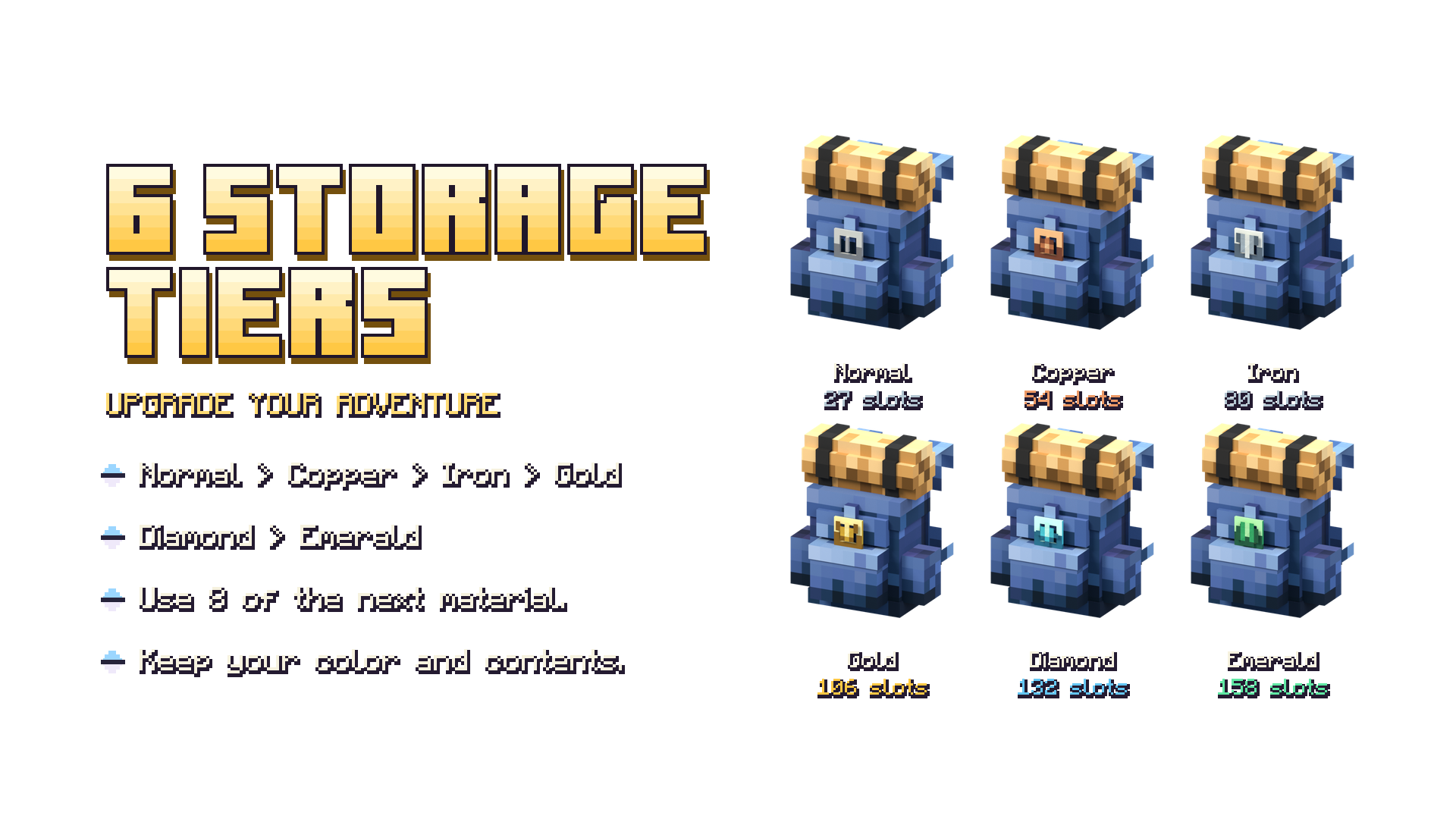
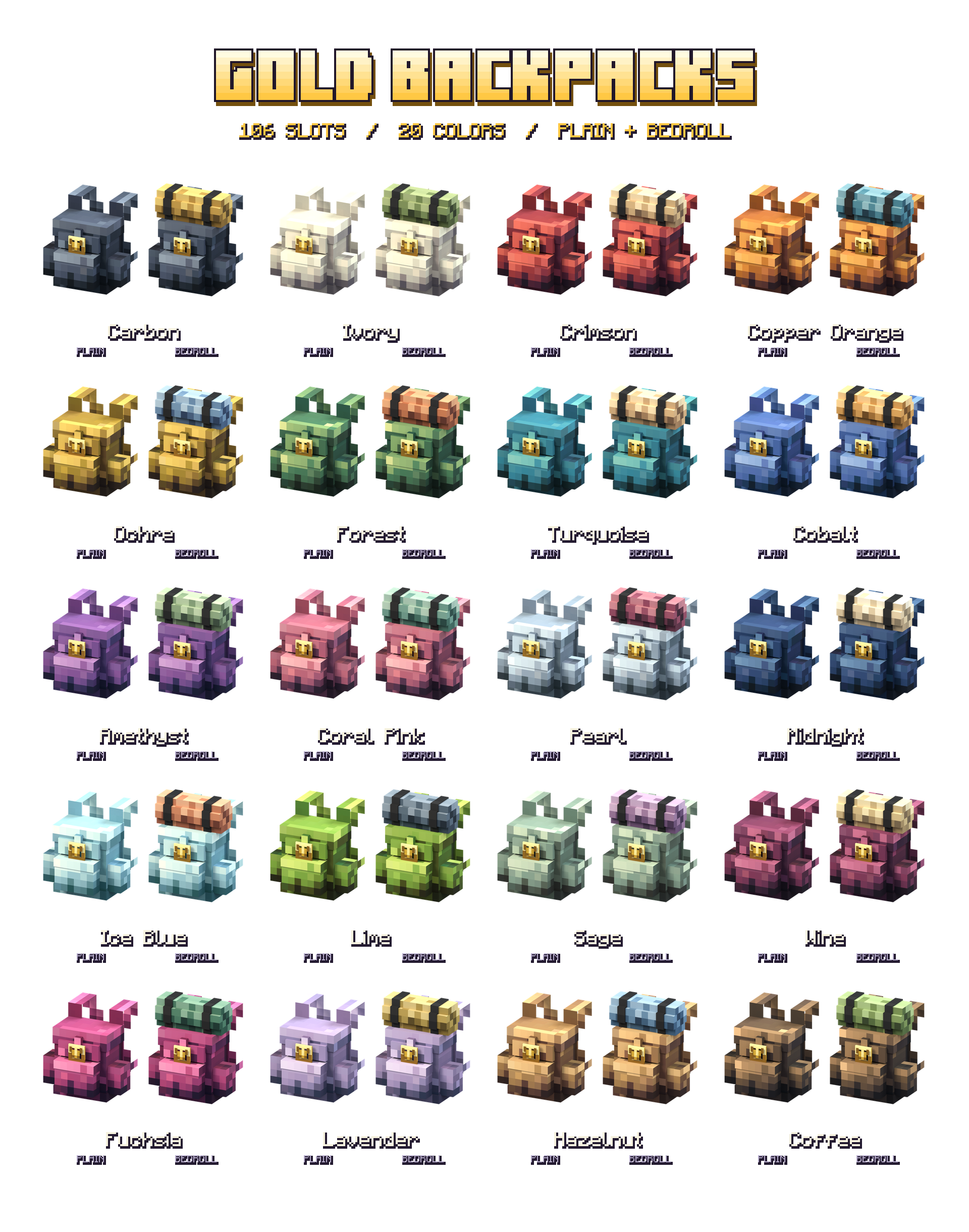
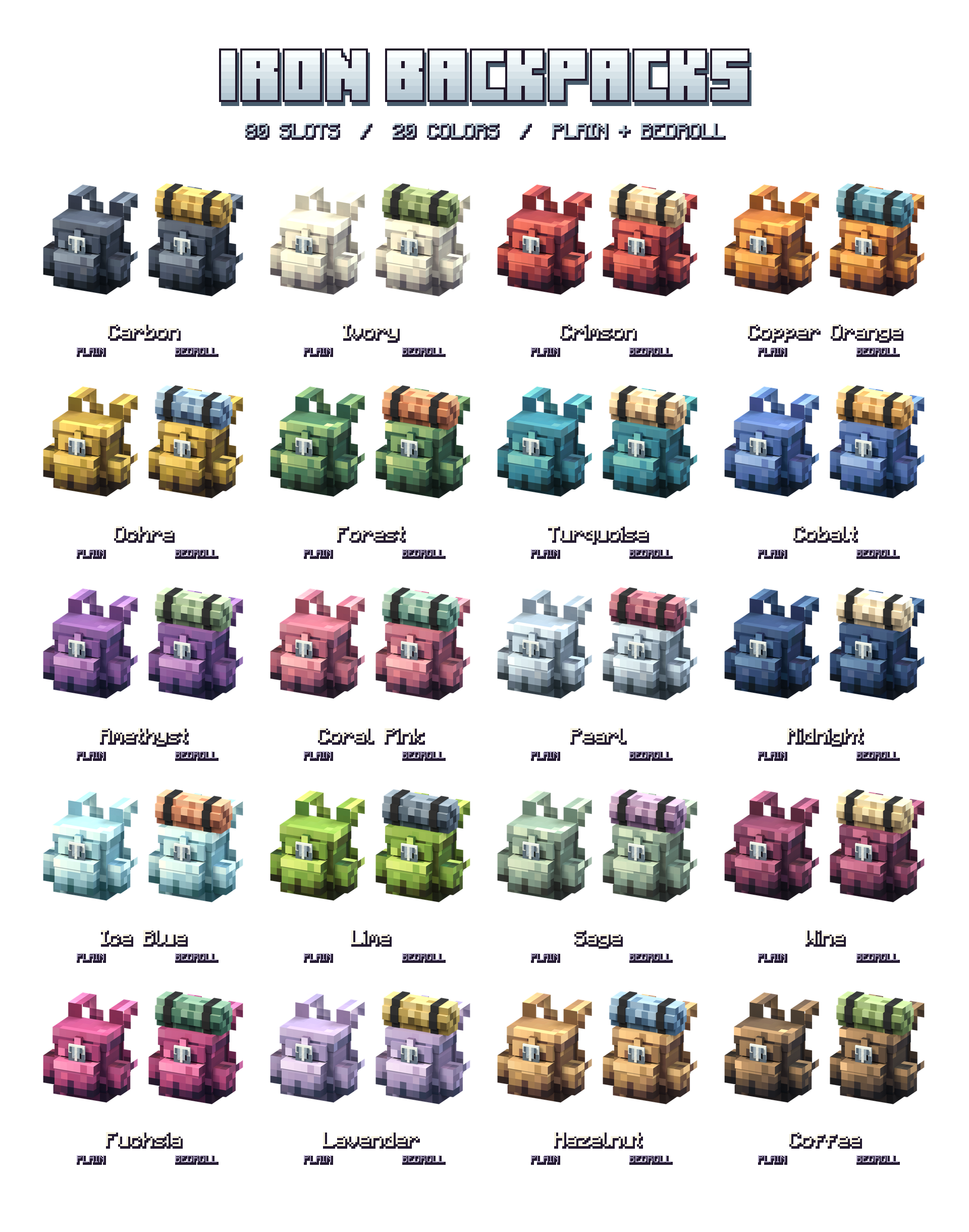
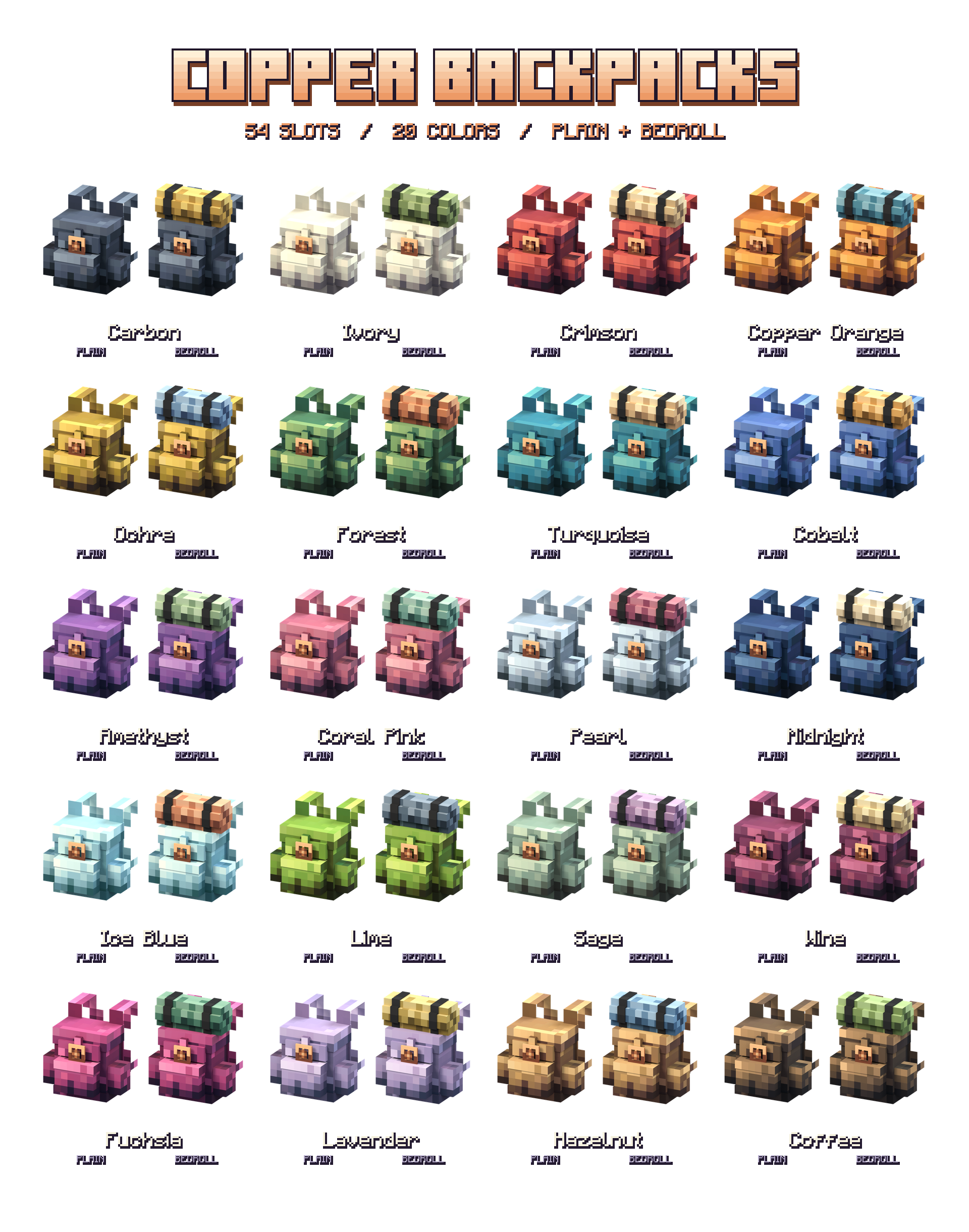
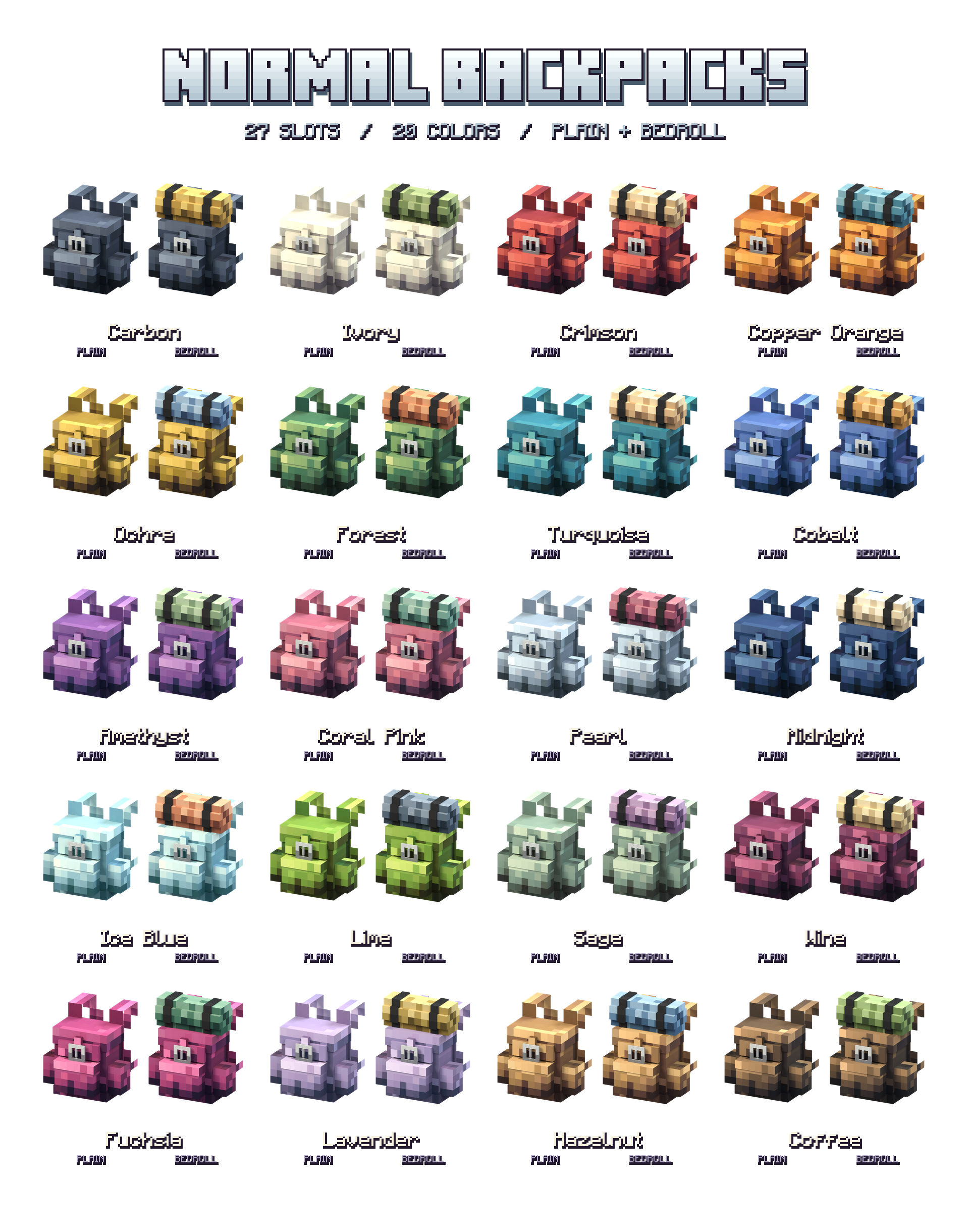
Six storage tiers, from 27 to 158 slots
Upgrade your backpack as you progress. Larger tiers use inventory pages with navigation arrows, so you can reach the full capacity of your pack.
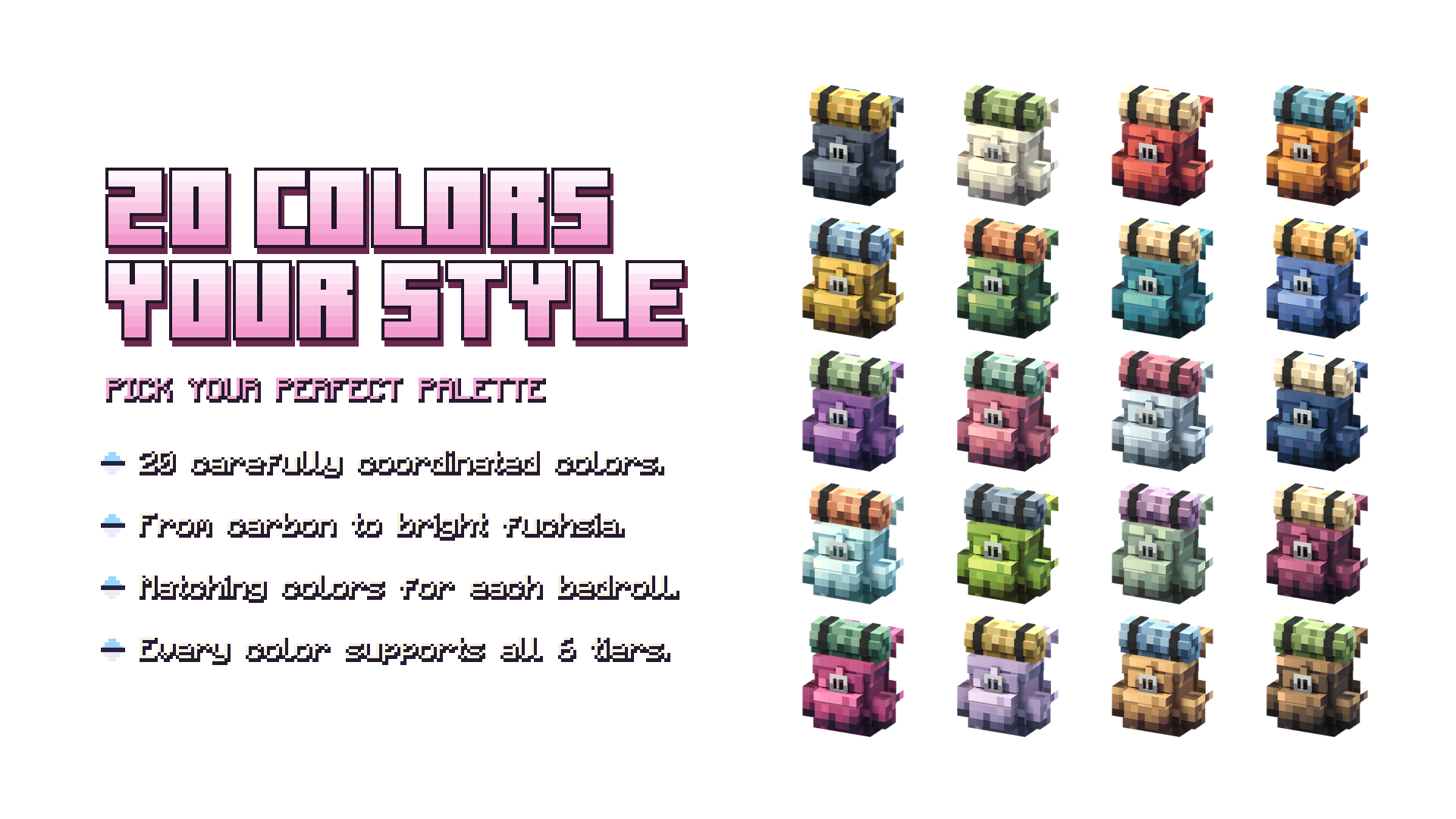
20 colors, two looks and 240 variants
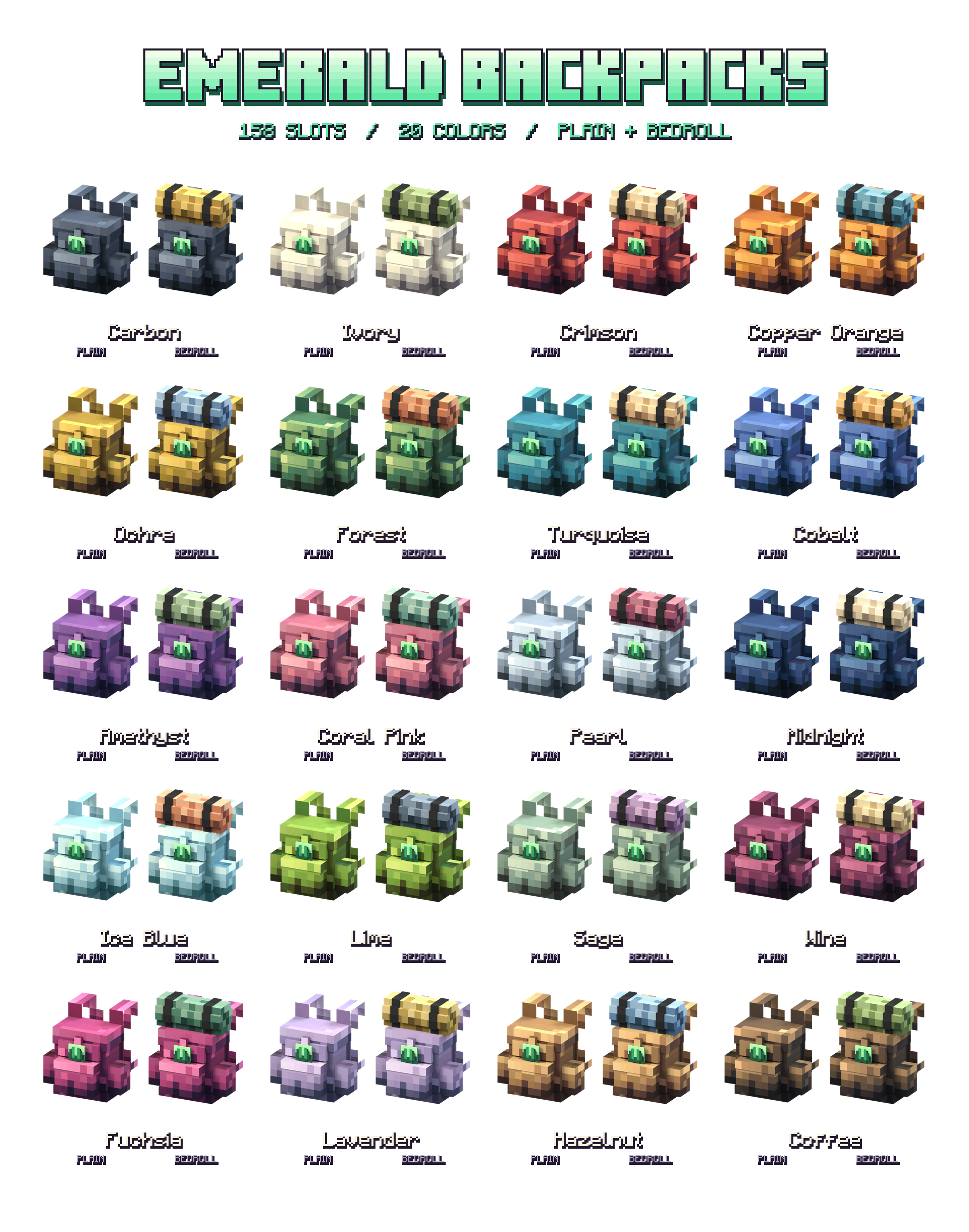
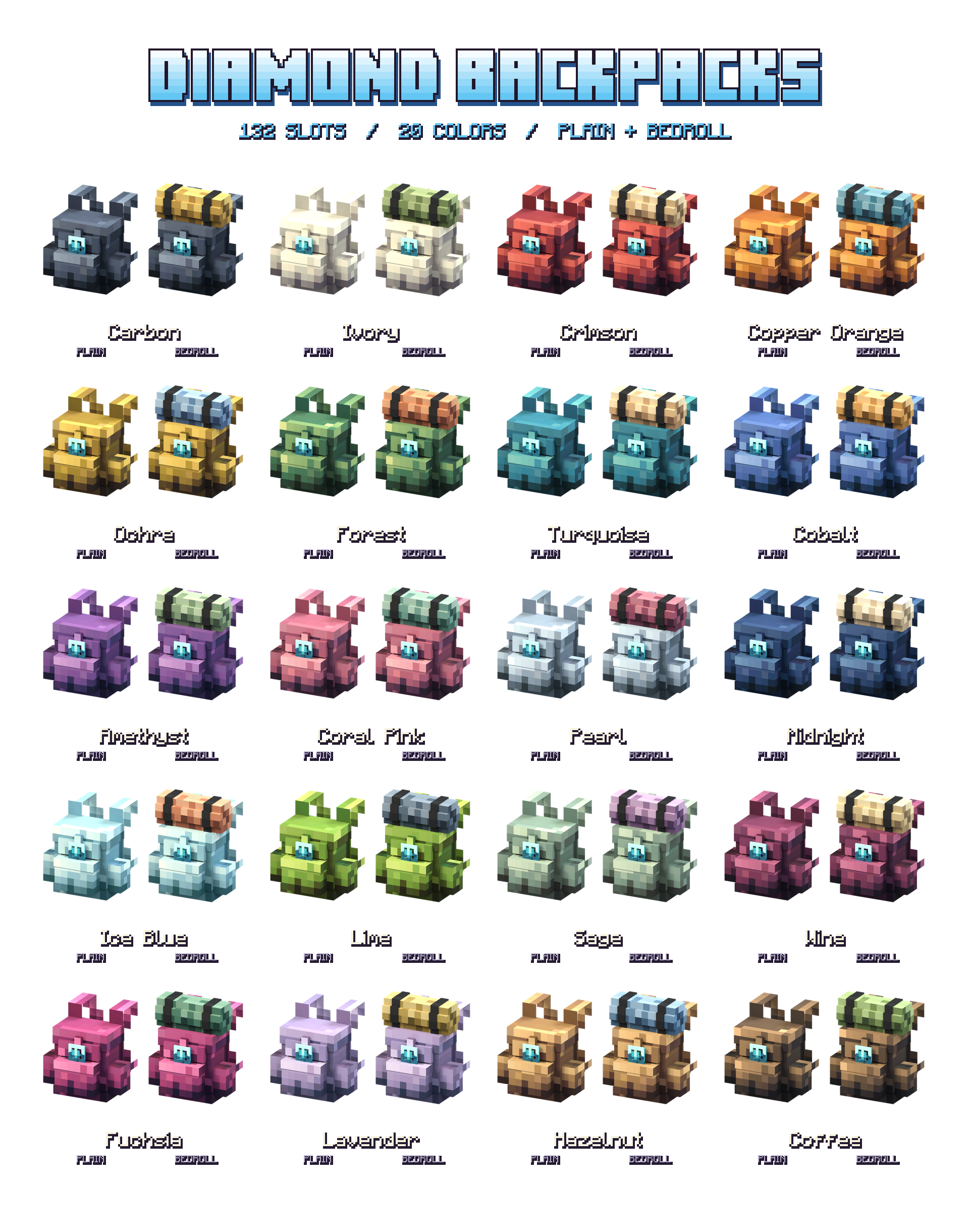
Choose from 20 designed color palettes, with or without a rolled bedroll. Every color and both looks are available across all six tiers: 20 colors × 2 looks × 6 tiers = 240 variants. Closures and details change with the upgrade material, and each bedroll has a coordinated fabric color.
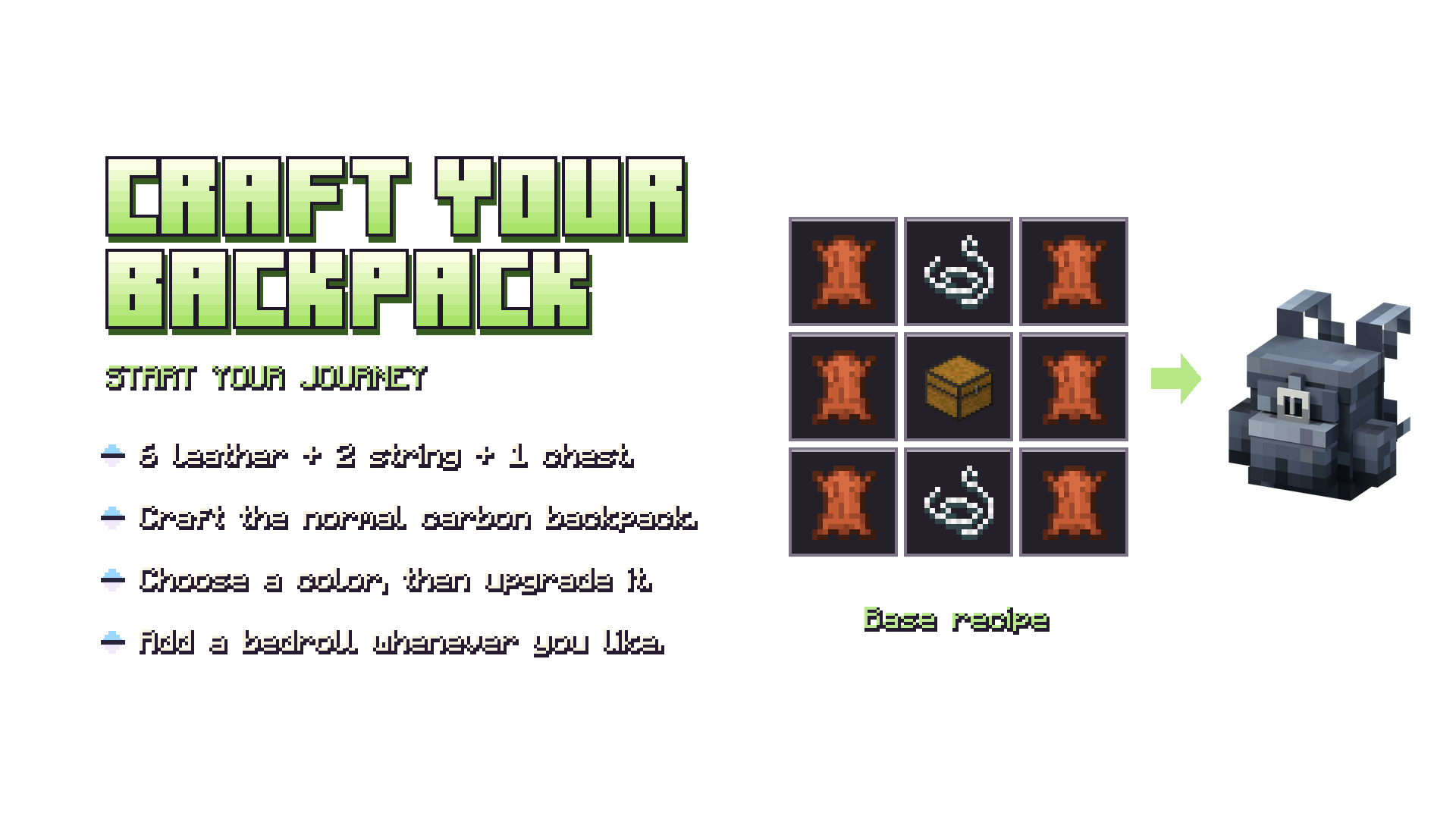
Craft your first backpack
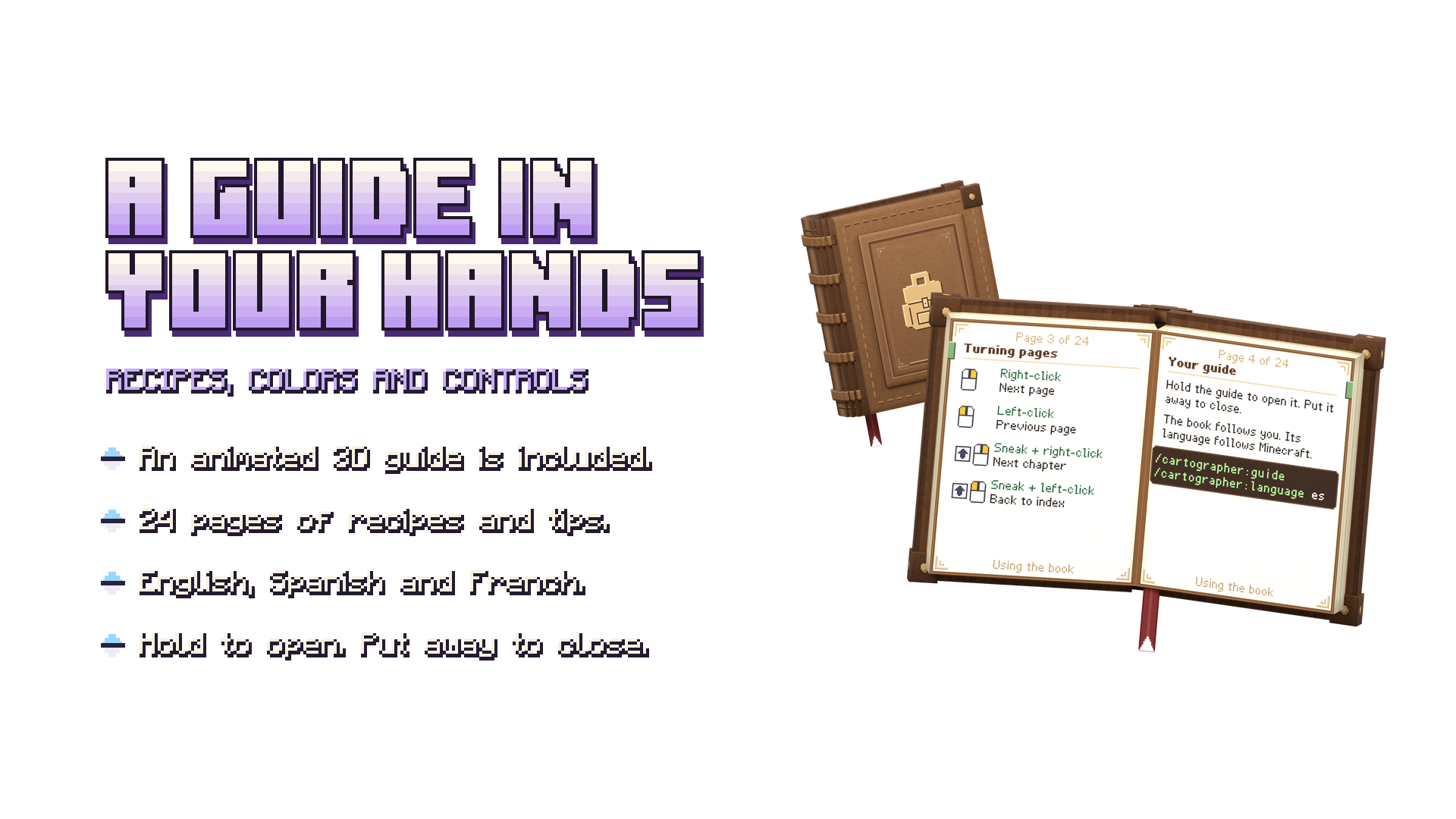
Use a crafting table and arrange 6 leather, 2 string and 1 chest as shown below. This makes the normal Carbon backpack without a bedroll. Use the included recipe guide to choose a color and plan your upgrades.
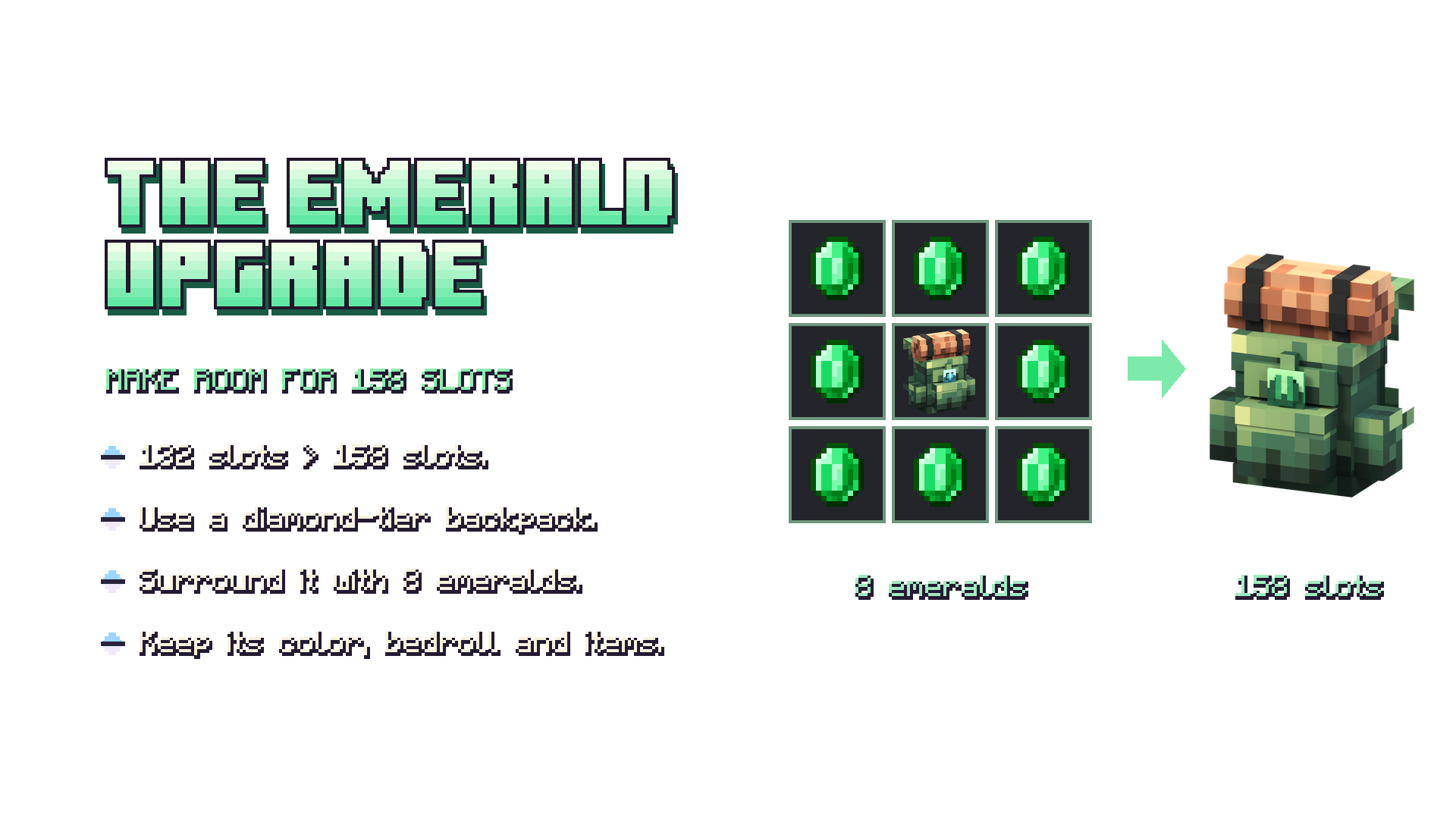
Upgrade without unpacking
Place your backpack in the center of the crafting grid and surround it with 8 units of the next upgrade material. Follow the progression in order: Copper ingots → Iron ingots → Gold ingots → Diamonds → Emeralds. Each upgrade keeps the backpack’s stored items, color, custom name and bedroll.
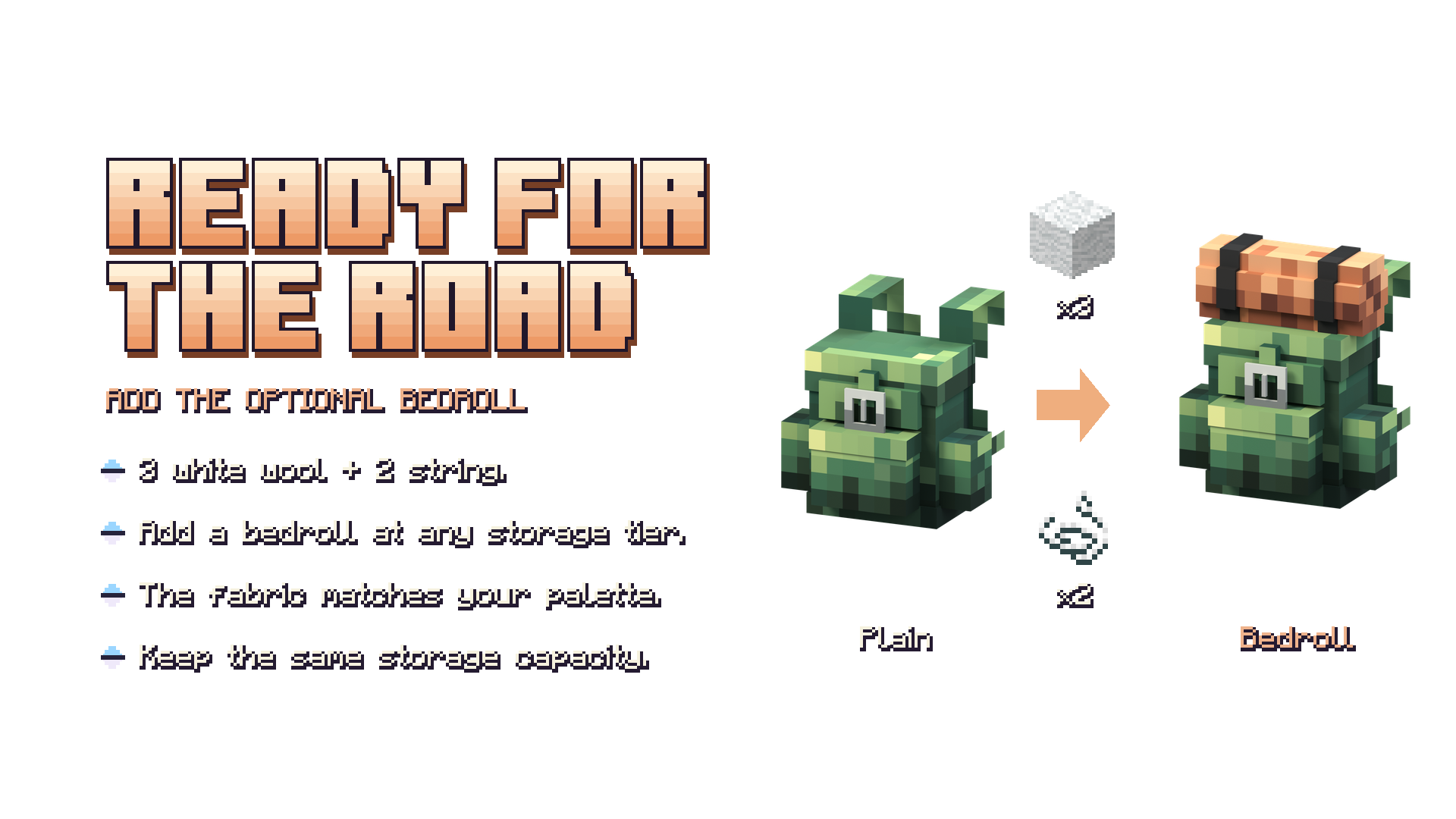
Add or remove the bedroll
Combine a backpack with 3 white wool and 2 string in a shapeless recipe to add a bedroll. To remove it, place the backpack with a bedroll in the crafting grid on its own. Both conversions preserve the storage tier and contents.
The bedroll is a cosmetic option: it does not add storage or let you sleep.
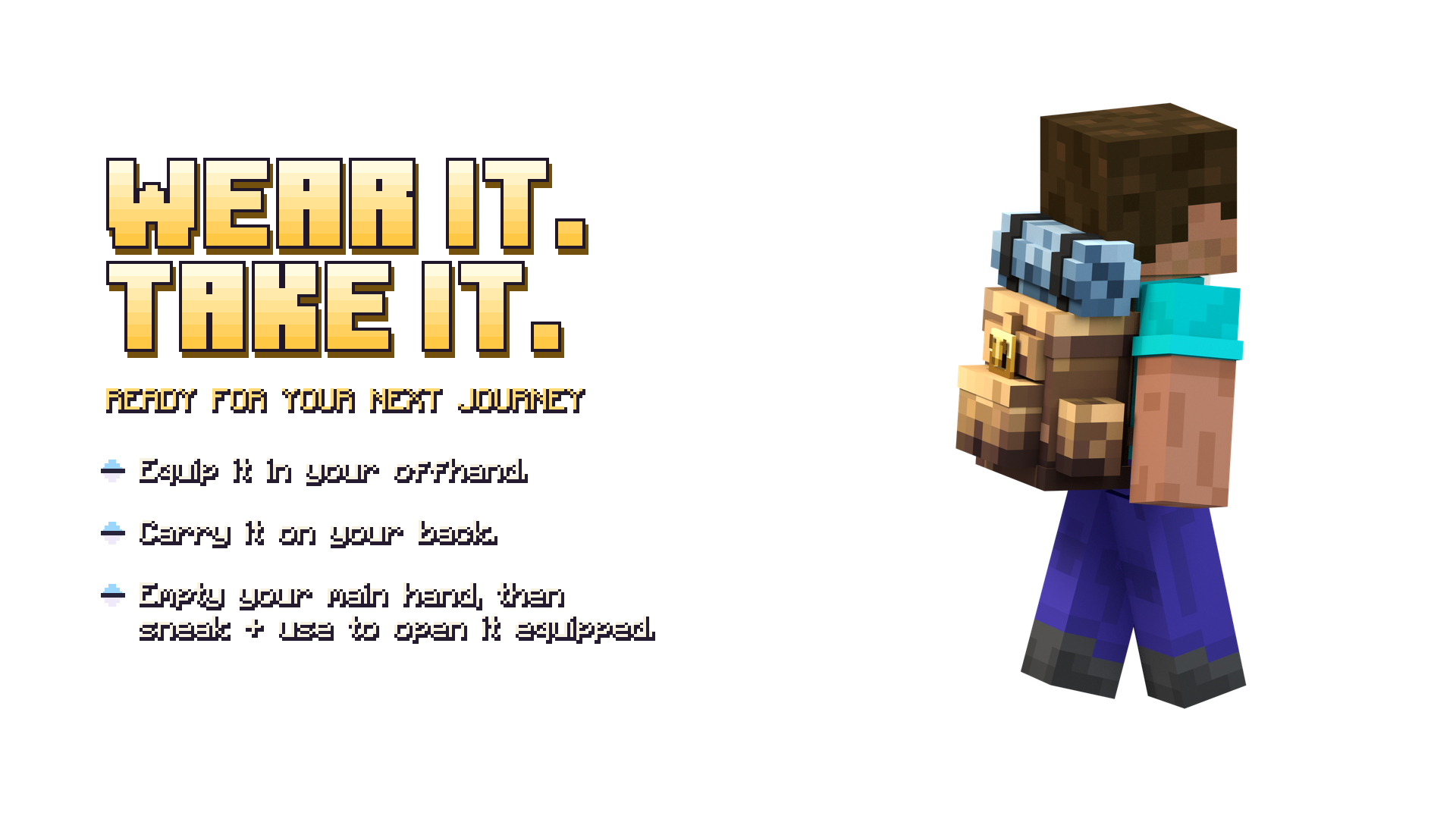
Wear it, open it or place it
- Wear: move the backpack to your offhand slot to display it on your back.
- Open from your hand: hold the backpack in your main hand and use/interact while standing.
- Open while equipped: leave your main hand empty, sneak and use/interact.
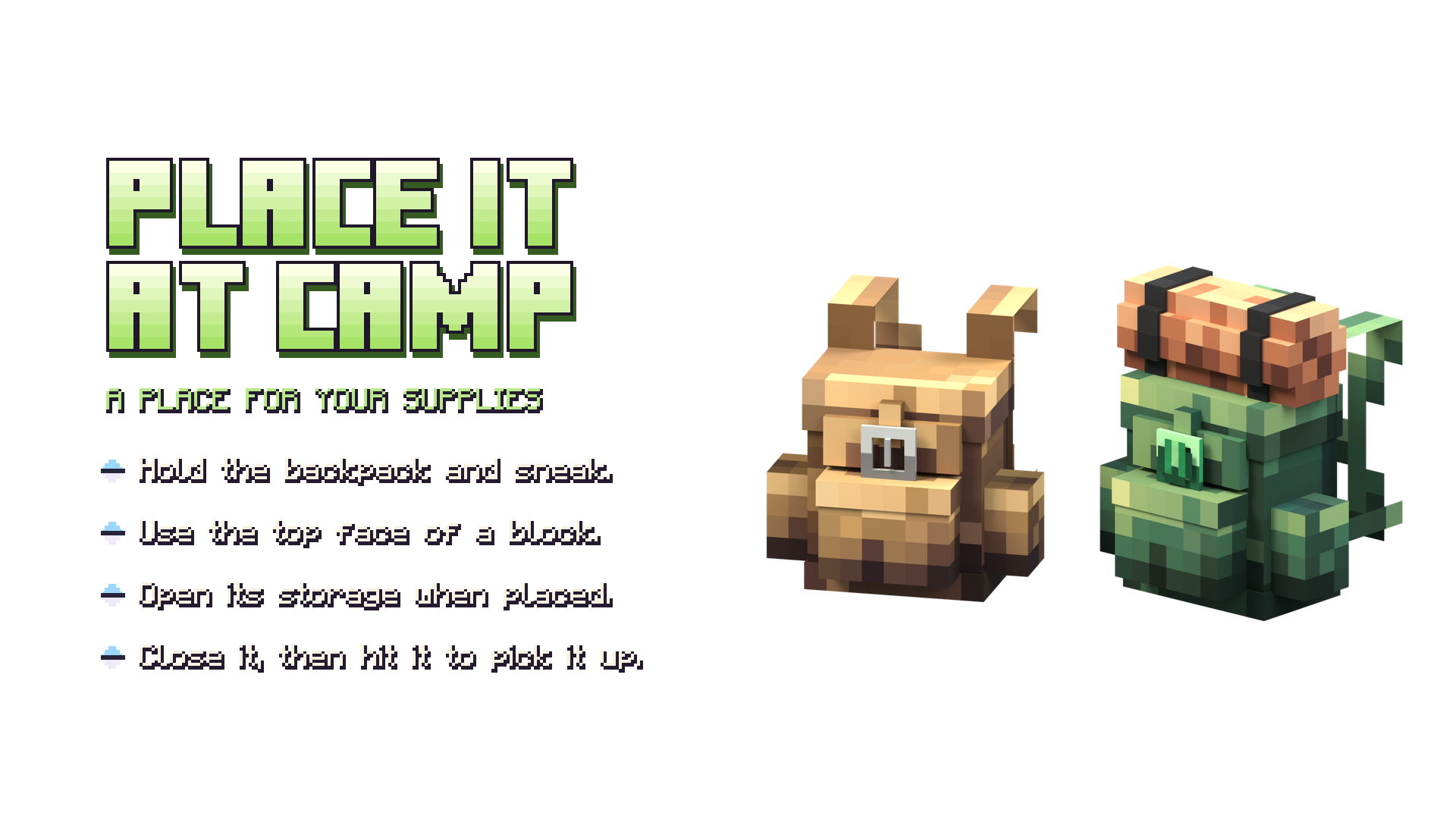
- Place: hold the backpack, sneak and use it on the top face of a block.
- Pick up: close its inventory, then hit the placed backpack.
- Navigate: use the inventory’s lower corner arrows to change pages. The “?” button explains the tier and available slots.
Dye your placed backpack
Close the backpack’s inventory, hold a dye in your main hand, sneak and use/interact on the placed backpack. Dyeing consumes one dye in Survival and none in Creative; applying its current color consumes no dye. The pack keeps its contents and tier.
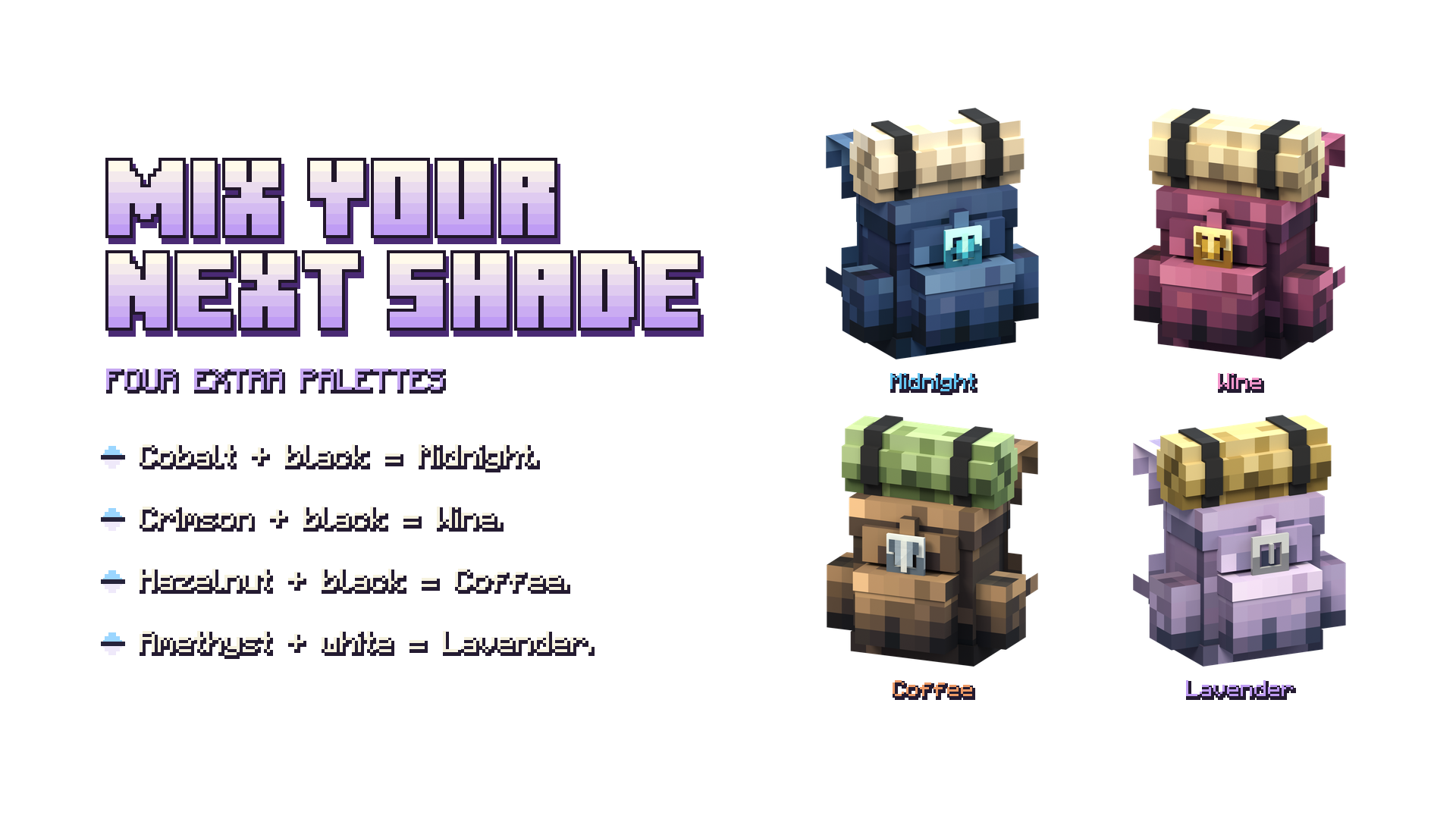
The 16 standard dyes select their designed palettes. Gray gives Sage, Light Gray gives Pearl and Brown gives Hazelnut. For the four additional shades, dye the placed backpack in sequence:
- Cobalt + Black Dye → Midnight
- Crimson + Black Dye → Wine
- Hazelnut + Black Dye → Coffee
- Amethyst + White Dye → Lavender
Your items stay with your pack
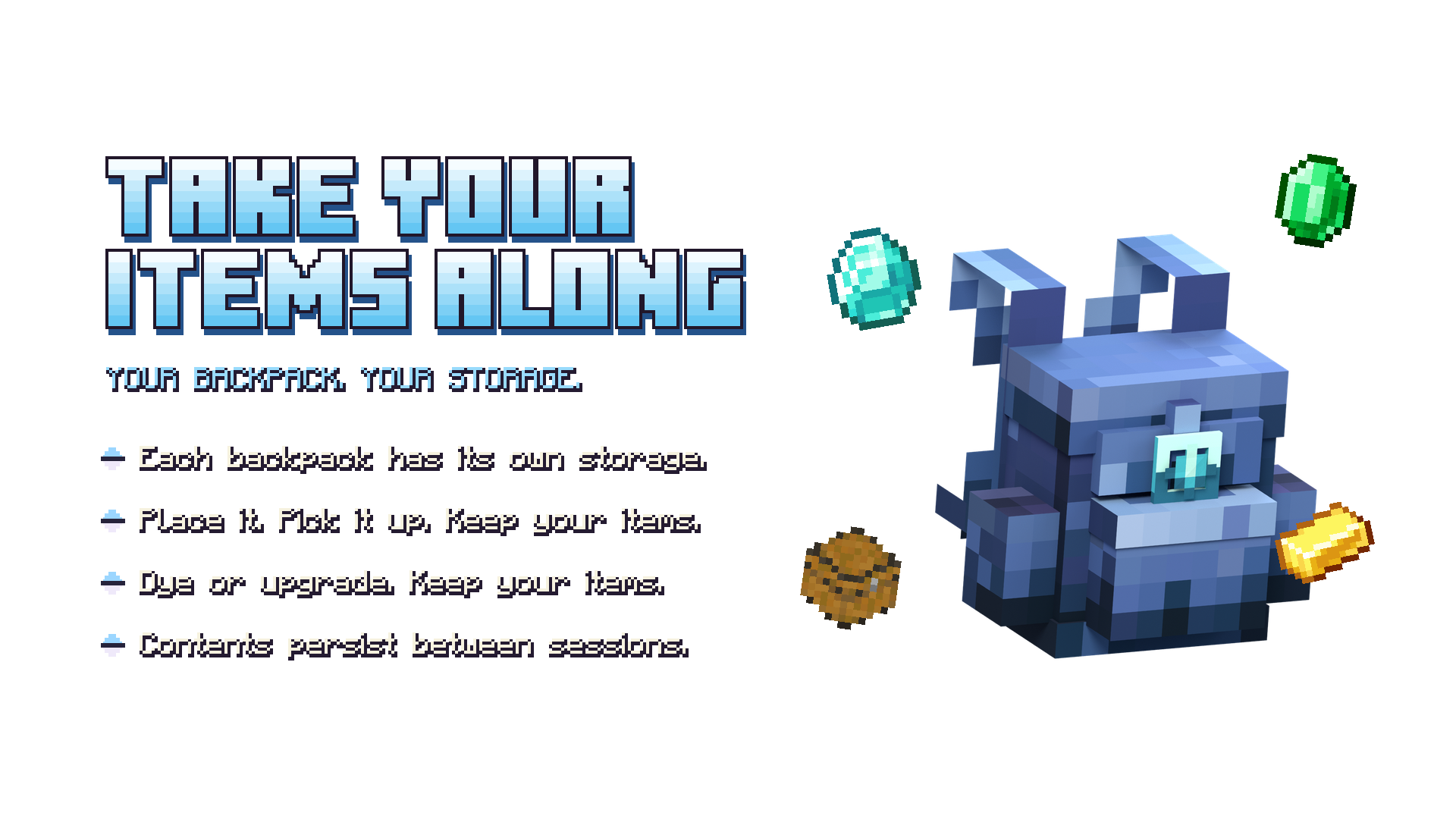
Each backpack has its own persistent storage. Placing, picking up, dyeing, upgrading and adding or removing a bedroll preserve its contents and custom name. Stored items retain their native item data.
Installation and compatibility
- Download the .mcaddon file from this project’s CurseForge Files tab.
- Open it with Minecraft to import the addon.
- Activate both the Behavior Pack and Resource Pack in your world.
- Load the world and open the included guide.
The packs declare a minimum of Minecraft Bedrock 1.26.40 and use stable Script APIs without experimental game features. The paged inventory targets Minecraft for Windows with the Classic UI profile. Pocket UI and other platforms have not been validated for this version.
Version 0.8.0 testing: storage and persistence were checked on the official Bedrock 1.26.52.3 server, including a restart with 158 stored item stacks. Graphical client verification is still pending. Back up your world before updating.
Frequently asked questions
Does the bedroll work as a bed?
No. It changes the appearance only.
Do upgrades remove my items?
No. Upgrading preserves the backpack’s identity and contents.
Do I need WearAnything or Inmortal Pets installed?
No. The required runtime resources are included in this standalone addon.
Are these gameplay screenshots?
The promotional images are studio renders made from the addon’s actual 3D backpack models and textures.
Feedback and credits
Report problems in the CurseForge comments with your Minecraft version, platform, UI profile and steps to reproduce the issue.
Created by IceFox Studios · Development: ReDeWz & Xtrager_Dev. Backpack artwork and palettes are made for this project. The storage engine and inventory controls are adapted from WearAnything; the 3D guide reader is adapted from Inmortal Pets.
Vanilla Backpacks Team

Owner